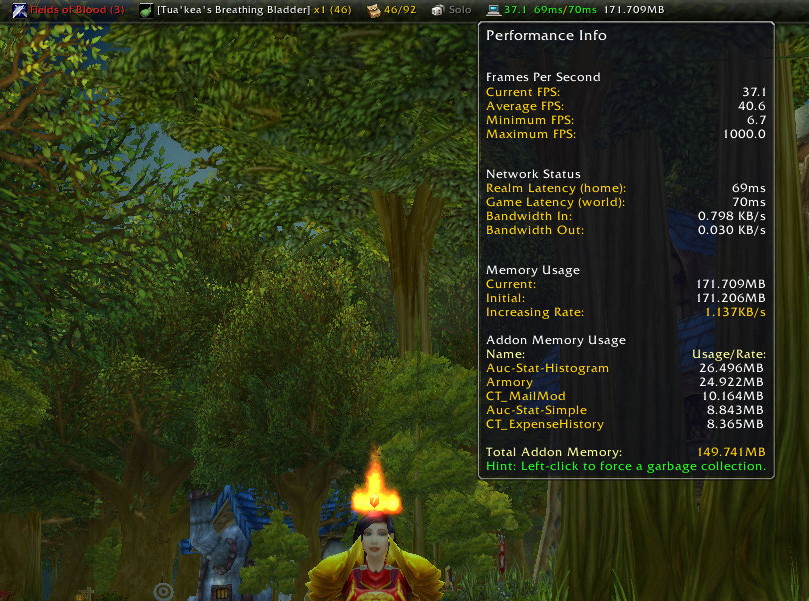
Display of the Titan Performance tooltip.
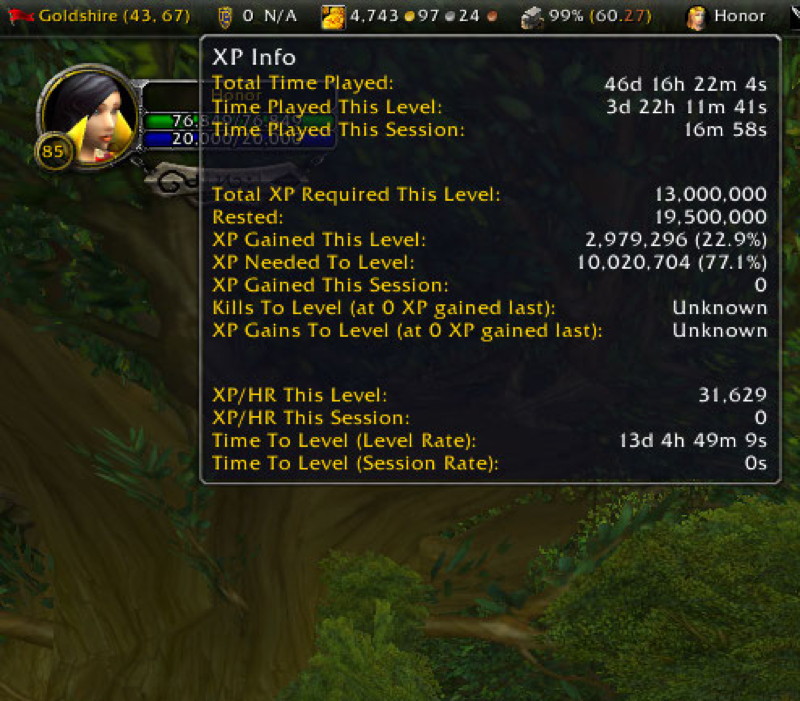
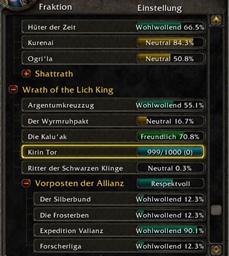
Information shown in the TitanXP tooltip.
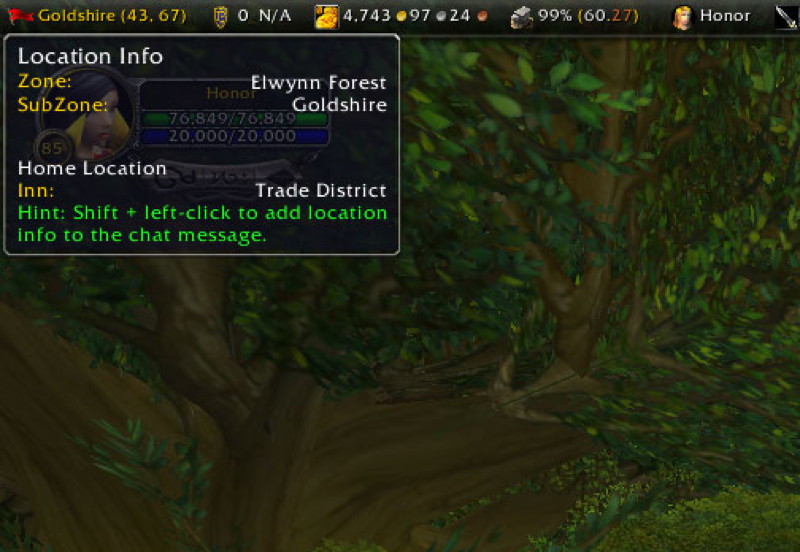
Information displayed in the tooltip for TitanLocation.
Description
About
We are aware that Titan Panel runs on WoW Forever Beta but does not save profiles or settings across an exit. We are actively working to resolve this and any other issues!
Titan Panel adds bars on the World of Warcraft UI to display relevant information to the user via plugins.
Please let us know of any errors or suggestions. Please do not post error dumps in comments here; create a ticket or use our Discord.
Join us on our Titan Panel Discord server.
Known issues:
- For 9.3.0 and higher : Please DO NOT drag plugins!! We are working an issue where, after dragging a plugin, plugins may disappear on reload (portals, dungeons, etc). The plugins can be enabled again via the menu or config. Plugins do not 'snap' to the end and can appear to stay anywhere on the screen - until a reload.
- We are aware of errors attempting to show tooltips, usually 'hgt'. Titan has released a fix BUT Titan plugins need to update before the error is resolved.
- Repair : Using sell all junk items may not sell all items, just click Repair again. There is no known fix for this.
Features
- The ability to have 1 or 2 bars at the top and bottom of your screen.
- The ability to have up to 10 Short bars on your screen. These are movable and width adjustable.
- Titan works on 'profiles'. User can easily Sync / Sync All to share among characters or Load to copy from another character.
- Many builtin plugins that provide a great core set of features.
- Fully supported plugin system with easy to use menus and options to change features on the fly.
- Ability to display Data Broker plugins; also known as LDB addons.
- Titan Config > Help contains current feature info and useful tips when using Titan Panel.
Notes:
- Titan Panel [Classic] : As of Midnight this is listed as "Incompatible"! This can safely be disabled in Addons. Needed for Classic versions so old Titan Panel 3rd party plugins will work without change.
- Midnight (12.0.0) brought many changes to addons. Titan were tooltips rewritten. They may act slightly different than before.
- In Jan 2026 Titan rewrote its menu system in response to Blizzard rewriting their Menu API in Dragonflight. We took the opportunity to present a consistent style and layout. The older scheme was deprecated by Blizzard and will be deleted from all WoW versions at some future release.
Developer Notes:
- Devs of LDB enabled addons : Consider NOT using GameTooltip to avoid 'secret' errors.
- Devs of Titan Panel plugins : For menus, consider using the new Titan_Menu (wraps Blizzard_Menu). See Bags for old and new schemes plus tips.
- Devs of Titan Panel plugins : For tooltips, consider using new tooltip scheme which uses a Titan tooltip to avoid 'secret' errors. See Bags for changes needed.
- Feel free to reach out to us on Discord with any questions.
Bug Reports
Please use :
- Our Titan Panel Discord server - likely much faster response.
- Our SourceForge Development Team page for tickets.
- Comments here although we read this less often.
Changes
The Titan Panel change history for recent releases is available on our Titan Panel Discord server (Announcements).
Also in the Titan Configuration > Recent Change History.
Special Instructions
If saved variables need to be cleared / wiped please :
- Use your addon manager.
- Or manually : delete Titan.lua (and Titan.lua.bak) from ../World of Warcraft/__/WTF/Account//SavedVariables
Included
Core:
- TitanPanel [Core] : Supporting code modules, including TitanAutoHide & TitanAuxAutoHide
- TitanPanel [Classic] : Classic versions Only; can safely be disabled if listed as "Incompatible"
Embedded:
- Ace3
- LibDataBroker (Titan Panel acts as server for displaying LDB addons)
- LibSharedMedia-3.0
- LibQTip-1.0
BuiltIns:
- TitanAlts : Show equipped ilvl; tooltip shows info on alts
- TitanAmmo : Classic versions Only
- TitanBag
- TitanClock
- TitanGold
- TitanLocation
- TitanLootType
- TitanPerformance
- TitanPost : Minimal plugin to give last known mail count and inform about expiring mail
- TitanRegen : Classic versions Only
- TitanRepair
- TitanUI : Reload the UI; menu includes opening to some Config; some features to help devs
- TitanVolume
- TitanXP
History
A few very dedicated people have maintained Titan Panel over the years. They are in order of chronological responsibility: TitanMod, Dark Imakuni, Adsertor, and urnati.
The Titan Panel Team


Owner


![Titan Panel Classic [Defense] project image](https://media.forgecdn.net/avatars/thumbnails/237/408/256/256/637100045506704963.png)