The Mailroom
- By
Bulk mail in full 12-slot mails, a compact inbox list, Open All / Gold / Bought / Expired openers that don't jam, and a history of every mail sent and received.
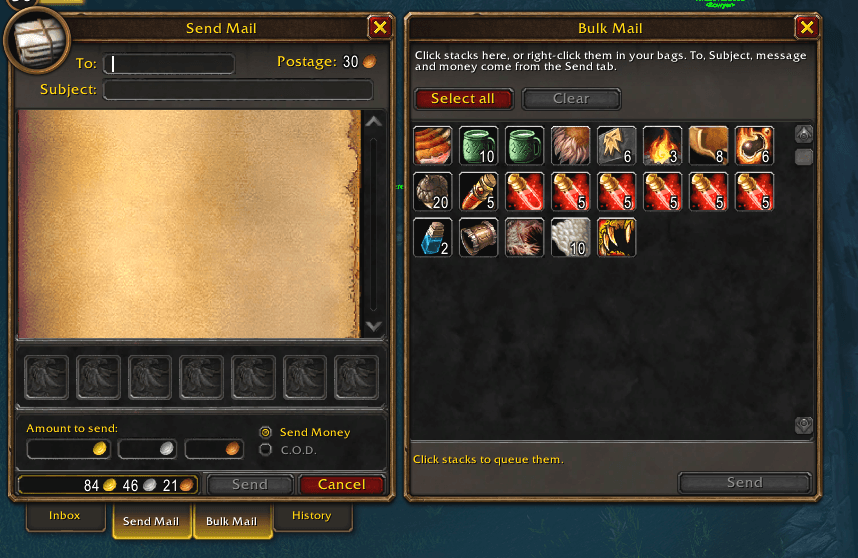
mailroom bulk.png
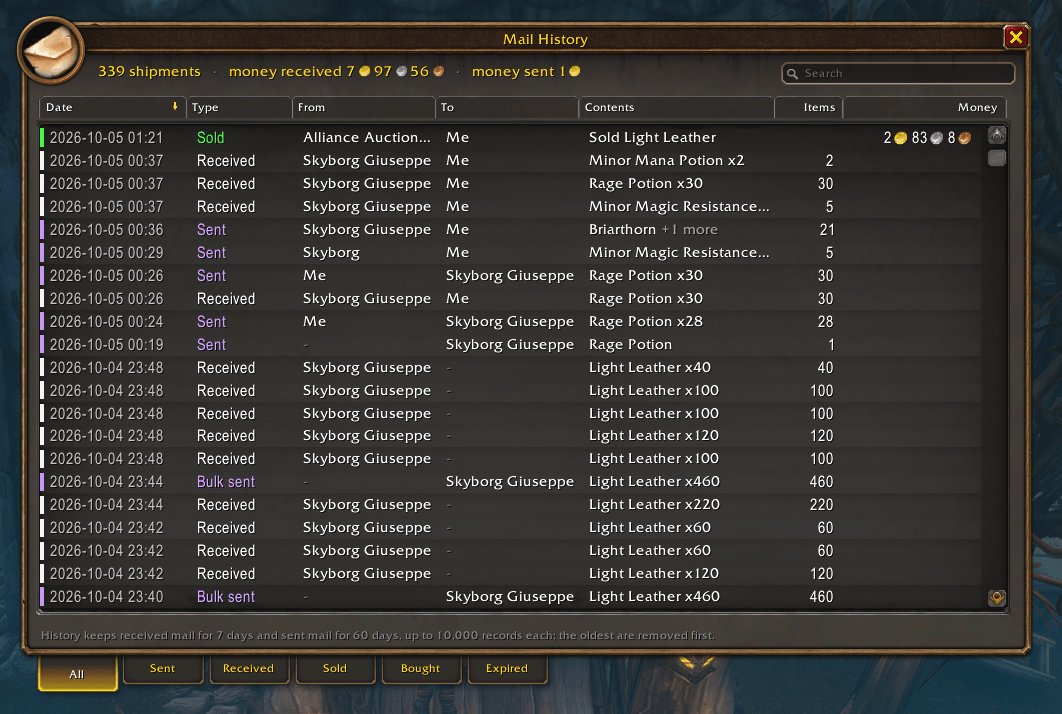
mailroom history.png
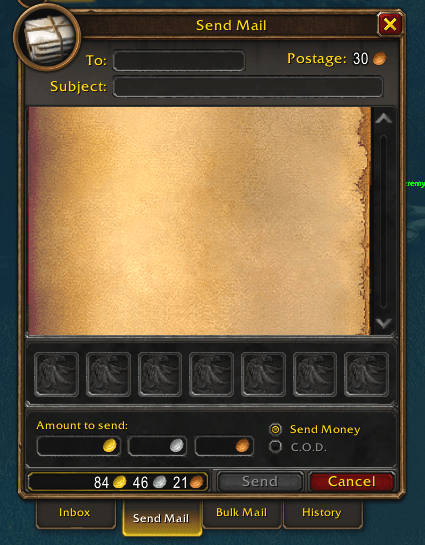
mail room send.png
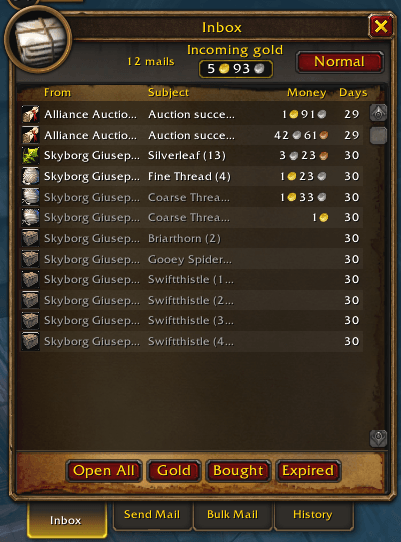
Mailroom extended 1.1.0 (fit).png
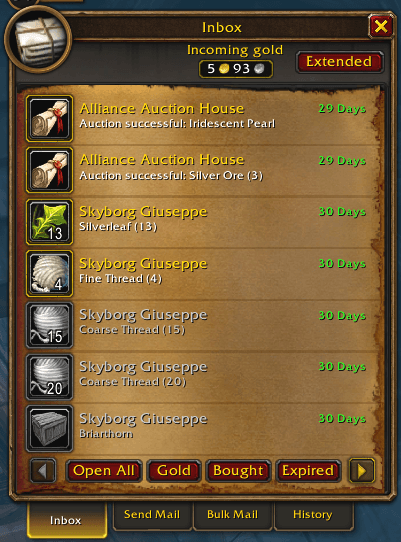
Mailroom inbox 1.1.0 (fit).png
Description
Mailroom is an extension of the mailbox: bulk sending, a compact inbox, paced openers that don't jam, and a record of every mail you send and receive. It uses the mailbox's own look, so it feels like part of the game rather than a second window bolted on.
- Bulk Mail: a third tab on the mailbox. Click stacks in its panel, or right-click them in your bags (Baganator works too), to queue as many as you like. Send packs them into full 12-slot mails and sends them one at a time, waiting for the server to confirm each before the next. To, Subject, message and money come from the normal Send tab.
- Extended: a button at the top right of the Inbox turns the seven-per-page mail slots into one scrolling list, one short row per mail. Click a row to open it as usual; shift-click takes everything. Your choice is remembered.
- Incoming gold: beside the Extended button, the gold waiting in your mail. The server shows 50 mails at a time, so a + means more mail is waiting; hover for the exact amount. While your inbox is full, a red count of the mails shown takes the place of the mailbox's "Your inbox is full." warning.
- Open All, Gold, Bought, Expired: Open All takes everything; Gold takes only the gold from every mail and leaves the items; Bought takes auctions you won; Expired takes auctions that expired or that you cancelled.
- History: a bill of lading for every mail, sent and received, in its own window. Tabs for All, Sent, Received, Sold, Bought and Expired; From and To columns, with your current character shown as Me; colour-coded types; sort by any column; search; hover a row for its full contents.
Openers that don't jam
Other openers break after enough mail: requests time out and the mailbox stops responding. Mailroom sends one request per mail and waits for the server's answer before the next. When the server is busy it waits; when it drops a request it asks again, a limited number of times; when it stops answering, your bags fill or you close the mailbox, it stops cleanly and tells you why. Past the 50 mails the server shows at once, it waits for the mailbox to refill and carries on. C.O.D. and GM mail are skipped, as the mailbox does.
History records what you actually received
Received items are counted as they arrive in your bags, and gold as it arrives in your purse, so a request that times out or a mailbox closed halfway never records anything you didn't get. A shipment interrupted and finished later is recorded the way you received it. A bulk send is one record for the whole shipment, and a send you cancel at Blizzard's confirmation is never recorded.
History keeps received mail for 7 days and sent mail for 60 days, up to 10,000 records each; the oldest are removed first.
Sending to other players
Mail with items or gold to someone who is not your friend or guildmate shows Blizzard's own confirmation for each mail. Mailroom waits for your click and never skips it. Money goes on the first mail of a bulk send only, and a bulk send refuses C.O.D.
Commands
/mailroom or /mr opens the Bulk Mail panel while you are at a mailbox. /mr history opens History anywhere; it also opens from the History tab on the mailbox.
Licence
Free software under the GPL-3.0: you are welcome to change it and share your changes.
If you like my addons and want to support my work, it's greatly appreciated!



If you liked my addon and have an idea for one you'd like to see developed, contact me here on CurseForge. Suggestions are always welcome!
The Mailroom Team