Druid HUD
- By
One druid display that follows your form, with timers that keep working in combat on Forever.
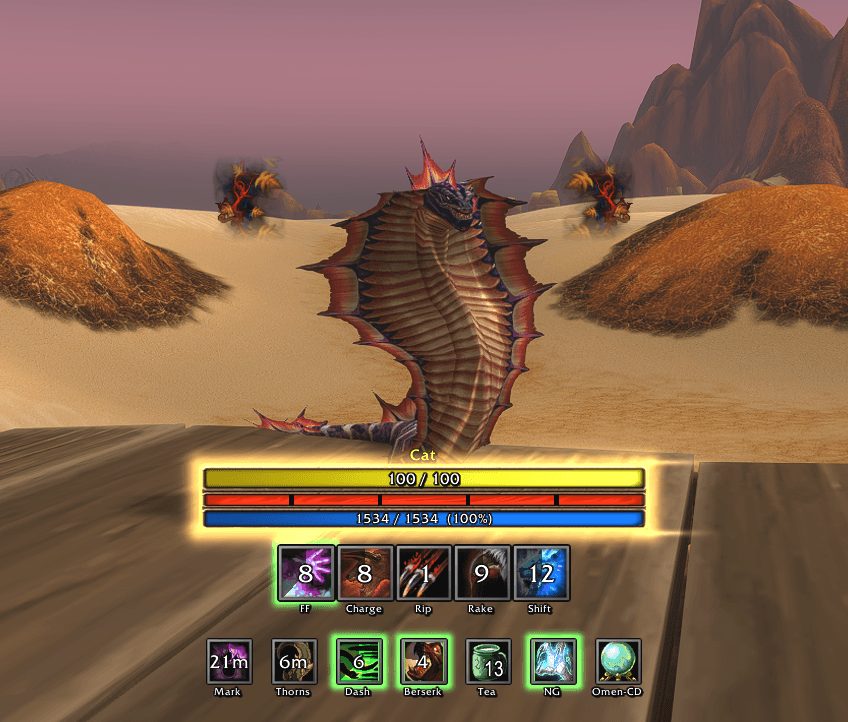
Druid HUD changes with your form and shows only what that form needs. Move it, style it per form, and share your layout with a code.
What each form shows
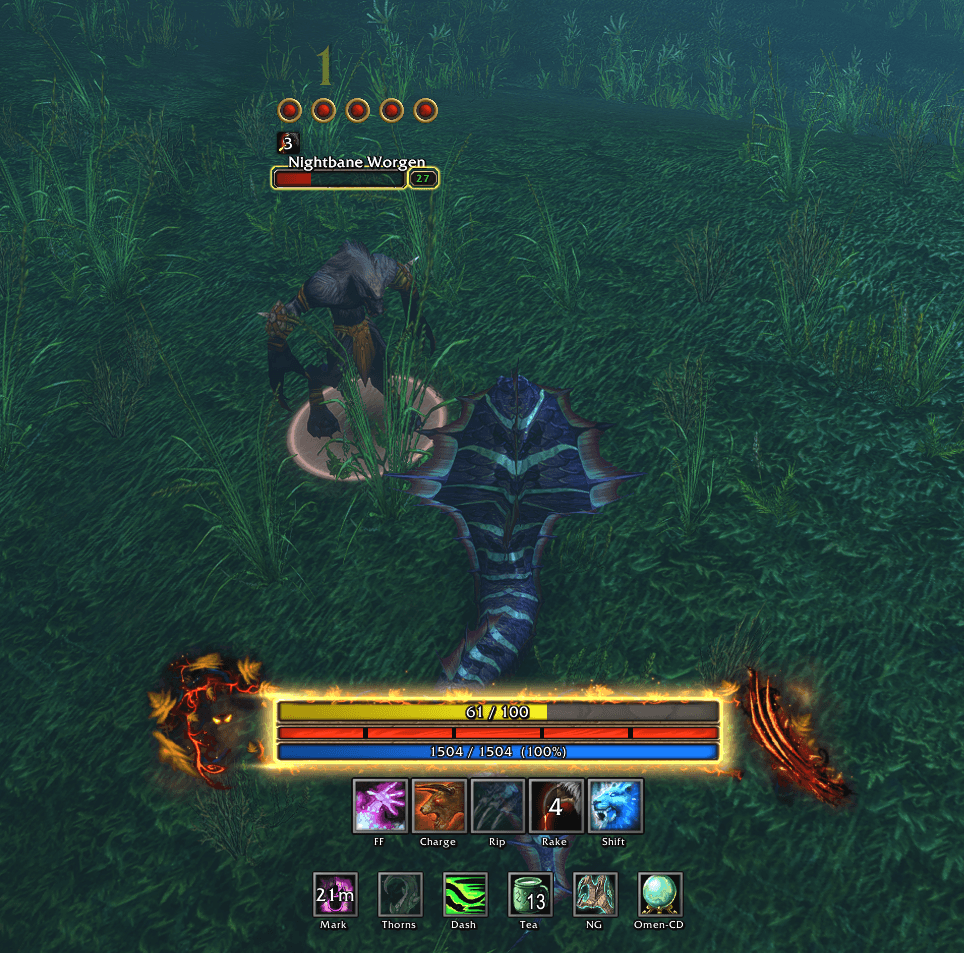
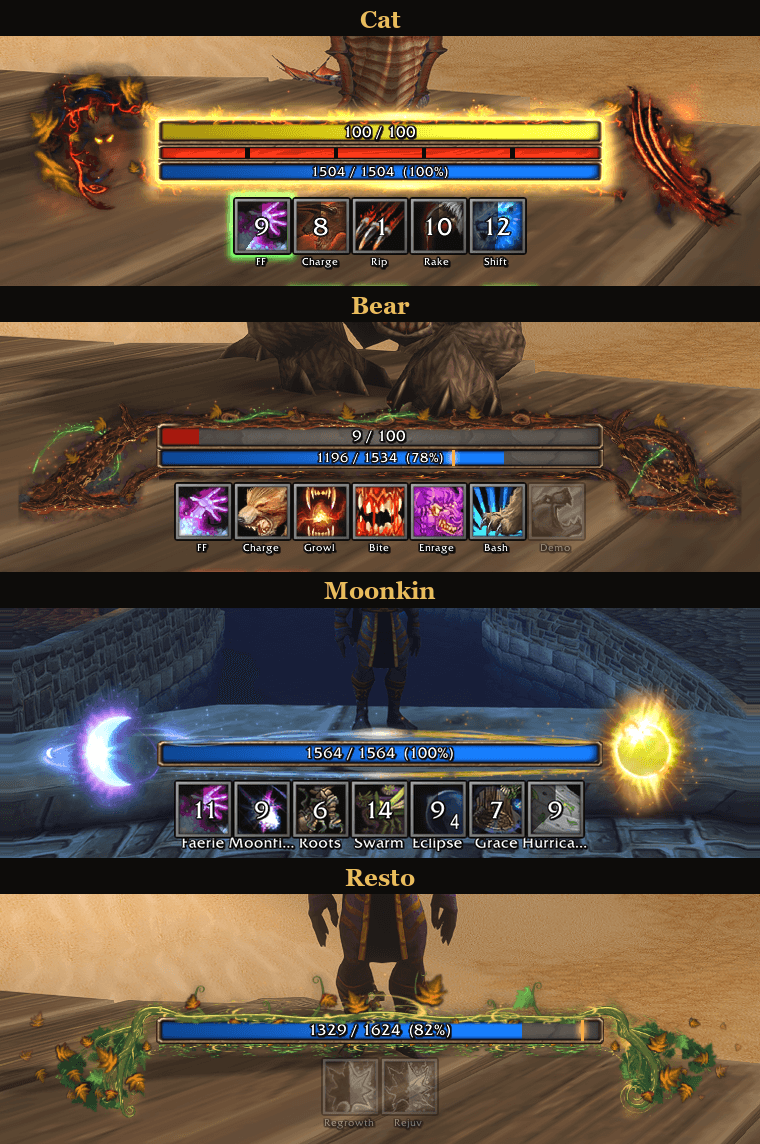
- Cat: energy, combo points (also on your target's nameplate), Faerie Fire, Feral Charge, Rip, Rake, Shifting Power, Clearcasting, Dash, Berserk, Thistle Tea.
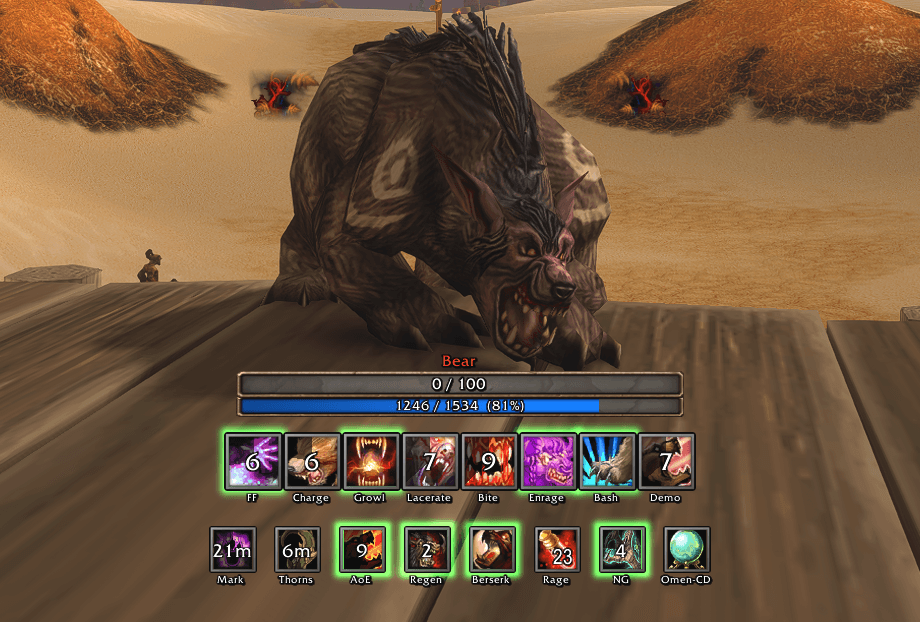
- Bear: rage, Faerie Fire, Feral Charge, Growl, Lacerate, Primal Bite, Enrage, Bash, Demoralizing Roar, Challenging Roar, Frenzied Regeneration, Berserk, rage potions.
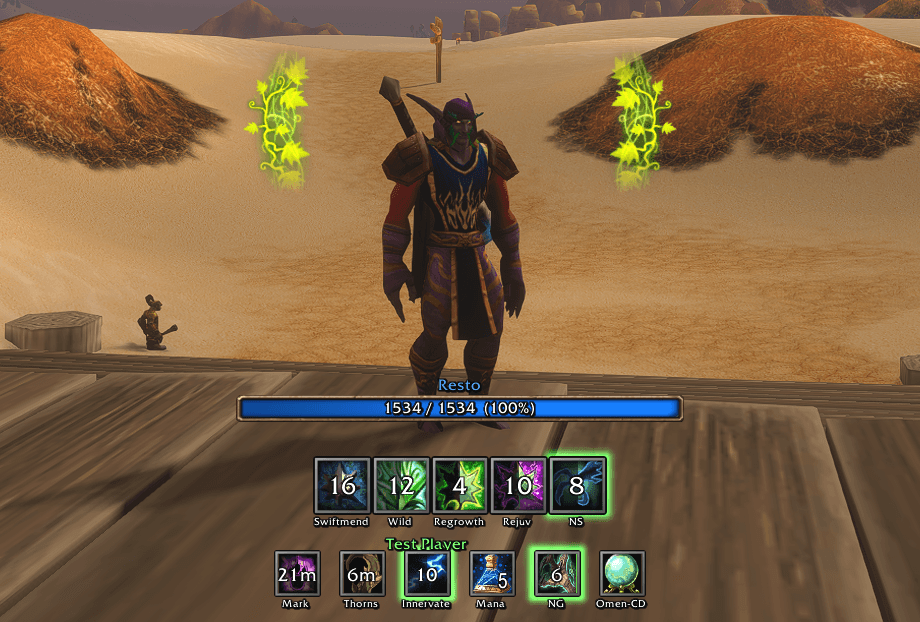
- Resto: mana, Swiftmend, Wild Growth, Regrowth, Rejuvenation, Nature's Swiftness, Innervate, mana potions.
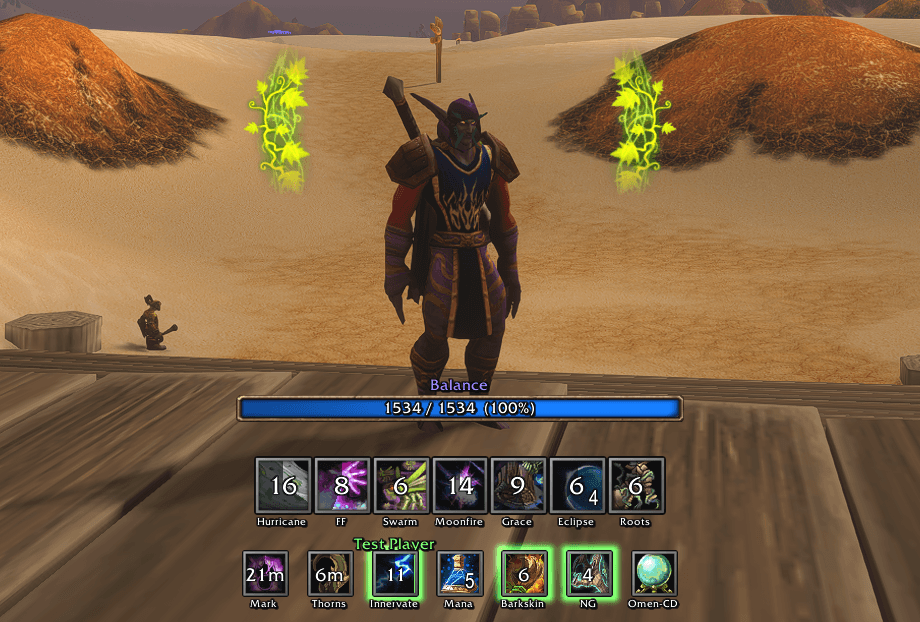
- Balance: Hurricane, Faerie Fire, Insect Swarm, Moonfire, Nature's Grace, Eclipse, Entangling Roots, Innervate, Barkskin, mana potions.
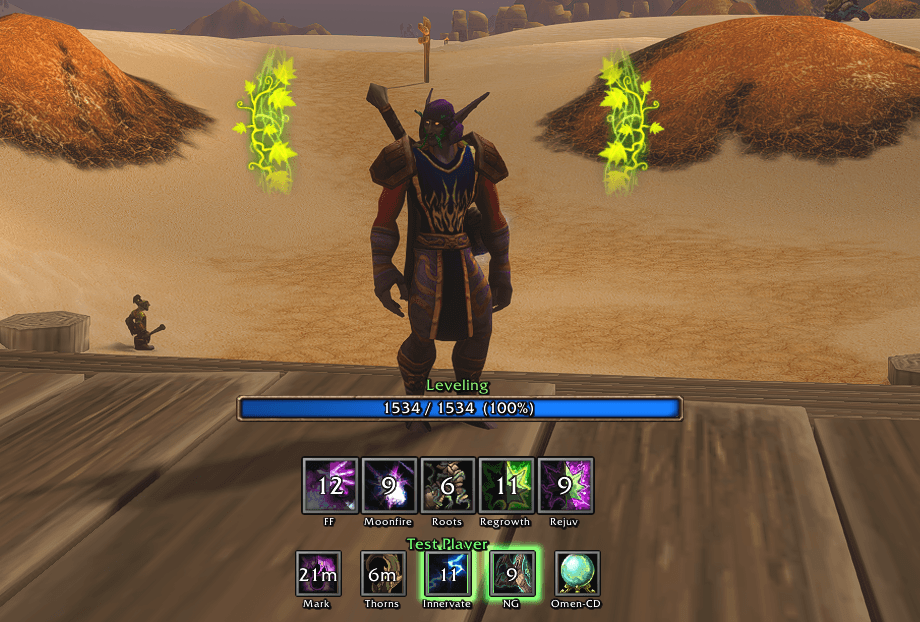
- Caster (levelling): Faerie Fire, Moonfire, Entangling Roots, Regrowth, Rejuvenation, Innervate.
- Every form: Mark of the Wild, Thorns and Nature's Grasp (red when missing), Omen of Clarity's cooldown, and mana with the five-second rule.
Spells appear as you learn them; potions while you carry them.
How it tracks
- Real buff, debuff and HoT timers, in combat too.
- Cooldowns straight from the game: ready, active, cooling down.
- Clearcasting lights vines beside your character (an icon in the Plain look).
Bear
Resto
Balance
Levelling
Floating Combo Points on Enemy Nameplate
Menu
Type /dhud: Show HUD always, Track Clearcasting procs, Caster HUD (Auto, Leveling, Resto or Balance), Edit, Share, Reset all.
Edit mode
Click Edit or type /dhud edit. Each form keeps its own layout.
- Drag the whole HUD, its rows, or any single icon (Freehand). Click an icon to hide it.
- Snap grid, Copy to all forms, Reset, Done.
- Look: theme, caster art, scale, spacing, nametags and their size.
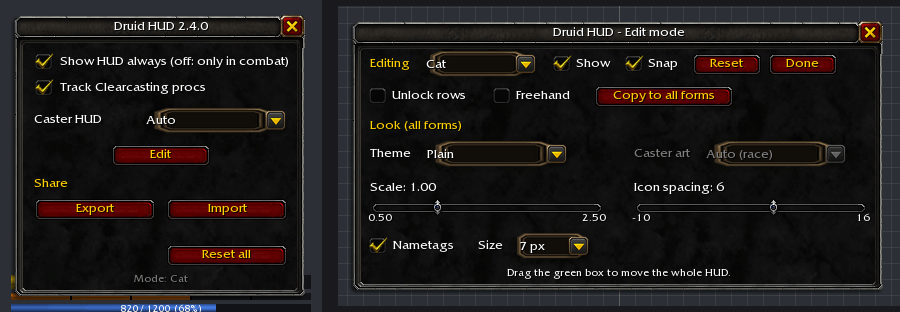
Share: Export gives a code; Import applies that layout and keeps your own settings.
Looks
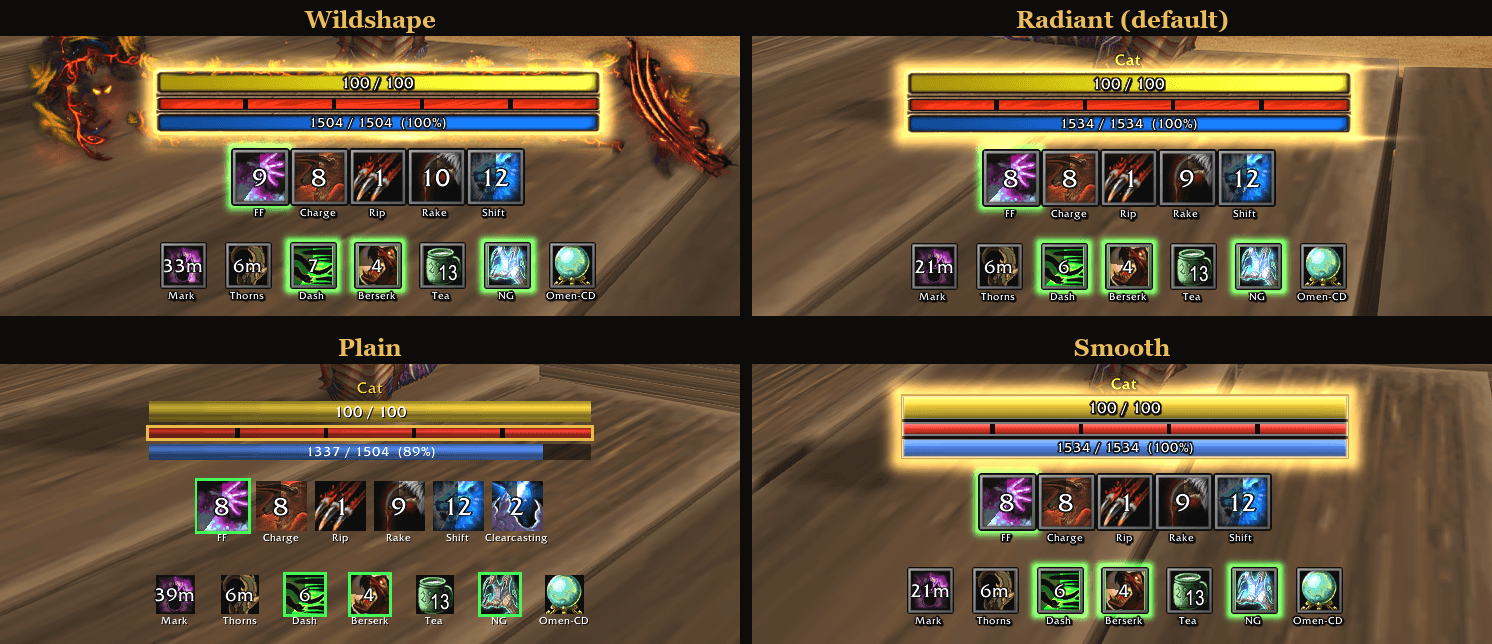
- Radiant (default): Blizzard's art with a gold trim.
- Plain: lightest on performance.
- Smooth: polished bars and bevelled icons.
- Wildshape: a trim for each form, also animated.
Wildshape: Cat, Bear, Moonkin and Resto
Wildshape while levelling: follows your race

Commands
- /dhud edit: edit mode.
- /dhud test: lights every icon for 15 seconds.
- /dhud showall: shows every slot, learned or not.
- /dhud lock / unlock: drag the HUD.
- /dhud mirrors on|off: real in-combat auras, or timers from your casts.
- /dhud preview nightelf|tauren|skyborne|moonkin: shows a trim on any druid.
- /dhuddebug: having a problem? Paste what it shows into a comment.
Licence
© LimJahey1337, all rights reserved. Free to use; ask before reusing its code or art. The Clearcasting textures are Blizzard Entertainment's.
If you like my addons and want to support my work, it's greatly appreciated!



If you liked my addon and have an idea for one you'd like to see developed, contact me here on CurseForge. Suggestions are always welcome!
Druid HUD Team