Tank Buff Reminder Forever
- By
Tank Buff Reminder is an all-in-one toolkit for tanks. It keeps your buffs, consumables and defense stats in front of you, so there is less to track during dungeons and raids.
Tank Buff Reminder — WoW: Forever
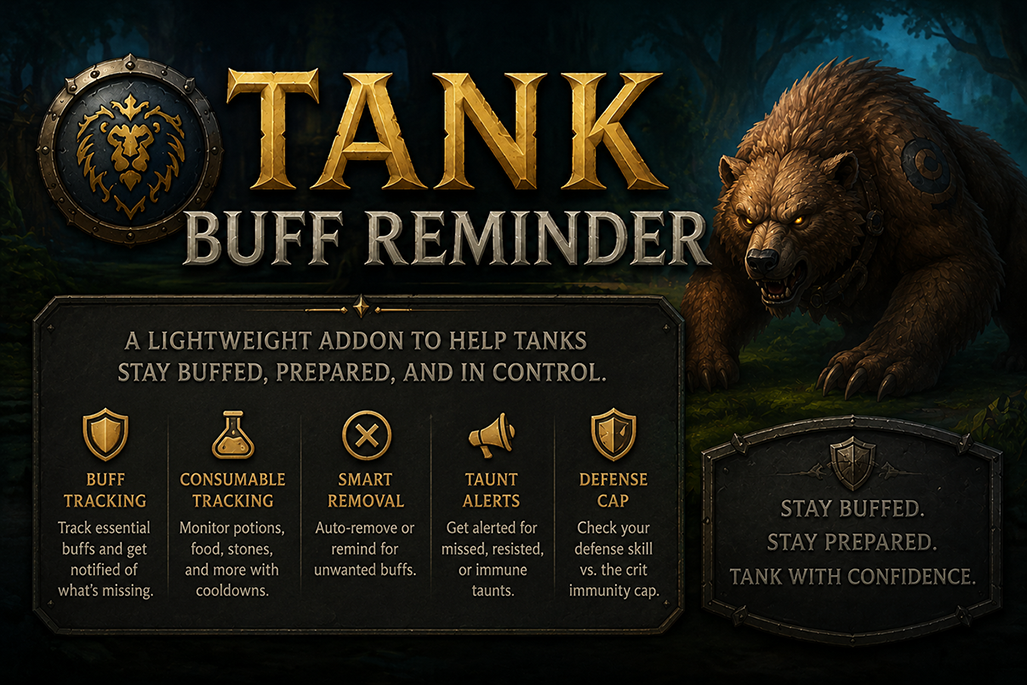
Tank Buff Reminder is an all-in-one toolkit for tanks. It keeps your buffs, consumables and defense stats in front of you, so there is less to track during dungeons and raids. It includes a buff bar you can click to cast, a raid buff tracker, a consumable bar with druid-safe form shifting, automatic buff removal, and a defense cap and tank stats window.
This is the WoW: Forever edition, rebuilt for Forever's level 60 game and its addon rules. Translations: enUS · deDE · frFR · esES · ruRU · zhCN · zhTW · koKR (newer Forever-only text shows in English for now).
How Forever changes things
Forever uses Blizzard's modern addon rules, which limit what any addon can see during combat:
- Your buffs are hidden from addons in combat. Tank Buff Reminder checks your buffs between pulls. During a fight it works from each buff's remaining time as of the pull: the icon lights up when a buff should run out, and the timer resets when you recast it on yourself.
- Addons can't read the combat log. The taunt-failure and threat alerts from the TBC edition depended on it, so they are switched off for now. They will come back rebuilt on the game's threat readings.
Buff Bar
- Missing buffs glow and pulse so you notice them right away.
- Click to cast: click any missing buff to cast it. Buffs always go on you, even if you have your healer targeted.
- Only what you know: buffs you haven't learned yet are skipped while levelling, and new ones appear as you learn them.
- Move and resize: Shift+drag to move. Scale and spacing are adjustable.
- Tracked per class:
- Warrior: Battle Shout, Defensive Stance.
- Paladin: Righteous Fury, Devotion Aura, and Forever's new Seal of Fury (off by default, since paladins often run other seals; turn it on in the Buffs tab).
- Druid: Thorns, Mark of the Wild (Gift of the Wild counts).
Raid Buff Bar
Tracks the buffs other players put on you, the ones you can't cast yourself but don't want to be without.
- Covers: Power Word: Fortitude, Shadow Protection, Divine Spirit, Fear Ward (Priest), Arcane Intellect / Brilliance (Mage), Mark of the Wild, Thorns (Druid), and Blessing of Kings, Might and Wisdom (Paladin).
- One-click call-outs: click a missing or expiring buff to announce it to yourself, /say, /yell, /party or /raid.
- Expiry warning: set a threshold of 0–25 seconds in the Alerts tab. The icon glows before the buff drops and still shows its time left.
- Smart detection: only asks for buffs from classes that are actually in your group. It can also hide while you're solo.
- Same look as the buff bar: shares the buff bar's scale, glow, pulse and timer settings. Shift+drag to move.
Consumable Bar
- Level 60 catalog: Healthstones, potions, flasks, guardian and battle elixirs, scrolls, food, weapon stones and oils, engineering items and more, using Forever's item names.
- Quick bindings: Ctrl+click a slot to bind a key; Backspace clears it.
- Druid-safe use: in bear form, using an item shifts you out, uses it and shifts you back in a single secure click.
- Crowd-control safeguard: while you're stunned, feared or silenced, or on the global cooldown, the bar won't shift you out of form, so you aren't left in caster form when you can't act.
- Visual controls: scale, glow, pulse speed, colors, duration timers, show on mouseover, layout direction and hiding empty slots. Item counts are accurate and the shared potion cooldown is tracked.
Druid items: why a secure button instead of a macro
A normal macro runs each line separately, such as /use item:xxxx and then /cast !Dire Bear Form. If the server hasn't registered the form change at that exact moment, the item or the shift can fail, or the key press gets eaten.
Tank Buff Reminder avoids this by building the macro inside Blizzard's secure button system (SecureActionButtonTemplate). If you're crowd-controlled or on the global cooldown, it turns off autoUnshift for that click, in the same way as Druid Macro Helper, so you stay in bear form. These built-in macros can't be edited. If you want to customise them, use Druid Macro Helper.
Buff Removal
Some buffs are bad for a tank. Blessing of Protection stops you from attacking and loses you threat. (Blessing of Salvation doesn't exist on Forever.)
- Auto-remove: cancels the buff as soon as you're out of combat.
- In combat: shows a clickable icon to cancel it mid-fight.
- Icon only: shows the clickable icon without auto-removing.
- Off: disables it.
- Placement: the icon can be moved, resized and spaced from the options.
Automation
- Tank role: sets your group role to Tank (skipped in battlegrounds and arenas).
- Auto-repair: repairs at vendors and prints the cost in chat.
Defense Cap & Tank Stats
A reference window for Warriors, Paladins and Druids, set up for Forever's level 60 rules.
- Character screen button: a movable shield icon on your character sheet shows ✓ or ✗ for crit immunity.
- Boss level presets: level 60, 61, 62 or 63 (raid boss, the default).
- Defense chart: every defense value from 300 up to the cap. It shows the +Defense you need from gear and the crit chance you have left. 440 defense makes you uncritable against level 63 bosses (each point over 300 removes 0.04%).
- Tank stats:
- Defense and avoidance: defense skill, dodge, parry, block, and miss chance against the chosen boss.
- Crushing blows: total avoidance, marked when warriors and paladins reach the 102.4% that pushes crushing blows off the table.
- Armor and health: armor and damage reduction (capped at 75%, which is 17,265 armor against level 63), and effective health.
- Offense: attack power, hit, expertise, crit, and an estimated threat per second.
- Your look: font size, transparency and color theme are set from the options.
In combat the game hides your stats from addons, so the window shows the values from just before the fight.
About the threat estimate
The threat-per-second number is a rough baseline worked out from your character sheet: attack power, crit, hit, spell power and block value. It is not a combat log or a simulator, and it doesn't follow your rotation. Use it to compare gear, consumables and talents, not as a live meter.
Druid (bear):  (AP / 14 × 2.5) × 1.9 × 1.3 × hit × 2.15 × crit
               (2.15 = Forever's +115% bear form threat; 1.3 = Maul/Swipe use)
Warrior:       (AP / 14 × 1.6) × 2.4 × hit × crit
               (2.4 bundles Defensive Stance, Defiance and Shield Slam/Revenge)
Paladin:       ((holy DPS + Holy Shield DPS) × 1.9) + (melee DPS × hit)
               (Holy Shield = 221 damage per block on Forever, plus block value)
Options
Open the options with /tbr. Settings are saved per character and apply instantly. There are five tabs:
- Buffs: choose which buffs to track and their order, and which raid buffs to watch.
- Appearance: glow, scale, pulse, timers, colors and transparency for all three bars.
- Alerts: sounds for missing buffs and removals, and raid buff call-outs and expiry warnings.
- Automation: role, repair, buff removal and the removal icon's position.
- Consumables: which items to show, bar direction, show on mouseover and hiding empty slots.
Commands
/tbr— open the options./tbrcap— show or hide the Defense Cap & Tank Stats window./tbr check— ask the game whether every spell, item and sound the addon uses exists on your client. Handy after a Forever patch.
Installation
- Download the latest release.
- Extract the
TankBuffReminderfolder intoWorld of Warcraft/_forever_/Interface/AddOns/. - Start the game, or type
/reloadif you're already logged in.
Author
Gravebear
Why an addon and not WeakAuras? Many of these features can be built with WeakAuras, but tank tracking is among the heaviest work an aura setup does. The game runs addons on a single thread, Blizzard's addon functions are limited (and more so on Forever), and large aura collections add up. Tank Buff Reminder does one job with as little work per frame as it can.
Tank Buff Reminder Forever Team