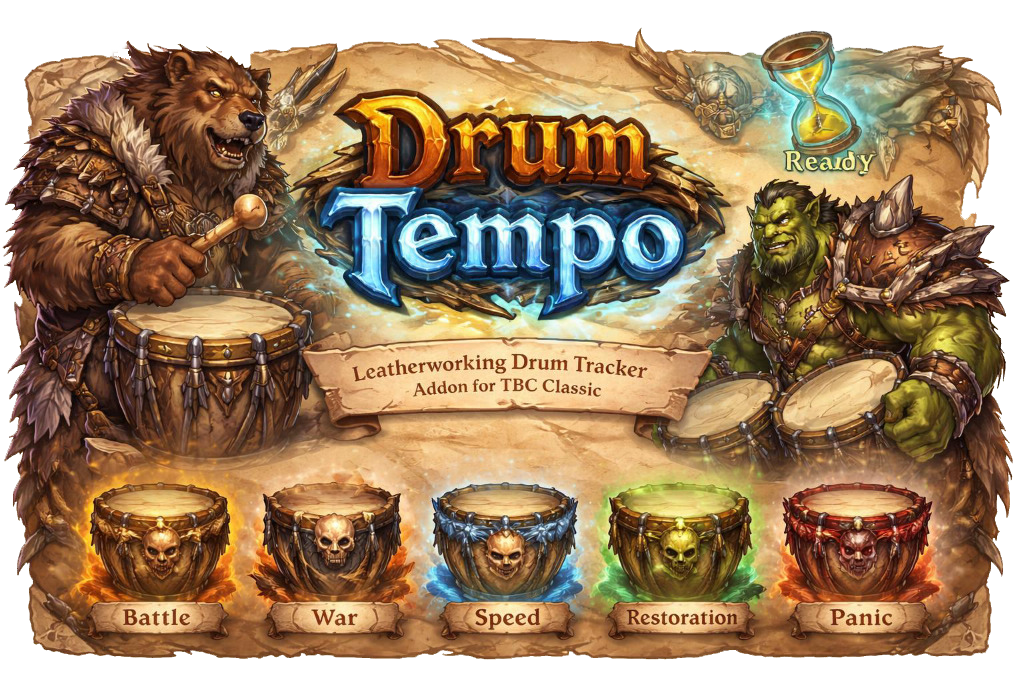
promotional bannermobile promotional banner

DrumTempo

Tracks the debuff for drumming so that you don't waste a charge.

DrumTempo

A World of Warcraft addon for tracking Leatherworking drums — cooldowns, debuffs, and person who drummed last — through a clean, movable icon on your screen.


What It Does

DrumTempo puts a single button on your screen showing whichever drum item you want to watch. When anyone in your group uses drums, the addon detects the cast, starts a visual cooldown swipe on the icon, and tracks the Tinnitus debuff that prevents you from using drums again for 2 minutes. While you have Tinnitus, the button is greyed out and unclickable. When the debuff expires, the button returns to full color and a glow effect fires to catch your attention.

DrumTempo works correctly whether you use the drums or a party/raid member does — the lockout and timer are driven by the actual Tinnitus aura on your character, not by who cast the spell.


Supported Drums

Drum Effect Duration
Drums of Battle 30 seconds
Drums of War 30 seconds
Drums of Speed 30 seconds
Drums of Restoration 15 seconds
Drums of Panic 2 seconds

All drums share the same 2-minute Tinnitus lockout.


Layouts

DrumTempo ships with two layouts, switchable at any time from the options panel without a reload.

Default Drum

The full-information layout. The icon shows a cooldown swipe when drums are used, along with three text elements:

  • Drummer Name — appears above the icon showing who used the drums
  • Debuff Timer — appears below the icon in red, counting down the Tinnitus duration in M:SS format (e.g. 1:45)
  • Charge Count — shown in the bottom-right corner of the icon, displaying how many of the watched drum you currently have in your bags

When Tinnitus expires the icon returns to full color and optionally plays a glow effect.

Minimal Drum

A clean, no-text layout. The icon is the only element — it greys out when you have Tinnitus and becomes clickable again when the debuff ends. A white pulse glow starts when 5 seconds remain on the debuff as an early warning, and a ready glow fires when it's fully expired.


Features

Lockout tracking — The button becomes unclickable and greyed out the moment drums are used (by you or anyone else in your group) and stays that way until your Tinnitus debuff expires. This is enforced via the actual aura on your character, so it survives latency and mid-combat UI reloads.

Debuff countdown — The Default layout shows a live M:SS countdown of your remaining Tinnitus time, reading directly from the aura expiration so the number is always accurate.

Drummer name display — The Default layout shows the name of whoever used the drums above the icon, so you know at a glance who triggered the current lockout.

Charge count — The Default layout shows how many of the watched drum you have in your bags in the corner of the icon. Updates automatically when your bags change.

5-second warning pulse — Both layouts play a soft white glow animation when 5 seconds remain on Tinnitus, giving you a heads-up to get ready.

Ready glow — When Tinnitus expires and drums are available again, a Blizzard-style proc shine plays on the icon to draw your eye.

Party or Raid announcements — When you use drums, the addon can automatically post the item link to party or raid chat so your group knows drums were used and the Tinnitus debuff is active so they dont waste their drums.

Hide when solo — Optionally hide the button entirely when you are not in a group.

Movable icon — Unlock the button from the options panel and drag it anywhere on screen. Position is saved per profile.

Scalable icon — Resize the icon from 50% to 300% of its default size.

Per-profile settings — All settings are stored per character profile via AceDB, with full profile switching support in the options panel.


Options

Open the options panel with /dt or /drumtempo, or through the standard Interface > AddOns menu.

General Settings

Setting Default Description
Lock Drums On Locks the icon in place. Turn off to drag it to a new position.
Announce in Party On Posts the drum item link to party chat when you use drums.
Announce in Raid Off Posts the drum item link to raid chat when you use drums.
Hide When Solo Off Hides the icon entirely when you are not in a party or raid.
Layout Choice Default Drum Switches between Default Drum and Minimal Drum layouts. Takes effect immediately.
Drums to Watch Drums of Battle Which drum item the icon displays and tracks charges for.

Appearance

Icon Scale — Slider from 0.5× to 3.0×. Resizes the entire button. Default is 1×.

Default Layout Visibility

These four checkboxes control which elements are shown in the Default Drum layout. All are enabled by default. Changes take effect immediately without a reload.

Setting Default Description
Show Drummer Name On Shows the name of whoever used drums above the icon.
Show Debuff Timer On Shows the Tinnitus countdown in red below the icon.
Show Charge Count On Shows how many drums you have in the corner of the icon.
Ready Glow Effect On Plays a glow animation on the icon when Tinnitus expires.

Font & Positioning

Three text elements each have their own font controls. Settings apply live to all active frames.

Drummer Name

  • Size — font size from 8 to 40
  • Vertical Offset — moves the text up or down relative to its default anchor
  • Type — font selection (includes LibSharedMedia fonts if installed)

Debuff Timer

  • Size — font size from 8 to 40
  • Vertical Offset — moves the text up or down relative to its default anchor
  • Type — font selection

Charges Count

  • Size — font size from 8 to 40
  • Vertical Offset — moves the text up or down relative to its default anchor
  • Type — font selection

Profiles

Full AceDB profile management — create, copy, delete, and switch between profiles. Useful for maintaining different settings across characters or roles.


Chat Commands

Command Description
/dt Opens the options panel
/drumtempo Opens the options panel

Author: Gravebear Category: TBC Classic WoW Addon

The DrumTempo Team

profile avatar
  • 6
    Projects
  • 1.9K
    Downloads

More from GraveofBears

  • Bearplane Mode project image

    Bearplane Mode

    • 119
    • Addons

    A smart automatic travel form addon for Druids in The Burning Crusade Anniversary.

    • 119
    • June 12, 2026
    • Addons
    • +1
  • TankBuffReminder project image

    TankBuffReminder

    • 1.5K
    • Addons

    A simple tank helper to remind us of buffs, easily remove Salvation or BoP, auto repair, defense cap charts, and taunt announcements.

    • 1.5K
    • June 12, 2026
    • Addons
    • +1
  • OneJobOwl project image

    OneJobOwl

    • 14
    • Addons

    A Classic WoW (TBC) addon that shames Moonkins for letting Faerie Fire fall off, and lets Moonkins track their own performance.

    • 14
    • June 12, 2026
    • Addons
    • +2
  • Bearplane Mode project image

    Bearplane Mode

    • 119
    • Addons

    A smart automatic travel form addon for Druids in The Burning Crusade Anniversary.

    • 119
    • June 12, 2026
    • Addons
    • +1
  • TankBuffReminder project image

    TankBuffReminder

    • 1.5K
    • Addons

    A simple tank helper to remind us of buffs, easily remove Salvation or BoP, auto repair, defense cap charts, and taunt announcements.

    • 1.5K
    • June 12, 2026
    • Addons
    • +1
  • OneJobOwl project image

    OneJobOwl

    • 14
    • Addons

    A Classic WoW (TBC) addon that shames Moonkins for letting Faerie Fire fall off, and lets Moonkins track their own performance.

    • 14
    • June 12, 2026
    • Addons
    • +2