OneJobOwl
- By
A Classic WoW (TBC) addon that shames Moonkins for letting Faerie Fire fall off, and lets Moonkins track their own performance.
OneJobOwl
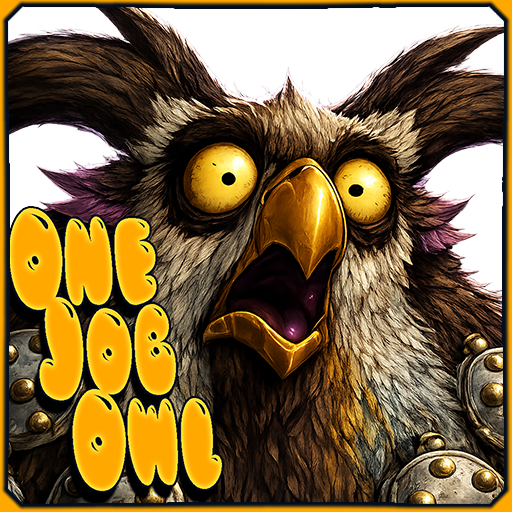
OneJobOwl is a Classic WoW (TBC) addon with one purpose: Faerie Fire uptime, enforced by owl.
If you're not the Moonkin, pick one and shame them whenever Faerie Fire drops off the target. If you are the Moonkin, switch to I Am Owl mode and the owl grades you instead — praising clutch refreshes, shaming drops, and handing you a full report card at the end of every fight.
Features
Shame Mode 💩 (For Non-Moonkins)
Tracks Faerie Fire on your target. Two delivery methods:
- Shame Button (default) — A moonkin owl pops up when FF drops. Left-click to send the shame, right-click to forgive (this time). Auto-hides after 10 seconds.
- Auto-Shame — Sends the message automatically with no button, no mercy, and a 10-second rate limit so it doesn't spam.
I Am Owl Mode 🦉 (Self-tracking for Moonkins)
Improve your IFF management and be graded on your performance.
- Clutch refresh praise — Refresh FF within your configurable clutch window and the owl praises you live.
- Drop shaming — Let FF fall off a living target and you hear about it immediately.
- After-battle report — End of combat: uptime %, refresh count, total downtime, avg seconds left at refresh, and a colored letter grade.
- Multi-target grading (optional) — Enable the FF Bar and multi-target grading together and every mob you Faerie Fired during the fight gets its own scorecard. At combat end the scores are combined into one weighted grade based on how long you fought each mob. Per-mob shames and praises still fire individually mid-fight.
Faerie Fire Bar 📊 (I Am Owl only)
A draggable, per-target FF tracker that lives on screen during combat.
- Target and Focus rows are click-to-cast: click them to put Faerie Fire on that unit, even mid-combat.
- All other mobs you Faerie Fired appear below with live countdown timers. Your current target's row gets a red border highlight so it stands out.
- The bar clears automatically when combat ends.
- Fully configurable: scale, width, row height, row padding, and max mob rows.
The Report Card 🪶
A parchment school-report of your entire session.
- Every graded fight is logged with its name, zone, grade, and full stats.
- Scrollable encounter list, combined statistics, and a big colored final grade.
- Pops up automatically when you leave the group/raid. Reopen any time with
/ojo card. - Survives
/reload(saved per character). A fresh session starts when you join a new group. - Print to chat with
/ojo report chat, or broadcast a one-line summary with/ojo report party(orraid/say/yell).
Smart Detection
The owl is harsh but fair.
- Phase forgiveness — Bosses that vanish, fly off, or go unattackable (Solarian's void phase, Al'ar's rebirth, Kael's early phases, Lurker's submerge) don't earn you a shame when FF expires mid-phase. You get a clean re-arm when they return.
- Death forgiveness — A mob that dies with FF still on it is a job well done, not a drop.
- Verified drops — Every drop is double-checked after a short delay before anyone gets shamed, so death-race event ordering and target-swap timing can't frame you.
- Missed-drop safety net — If a drop slips past live detection (target swap at the wrong moment, event race), the next recast exposes the gap. It's billed as downtime and counted as a drop. No accidental S grades.
Alert Flood Protection (Multi-target)
In multi-target mode, a 5-second global cross-mob cooldown prevents a mass aura-wipe (death, immune phase, AoE dispel clearing all FF simultaneously) from firing 5 shames in 0.2 seconds. Per-mob cooldowns (10s shame, 12s praise) still apply on top of this.
Two-Faced Owl
The speech-bubble owl swaps faces based on mood — happy for praises and good grades, mad for shames and C+/C/D/F report cards.
Customizable Everything
- 200+ shame messages included. Add, edit, and delete your own.
- Praise messages fully editable too. Restore defaults with one click.
- Separate sounds for shame events and I Am Owl praise/reports, chosen from a large list of in-game sound effects.
- Output routing — bubble on screen, or send to Whisper, Say, Yell, Party, or Raid. Color codes are stripped automatically for chat channels.
Built-in Diagnostics
/ojo debug walks the entire detection chain on your current target with PASS/FAIL for every guard, plus live state from all modules. When the owl goes quiet, one command tells you exactly why.
Grading Scale
| Grade | Score | What it means |
|---|---|---|
| S | 97+ | Perfect uptime and tight timing. Purple. |
| A+ | 90–96 | Near-perfect. Clutch refreshes landing well. |
| A | 85–89 | Perfect uptime, refreshes a bit early. The baseline for "job done." |
| A- | 80–84 | Clean uptime but one drop — that's the cap with any drop on record. |
| B+ / B / B- | 65–79 | Good uptime, some sloppiness. |
| C+ / C | 55–64 | Noticeable downtime. |
| D | 50–54 | The owl is not pleased. |
| F | below 50 | You had one job. |
How the Score is Calculated
Uptime is the job. Timing is the honors track.
- Base score = uptime percentage.
- With refreshes: uptime carries 88 points, average per-refresh tightness credit carries the remaining 12. Perfect uptime alone scores 88 — a clean A, job done, no honors. Getting to A+ or S requires consistently refreshing inside your clutch window.
- Drops cap the grade: one drop caps you at 84 (A- at best). Each additional drop lowers the cap by 6. No drops is the requirement for the top shelf.
- Downtime bleeds 0.5 points per second on top of the cap.
- Multi-target: each mob is scored individually, then combined into a single weighted grade. Mobs you fought longer have more weight. A boss you fought for 90 seconds matters far more than a trash mob you tagged for 5.
Installation
- Download the latest version.
- Extract the
OneJobOwlfolder into yourInterface/AddOns/directory. - Fully restart WoW — a
/reloadis only enough when updating files that already existed. New files and textures require a full restart. - Type
/ojoto open the options panel.
Slash Commands
| Command | Description |
|---|---|
/ojo |
Open the options panel |
/ojo test |
Send a test shame message |
/ojo button |
Preview the shame button |
/ojo owl |
Preview the owl speech bubble |
/ojo bar |
Toggle the Faerie Fire bar (I Am Owl mode only) |
/ojo report |
Open the Report Card |
/ojo report chat |
Print the session breakdown to your chat frame |
/ojo report party |
Broadcast a one-line summary (also: raid, say, yell) |
/ojo debug |
Print detection diagnostics for your current target |
/ojoclear |
Clear the session Report Card |
/shame target |
Set Moonkin from your current target |
/shame |
Show who's currently on the hook |
/shameclear |
Clear the Moonkin target |
/fftarget |
Watch FF on your current target by GUID (bypasses scope, clears when combat ends) |
/ffclear |
Stop watching the specific enemy |
Configuration
Open the options panel with /ojo. The panel is split into five tabs.
General
- Enable — Master on/off switch.
- Mode — Shame Button, Auto-Shame, or I Am Owl.
- Track Scope — What triggers alerts: Bosses only (skull), Bosses & elites, or Everything.
/fftargetalways bypasses this — you picked it, so it matters. If you're using the FF Bar in multi-target mode, set this to Bosses & elites or Everything so all tracked mobs feed into the grade. - Only while in combat — Suppresses alerts out of combat while keeping tracking state intact.
Shame
- Alert Sound — Plays when the shame button appears (or when Auto-Shame fires). Preview button included.
- Unlock button — Drag the shame button to reposition it anywhere on screen.
- Button Scale — 50%–200%.
I Am Owl
All controls on this tab are disabled and greyed out when a non-I Am Owl mode is selected. Switch to I Am Owl mode on the General tab to unlock them.
Grading
- Show after-battle report — Show the grade bubble and log the encounter to the Report Card at combat end. Encounters are always logged silently; this only controls the spoken report and the card's auto-show on group leave.
- Multi-target grading — Grade all mobs you Faerie Fired during a fight, not just your current target. Requires the FF Bar to be enabled so mobs are tracked. One combined weighted grade at combat end; per-mob shames and praises still fire individually. A 5-second global cooldown prevents message floods when FF drops off multiple targets simultaneously.
- Clutch Window — Refreshing FF with this many seconds (or fewer) remaining counts as a clutch refresh: live praise and a better grade. Refreshing earlier is never penalized — it just earns no clutch credit. Range: 1–10 seconds, default 8.
Output
- Deliver messages via — Owl Bubble (on screen) or Chat (uses the channel set on the Targets tab).
- Preview — Fires a random praise bubble so you can see where the owl is.
- Praise Sound — Plays whenever the owl speaks a praise or report. Separate from the shame sound.
Owl Bubble
- Unlock owl bubble — Drag the owl to reposition it.
- Owl Icon Scale — Scale the owl face. 50%–200%.
- Balloon Scale — Scale the speech bubble independently of the owl. 50%–200%.
- Message Duration — How long the bubble stays before fading. 3–15 seconds.
Faerie Fire Bar
- Enable Faerie Fire bar — Show the per-target FF tracker (I Am Owl mode only).
- Unlock bar — Drag the bar to reposition it.
- Bar Scale — 50%–200%.
- Bar Width — 120–320px.
- Row Height — 14–30px.
- Row Padding — Vertical gap between rows. 0–12px.
- Max Mob Rows — How many dynamic mob rows to show below the Target/Focus rows. 1–15.
Messages
- Shame Messages — The full editable list of shame messages. Add new ones, edit or delete existing ones, restore all defaults with one click.
- Praise Messages — Same editor for praise messages (used by I Am Owl clutch refreshes).
Targets
- Send shames via — Output channel: Whisper, Raid, Party, Say, or Yell. Also used by I Am Owl when output is set to Chat.
- Your Moonkin — The player to whisper when a shame fires. Type a name + Enter, or target them and click Target. Without a Moonkin set, the addon only tracks for druids and shames yourself.
- FF Enemy — Pin a specific mob to watch by GUID, independent of your target. The addon will track it via your target, focus, or its nameplate, so you can freely swap targets mid-fight. Auto-clears when combat ends or the mob dies.
- Silence chat alerts for /fftarget and /ffclear — Hides the confirmation messages when setting or clearing the FF Enemy. Moonkin set/clear messages are unaffected.
Notes
- Without a designated Moonkin (
/shame <name>), the addon only tracks for druids — any form, Balance or Feral. - With a Moonkin designated, anyone can run the watch (raid-lead mode) and shames are whispered to the player on the hook.
- The Report Card belongs to the group session: joining a group wipes the slate, leaving presents the parchment. Fights done solo are logged too and viewable with
/ojo card. - The FF Bar's Target and Focus rows are click-to-cast in combat. All other mob rows are display-only — the game blocks casting on arbitrary mobs in combat. Tab to them or focus them to cast.
- All settings, custom messages, and the current session log are saved per character.
Author
Gravebear
Moonkin Dance 🦉
OneJobOwl Team