TallyHome
- By
A shopping list for house blueprints (what's missing, where to buy it, what it costs), plus a cover for your share code.
redactssshow-png.png
Description
🏠 Tallyhome
A shopping list for house blueprints: what you're missing, where to buy it, and what it costs.
Import a blueprint and the game tells you that you're missing 187 things. Then it shows you a list you can't copy, sort, or take with you.
Tallyhome turns that list into something you can actually shop from.
A list isn't a shopping list until you can act on it
Blizzard's Blueprint List is accurate. It's also stuck on screen: no copy, no sort, no grouping by vendor, no total cost. Knowing you're short 187 items doesn't help you buy them.
Tallyhome takes the same list and makes it usable. One click turns it into a route, a price, and a total, in whatever format you actually need it in.
✨ What you get
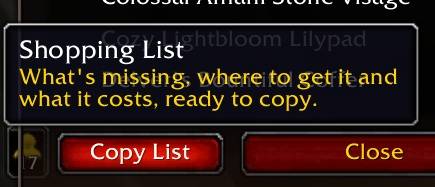
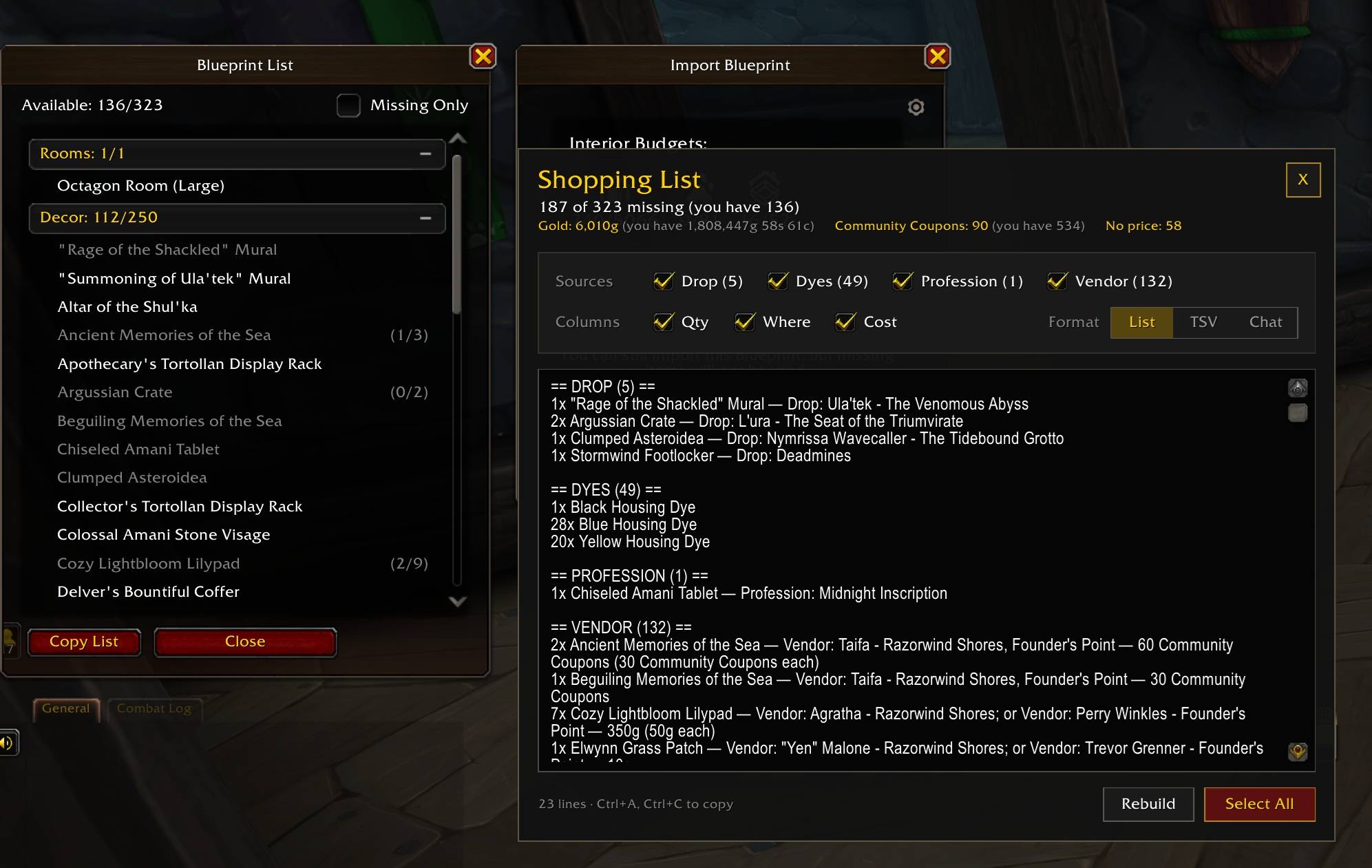
- 📋 A Copy List button on the Blueprint List. One click opens everything you're missing, grouped by where it comes from: Vendor, Drop, Profession, Dyes.
- 🔢 The same numbers as the game. Tallyhome counts exactly the way the Blueprint List does, so the two always agree. Decor already in storage counts as owned, just as it does there.
- 🗺️ Vendors as a route. Vendor items are grouped by vendor and sorted by zone, so you visit each place once instead of criss-crossing the map.
- 💰 Where and what it costs. Each item says how you get it (vendor and zone, profession, quest, achievement or reputation requirement) and what the whole quantity costs.
- 🧮 The total bill. Gold and every currency added up, next to what you have and how much you're short. Unaffordable items are marked, and the totals say how many you can buy right now.
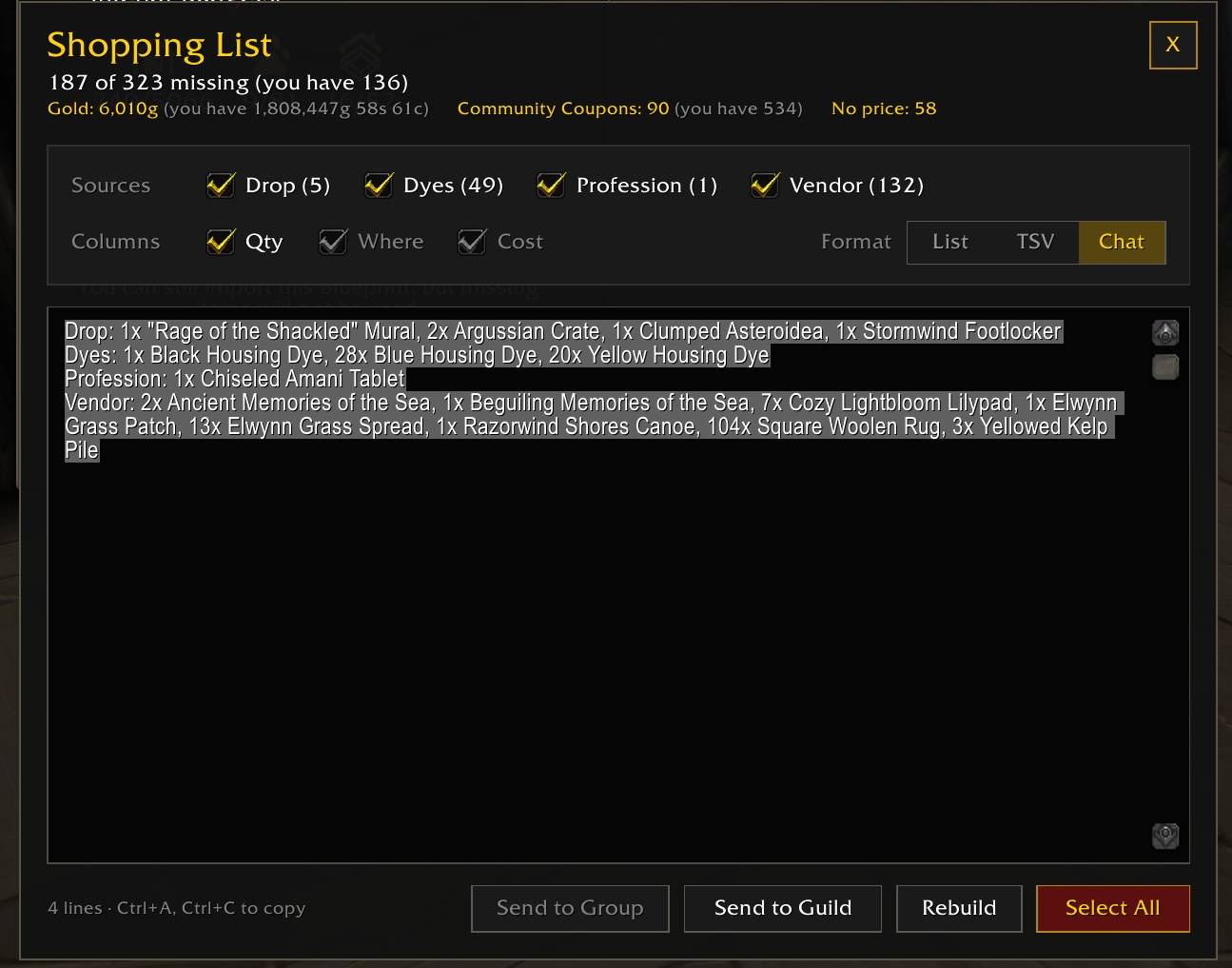
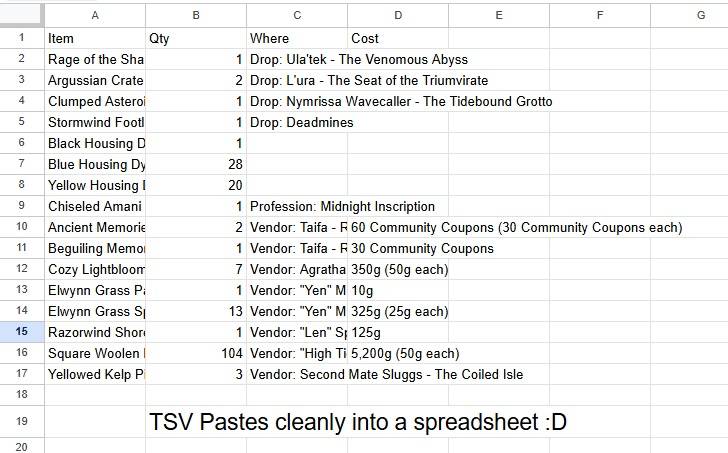
- 📄 Copy it the way you need it. List for notes, TSV for a spreadsheet, or Chat for one message per line. Edit the text before you copy it; Rebuild puts it back.
- 💬 Send it to your group or guild. In Chat format, one click posts the list, spaced out so the server doesn't throttle it.
- ☑️ Pick what's in it. Checkboxes for each source and each column. Your choices are remembered.
Share codes, covered
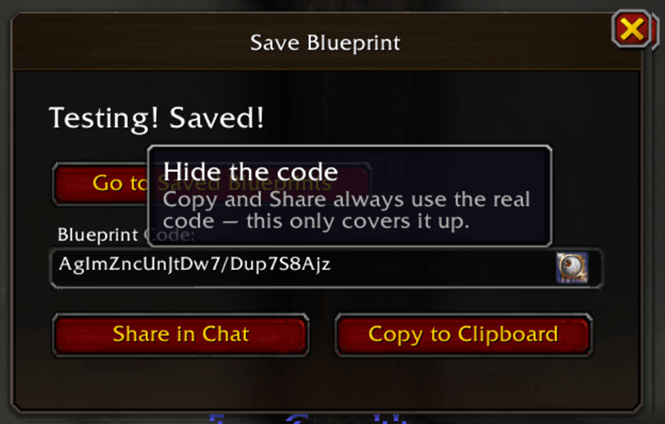
Saving a blueprint puts its share code on screen in plain text. Fine, until you're streaming or taking a screenshot.
Tallyhome covers the code, with a reveal option for that one dialog. Copy to Clipboard and Share in Chat still use the real code underneath.
This used to be its own addon, Redacted Prints. If you still have that installed, Tallyhome leaves the code to it.
Commands
/tally |
Reopen the last shopping list |
/tally hide |
Cover the share code (default) |
/tally show |
Leave the share code as the game shows it |
/tally eye |
Show or remove the reveal button |
/tally options |
Open the settings panel |
Good to know
- Crafted decor lists its profession, not its materials. The game doesn't expose what goes into it, so lumber and other reagents aren't in the totals yet.
- Sources are read in English. Prices work on every client. On other languages, items are grouped under the game's own label for how you get them.
Compatibility
- Built for Curse of Ula'tek (12.1).
- No dependencies, no libraries.
- Changes nothing of Blizzard's. The share code is covered, never edited.
License
All Rights Reserved. Free to download and use. Please don't re-upload, mirror, or repackage it. Want to build on it or collaborate? Get in touch.
Also known as
Tallyhome · a housing shopping list, blueprint checklist addon, decor cost calculator, house furnishing tracker, and blueprint list export for World of Warcraft Retail.
Useful if you've searched for: house blueprint addon · housing shopping list · decor cost calculator · blueprint list export · what do I need for my blueprint · missing decor addon · housing vendor route · house furnishing checklist · hide blueprint share code · Curse of Ula'tek housing addon · 12.1 housing addon.
The TallyHome Team