Swingsmith Forever!
- By
A themed swing timer plus bold, animated glows on Heroic Strike, Cleave, Maul and Raptor Strike while they're queued for your next swing.
ssf1.png
ssf2.png
ssf3.png
ssf4.png
ssf5.png
Description
Swingsmith Forever!
Now Compatible with EllesmereUI
In WoW Forever, Heroic Strike, Cleave, Maul and Raptor Strike don't fire when you press them. They wait for your next melee swing, and the only sign they're queued is a faint highlight on the button that's almost impossible to see mid-fight. So you end up spamming the key, or losing track of whether it's queued and when it will land.
Swingsmith Forever! makes your swings impossible to miss: a bold, animated glow on the queued attack, a small copy of its icon near your character with your rage wrapped around it, and a themed swing timer that shows exactly when the hit lands.
Features
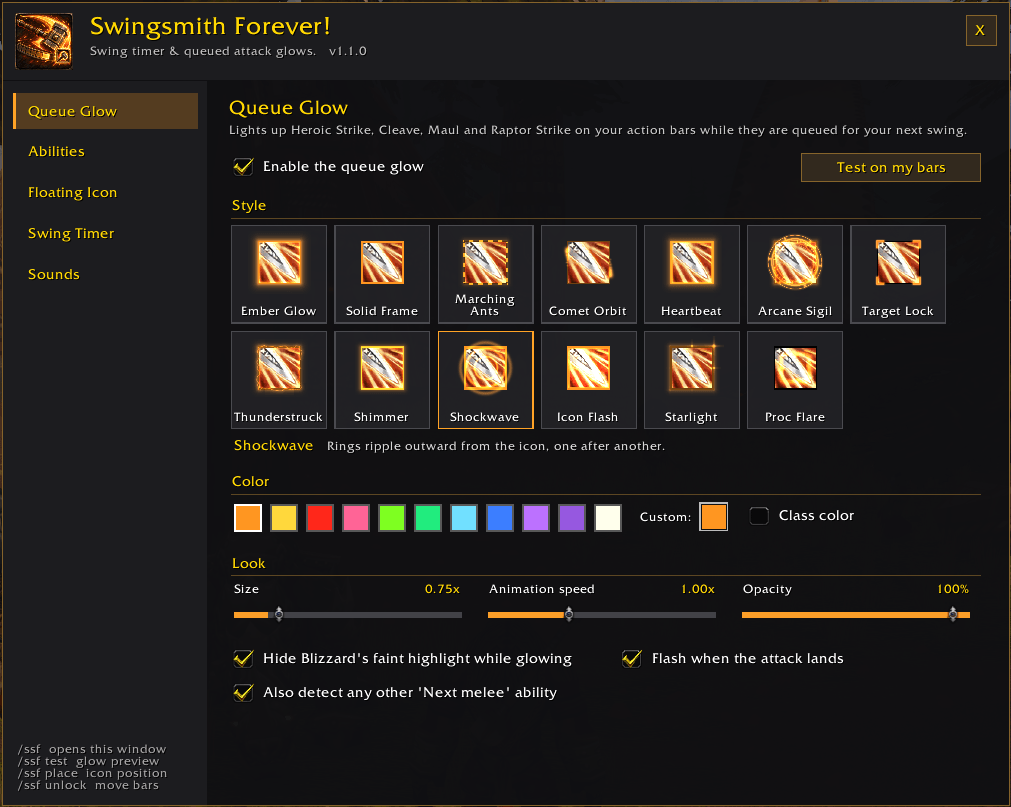
- 13 queue glow styles, each previewed live in the settings window: Ember Glow, Solid Frame, Marching Ants, Comet Orbit, Heartbeat, Arcane Sigil, Target Lock, Thunderstruck, Shimmer, Shockwave, Icon Flash, Starlight and Proc Flare.
- Make it yours. Any color (11 presets, a color picker, or your class color), plus size, animation speed and opacity sliders.
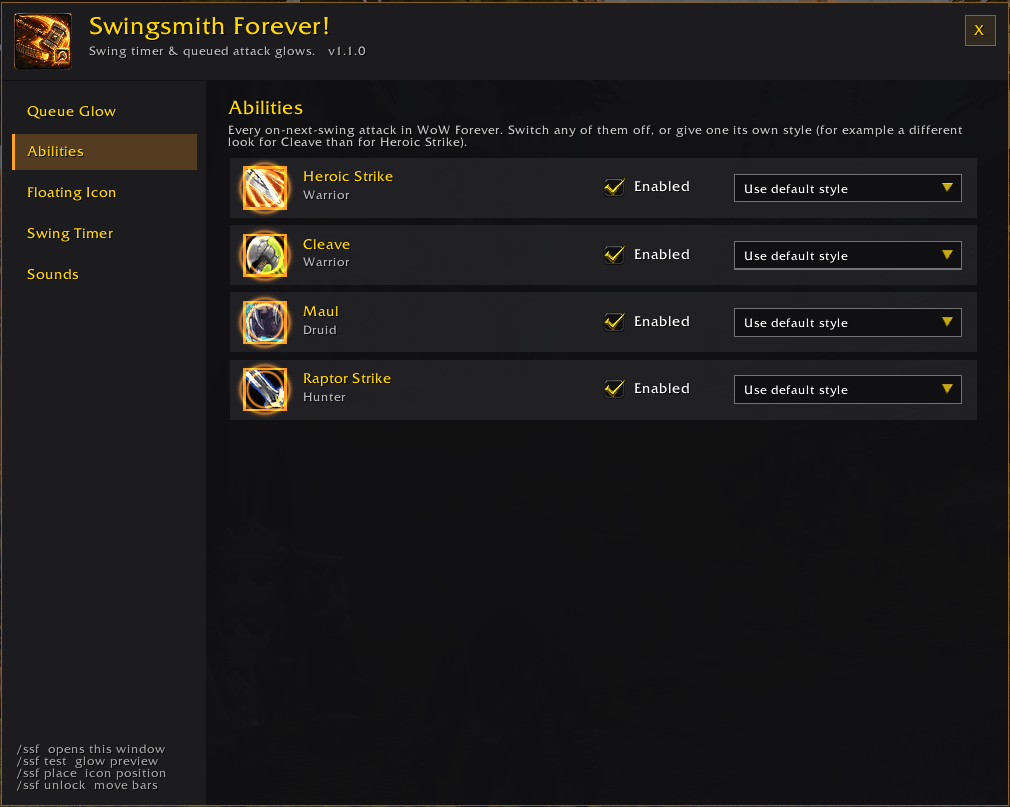
- A different look per ability. For example, a fiery glow for Heroic Strike and a lightning border for Cleave.
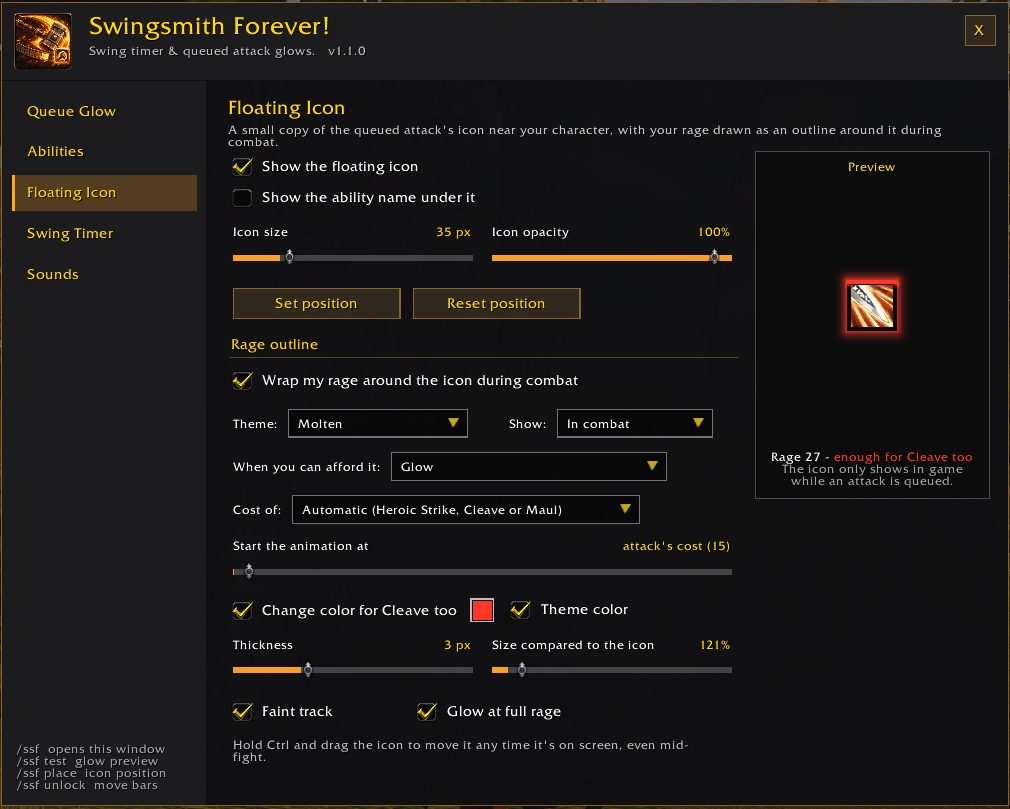
- Floating icon. While an attack is queued, its icon pops up at a spot you choose near your character, then fades the moment the swing goes off, so you never have to look down at your bars. Hold Ctrl and drag it to move it, even mid-fight.
- Rage outline. During combat your rage wraps around the floating icon, growing from the top down both sides until it meets at the bottom when full. It lights up the moment you can afford Heroic Strike (or a point you choose), and warriors who know Cleave see it change color once Cleave is affordable too. 8 themes and 7 ready animations: Glow, Pulse, Heartbeat, Shimmer, Swell, Flash once or None. Druids get it in Bear Form for Maul; hunters can choose Raptor Strike to see their mana.
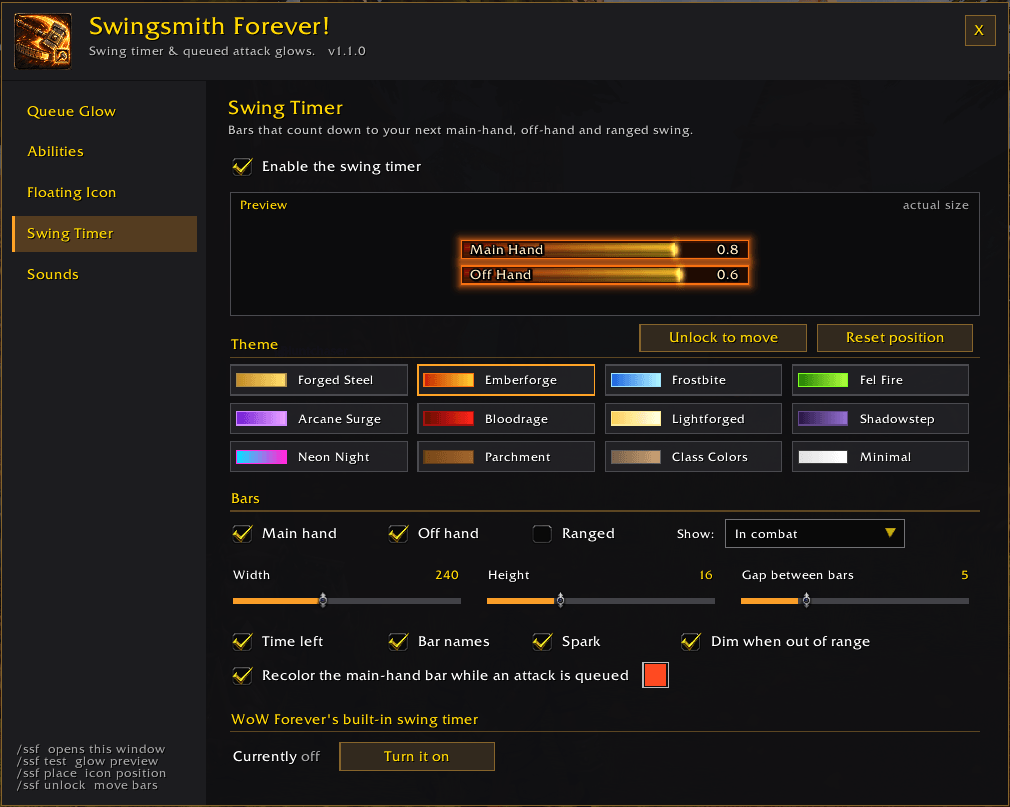
- Swing timer with separate main-hand, off-hand and ranged bars, in 12 themes: Forged Steel, Emberforge, Frostbite, Fel Fire, Arcane Surge, Bloodrage, Lightforged, Shadowstep, Neon Night, Parchment, Class Colors and Minimal.
- The swing timer knows what's queued. While Heroic Strike (or another on-next-swing attack) is waiting, the main-hand bar changes color, glows and shows the ability's icon and name until it lands.
- Accurate timing. The swing timer runs on WoW Forever's own swing event, the same data Blizzard's built-in bar uses, so it stays exact. It also adjusts when your attack speed changes mid-swing and dims when your target is out of range.
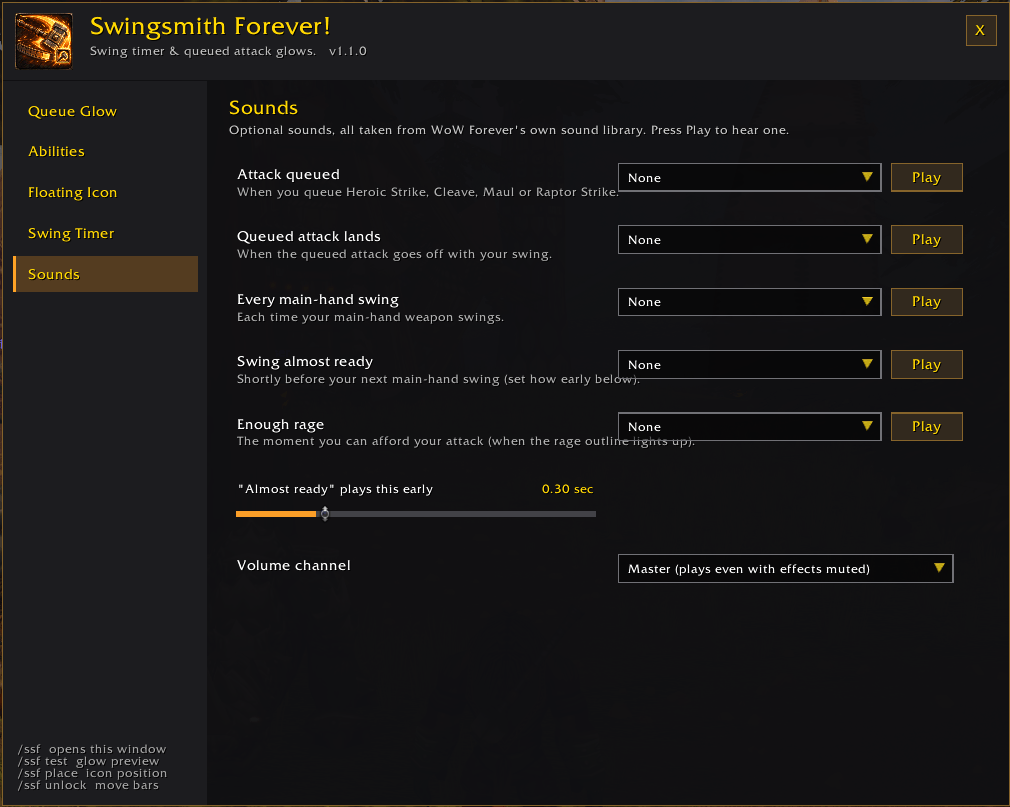
- Optional sounds for: attack queued, queued attack lands, every main-hand swing, swing almost ready (you set how early), and enough rage for your attack. Choose from over 30 sounds that already ship with the game, with a Play button to hear each one.
- "Landed" flash. A quick burst on the button when the queued attack actually goes off, not when you cancel it.
- Catches new abilities automatically. Any ability the game describes as "Next melee" is picked up, so future WoW Forever changes keep working.
- Live previews in the settings window. See the floating icon with its rage outline, and your swing timer bars, change as you move each slider.
- Quick first-time setup. Place the floating icon, choose whether to turn off WoW Forever's built-in swing timer, and the settings window opens so you can make it yours.
Which abilities does it cover?
These are the on-next-swing attacks in WoW Forever, every rank:
| Class | Abilities |
|---|---|
| Warrior | Heroic Strike, Cleave |
| Druid | Maul (Bear Form) |
| Hunter | Raptor Strike |
Macros that show one of these abilities work too.
How to open it
- Type /swingsmith (or /ssf)
- Click it in the addon list button next to the minimap
- Or go to Options > AddOns > Swingsmith Forever!
Commands
| Command | What it does |
|---|---|
/ssf |
Open or close the settings window |
/ssf test |
Show the queue glow on your bars for 8 seconds |
/ssf place |
Set where the floating icon appears |
/ssf unlock / lock |
Move the swing timer bars |
/ssf reset |
Put the swing timer and floating icon back in their default spots |
/ssf list |
List the on-next-swing abilities your character knows |
/ssf setup |
Run the first-time setup again |
/ssf debug |
Report what the rage outline sees (handy for bug reports) |
Good to know
- WoW Forever has its own basic swing timer (Options > Gameplay > Advanced Options). Swingsmith asks once whether to turn it off so you don't see two sets of bars, and the Swing Timer settings page has a button to switch it either way.
- The rage outline works in combat. WoW Forever hides your exact rage from addons during fights. Swingsmith hands the "enough rage?" check to the game itself, so the outline still lights up at exactly the right moment.
- The floating icon stays where you put it. Addons can't follow your character on screen, but with the normal camera your character stays in the same place, so a spot just above the head works well.
- Works with the default action bars. Bartender4, Dominos and ElvUI buttons are also detected.
- Light on performance. Glows only animate while an attack is queued, and the swing timer and rage outline only update while they're on screen.
- Settings are account-wide.
- WoW Forever is still evolving. If Blizzard changes an ability, the "Next melee" detection keeps things working, and anything the client doesn't support is left out instead of throwing errors.
Feedback
Spotted an on-next-swing ability that doesn't light up, or have an idea for a new glow style or swing timer theme? Leave a comment on this page.
Swingsmith Forever! Team