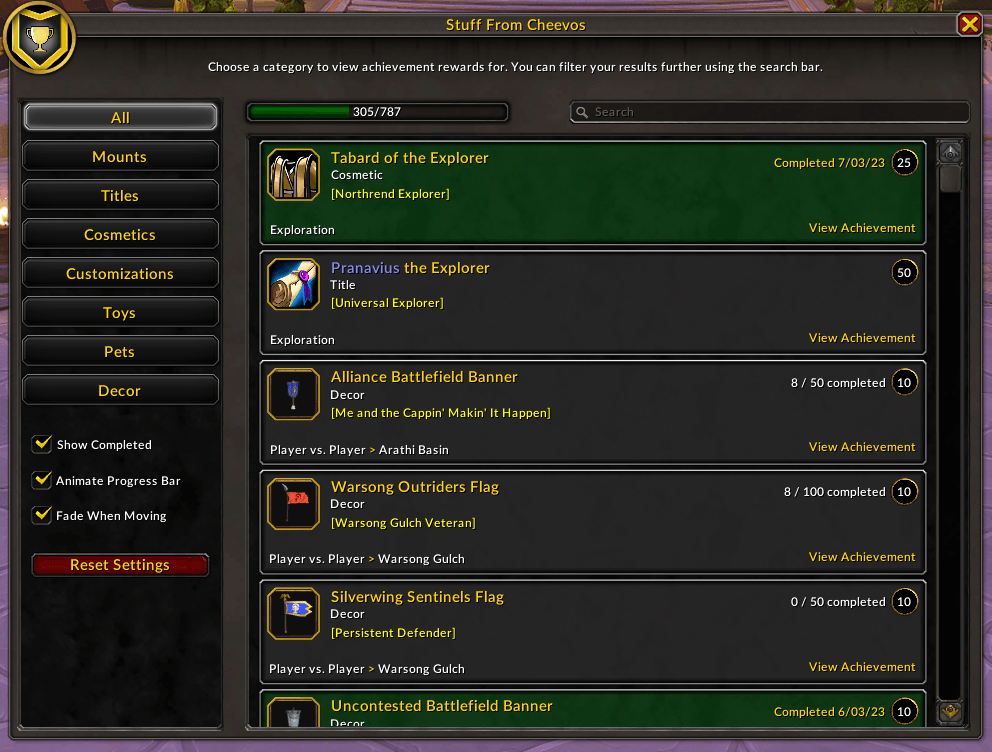
Show all rewards in a single list, including ones for achievements that have already been obtained.
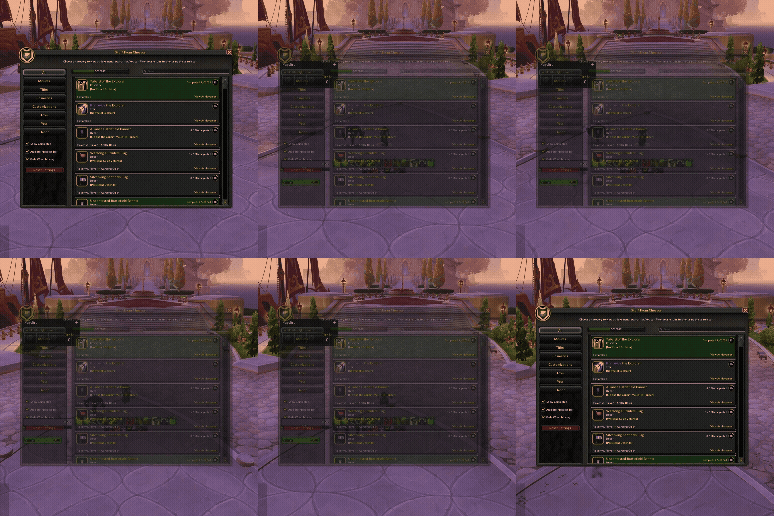
By default, the AddOn window fades to become semi-transparent when your character is in motion. This option can be disabled at any time.
Description
Stuff From Cheevos
Find achievements that give you stuff to see what you're missing
Feedback on this AddOn or any others that I develop/maintain is always welcome. If you enjoy using any of my AddOns and would like to support future development, it is greatly appreciated.




If you notice that any achievements which reward a collectible are missing, you can let me know by joining the Discord server and posting in the Stuff From Cheevos channel.
Highlights
- Lists achievements with rewards categorized into the following groups: Mounts, Titles, Cosmetics, Customizations, Toys, Pets, and Decor
- Search bar allows filtering by achievement name or ID, category name or ID, reward name, reward type, and faction
- Hide achievements you've already earned to focus on what you want to collect next
- Progress bar for every category to see how your collections are coming along at a glance
- Preview mounts, pets, cosmetics, and decor by clicking their icon before you commit to progressing the achievement
- Tooltips for most in-game collectibles (excluding titles and customizations)
- Buttons to view an achievement's tooltip or open it in the Achievements window
- Faction-specific achievements only shown for characters of the appropriate faction
Summary
Stuff From Cheevos (SFC) provides collectors with a focused view of achievements that reward you with collectibles. You can preview collectibles like mounts, cosmetics, pets, and decor to decide whether it's something you want to grab now or put off until a later time. You can also choose to track any achievement directly from the AddOn if you don't want to do so through the default Achievements UI.
SFC provides you with a clickable hyperlink for each achievement to quickly view its details in addition to a button that opens the Achievements UI to show a specific achievement directly.
The default view shows available rewards from all categories, but you can view rewards for a specific category of collectibles by choosing one in the list on the left-side of the window. The search box and Show Completed checkbox let you further filter rewards that are shown.
Note: SFC does not track guild achievements at this time
Usage
Open the AddOn window with the slash command /stufffromcheevos or /sfc. Running the same command again will close it.
Settings
Underneath the list of available categories, a small set of settings are available to configure:
- Animate Progress Bar: Smoothly animate the progress bar when switching categories or applying filters.
- Fade Window When Moving: When enabled, SFC becomes semi-transparent while your character is in motion. Once they stop moving, the window becomes fully opaque again.
- Reset Settings: Restore all settings to their defaults and reload the UI
Planned Updates
- Additional sorting options beyond the default achievement/category/name order
Stuff From Cheevos Team