StBu Shortcut Emotes | Forever
- By
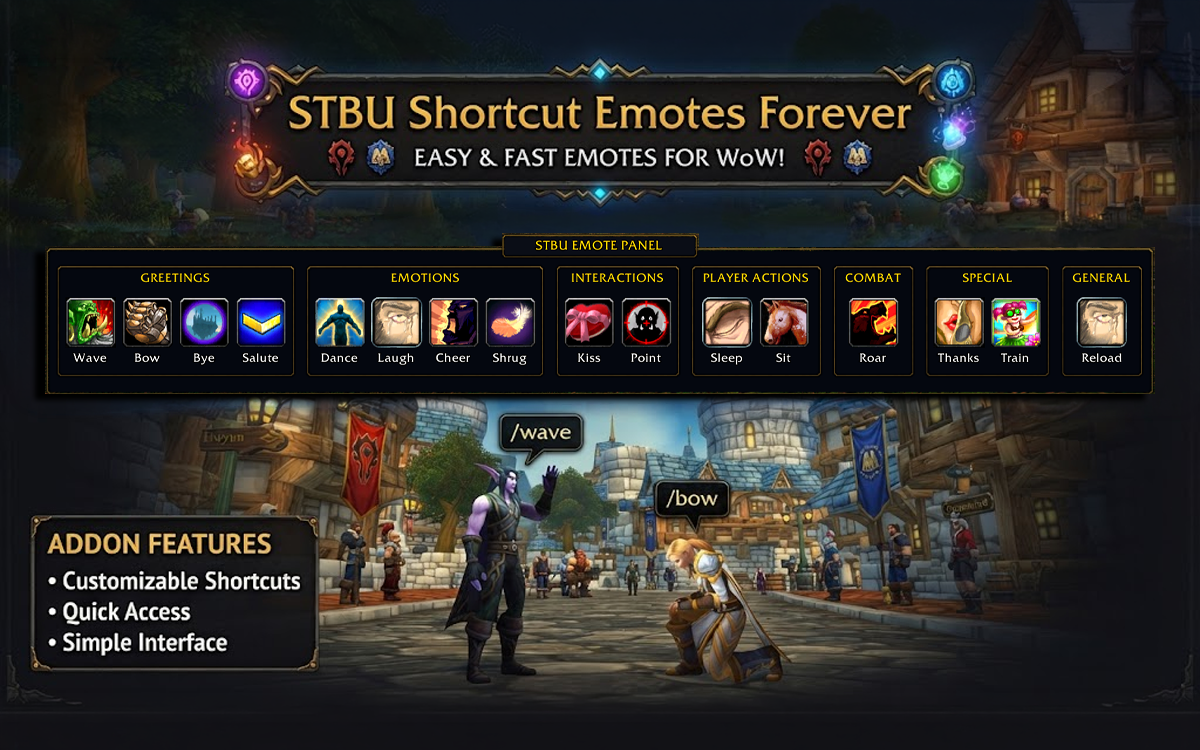
A sleek, fast, and fully customizable emote shortcut bar for World of Warcraft. Trigger and execute all your favorite emotes with a single keybind, hover-release action, or direct click.
Description
STBU Shortcut Emotes brings quick-access emote functionality to World of Warcraft. Instead of typing /dance, /thanks, /wave, or /laugh into chat every time, hold your chosen shortcut key (e.g. ALT, CTRL, or any key), hover your mouse over an emote icon, and release the key. The emote executes instantly!
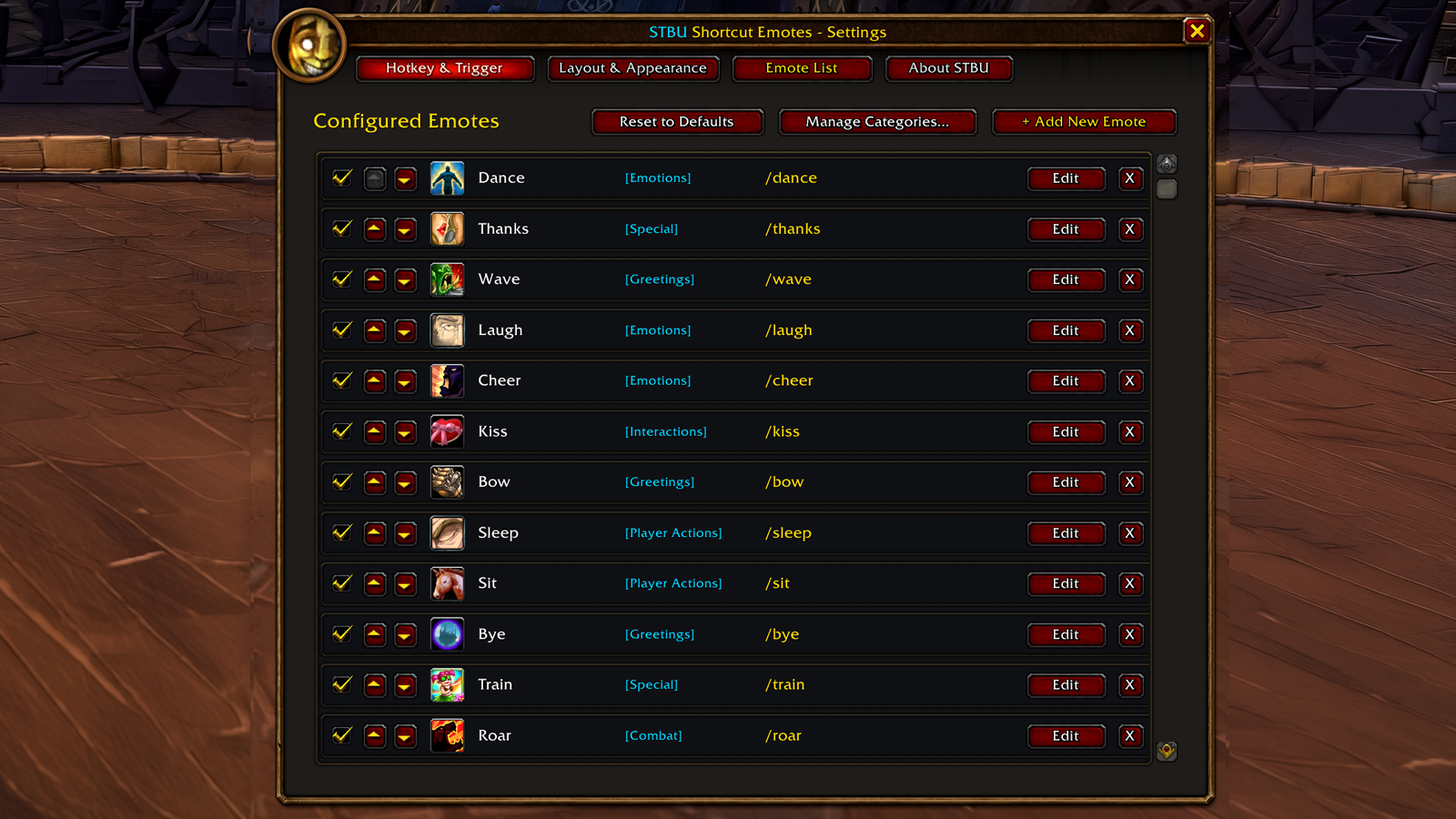
You can also use classic toggle mode, click buttons directly, freely position and scale the bar, and customize every single emote, chat command, and icon via an authentic Blizzard-style settings menu.
Key Features
1. Instant Emote Shortcut Bar & Categorized Panel Mode
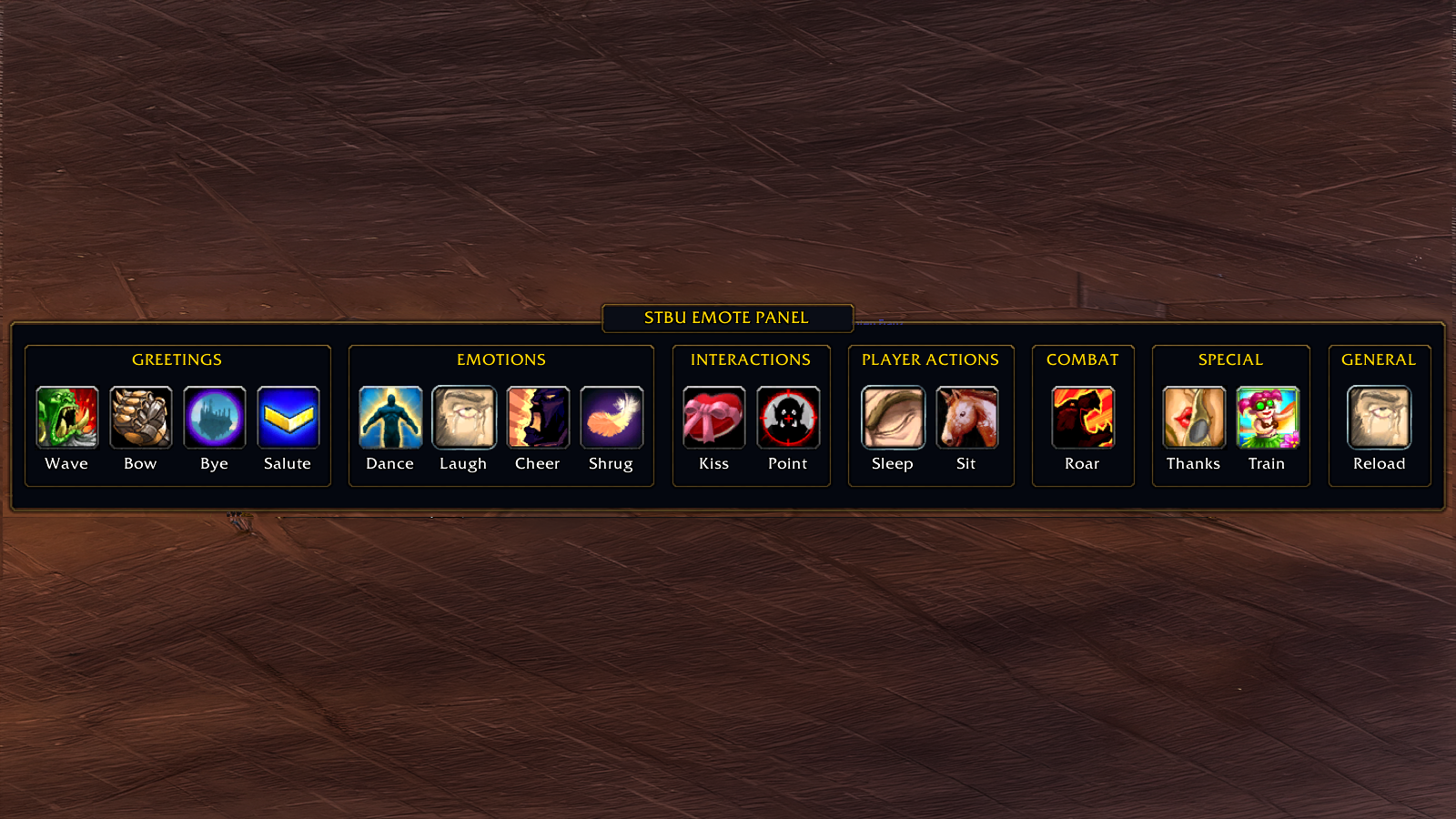
- Categorized Panel Mode: Organizes your emotes into themed category boxes (Greetings, Emotions, Interactions, Player Actions, Combat/Mount, Special) with category header plates and an authentic top "STBU EMOTE PANEL" banner.
- Text Labels below Icons: Display clear, crisp text labels directly under each icon, with extended click area so clicking or hovering either the icon or the label executes the emote!
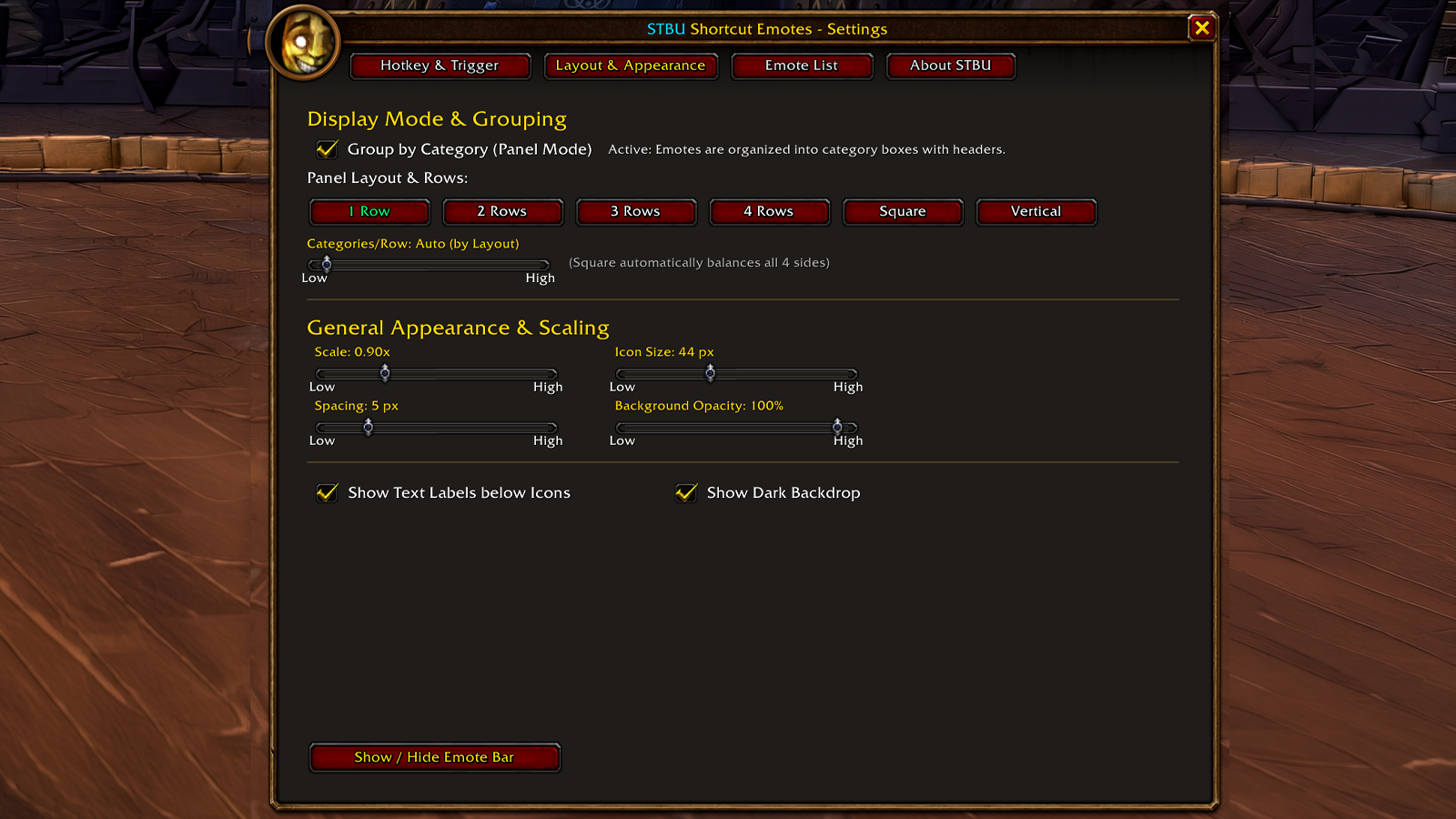
- Classic flat bar mode with multiple layout options: 1 Row, 2 Rows, 3 Rows, 4 Rows, or Vertical column.
- Adjustable scale (0.6x to 1.8x), icon size (32px to 64px), spacing, and background opacity.
- Freely draggable on screen (or lock position).
- Authentic Blizzard 3D icon borders with square highlight effects.
2. Flexible Trigger Modes
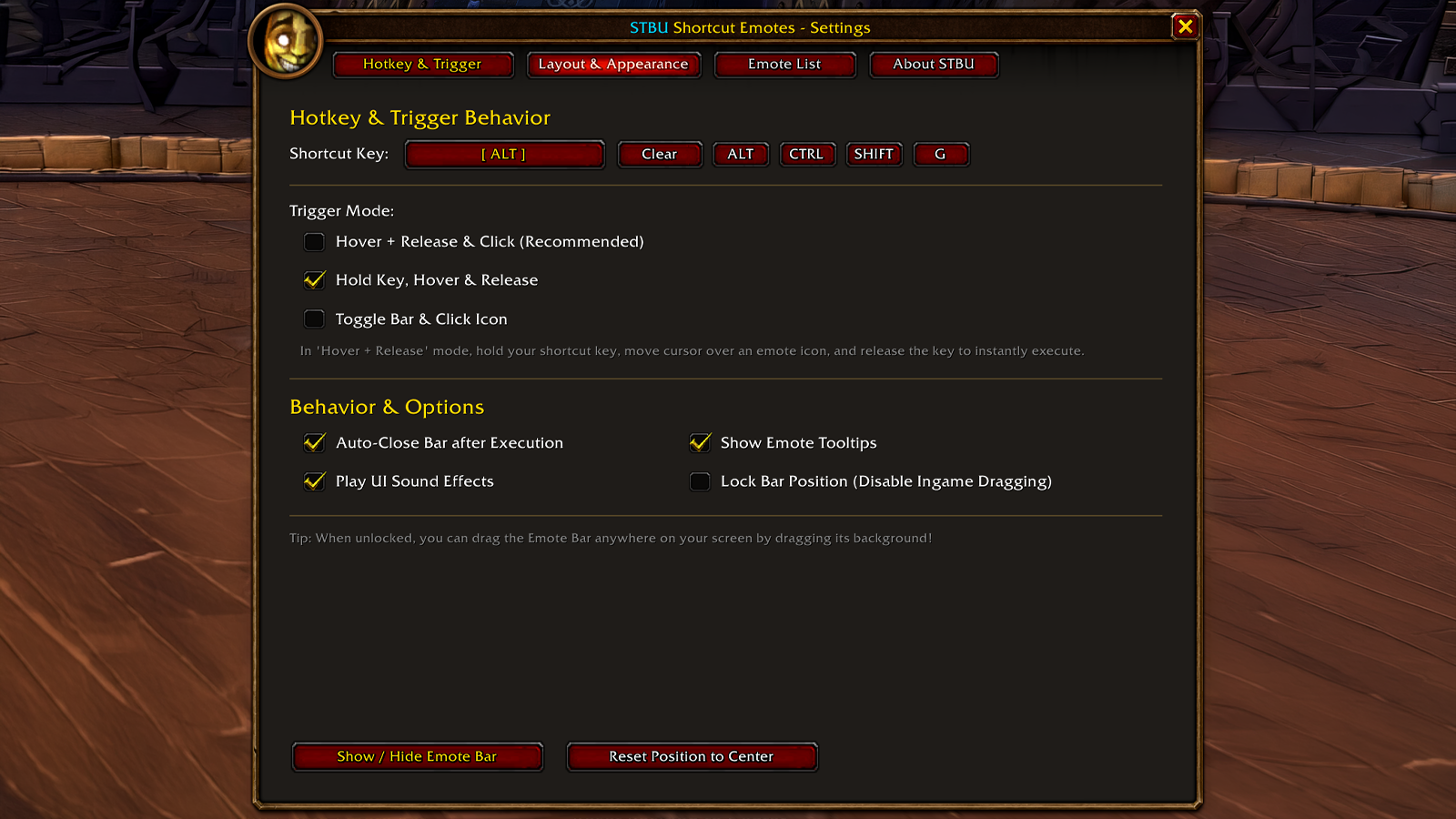
- Hover & Release (Hold Key): Hold your shortcut key, move cursor over an emote icon, release key to execute immediately.
- Click Mode: Press your shortcut key to toggle the bar on/off, then click any emote.
- Hybrid Mode (Recommended): Supports both quick hover-release and direct mouse clicks.
3. Standalone Modifier Keys & Keybinding Support
- Supports single modifier keys such as ALT, CTRL, or SHIFT as your shortcut!
- Native Blizzard Keybinding integration (found under ESC > Key Bindings > STBU Shortcut Emotes).
- Interactive key capture button with quick-select presets in the settings menu.
4. Built-in Icon Selection Picker (270+ Curated WoW Icons)
- Comprehensive icon picker with over 270 hand-picked classic WoW icons.
- Two-column category browser:
- All
- Emotes & Faces (Happy, Laugh, Charm, Flirt, Sleep, Roar, Cry, Blush, Stare, Taunt, etc.)
- Social & Fun (Chocolates, Flowers, Beer, Wine, Cake, Fireworks, Toys, Pets, Holiday gifts, etc.)
- Actions & Combat (Bow, Salute, Point, Sit/Mount, Charge, Punch, Flex, Pray, Whistle, Weapons, etc.)
- Spells & Magic (Fire, Frost, Shadow, Holy, City Portals, Bloodlust, Sparkles, etc.)
- Items & Misc (Coins, Gold sacks, Books, Gems, Boss heads, Flags, etc.)
- Real-time search filter with English and German keyword index.
- Custom texture path / FileID support for any in-game icon.
5. Emote List Management & Sorting
- Enable or disable emotes with checkboxes.
- Reorder emotes up and down with dedicated sorting buttons on the left.
- Add new custom emotes with custom chat commands (e.g.
/e waves happily,/macrocommands, etc.). - Edit display names, chat commands, and icons at any time.
- Reset to curated defaults whenever you wish.
6. Minimap & Addon Compartment Integration
- Circular, draggable minimap button with classic gold tracking border.
- Integrated into the modern Addon Compartment menu.
- Left-Click: Open Settings Window.
- Right-Click: Show / Hide Emote Bar.
- Right-Click Drag: Move minimap button around the minimap circle.
7. Authentic Blizzard UI Look & Feel
- Crafted using Blizzard's PortraitFrameTemplate and dark gold/bronze theme.
- Clean typography and native sound effects.
- Lightweight with zero third-party framework dependencies.
8. Full Localization (11 Languages)
- English (enUS / enGB)
- German (deDE)
- French (frFR)
- Spanish (esES & esMX)
- Russian (ruRU)
- Chinese (zhCN & zhTW)
- Korean (koKR)
- Italian (itIT)
- Portuguese (ptBR)
Getting Started
- Open Settings:
- Click the Minimap button (or use Addon Compartment).
- Or type
/stbuemotesin chat.
- Set your Shortcut Key:
- By default, the shortcut key is set to ALT.
- Click the keybind button to bind any key or choose ALT / CTRL / SHIFT.
- Test your Emote Bar:
- Hold your shortcut key (ALT), move your mouse over an emote icon, and release!
Slash Commands
/stbuemotes– Open Settings menu/stbuemotes toggle– Show or hide the Emote Bar/stbuemotes reset– Reset Emote Bar position to screen center/stbuemotes minimap– Toggle the minimap button on or off/emotes– Short alias for/stbuemotes
Compatibility
- WoW Forever (3.3.5 / 1.15 Client)
- WoW Classic Era & Hardcore
- WoW Classic Season of Discovery
- Wrath of the Lich King Classic / Cataclysm Classic
Author & Credits
Created by STBU
Check out our other WoW Forever addons:
- STBU Better Auction Find
- STBU CraftBook Forever
- STBU Master Questlog
- STBU Nesingwarys Petopia
- STBU Nesingwarys Stall (Stable)
StBu Shortcut Emotes | Forever Team