OpenMap Flightmap
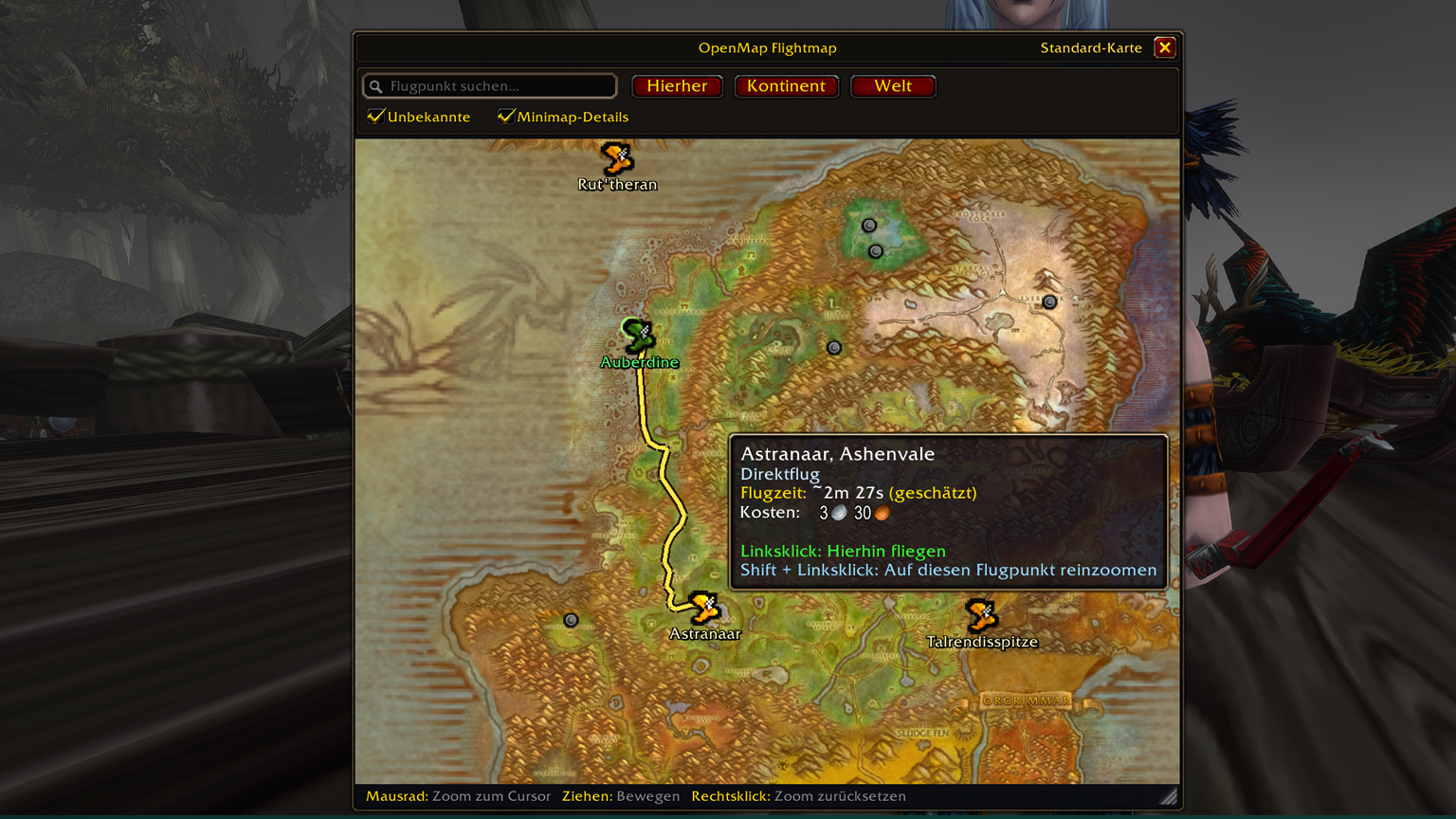
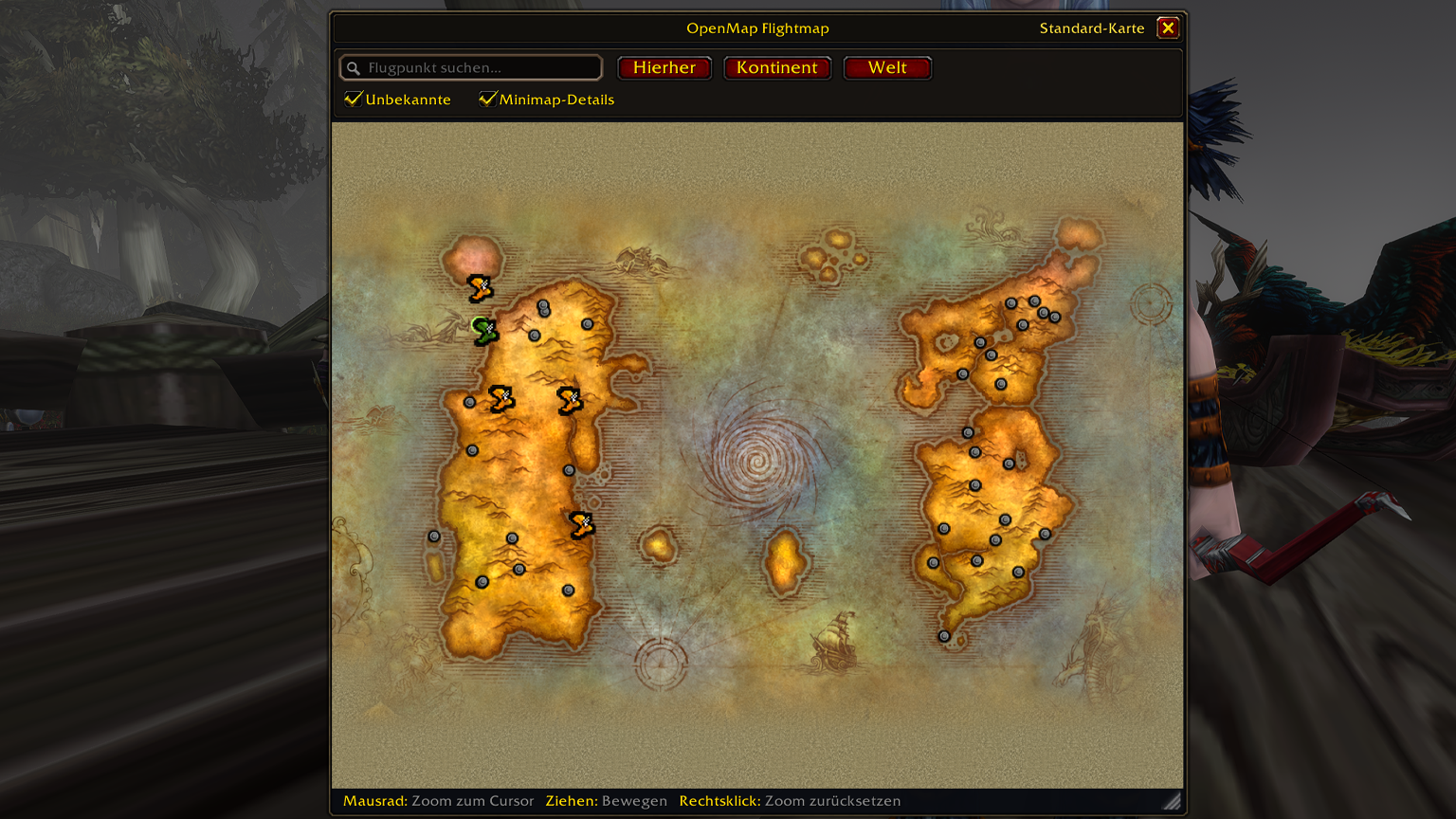
Seamless OpenMap-powered Flight Master upgrade – smooth cursor-anchored zooming from all of Azeroth down to high-resolution zones & minimap terrain, live flight route previews, flight times, search filter, and one-click Standard Map toggle.
v1.0.00 • OpenMap Powered Warcraft Forever & Classic Interface 16001 / 11506 All 11 WoW Languages 100% Taint-Free
Powered by OpenMap – Zero WorldMap Detachment
Uses a dedicated multi-layer map engine powered directly by OpenMap's stitched world, zone, city, and high-resolution minimap textures inside the Flight Master window (TaxiFrame) – keeping your regular World Map 100% untouched and taint-free. |
🇬🇧 Key Highlights (EN)
- Seamless OpenMap Zoom & Pan: Zoom smoothly from whole Azeroth down to zone art, city maps, and crisp minimap tiles right at the Flight Master.
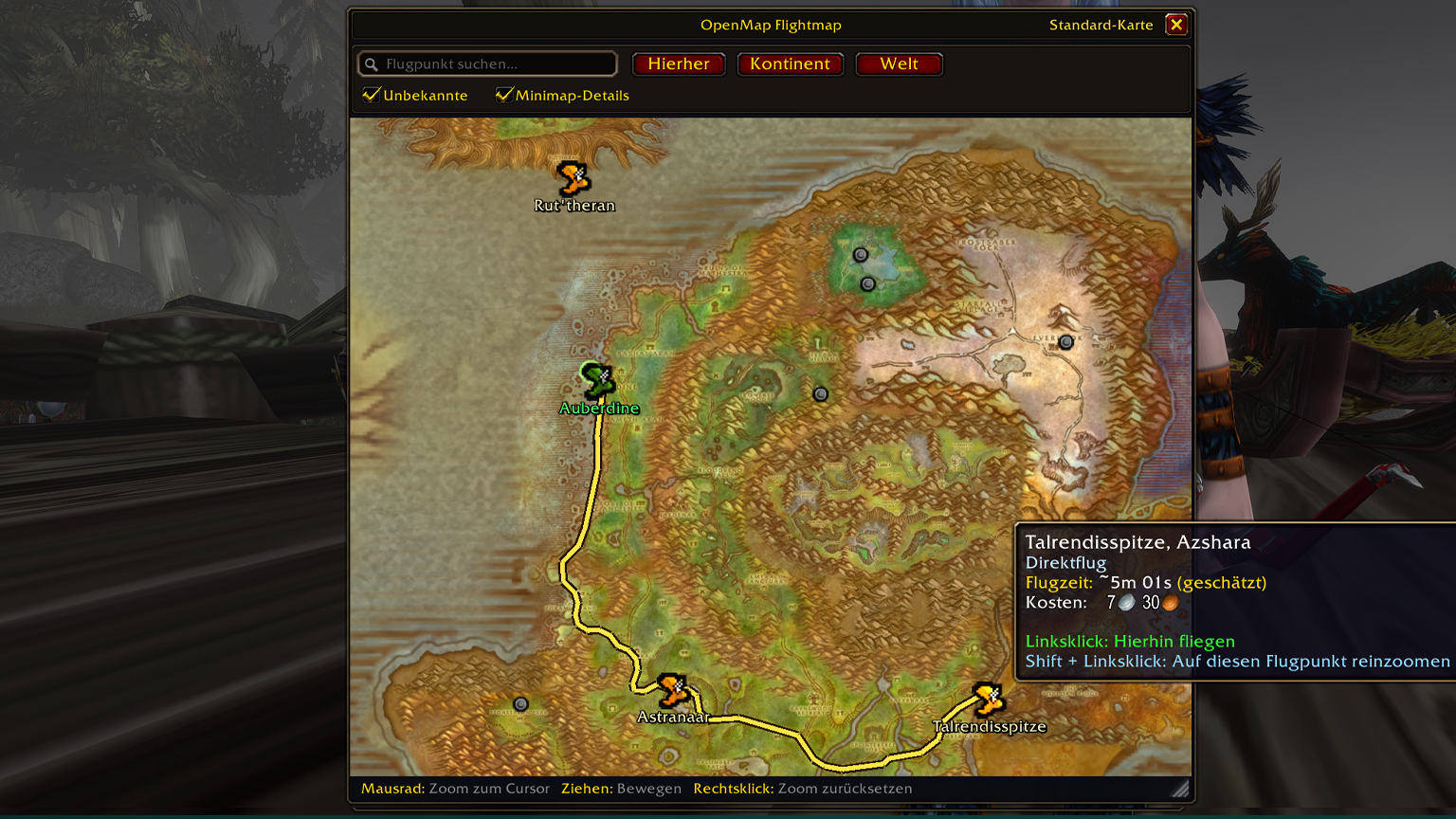
- Clean Hover Flight Routes: Hover any destination to preview the exact flight path with intermediate stops, cost, and measured/estimated flight duration.
- Undiscovered Flight Points: Optional toggle to show or hide unknown/undiscovered flight nodes using native grey icons without cluttering your map.
- Live Search & Auto-Focus: Type any flight point name to highlight matching destinations and automatically pan & zoom to the match.
- Quick-Zoom & Right-Click Reset: One-click buttons for Here, Continent, and World, click-to-zoom on zones, and
Right-Click anywhere to reset zoom.
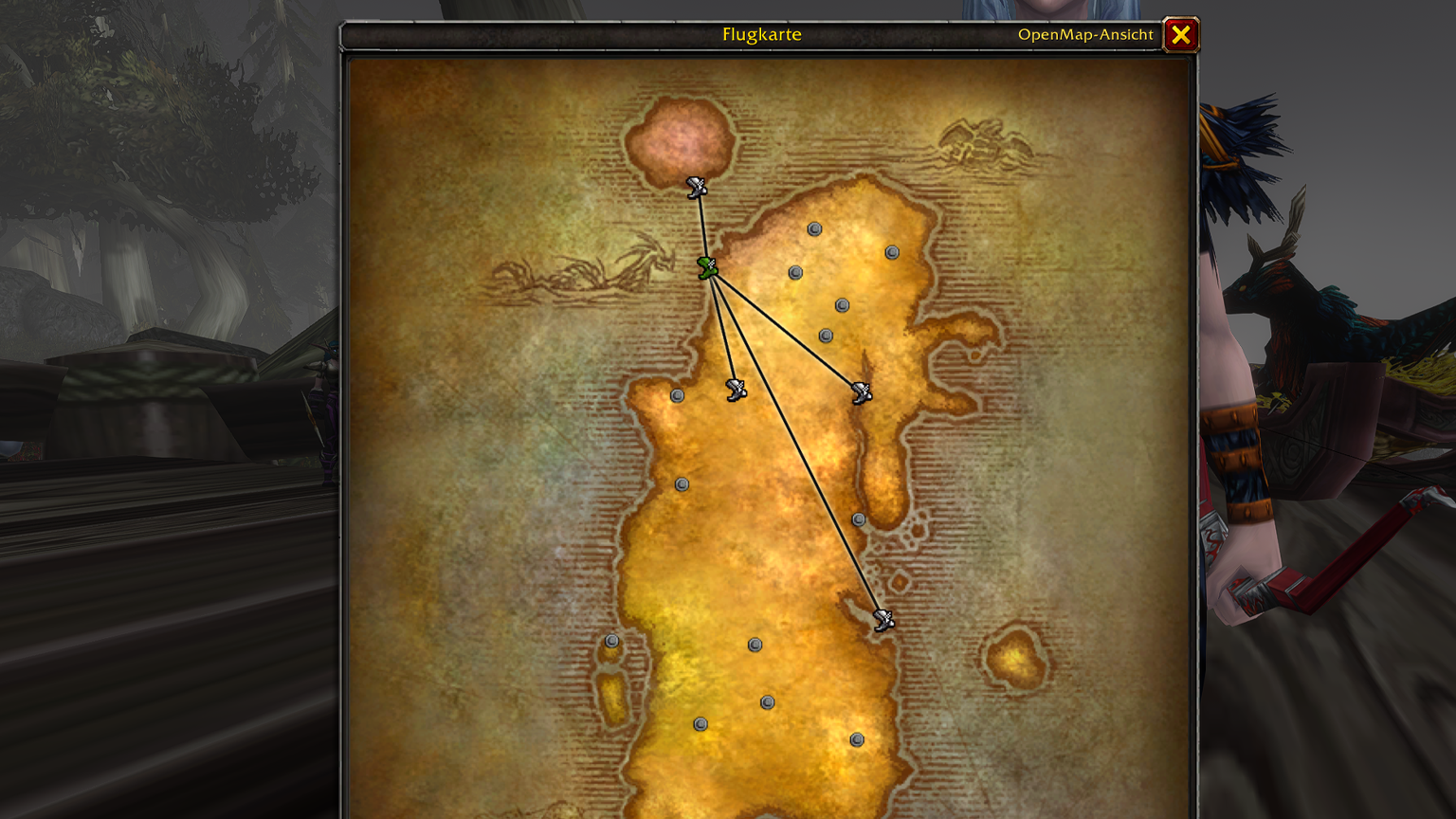
- Instant View Switcher: Switch between OpenMap View and Blizzard's Standard Map at any time via the header text link.
|
🇩🇪 Alle Highlights im Überblick (DE)
- Nahtloser OpenMap-Zoom: Direkt beim Flugmeister stufenlos von ganz Azeroth bis auf Zonen-, Hauptstadt- und hochauflösende Minimap-Details zoomen.
- Saubere Flugrouten-Vorschau: Zeigt beim Hovern eines Zielpunkts die exakte Flugroute samt Zwischenstopps, Flugkosten und Flugdauer.
- Unbekannte Flugpunkte: Unentdeckte Flugpunkte mit dem nativen grauen Punkt-Icon ein-/ausblenden (ohne veraltete DBC-Testpunkte).
- Live-Suche & Auto-Zoom: Flugpunkte in Echtzeit filtern – die Karte zentriert und zoomt automatisch auf den ersten Treffer.
- Schnell-Zoom & Rechtsklick-Reset: Buttons für Hierher, Kontinent und Welt sowie
Rechtsklick zum sofortigen Zurücksetzen des Zooms.
- Sofortiger Ansichtswechsel: Jederzeit oben im Rahmen per Textlink zwischen OpenMap-Ansicht und Standard-Karte umschalten.
|
0.85× – 48× ZoomHigh-Detail Minimap Terrain
Blends OpenMap's zone art, city layouts & minimap tiles as you zoom in |
Direct & Multi-HopSmart Route & Time Preview
Shows crisp golden flight paths, transfer stops, cost & flight time |
Drag & ResizeMovable & Resizable Window
Freely move and resize the Flight Master window (saved automatically) |
11 LocalesLocalized Client Names
Matches localized flight point names across all official Blizzard languages |
Controls & How to use
| 1 |
Zoom & Pan: Use the Mouse Wheel to zoom smoothly at your cursor position and Left-Click + Drag to pan across the map. |
| 2 |
Fly or Inspect: Left-Click a reachable flight point to fly there immediately, or Shift + Left-Click any flight point to zoom right in on its location. |
| 3 |
Quick Navigation: Left-Click any map zone to zoom into that zone, Right-Click anywhere to reset your zoom, or Middle-Click to center on the current Flight Master. |
| 4 |
Toolbar & View Toggle: Use the search bar and checkboxes (Show Unknown, Minimap Detail) or click Standard Map / OpenMap View in the header bar to switch views anytime. |
Slash commands
/omf or /openmapflight or /flightmap — Toggle OpenMap Flightmap on or off
/omf on • /omf off — Explicitly enable or disable the OpenMap Flight Master view • /omf reset — Reset window size, position & zoom |
Requirements & Links
| Required dependency |
OpenMap (must be installed and enabled) |
| Game version |
Warcraft Forever & WoW Classic (Interface 16001 / 11506) |
| Languages |
All 11 official Blizzard languages (enUS/enGB, deDE, frFR, esES, esMX, itIT, ptBR, ruRU, koKR, zhCN, zhTW) |
| Author & Community |
More Addons by bitekenny • StreamBuddies Discord • bitekenny.com |
Changelog
v1.0.00 Initial Public Release
- Dedicated OpenMap Flight Master Canvas: Seamless multi-layer map rendering (sea mottling, continents, zones, cities, and high-detail minimap LOD/tiles) directly inside
TaxiFrame.
- Smooth Cursor Zoom & Panning: Exponential mouse-wheel zoom (
0.85× to 48×), drag panning, zone click-to-zoom, and Right-Click zoom reset.
- Clean Flight Route & Time Preview: Two-layer golden route rendering on hover with waypoint indicators, transfer stop names, flight cost, and measured/estimated flight times.
- Unknown Flight Points & Localization: Native grey dot icons for undiscovered flight points, automatic filtering of deprecated DBC test nodes, and localized flight point names across all 11 WoW languages.
- Two-Row Toolbar & Instant View Switcher: Live flight point search box, quick-zoom buttons (Here, Continent, World), filter checkboxes, movable/resizable window, and one-click toggle between OpenMap View and Standard Map.
|
Found a bug or have an idea? Leave a comment or join our Discord – feedback is very welcome.
|