StatWeights Auto Equip
- By
Auto-equips better WoW gear with adjustable custom stat weights, upgrade percentages, and bag highlights
3.png
5.png
4.png
1.png
2.png
Description
StatWeights Auto Equip - Gear Upgrades with Custom Stat Weights (All WoW Versions)
StatWeights Auto Equip is a lightweight World of Warcraft stat weights addon that can auto-equip better gear using custom stat weights, clear upgrade/downgrade percentages, tooltip comparisons, and bag highlights.
It is built for leveling, gearing alts, swapping specs, and quickly deciding whether an item is actually better without comparing every stat manually. Use the built-in defaults, edit your own weights in-game, or import/export weight strings whenever you want.
Works across Retail + Classic-era clients.
If your client marks it as out-of-date, enable “Load out of date AddOns”.
Features
- Auto-equip gear upgrades using your selected stat weights
- Automatic class and specialization detection
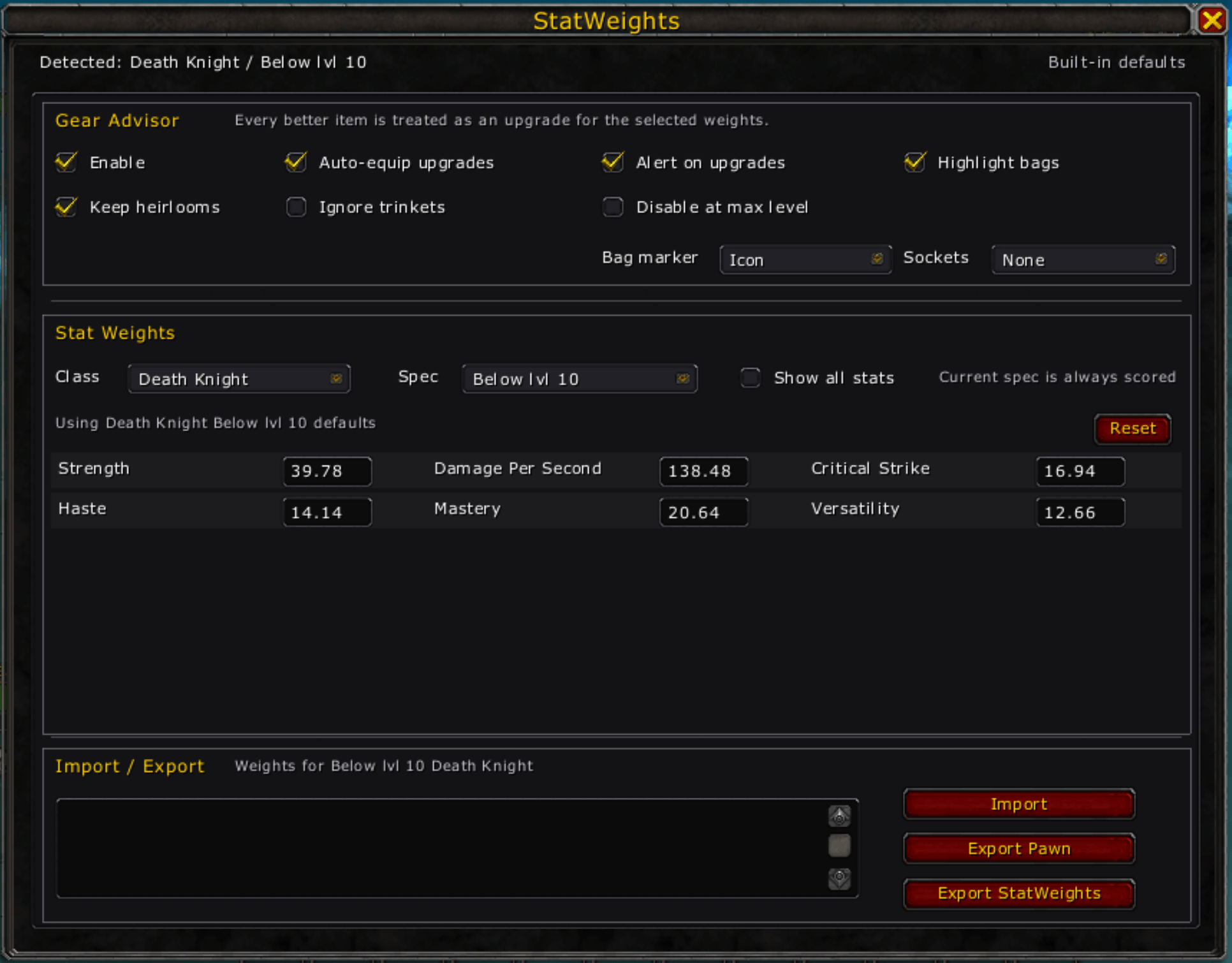
- Starter characters are shown as Below lvl 10
- Tooltip upgrade percentages
- Instantly see whether an item is an upgrade or downgrade
- Compares items against your currently equipped gear
- Shows useful percentage changes instead of raw score clutter
- Bag highlights
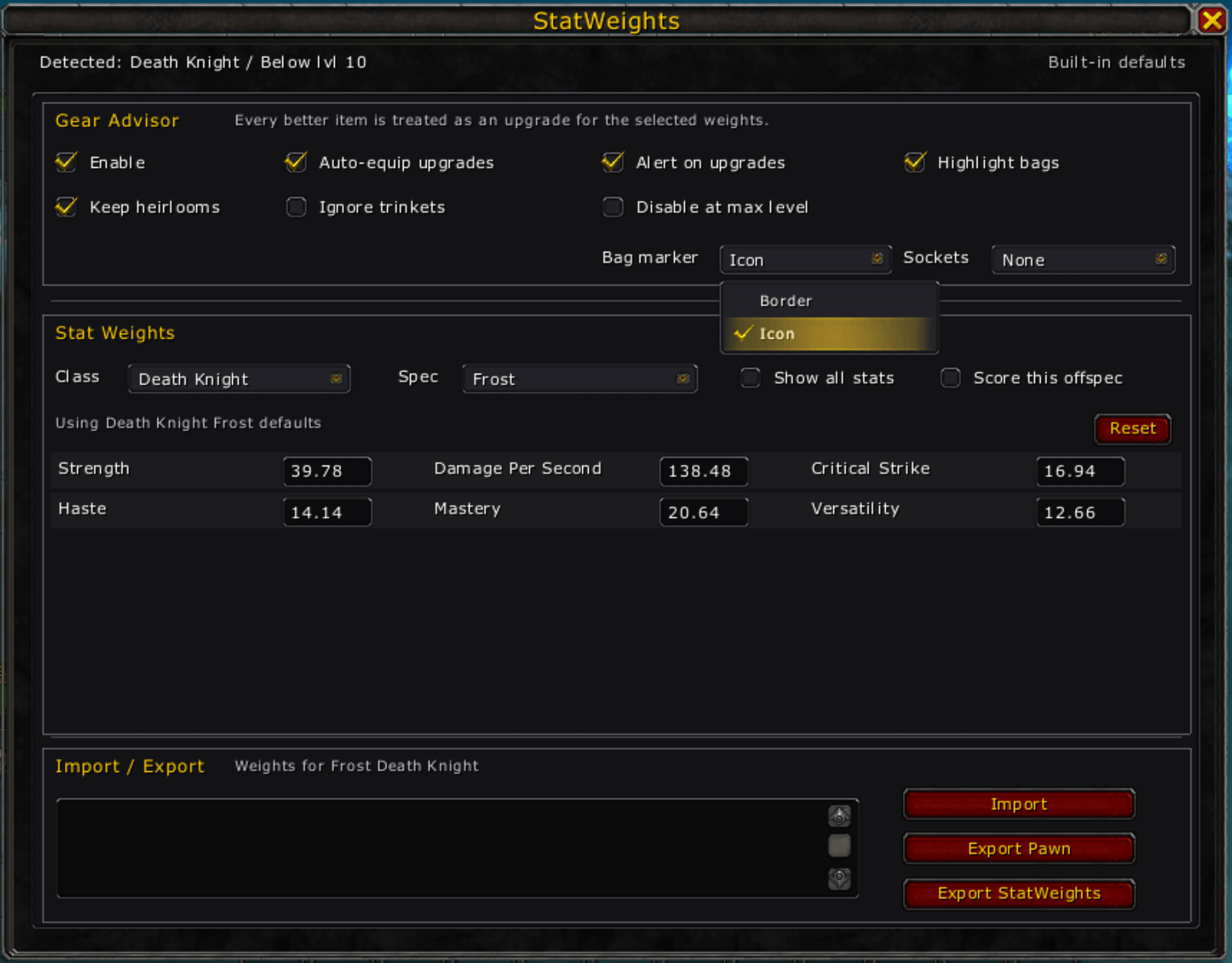
- Mark better gear directly in your bags
- Choose icon or border-style markers
- Custom stat weights
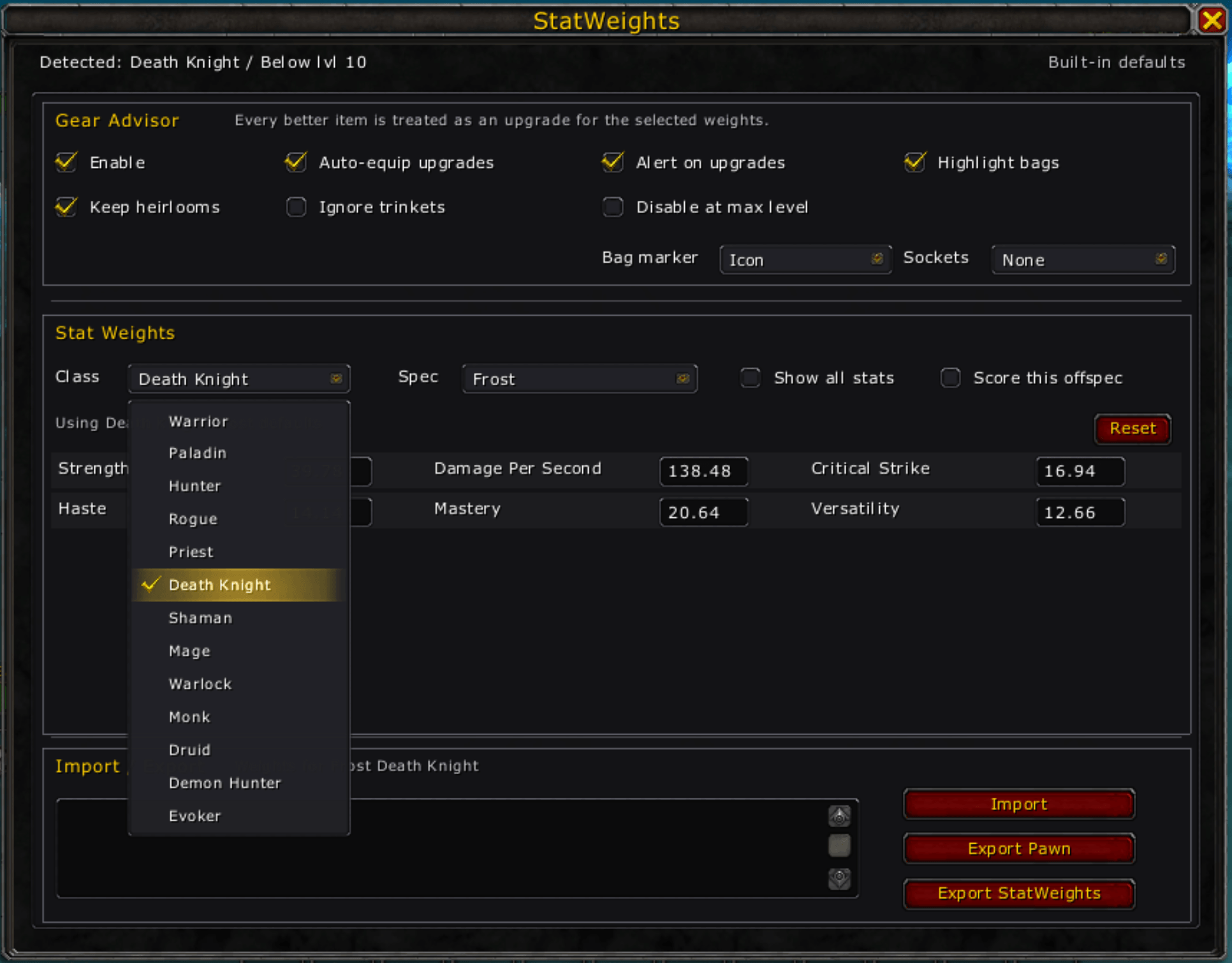
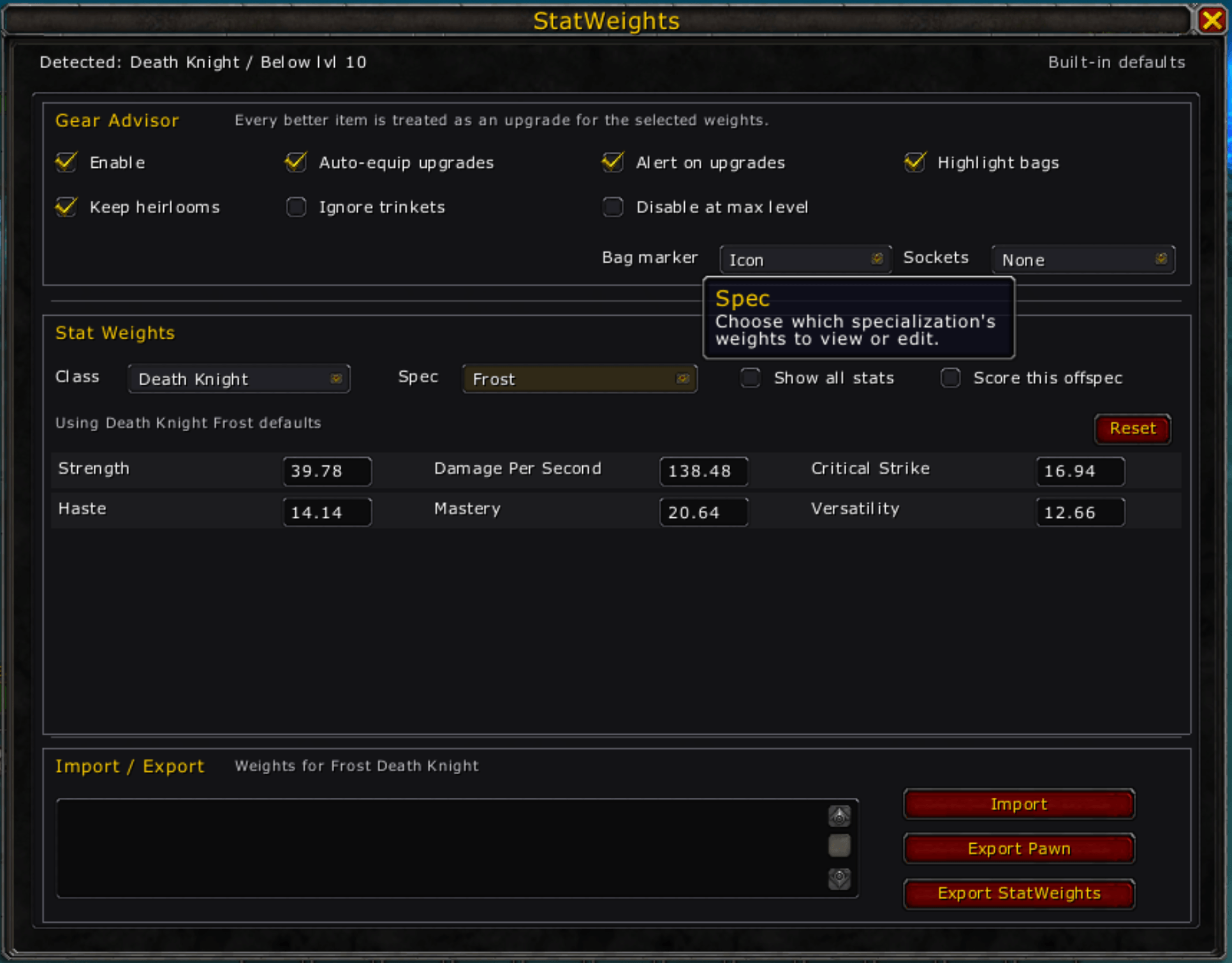
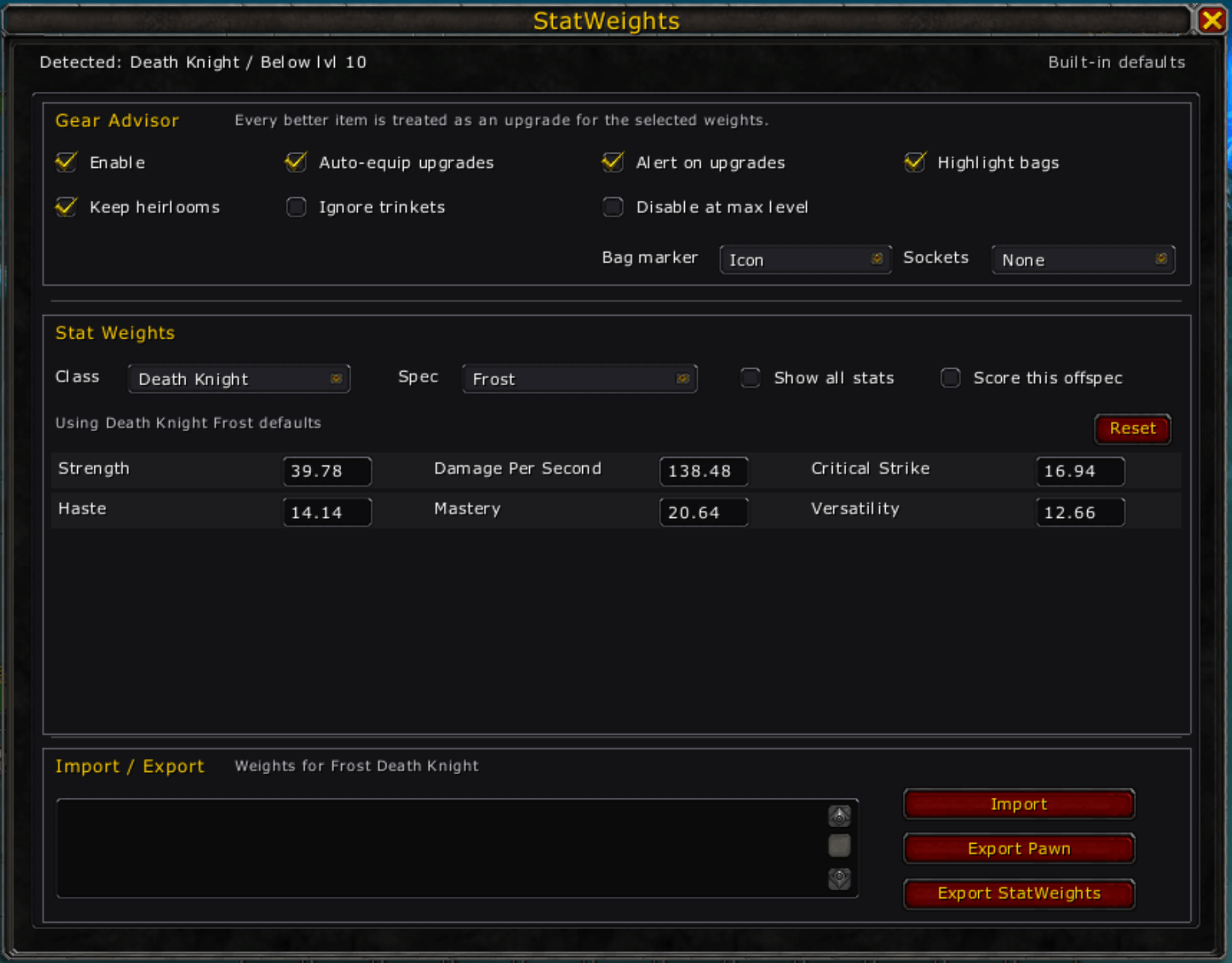
- Edit stat weights directly in-game
- Use class/spec-specific setups
- Tank-relevant stats appear automatically for tank specs
- Import / Export
- Import StatWeights Auto Equip strings
- Export StatWeights Auto Equip strings for sharing or backup
- Export Pawn-compatible strings
- Heirloom protection
- Prevents normal leveling gear from replacing heirlooms when enabled
- Ignore trinkets option
- Excludes trinkets from auto-equip, alerts, and bag highlights
- Upgrade alerts
- Minimap alert when an upgrade is found
- Clean standalone UI
- Minimap icon
- Slash commands
- Compact single-page settings window
Why Use StatWeights Auto Equip?
Gear upgrades are not always obvious. Item level can be misleading, especially while leveling, using heirlooms, swapping specs, or comparing items with different secondary stats.
StatWeights Auto Equip gives you a fast answer:
- Is this item better?
- How much better or worse is it?
- Should it be highlighted in my bags?
- Should it be auto-equipped?
If you want a faster way to gear while leveling, manage alt upgrades, or use your own stat priorities, StatWeights Auto Equip keeps the decision simple.
How to Open StatWeights Auto Equip
- Slash command: /statweights
- Short command: /sw
- Or click the minimap icon
Drag the minimap icon to reposition it.
Auto-Equip Notes
Auto-equip is optional.
When enabled, StatWeights Auto Equip can equip better eligible gear automatically while still following WoW’s normal restrictions. Some equipment changes may be delayed during combat or when protected actions are blocked by the game.
Useful options:
- Keep heirlooms — avoids replacing heirlooms while leveling
- Ignore trinkets — prevents trinkets from being auto-equipped, highlighted, or reported as upgrades
- Disable at max level — turns off gear advisor behavior at max level if you only want it while leveling
Import / Export
StatWeights Auto Equip supports its own simple string format and Pawn-compatible exports.
Use import/export to:
- Share weights between characters
- Back up custom stat weights
- Move weights between WoW versions
- Export a Pawn-style string for other workflows
Notes
- StatWeights Auto Equip is designed for fast in-game gear decisions.
- It does not require simulations or external tools.
- It works best when your weights match how you want your character to gear.
- Built for broad compatibility across Retail and Classic-era clients.
Support / Feedback
If something behaves differently on a specific WoW version, please leave a comment with:
- your WoW client version
- your class and specialization
- the item being compared
- what you expected vs. what happened
Detailed reports make it much easier to keep StatWeights Auto Equip accurate and compatible.
More AddOns by Renvulf
Browse my other projects here: Renvulf on CurseForge
The StatWeights Auto Equip Team


Owner