2026-09-26_23-24-21.png
2026-09-26_23-23-45.png
2026-09-26_23-23-23.png
Description
Statholme
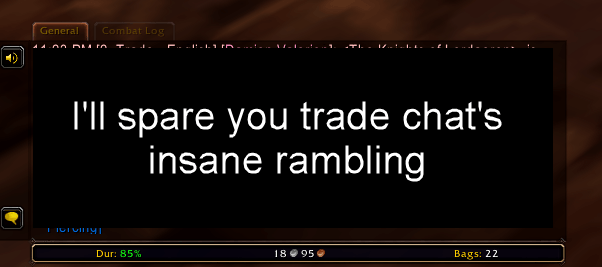
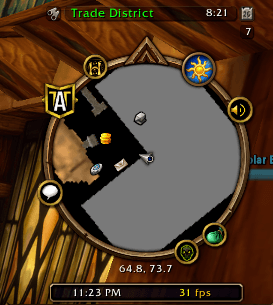
Statholme adds small bars to the edges of the default interface, so information like the time, your frame rate, your bag space, or your gold is always one glance away. Navigate to the underlying UIs with one click. Statholme does that one job and leaves the rest of your interface alone, so no need to download some big UI overhaul just to see some extra data.
Features
Bars that fit in
- Bars attach to parts of the default UI, above or below, and you switch each one on or off by itself.
- They follow their frame when you move or resize it, including in Edit Mode.
- Styled like Blizzard's own tooltips, so they blend in.
Readouts
- Put any readout in any slot, covering things like the time, performance, friends and guild, mail, bags, gear, money, location and specialization.
- Hover any readout for a tooltip with the details.
- Click it to open the matching Blizzard window, or for a quick action.
- Choose which currencies to track, and see them alongside your gold.
Easy to set up
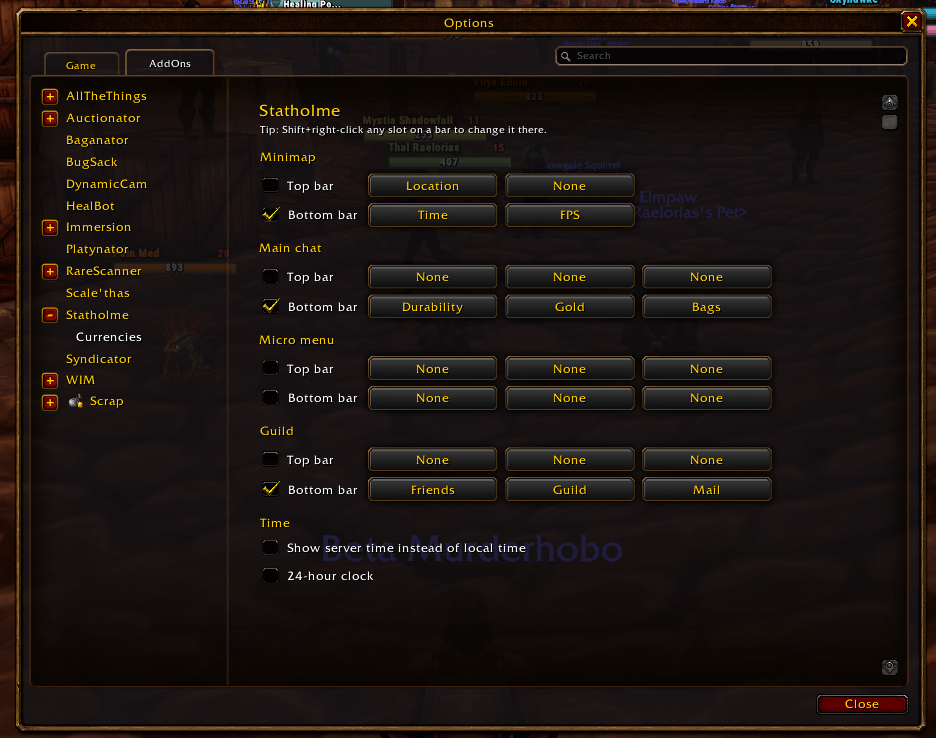
- Shift+right-click any slot to pick what it shows, right there on the bar.
- Or use the settings page, which lists every bar with a dropdown for each slot.
Light by design
- A readout that isn't on any bar does no work at all.
Slash commands
/statholmeor/sth: open the settings.
Notes
- Clicks that open Blizzard windows only work out of combat. Papa Blizz says so.
- Statholme attaches to Blizzard's own frames. If another addon replaces those frames, Statholme's bars won't appear on them.
The Statholme Team