SRAdvisor - TBC Anniversary
- By
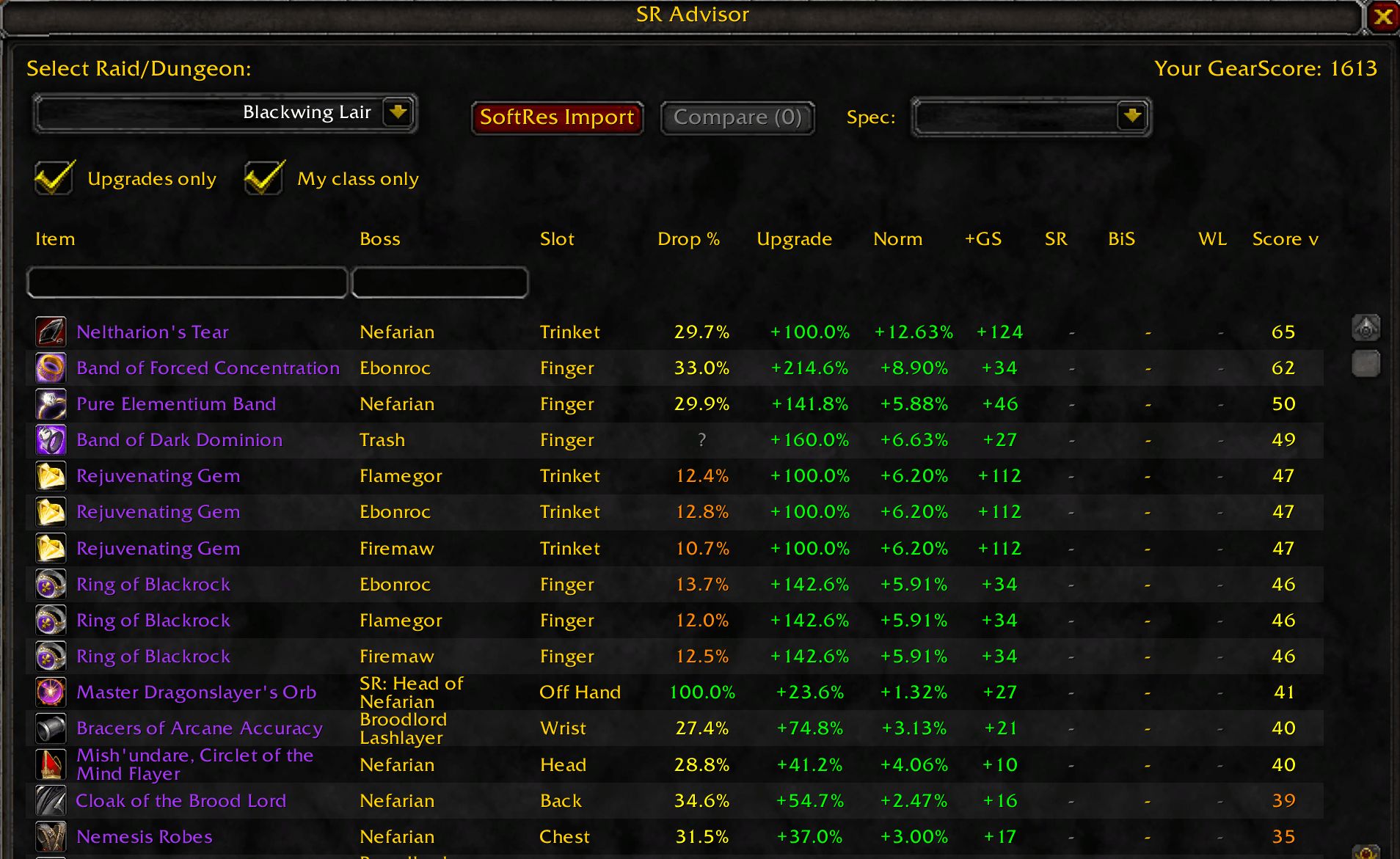
Analyzes raid loot and recommends the best items to soft reserve based on your gear, Pawn stat weights, and competition from other players.
Screenshot_20260124_173502.png
Screenshot_20260124_173837.png
Screenshot_20260124_173540-1.png
Screenshot_20260124_173530.png
Screenshot_20260124_173744.png
Description
SR Advisor - Soft Reserve Loot Advisor
SR Advisor helps you decide which items to soft reserve for raids by analyzing loot tables and comparing them against your current gear using built-in stat weights for all 9 classes.
Features
- Built-in Scoring Engine - No external addon required! Includes stat weights for all classes and specs
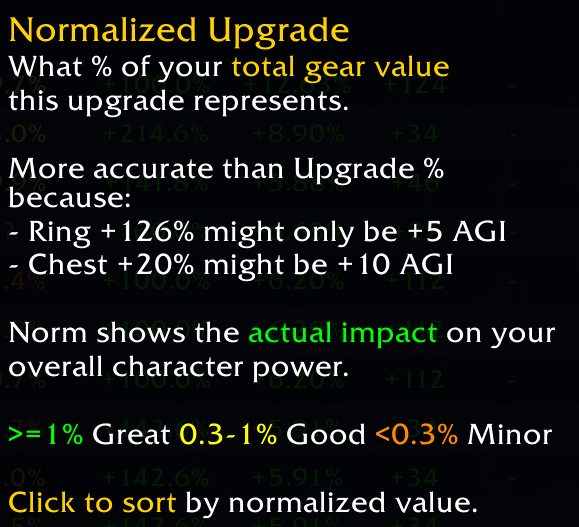
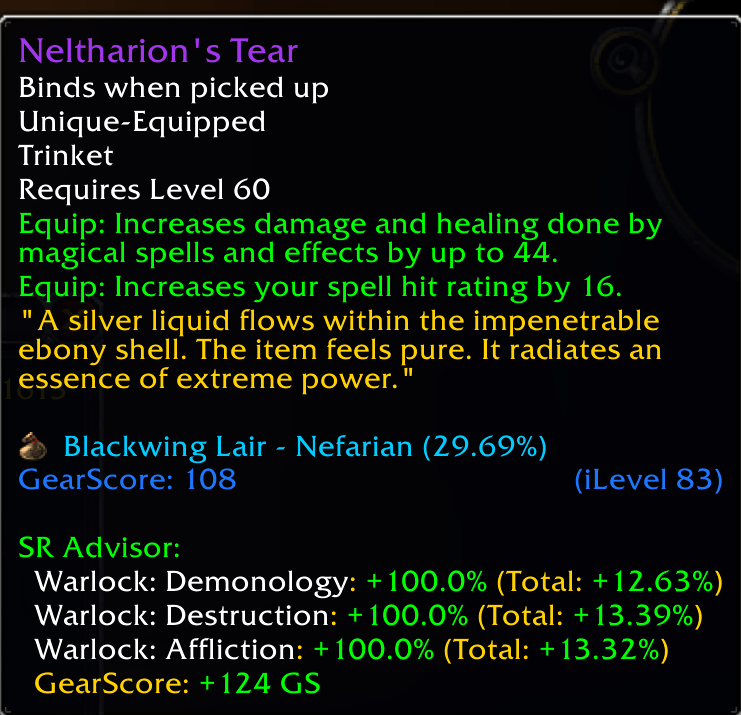
- Intelligent Upgrade Analysis - Accurate upgrade percentages with "You Gain / You Lose" stat breakdown
- Recommendation Score - Scores items (0-100) based on upgrade value, drop rate, and competition
- Multi-Expansion Support - Full support for Classic Era and The Burning Crusade content
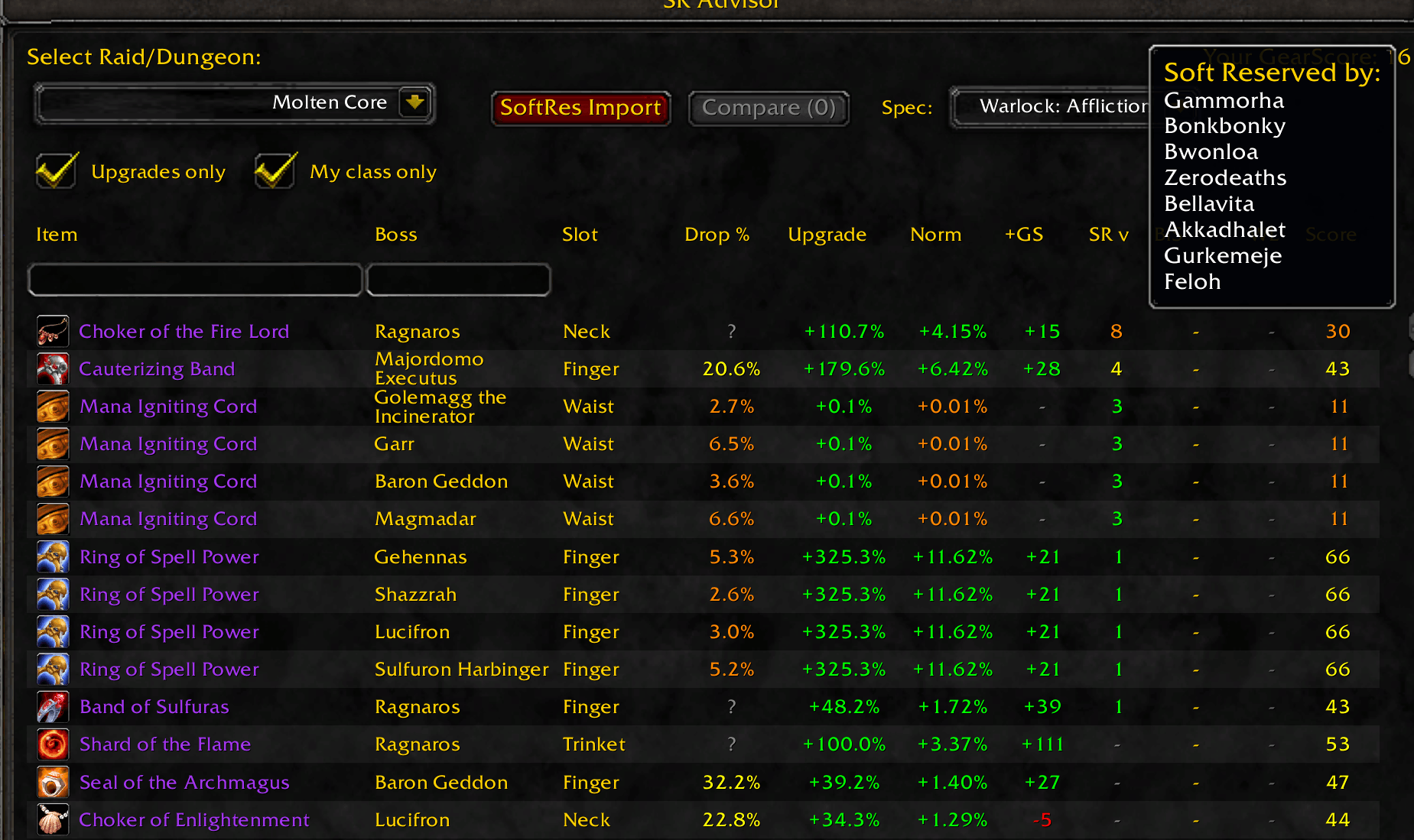
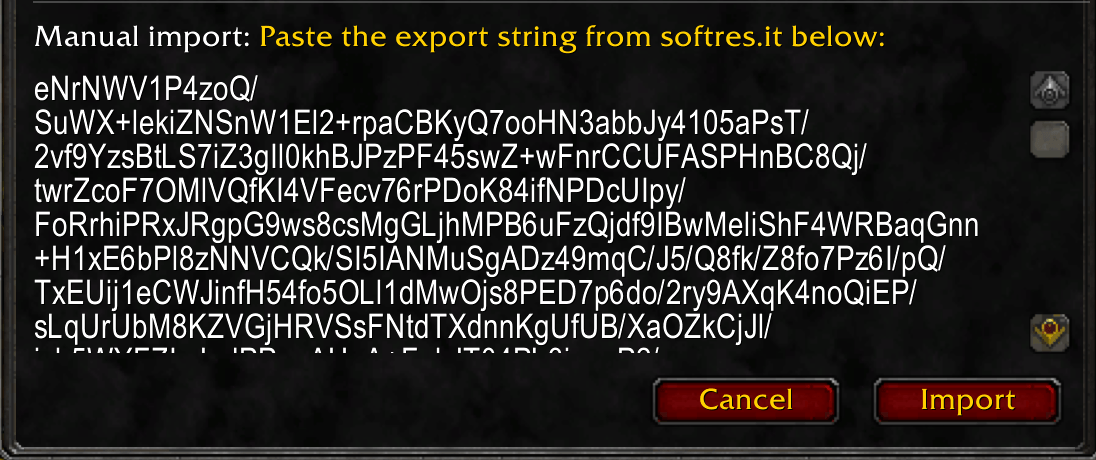
- SoftRes Integration - Import reservation data from softres.it to track competition
- Spec Management - Switch between specs directly from the main window
- Comparison Tool - Compare items side-by-side with detailed stat differences
- Tooltip Enhancement - Shows item scores, upgrade %, and stat changes on all item tooltips
- Wishlist System - Mark priority items (1-5) for personal tracking
- Conflict Detection - Automatically detects overlapping addons (RestedXP, Zygor, Pawn, SGJ)
How It Works
- Open with
/sror/sradvisor - Select a raid or dungeon from the dropdown
- Choose your spec from the dropdown
- See all loot ranked by upgrade potential and recommendation score
- Import SoftRes data to see competition for each item
Commands
| Command | Description |
|---|---|
/sr |
Toggle main window |
/sr options |
Open settings panel |
/sr scan |
Rescan equipped gear |
/sr softres |
Open SoftRes import dialog |
Dependencies
Required:
- AtlasLoot Classic - Provides loot tables
Optional:
- Gargul - Enables compressed softres.it imports
- LoonBestInSlot - BiS item information
Supported Content
Classic: Molten Core, BWL, Onyxia, ZG, AQ20, AQ40, Naxxramas, and all level 60 dungeons
TBC: Karazhan, Gruul, Magtheridon, SSC, TK, Hyjal, Black Temple, Sunwell, and all TBC dungeons
SRAdvisor - TBC Anniversary Team