SpellXRay
- By
Find your spells with magical two-way spellbook and action-bar highlights, five animated search effects, six target glows, and smart low-rank warnings.
Spell X-Ray
Find your Spells. Follow the Magic.
I made Spell X-Ray to make finding spells on your action bars easier and a little more fun. Just hover over a spell in your spellbook and a magical effect will show you exactly where you've placed it on your action bars.
It also works the other way around! Hover over a spell on your action bar, and Spell X-Ray will highlight the matching spell in your spellbook if it's currently visible.
Simple, useful, and with a little bit of magic!
Magical Two-Way Spell Search
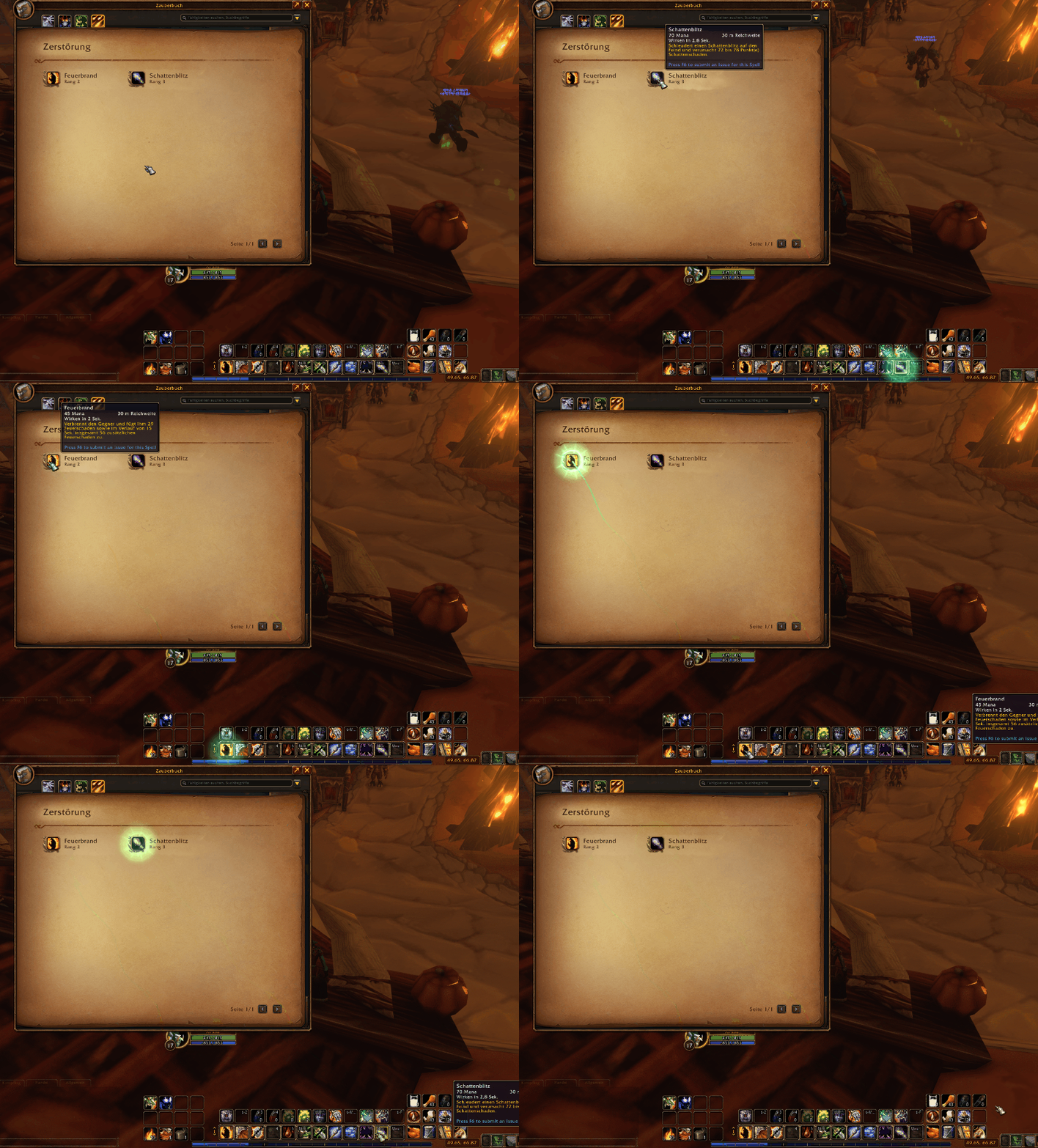
- Spellbook → Action Bar — Hover over a learned spell and an animated trail leads you to the matching buttons on your Blizzard action bars.
-
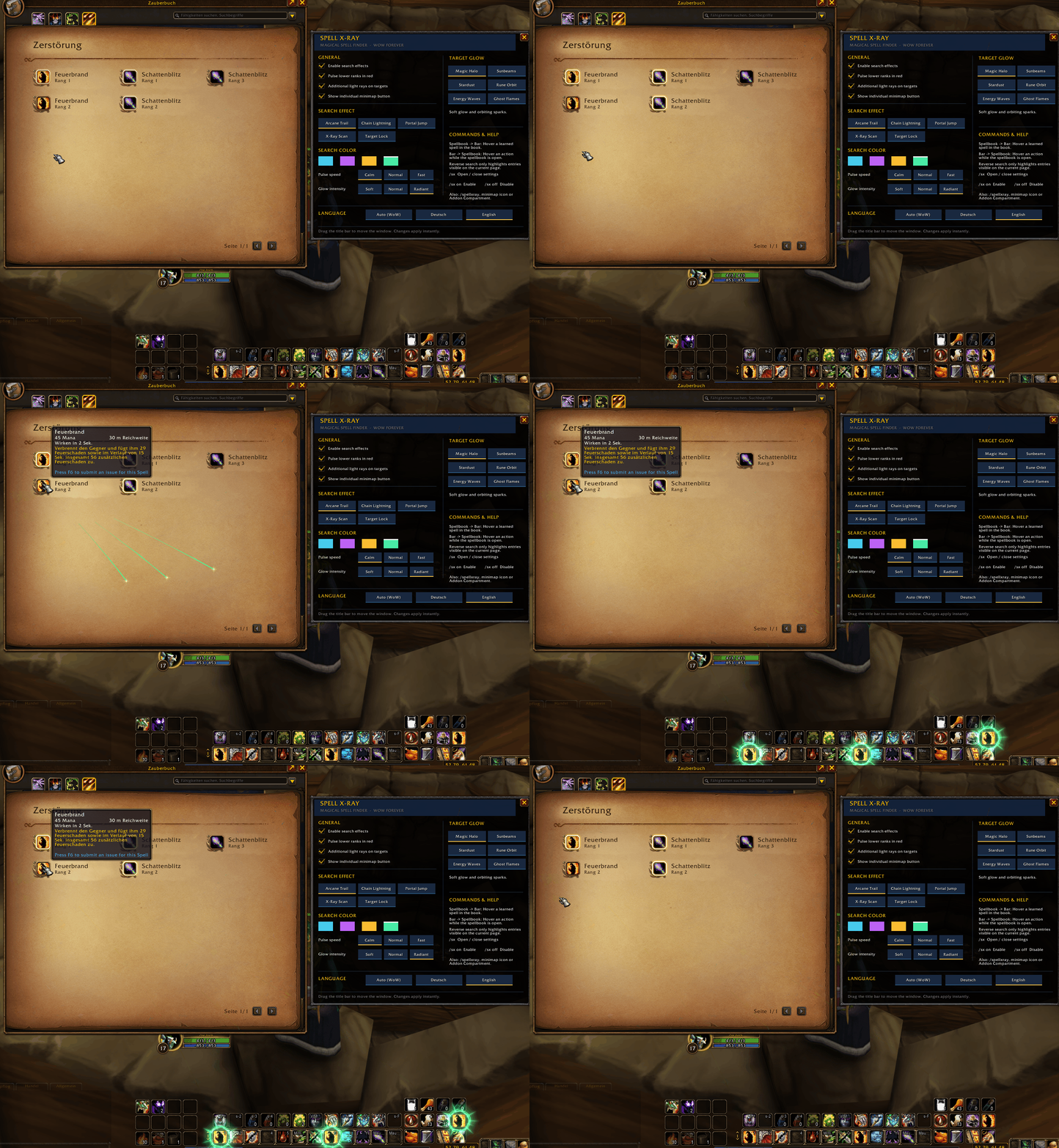
Action Bar → Spellbook — Hover over a directly assigned spell while your spellbook is open to illuminate its matching visible spellbook entries.
-
Multiple Locations — If you placed a spell on more than one button, the search effect reaches every detected match.
-
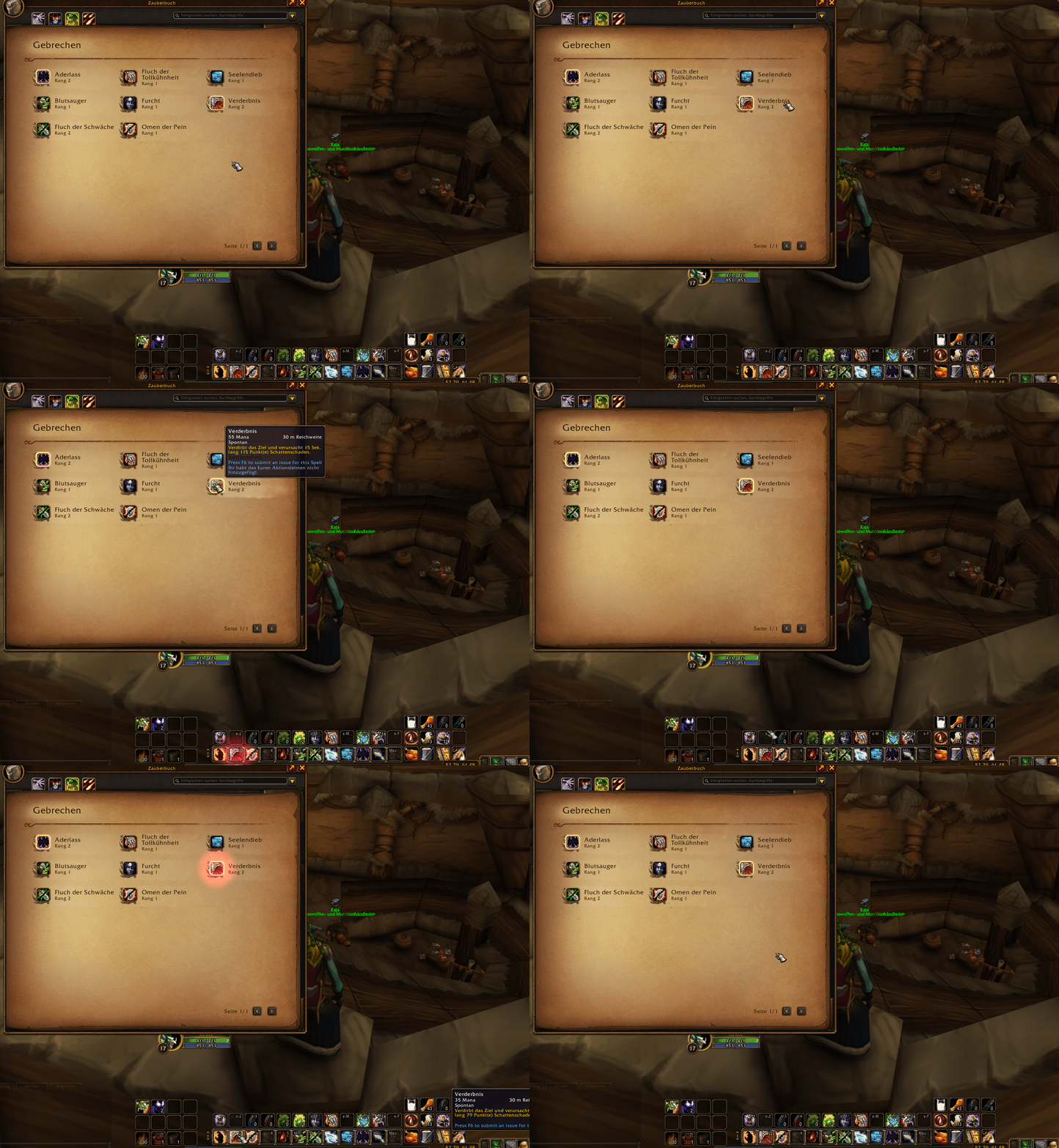
Smart Low-Rank Warnings — Confirmed lower spell ranks pulse in red, independently of your chosen search color. Rank warnings can be switched off when you deliberately use lower ranks.
- WoW TBC Classic Support & Compatible with Bartender4 support.
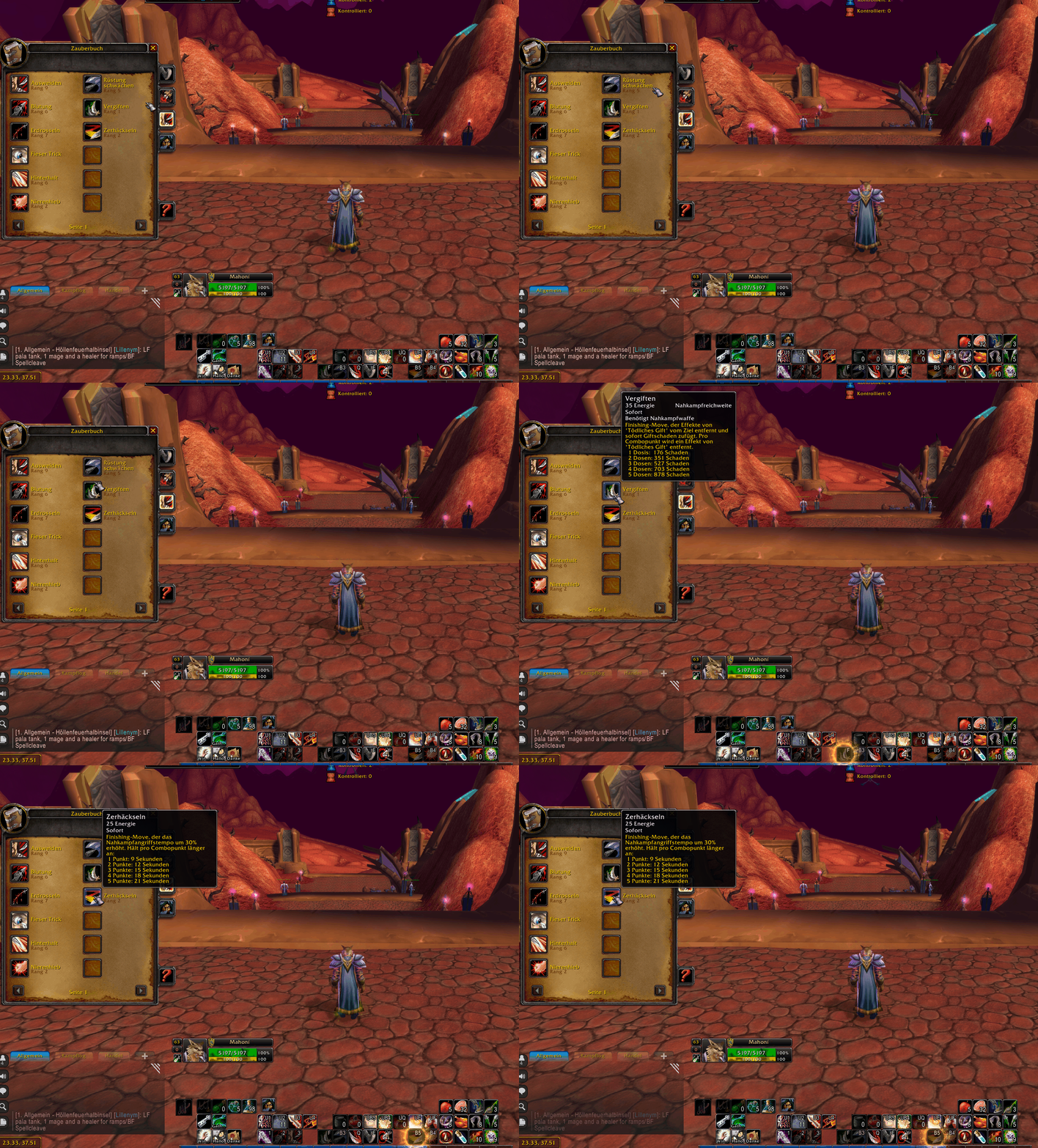
Five Search Animations
Customize how the magic travels from one location to another:
- Arcane Trail — A flowing arcane spark trail.
- Chain Lightning — A crackling bolt linking your spell and its destination.
- Portal Jump — A magical portal-inspired transition.
- X-Ray Scan — A focused scanning energy beam.
- Target Lock — A swift lock-on effect that marks the result.
Six Target Glow Styles
Choose how a spell lights up once the search reaches it:
- Magic Halo — Soft radiance with orbiting sparks.
- Sunbeams — Bright rays shining outward from the spell.
- Stardust — Shimmering stars circling the button.
- Rune Orbit — A rotating circle of arcane runes.
- Energy Waves — Expanding pulses of magical energy.
- Ghost Flames — Ethereal magical flames around the spell.
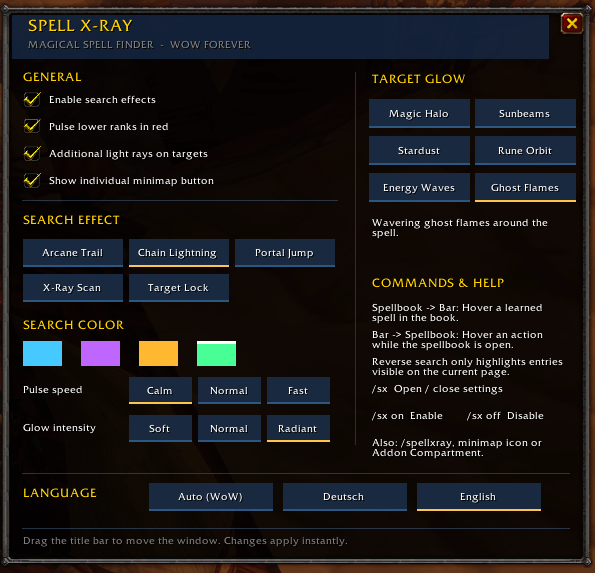
Mix any search animation with any glow style, then adjust the effect color, pulse speed, glow intensity, and extra light rays to match your UI.
Settings Without the Hassle
Spell X-Ray has its own movable settings window, so you can keep your spellbook open and try different effects immediately.
- Open settings with
/sxor/spellxray. - Use the optional, movable minimap button for quick access.
- Find Spell X-Ray in the Addon Compartment even with its individual minimap button disabled.
- Choose Auto (WoW), Deutsch, or English; the language changes immediately and your selection is remembered.
Commands
/sx— Open or close Spell X-Ray settings./spellxray— Alternative settings command./sx on— Enable the addon./sx off— Disable the addon.
Compatibility & Notes
- WoW Forever — Supports directly assigned spells on Blizzard action bars.
- TBC Classic Anniversary (2.5.6) — Supports Blizzard action bars and Bartender4.
- Bartender4 Support — Fully supported in TBC Classic Anniversary, including search animations, target glow effects, and two-way spell searching.
- Other Action Bar Addons — Compatibility with macros and other third-party action bar addons is not guaranteed.
- Reverse Spell Search — Highlights visible entries on the current spellbook page; it does not turn pages automatically.
- Combat Compatibility — Designed for out-of-combat use. Visual effects do not control spell casts or protected action buttons.
- Low-Rank Detection — Warnings appear only when the client API can confirm the rank; unknown ranks are not guessed.
- Languages — Includes German and English. Other client locales fall back to English in Auto mode.
Locate the Spell. See the Magic.
SpellXRay Team