SlashikRaidBreakTime.jpg
Screenshot 2026-09-23 at 20.41.31.png
Screenshot 2026-09-23 at 20.41.17.png
Screenshot 2026-09-23 at 20.41.37.png
Screenshot 2026-09-23 at 20.41.31.png
Description
Slashik Raid Break Time
Created for the Dreamweavers guild, Slashik Raid Break Time adds some personality to raid breaks—and handy tools for organizing your next Mythic+ run.
Raid breaks with personality
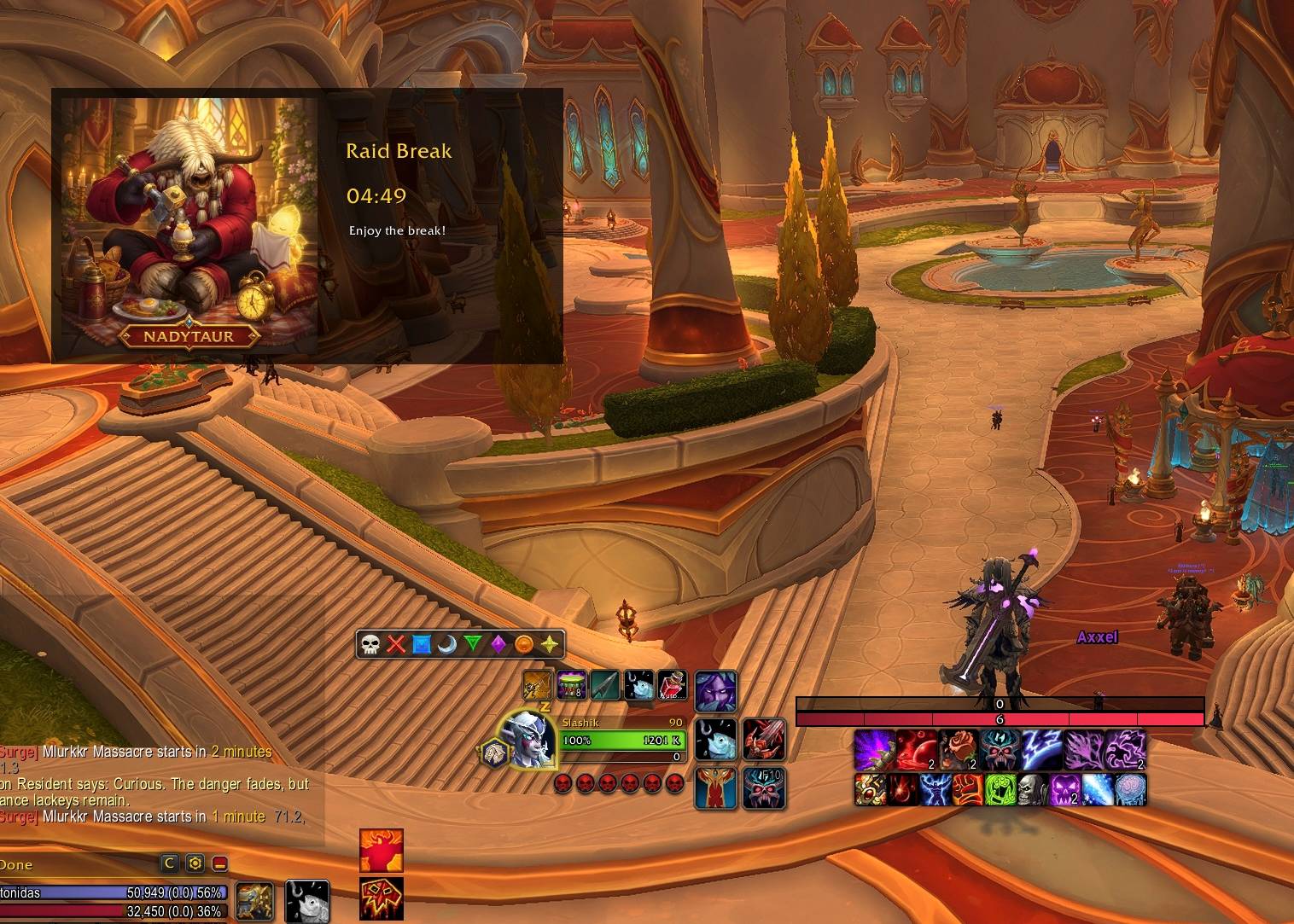
Replace the usual break-time bar with a large countdown and a randomly selected funny illustration featuring Dreamweavers guild characters and community jokes.
- Start a 10-minute break with
/break 10. - Stop and hide the active break with
/break stop. - Supports compatible break timers started through DBM and BigWigs.
- Active breaks survive
/reload, returning with the correct remaining time. - Automatically rotate pictures during a break, enabled by default with a 1-minute interval.
- Tracks pictures already shown during the current break to avoid repeats while unused pictures remain.
- Optional audio alerts warn you when 1 minute remains and play an AirHorn when the break ends. Audio is disabled by default.
Party keystones
Open the party keystone window with:
/srbt key
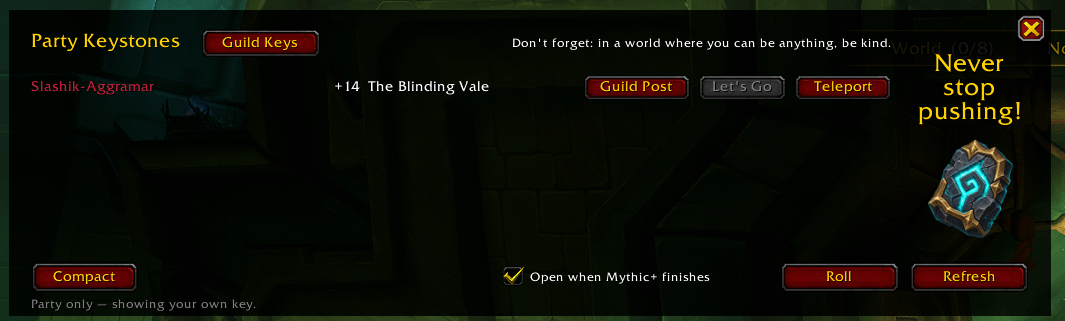
See your party members’ keystones and class-colored names. Keystone sharing is compatible with DBM and BigWigs, so party members using those addons can also share their key information.
The normal window includes:
- Guild Post: share a key in guild chat, including missing party roles when they can be determined.
- Let’s Go: announce your chosen key in party chat and display a centered announcement for members using this addon.
- Roll: roll among available party keys and announce the selected key.
- Teleport: use your unlocked portal to the listed dungeon. Hover for unlock requirements or remaining cooldown.
- Guild Keys: open the guild keystone window.
- Refresh: request updated keystone information.
- Open when Mythic+ finishes: an optional checkbox to automatically open the window after a run.
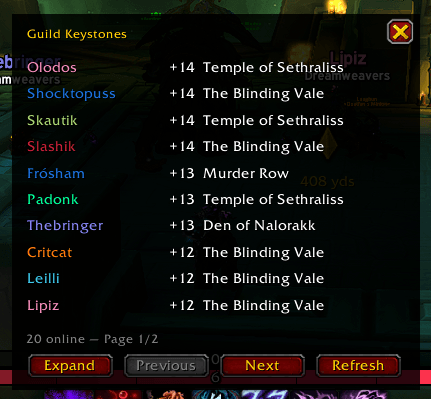
Prefer a smaller window? Switch to Compact mode for a simple list of names and keystones, then use Expand to restore the full controls. Compact mode adjusts its height to the party size.
Your preferred mode and each layout’s position are saved across /reload. Automatic opening uses your selected mode.
Next-key announcements and reminders
After Let’s Go or Roll, members using the updated addon see the chosen dungeon, key level, and owner in a centered announcement.
- The announcement stays visible for 15 seconds.
- A Teleport button lets each player use their own unlocked dungeon portal.
- Teleport is disabled when unavailable or on cooldown and hidden during combat.
The selected key is also remembered across /reload. When someone starts a compatible pull countdown inside the matching dungeon, before the Mythic+ run begins, the addon reminds everyone with the saved selection who should insert the keystone.
Starting, completing, or resetting the run clears the selection. It also clears if the owner leaves the party; choosing another key replaces it.
Guild keystones
Open the guild keystone window with:
/srbt key guild
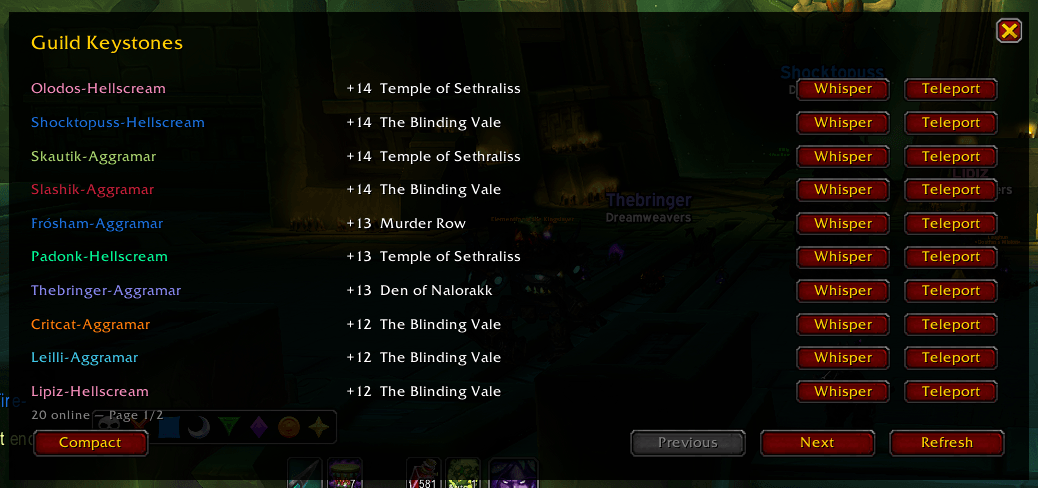
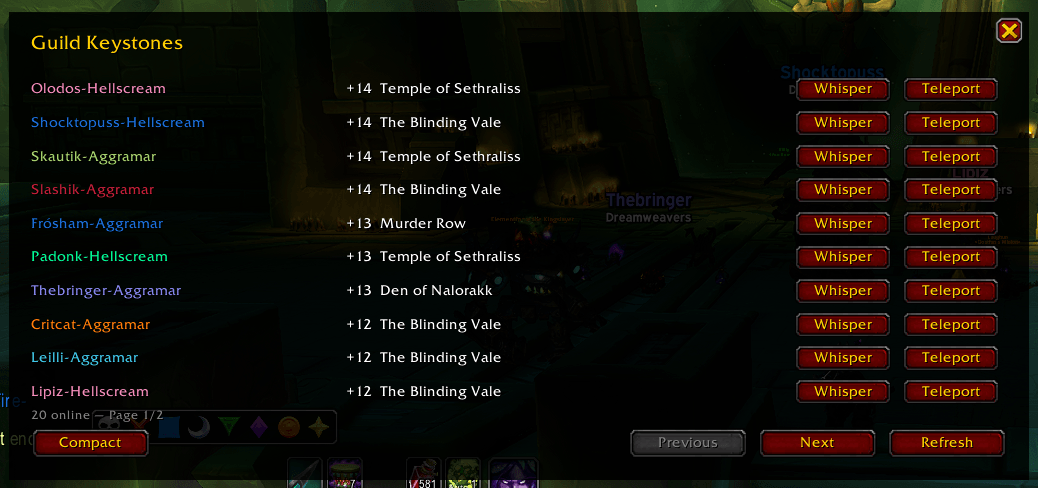
Browse online guild members and their shared keystones, sorted highest level first, with unknown or missing keys at the bottom.
- Class-colored character names.
- Whisper: ask a member whether they would like to run their key.
- Teleport: use your unlocked portal to their dungeon.
- Paging and manual Refresh controls.
- Compact / Expand switching, with a smaller names-and-keys view.
- Saved mode and separate layout positions, independent of the party window.
Keystone information depends on members running a compatible sharing addon. Members who have not shared their key may appear as Unknown.
Settings commands
/srbt random on— enable automatic picture rotation./srbt random off— disable automatic picture rotation./srbt timer 1— set the picture-change interval in minutes, from 1 to 120./srbt audio on— enable break-warning sounds./srbt audio off— disable break-warning sounds./srbt settings— display your current settings./srbt settings default— reset picture rotation to on, the interval to 1 minute, and audio to off./srbt help— display the settings commands.
The included artwork features Dreamweavers guild characters and community-inspired illustrations.
SlashikRaidBreakTime Team