Screenshot 2026-09-14 at 12.06.12.png
Description
SlashikFlying
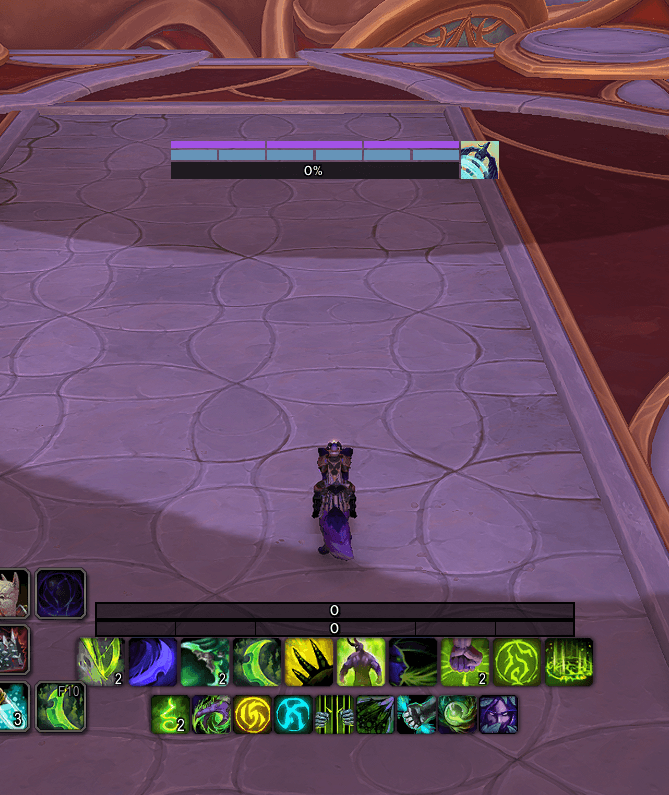
Inspired by EllesmereUI’s Skyriding display, SlashikFlying is a lightweight, standalone addon that keeps your flying resources and speed in one compact HUD. It works independently and does not require EllesmereUI or any other addon.
The display automatically appears when you’re mounted with Skyriding enabled, including while standing on the ground, and hides when you dismount or switch to steady flight.
Features
- Vigor: Six blue-gray segments show your available vigor and recharge progress.
- Second Wind: Three purple segments track your Second Wind charges and recharge progress.
- Flight speed: A speed bar and percentage show how fast you’re flying relative to normal running speed.
- Whirling Surge: An ability icon displays its cooldown.
- Customizable layout: Move the display and adjust its width and overall scale.
- Saved settings: Your position and preferences persist across sessions and are shared across characters.
- Optional combat hiding: Automatically hide the display during combat.
Continuous updates run only while the display is visible.
Settings and Commands
Use /sf or /slashikflying to view the command list.
| Command | Description |
|---|---|
/sf unlock |
Show a preview that you can drag to your preferred position. |
/sf lock |
Finish positioning and return to automatic visibility. |
/sf test |
Toggle a preview without mounting. |
/sf width 240 |
Set the bar width. Accepts values from 120 to 600. |
/sf scale 1 |
Set the overall scale. Accepts values from 0.5 to 3. |
/sf enabled on |
Enable the display. Use off to disable it. |
/sf combat on |
Hide during combat. Use off to keep it visible. |
/sf settings |
Show your current settings. |
/sf settings default |
Reset all settings and the display position. |
Getting Started
- Mount a Skyriding-capable mount with Skyriding enabled.
- Type
/sf unlockand drag the display wherever you want it. - Type
/sf lockto finish.
The default bar width is 240, scale is 1, and combat hiding is off.
The SlashikFlying Team