


Slappyui
- By
1.png
2.png
3.png
Tweak you actionbar looks
Have your personal look
Description
✨ Slappyui
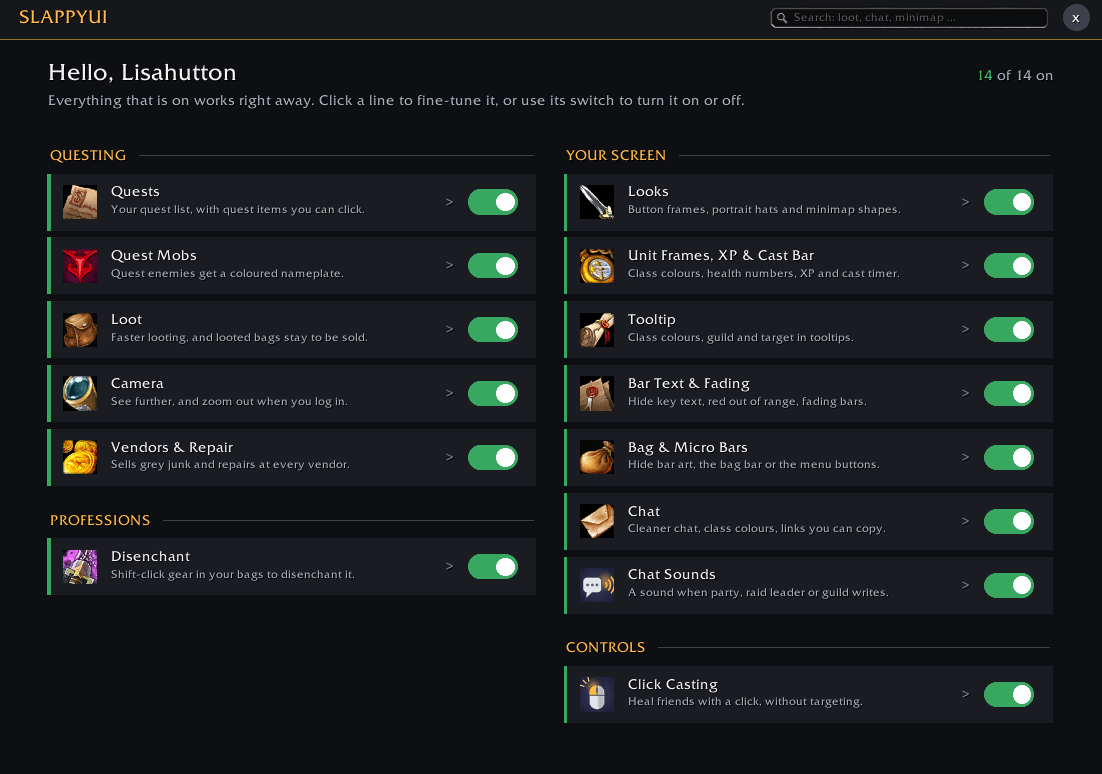
Useful from the first minute. Slappyui makes questing, looting, selling and crafting in WoW: Forever quicker, and your screen cleaner and more beautiful, without a pile of settings. The useful parts are already on when you install it. Everything else is one click away, on one page.
🎮 Type /sui, click the SUI button at the minimap, or find Slappyui in the game menu.
🎨 Action bars, your way
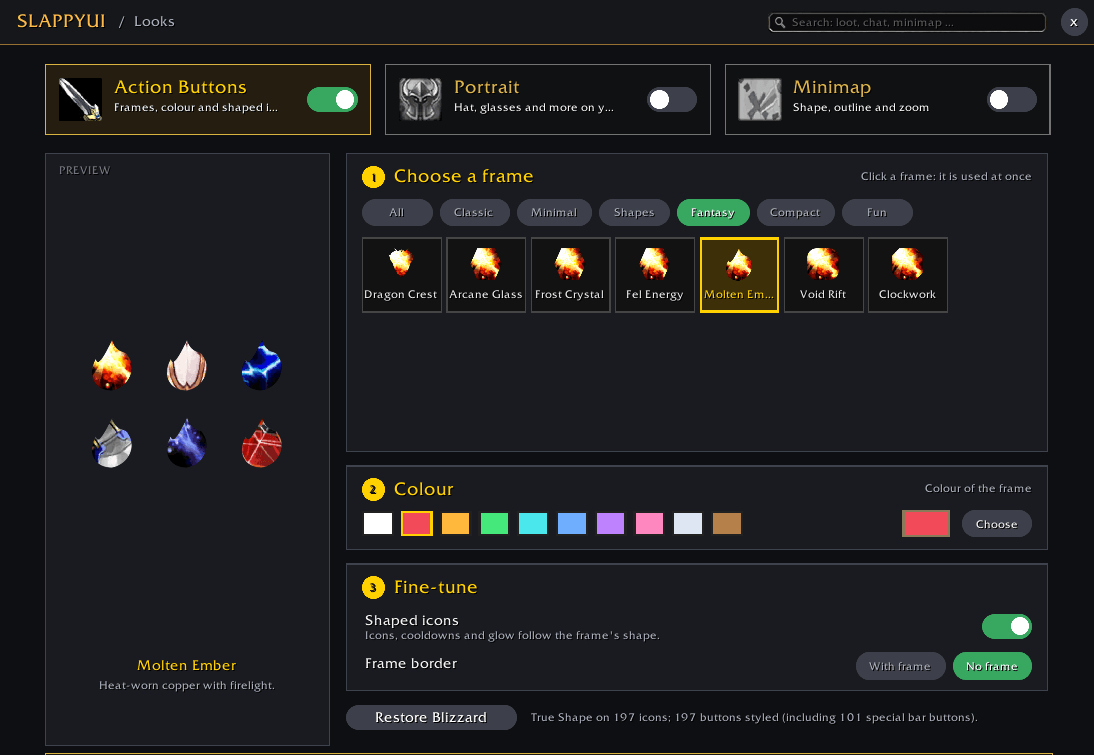
Give your action buttons a look of their own, with a big live preview so you see it before you use it.
- 🖼️ 35 button frames in six families: Classic, Minimal, Shapes, Fantasy, Compact and Fun.
- ⭐ True Shape: cut your spell icons into stars, hearts, shields, gems, leaves, hexagons and more. Not just a frame on top: the icon itself takes the shape.
- 🌈 Any colour: ready-made colours, or pick your own on the colour wheel. Or go borderless for a clean, modern look.
- 🔗 One look everywhere: all action bars, pet and stance bars, the extra action button, Blizzard's Cooldown Manager, and your buffs and debuffs. Debuffs keep their coloured border, so you still see magic, curse, poison and disease at a glance.
- 🧹 A cleaner bar: hide Action Bar 1's art and the gryphons at the ends, the bag bar or the menu buttons.
- 🛡️ Safe: nothing changes in the middle of a fight. If you use Bartender4, Dominos or ElvUI, Slappyui steps aside so your buttons are never skinned twice.
📜 Questing
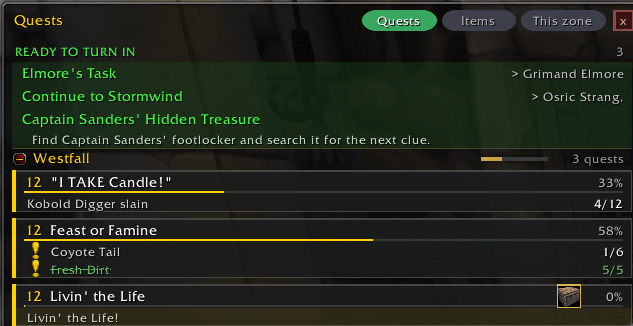
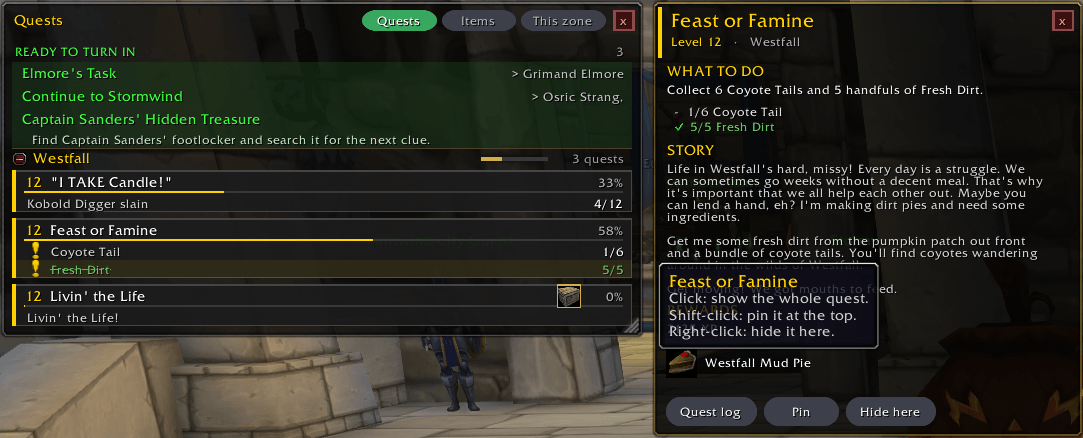
- 📋 Quest list: what you can do right now. Ready to turn in at the top, the zone you are in as cards with progress bars, other zones folded away. Click a quest for its full text, Shift-click to pin it.
- 🎒 Quest items: the items your quests need, with buttons you can click right in the list.
- 🎯 Quest Mobs: enemies your quests need get a coloured nameplate, in any colour you like.
- 💰 Loot: faster looting, and bags you loot stay in your bags so you can sell them. Cooking ingredients get a small mark in Baganator.
- 🔭 Camera: see further, and zoom out when you log in.
- 🔨 Vendors & Repair: sells grey junk and repairs at every vendor, and warns you before your gear breaks.
⚒️ Professions (WoW: Forever)
- 📖 Recipe Book: every recipe for your professions, known or not, with the skill it needs and where to get it, plus Herbalism, Mining, Skinning and Fishing lists.
- 📈 Profession Prices: cost, Auction House value and profit right in the profession window.
- ✨ Disenchant: hold Shift and click gear in your bags.
🖥️ More for your screen
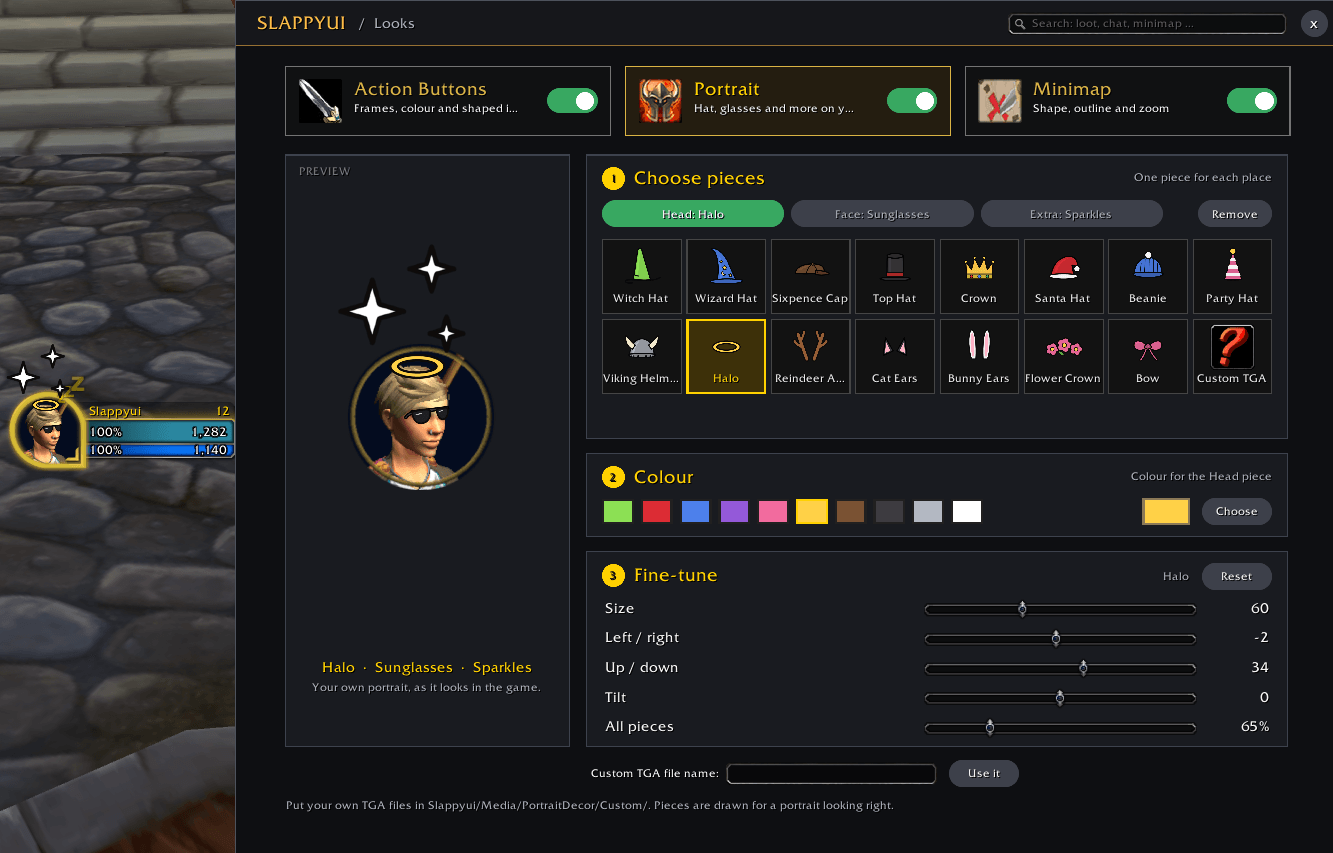
- 🎩 Portrait and minimap: hats, glasses and more on your portrait, and minimap shapes, in any colour.
- ❤️ Unit Frames, XP & Cast Bar: class-coloured health bars, health and mana as numbers, a quick way into Edit Mode, XP and time to your next level on the XP bar, and a cast timer.
- 💬 Tooltip, Bar Text & Fading, Chat: class colours, bars that fade until you need them, cleaner chat and links you can copy.
- 🔔 Chat Sounds: a sound when your party, the raid leader or your guild writes, so you never miss it. Pick from the game's own sounds, with volume up to 200%.
- 🖱️ Click Casting: heal friends with a click or the mouse wheel, without targeting them.
🤝 Works best with
- 💎 Auctionator: needed for Auction House prices in the profession window and tooltips.
- 👜 Baganator + Syndicator: one clean bag, with Slappyui's marks on quest items and cooking ingredients.
💡 Good to know
- ⚡ Everything that is off uses no resources.
- 👥 Profiles: each character remembers its own; export and import as one line of text.
- 🌍 Works in WoW: Forever, retail and Classic Era (the profession parts are Forever only).
🤖 Made with AI
Slappyui is designed, tested and played by Slappypotter. The code was written by Claude, an AI from Anthropic, working together with Slappypotter, and the artwork was also made with AI. Nothing is copied from other addons.
Slappyui Team
