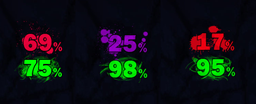
ShieldMaid.png
Description
Introduction
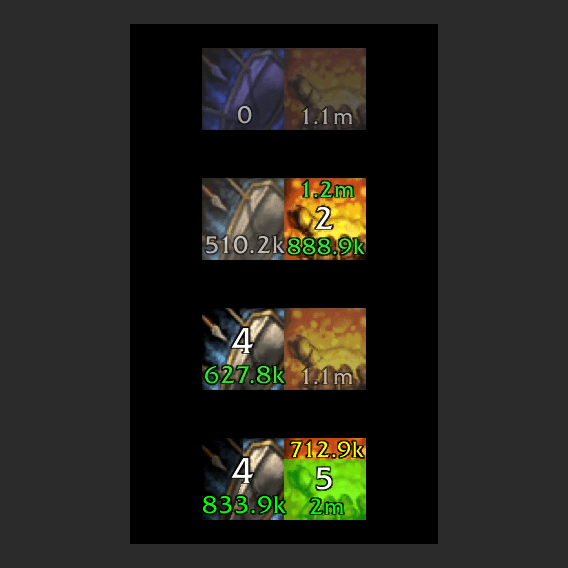
Shield Maid is a tracker for the two Warrior abilities Ignore Pain and Shield Block. The addon helps visualize at a glance the amount of damage absorption ignore pain will gain when activated and estimate how effective shield block will be based on recent damage taken. The addon adds an icon for each of the two abilities. These icons change in saturation depending on rage available to cast each ability and, when active, show remaining duration for the buffs. The Ignore Pain icon additionally shows remaining absorb value while the Shield Block icon shows total damage blocked for the duration of the buff. The ignore pain icon can be configured to continue showing the estimated absorb value to be gained by repeated activations of ignore pain (enabled by default)
Mitigation estimates
The addon calculates the estimated value of Ignore Pain by looking at the DPS provided by your weapon, potential talent modifiers, as well as your Strength, Mastery, and Versatility levels. While at lower levels or participating in timewalking with lower values of ignore pain (<1million), it will instead parse the ignore pain tooltip for an accurate absorption amount, capped at a maximum value of 30% max health.
The addon also keeps track of incoming, blockable, damage and uses this information to estimate how much your Shield Block ability will mitigate if activated.
Learning which spells are blockable
There is no exact way to determine wether or not an incoming attack is blockable before you actually block it. The addon remembers each spell you block and uses the information in future predictions. This approach also means that the addon will not interpret a spell as being unblockable until you have blocked it once.
Configuration
In-game configuration available via the addon menu or via the /sm or /shieldmaid commands:
- help - Displays the available commands.
- options - Opens the addon options menu.
- reset - Resets to the default settings.
- lock - Locks the icons preventing them from moving.
- unlock - Unlocks the icons for dragging.
- size <pixels> - Sets the width and height of the icons in pixels.
- scale <number> - Sets the scale of the icons.
- margin <pixels> - Sets the margin on the icons, e.g. the width of the transparent black border.
- hiddenOutOfCombat true/false - Sets a value indicating whether the icons should be hidden when out of combat.
- secondaryBarrier true/false - Sets a value indicating whether Ignore Pain's icon will display the value of follow up Ignore Pains while the buff is currently active.
- showFrames true/false - Sets a value indicating whether the icon texture frames should be shown.
- showCooldown true/false - Sets a value indicating whether to show the classic cooldown "clock" on icons.
- truncatedNumbers true/false - Sets a value indicating whether numbers will be truncated to 1 decimal.
Some configuration variables can still only be adjusted in the Config.lua file.
Shield Maid Team