Sharpie's Gear Judge – Roster (Alt Upgrades)
- By
Shows which of your alts a BoE upgrades, and by how much. Includes a grid of every character's gear, with bags, bank and mail counted.
Screenshot 2026-10-06 213055.png
Screenshot 2026-10-06 211922.png
Screenshot 2026-10-06 205221.png
Description
Sharpie's Gear Judge - Roster (Alt Upgrades)
Version 1.0.3 | Requires Sharpie's Gear Judge | Works on WoW Forever, Classic Era and TBC Anniversary
A plugin for Sharpie's Gear Judge (SGJ) for altoholics: see at a glance which of your other characters a BoE item would upgrade, and by how much.
🔥 New in 1.0.3
- Needs login: characters still scored with weights from before a Gear Judge update are flagged until you log into them once.
- You in the list: the character you're on is ranked alongside your alts, marked (you).
- BoE Finder (1.0.2): every tradeable item your characters hold that upgrades another of them, and who to send it to.
🌟 Features
🧾 Alt Upgrades on Tooltips
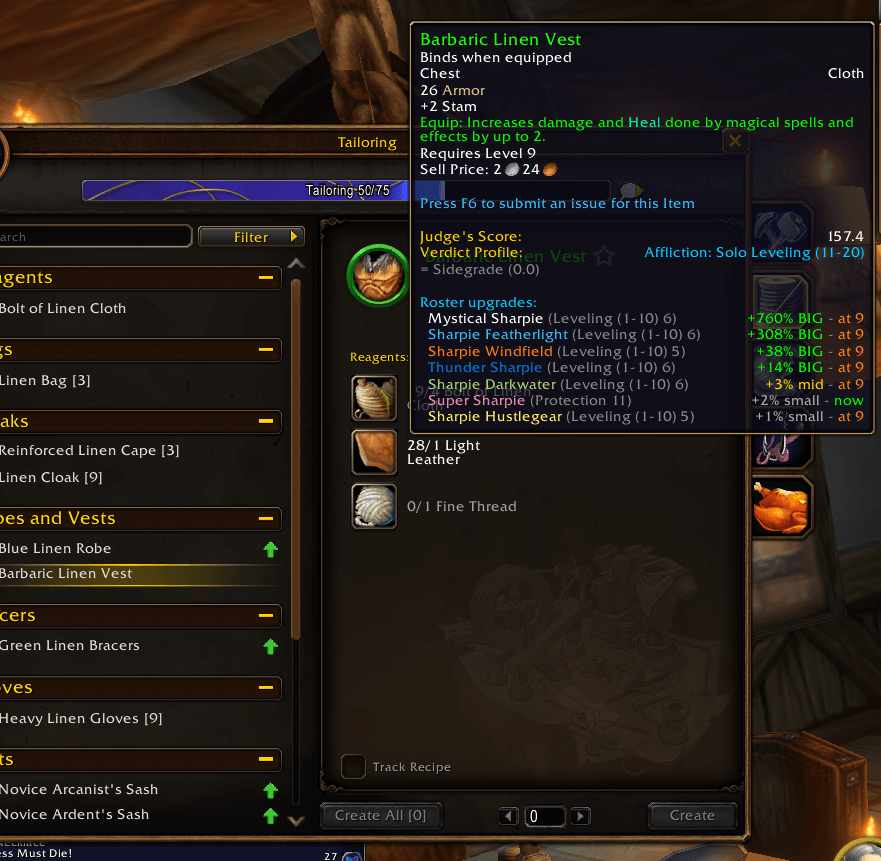
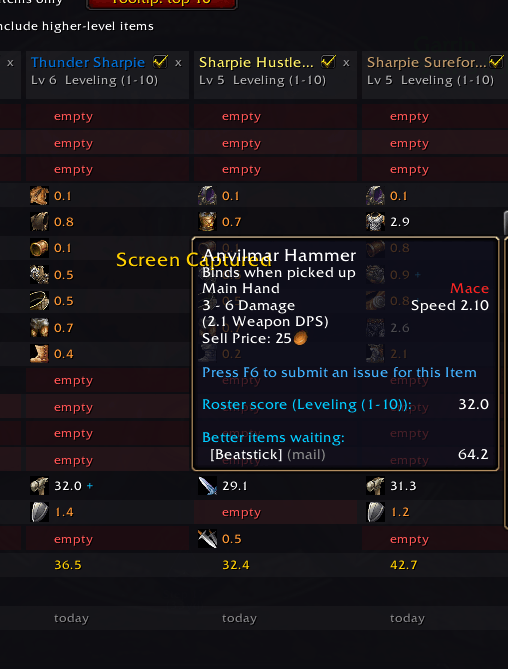
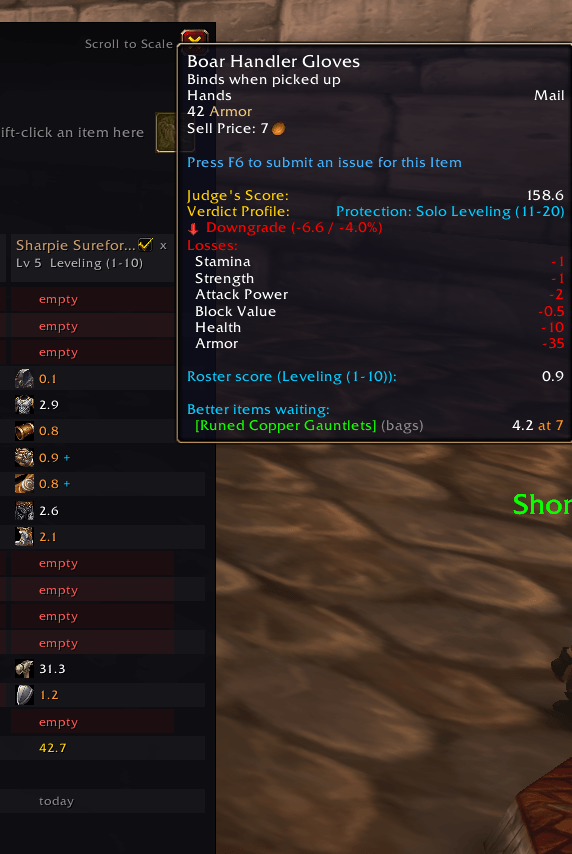
- Hover any tradeable item and a Roster upgrades section lists every alt it upgrades, biggest first.
- Each line shows the alt's spec and level, the size of the upgrade (BIG, mid or small, as a percent of that alt's total gear score), and whether they can use it now or only at level X.
- Each alt's own spec, talents and level are taken into account: the item is scored with the same Gear Judge weights that alt uses on their own tooltips, including its Gear for PvP setting. Multi-spec (tracked specs) is included, and the best spec is shown.
- Dual Specialization (WoW Forever, level 40): both specs of each character are saved, so a line can say the item is an upgrade for an alt's secondary spec.
- You in the list: when an item upgrades one of your other characters, the character you're on is ranked in the same list too, marked (you).
- Soulbound and bind-on-pickup items are skipped by default, since they can't be sent to an alt.
- Set bonuses count: a line says when an item completes a set bonus for that alt, and an item that would break one isn't shown as an upgrade unless it's still better overall.
- Relics (librams, idols, totems) are scored with the alt's own class data, and a second copy of a unique ring or trinket the alt already wears doesn't count as an upgrade.
- Class weapon talents count too (Weaponmaster, Hack and Slash, the TBC weapon specializations and so on), using that alt's own talents and level, as do racial weapon bonuses on versions that still have them (WoW Forever has removed its weapon racials).
- Only the top 3 alts are listed by default (change it on the Roster tab), and any alt can be left off tooltips with the checkbox on its column.
🎒 Bags, Bank and Mail Count Too
Gear an alt is holding for later counts as theirs. If they'll already have something better by the time they can wear the new item, it isn't shown as an upgrade.
The bank is saved each time that character visits it, and the mailbox each time they open it.
Items you mail to one of your own characters count for them straight away, before they log in. (Mail older than 30 days is dropped, since it will have been returned.)
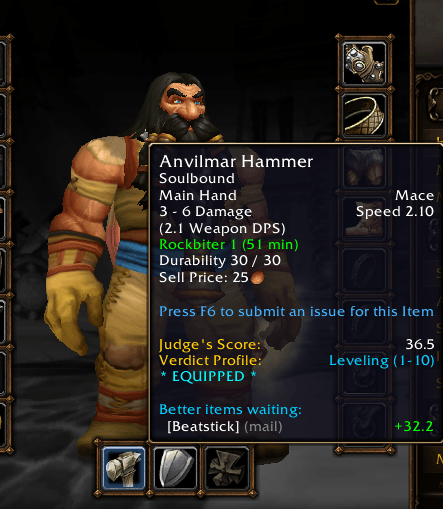
Hover gear you're wearing to see better items already waiting for that slot in your mail, bags or bank, and how much each adds.
📊 The Roster Grid
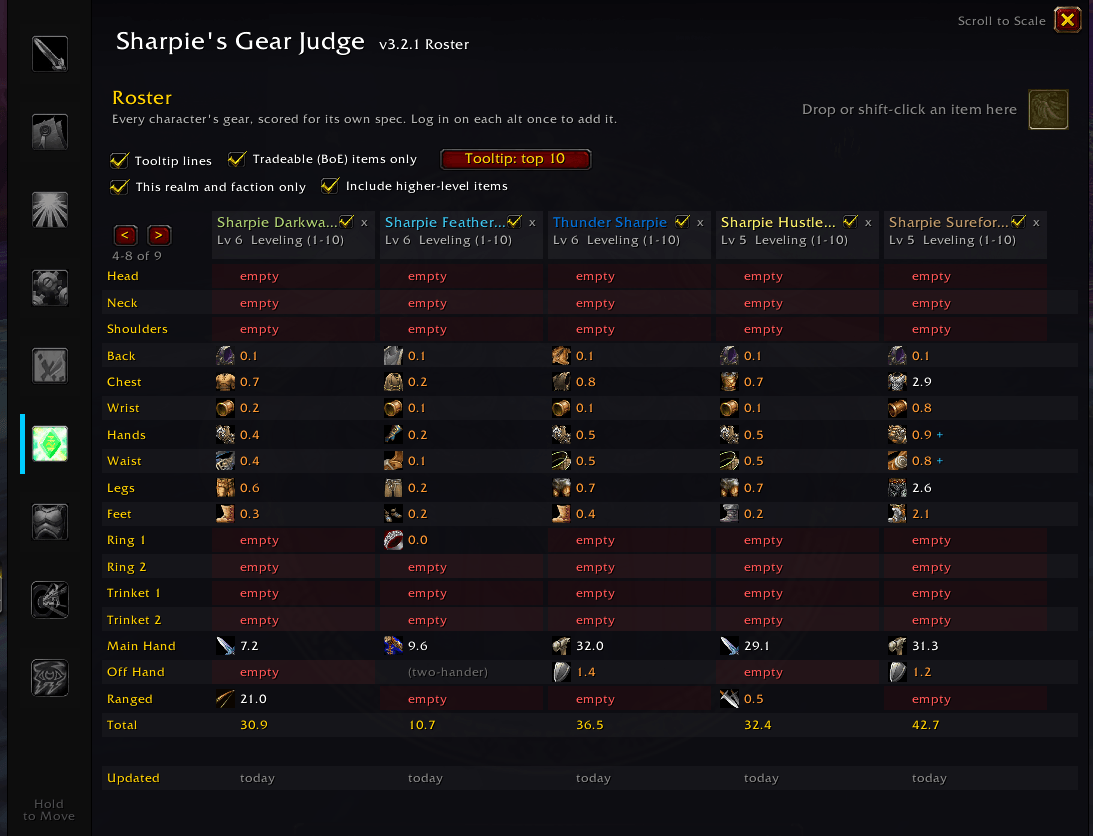
- A new Roster tab in the Gear Judge window: one column per character, one row per slot, with each item's icon and score.
- Empty slots and slots scoring well below the rest of that character's gear stand out, so you can see who needs gear most.
- Check an item: drag an item onto the check slot (or shift-click one in your bags while the tab is open) to see each character's upgrade, with the slot it would replace highlighted.
- A blue + on a cell means a better item for that slot is waiting in that character's bags, bank or mail (hover to see it).
- Click a character's name to switch between their saved specs. Remove old characters with the x.
- Each column shows when that character was last updated.
🔎 BoE Finder
- The BoE Finder button on the Roster tab lists every tradeable item your characters are holding (bags, bank and mailbox) that upgrades another of your characters, biggest upgrade first, with who holds it and who to send it to.
- Only characters on the holder's realm and faction are suggested (they're the ones you can mail it to), and items already soulbound are skipped.
- Items above a character's level show at X (or are left out when Include higher-level items is off).
- Hover a row for every character it upgrades; shift-click to link the item.
⚙️ How It Works
- Each character saves a snapshot when they log in, level up, change talents or change gear. Log in on each alt once after installing to add them.
- Items are saved and scored by their full item link, so random-suffix items ("of the Bear" vs "of the Tiger") are always scored correctly.
- Data is shared across your account. By default only characters on the same realm and faction are shown.
💬 Chat Commands
/rosteror/sgjroster- open the Roster tab.
📝 Notes
- A snapshot is only as fresh as that character's last login. Characters not seen for a week are marked.
- Each character is scored with the weights saved at its last login. After a Gear Judge update changes the weights, characters you haven't logged into since are marked needs login; log in once to refresh them.
🌍 Translations
- Roster is translated into English, German, Spanish (Spain and Latin America), French, Brazilian Portuguese, Russian, Korean and Traditional Chinese.
⚙️ Installation
- Ensure the core Sharpie's Gear Judge addon is installed.
- Place the
SharpiesGearJudge_Rosterfolder into yourInterface/AddOnsdirectory. - Log in on each of your characters once so Roster can save them.
💬 Feedback
Found a bug? Come say hi on the Discord.
🧩 The Sharpie's Gear Judge Suite
- Sharpie's Gear Judge (core): tooltip verdicts, stat weights, Cap Guardian, bag and quest upgrade arrows.
- Roadmap: ranks every dungeon and quest zone by the upgrades it holds for you.
- The Laboratory: build and compare two full gear sets.
- Talents (WoW Forever): talent build guide with weights that follow your build. See every build online.
- XP Bar: experience bar with quest turn-ins and the upgrades waiting for your next level.
- Roster: which of your alts an item upgrades, a gear grid of every character, and the BoE Finder.
Sharpie's Gear Judge – Roster (Alt Upgrades) Team

Owner