Shadowflare
- By
Proc alerts for every class in WoW Forever. No Cooldown Manager needed: install it and it works from your first fight.
Description
Shadowflare
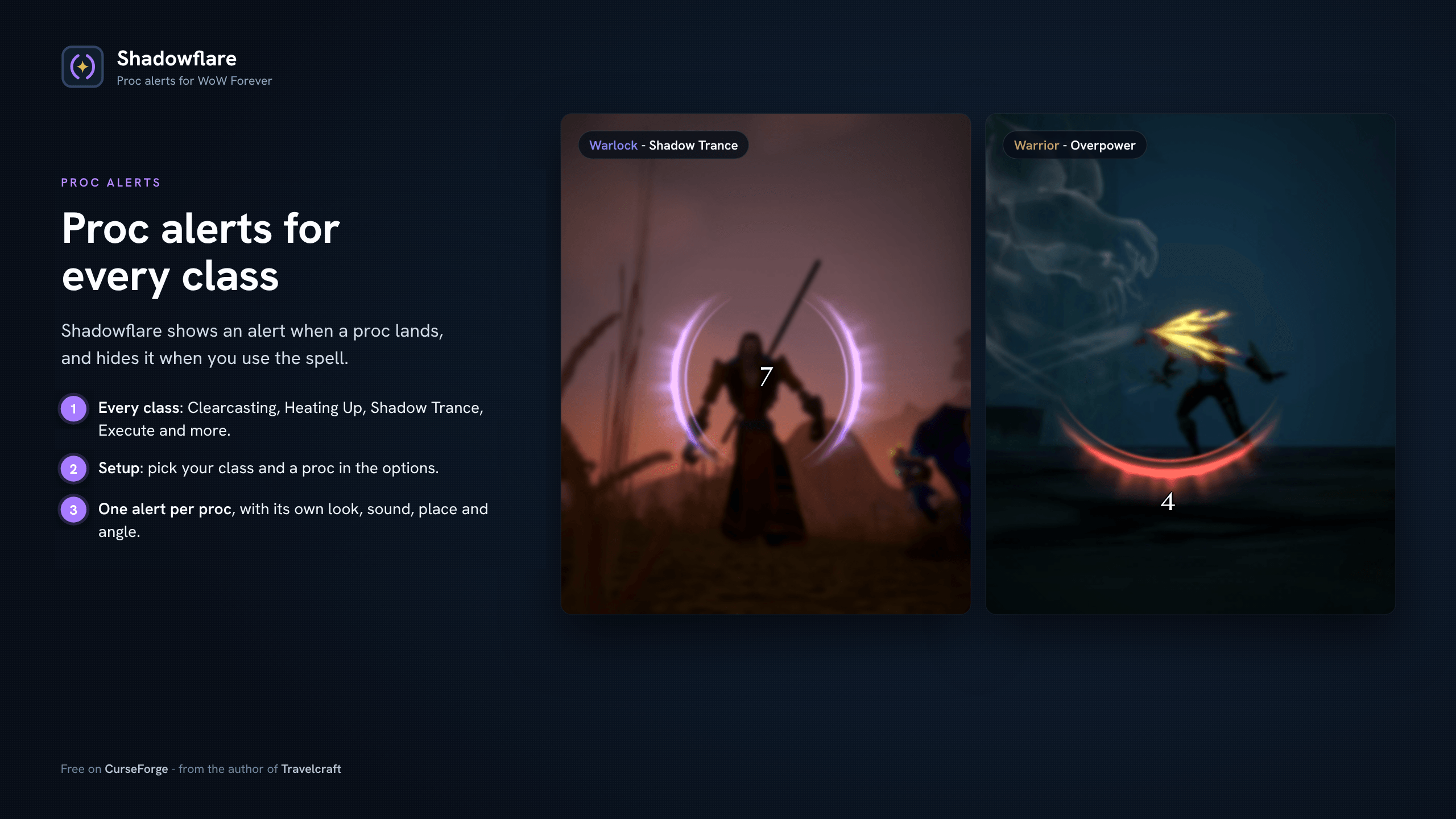
Shadowflare shows an alert on screen when a proc makes your next spell instant, faster, free or usable, and hides it when you use the spell. For every class in World of Warcraft: Forever.
No Cooldown Manager needed
Shadowflare works on its own, without Blizzard’s Cooldown Manager.
- Nothing to set up: no Cooldown Manager to switch on, no buffs to add to a tracking list, no /reload. Install it and it works from your first fight.
- Your interface stays yours: Shadowflare never touches the Cooldown Manager. Keep it, hide it or turn it off, your alerts work the same.
- Built for Forever’s combat: Forever hides your buffs from addons during fights. Shadowflare has found its own way around it, so your alerts keep working in every fight.
Setup
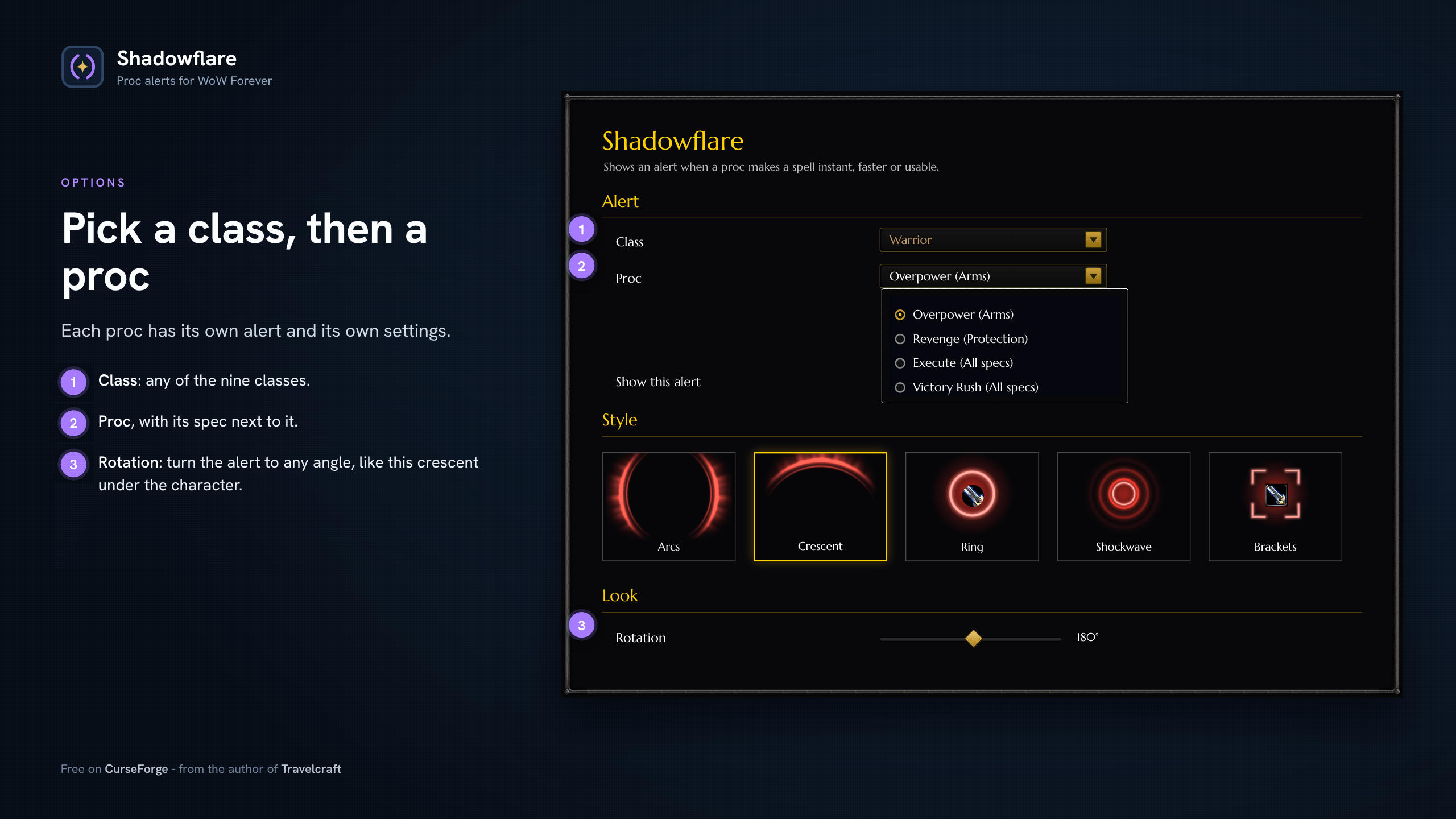
Type /flare, pick your class and a proc, then choose a style. No auras to build and nothing to import.
Shadowflare only shows proc alerts. It works next to cooldown and aura trackers.
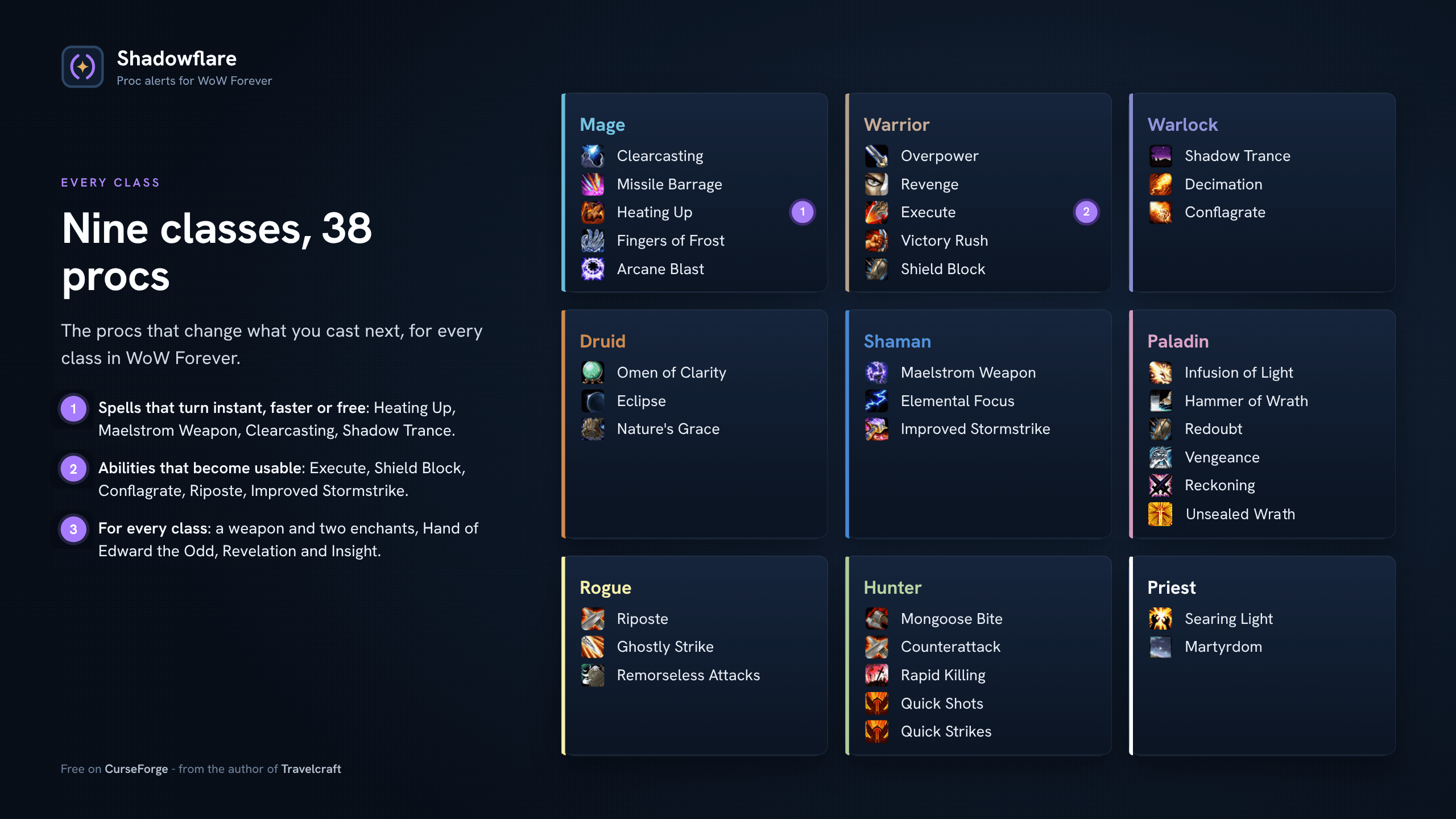
Procs (38)
Mage
- Clearcasting (Arcane) - your next damage spell costs no mana.
- Missile Barrage (all specs) - your next Arcane Missiles costs no mana.
- Heating Up (Fire) - Pyroblast casts faster with each stack, up to 3.
- Fingers of Frost (Frost) - your next spell, or next 2 with both ranks, treats the target as frozen.
- Arcane Blast (Arcane) - your Arcane Blast stacks, up to 4, for 18 sec.
Druid
- Omen of Clarity (all specs) - your next spell or ability costs nothing.
- Eclipse (Balance) - Starfire casts faster with each charge, up to 4.
- Nature’s Grace (Balance) - after a spell crit, faster casting for 3 sec.
Shaman
- Maelstrom Weapon (Enhancement) - Lightning Bolt casts faster and costs less with each stack. Instant at 5.
- Elemental Focus (Elemental) - your next damage spell costs no mana.
- Improved Stormstrike (Enhancement) - a dodge or a parry reset Stormstrike’s cooldown.
Paladin
- Infusion of Light (Holy) - your next Holy Light casts faster.
- Hammer of Wrath (all specs) - shown while your target is low enough and you have the mana.
- Redoubt (Protection) - higher block chance for 10 sec.
- Vengeance (Retribution) - more damage after a critical strike, up to 5 stacks.
- Reckoning (Protection) - your stored extra attacks, up to 4.
- Unsealed Wrath (Retribution) - your melee attacks store echoes of your Seal, up to 3. Switch to another Seal to use them.
Priest
- Searing Light (Holy) - your next Holy Nova costs no mana.
- Martyrdom (Discipline) - after a critical hit taken, damage doesn’t slow your casting for 6 sec.
Rogue
- Riposte (Combat) - usable for a few seconds after you parry.
- Ghostly Strike (Subtlety) - after Ghostly Strike, your next Ambush within 7 sec doesn’t need Stealth.
- Remorseless Attacks (Assassination) - after a kill, your next strike has a higher critical strike chance.
Hunter
- Mongoose Bite (all specs) - usable for a few seconds after your target dodges.
- Counterattack (Survival) - usable for a few seconds after you parry.
- Rapid Killing (Marksmanship) - after a kill, your next shot deals more damage.
- Quick Shots (Beast Mastery) - Deadly Aspects with Aspect of the Hawk: faster ranged attacks for 12 sec.
- Quick Strikes (Beast Mastery) - Deadly Aspects with Aspect of the Beast: faster melee attacks for 12 sec.
Warlock
- Shadow Trance (Affliction) - your next Shadow Bolt is instant.
- Decimation (Demonology) - Soul Fire casts faster and costs no Soul Shard.
- Conflagrate (Destruction) - shown when your Immolate is on the target and Conflagrate is ready. Off by default.
Warrior
- Overpower (Arms) - usable for a few seconds after your target dodges.
- Revenge (Protection) - usable for a few seconds after you block, dodge or parry.
- Shield Block (Protection) - shown when you can use Shield Block again.
- Execute (all specs) - shown while your target is low enough and you have the rage.
- Victory Rush (all specs) - usable for a while after you kill an enemy.
Weapons (every class, off by default)
- Hand of Edward the Odd - your next spell within 4 sec is instant.
Enchants (every class, off by default)
- Revelation - your next non-periodic spell has a much higher critical strike chance.
- Insight - more Spirit for 10 sec.
Features
- All the settings of an alert on one page, one line per question: Style, Color and animation, Stacks, Time left, Screen edges, Sound and when, Fine-tune. Each line says what is set; click it to change it.
- A live preview of the alert, its stacks and its time left, with a short sentence under it that says what it shows.
- One alert per proc, with its own style, animation, colour, size, opacity, shadow, angle, sound and position. Several alerts can show at the same time.
- Stacks: for procs with stacks, choose how the alert looks before the last stack: Nothing (the alert at the last stack only), Dots then picture, Dimmer, Fills up, Fills from the left, or Picture and dots. Each choice shows its steps, one small picture per stack, and Start at sets the first stack shown. The number of stacks shows next to the alert; you can move it, resize it or hide it.
- Weapons and Enchants: two sections for every class, in the Class menu.
- Copy menu: give an alert the look of another one, or give its look to every alert of the class (Same look for all).
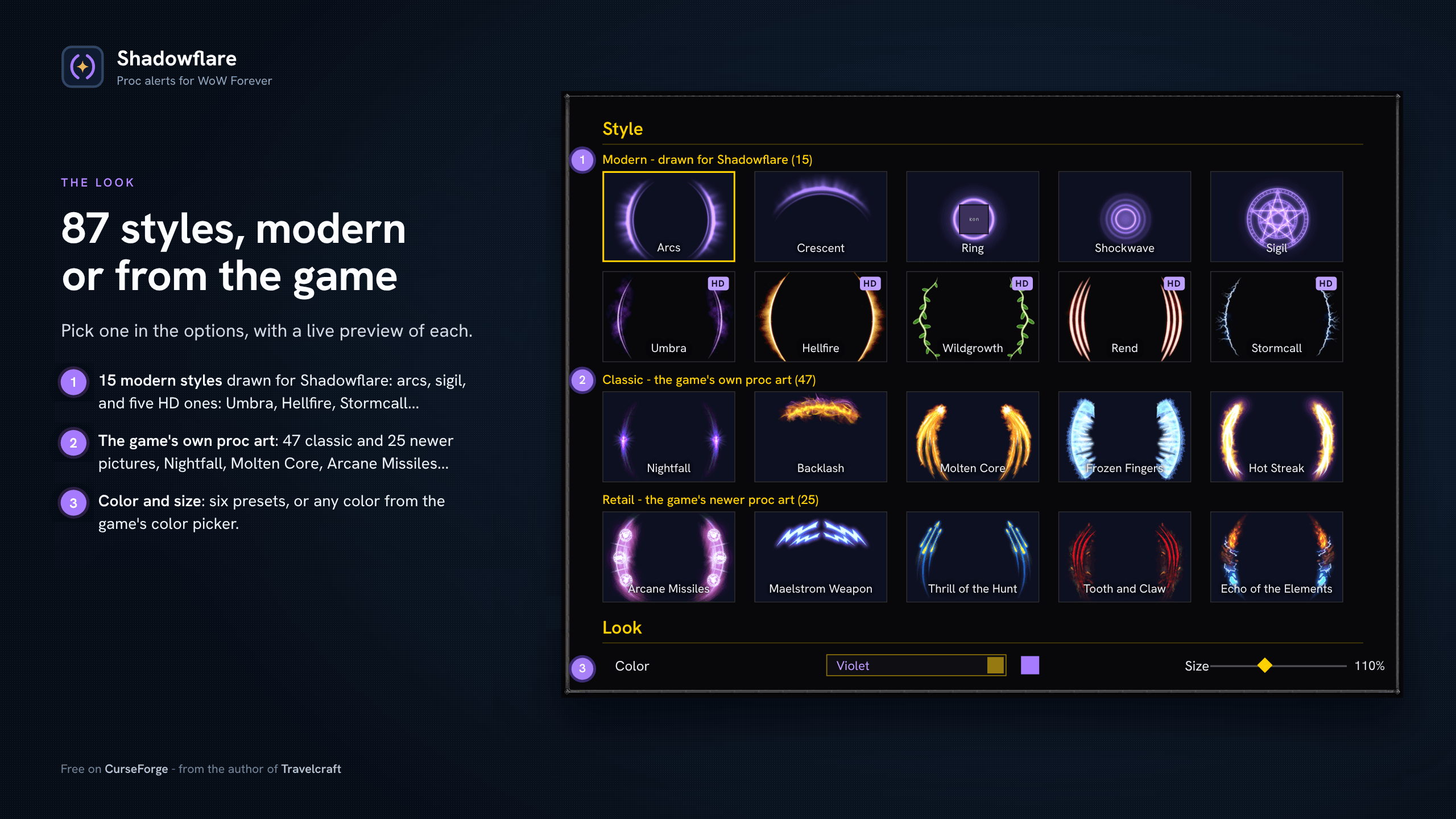
- 87 styles, each with a live preview:
- Modern styles: Arcs, Crescent, Ring, Shockwave, Sigil, Brackets, Icon, Modern glow, Bar and Text, five HD styles drawn for Shadowflare, and None (only the time left and the stack dots).
- Classic styles: the game’s own proc art from your client, including Frozen Fingers.
- Retail styles: the game’s newer proc art.
- Animations: Breathing, Classic pulse, Impact, Impact pulse, Flash or Still, shown in the options before you pick one.
- Colour: six presets (violet, fel, shadow, fire, frost, blood) or any colour from the game’s colour picker.
- Time left: on the alert, or in its own frame that follows the alert, aligned left, centre or right.
- Font: the game’s font, another font of the game, or one shared by your other addons.
- Sound: one of six sounds, or none.
- Only in combat: on by default, can be turned off for each alert.
- Warrior: Overpower and Revenge can also show in another stance, with the stance to take (off by default).
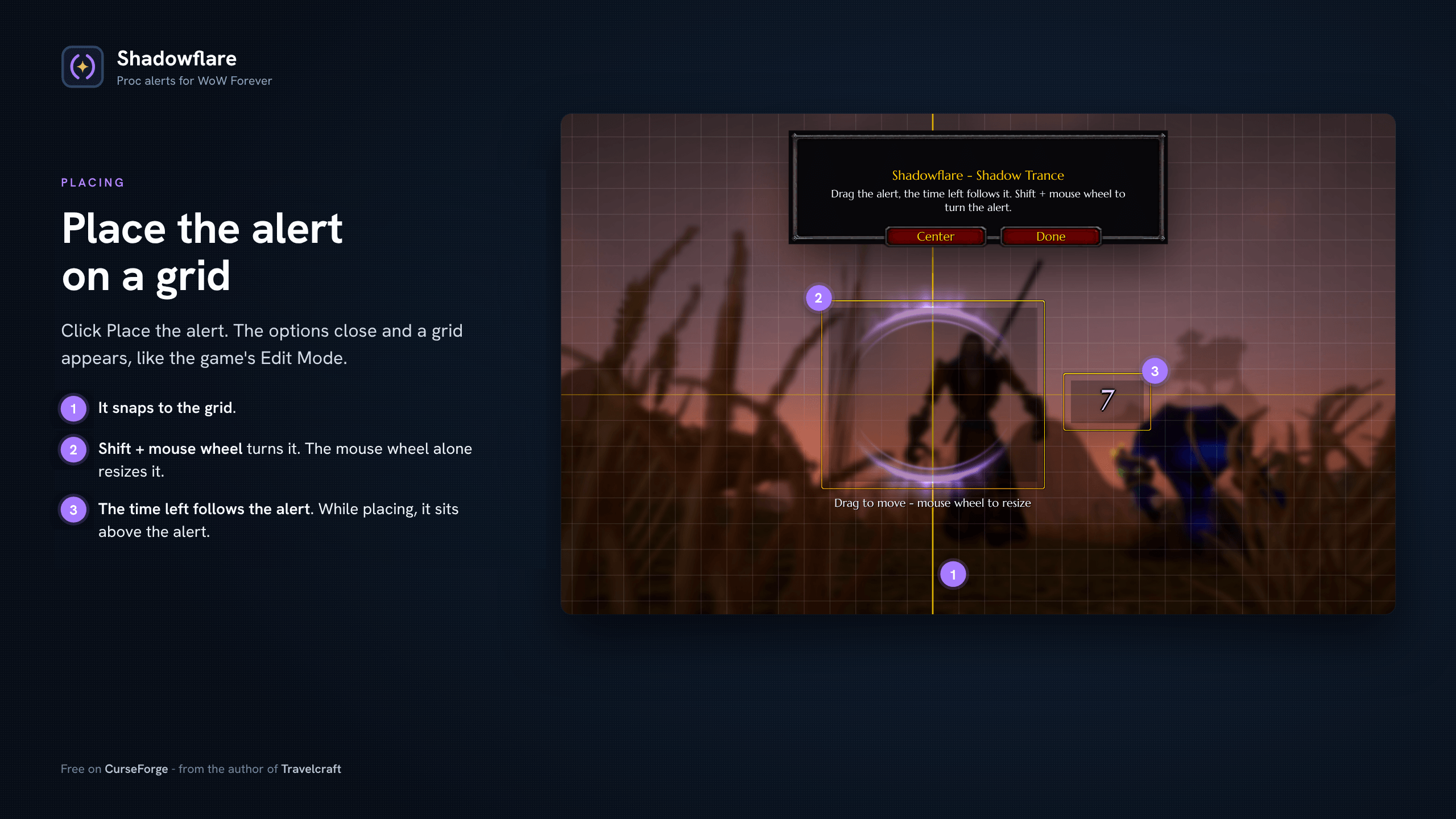
- Placement: the options close and a grid appears, like the game’s Edit Mode. The alert snaps to the grid. Mouse wheel to resize, Shift + mouse wheel to rotate.
- Screen edge glow, with or without the alert.
- A Help window with short answers to common questions and a search, opened from the settings.
- Nothing runs between fights.
- A What’s new window after each update.
- English and French.
Known limits
- Some procs are shown by the game itself, without sound: Remorseless Attacks, Rapid Killing, Quick Shots, Quick Strikes, Redoubt, Vengeance, Reckoning, Unsealed Wrath, Martyrdom, Nature’s Grace, the weapon and the enchants. They work from your first login, except the two enchants, which start once their buff has been on you out of combat.
- Alerts the game shows itself (also Clearcasting, Missile Barrage, Heating Up and others) appear at once and hold still in game: their animation plays in the preview only.
- Fingers of Frost uses the game’s own proc alert and sound.
- Some procs have not been checked in game yet.
Commands
- /flare - open the options (also in Options > AddOns > Shadowflare)
- /flare help - short answers to common questions, with a search
- /flare test - show the alert of the chosen proc, as if it had just happened
- /flare move - place the alert of the chosen proc and its time left
- /flare notes - what’s new
- /flare ids - check the spell numbers in your game, to report one that changed
Feedback
Report a bug or suggest something in the comments on this page.
Support: ko-fi.com/fistao
Shadowflare Team

Owner