MarkWheel
- By
Press a shortcut on any unit to open a raid marker wheel right at your cursor. Works in the world, on nameplates and on unit frames, even in combat.
Description
MarkWheel
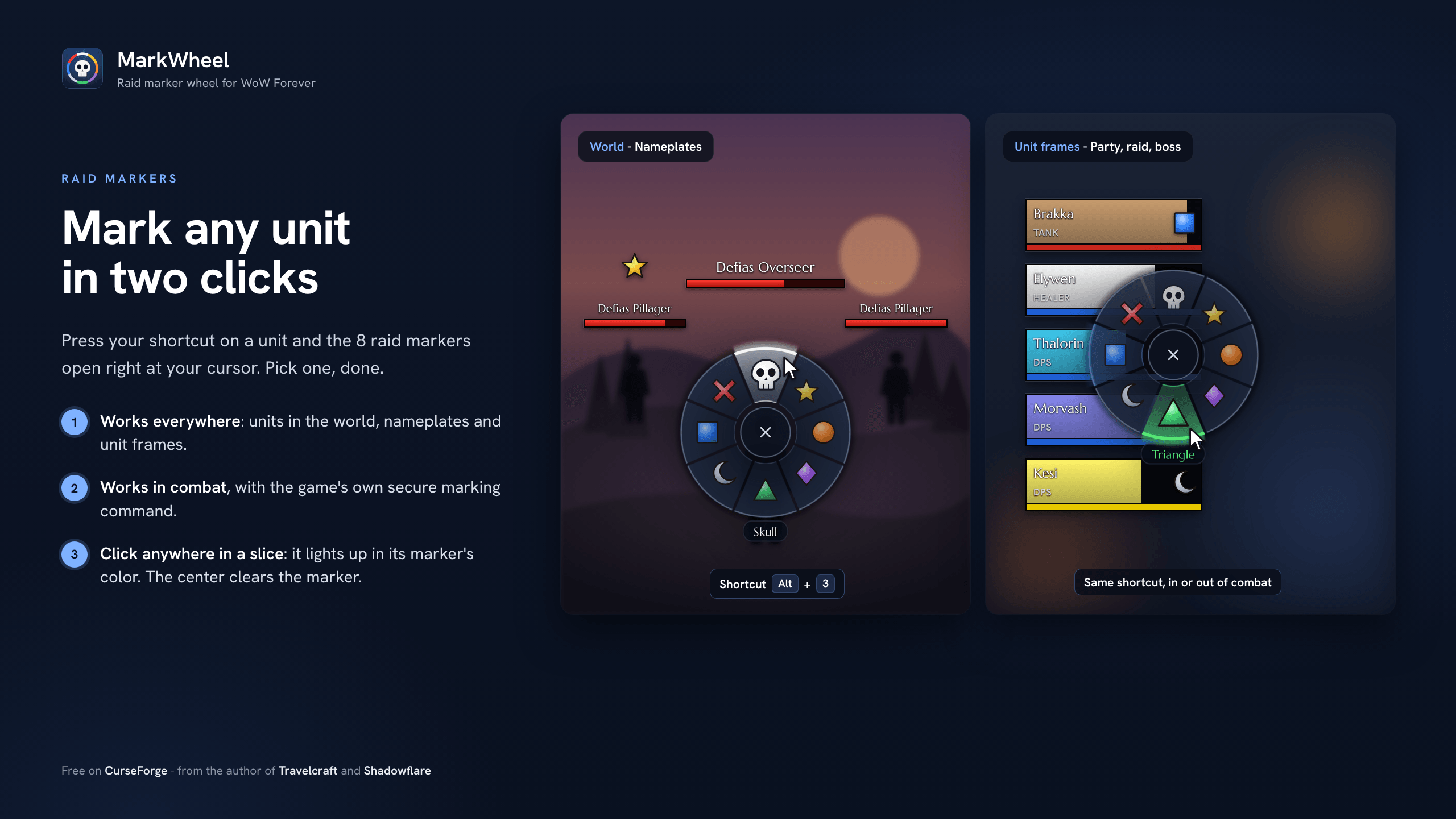
Mark any unit in two clicks. Press your shortcut on a unit and a wheel with the 8 raid markers opens right at your cursor. Pick one, done.
Features
- Works everywhere: units in the world, nameplates, and unit frames (yours, target, focus, party, raid, boss).
- Works in combat: markers are set with the game's own secure marking command, so nothing gets blocked mid-fight.
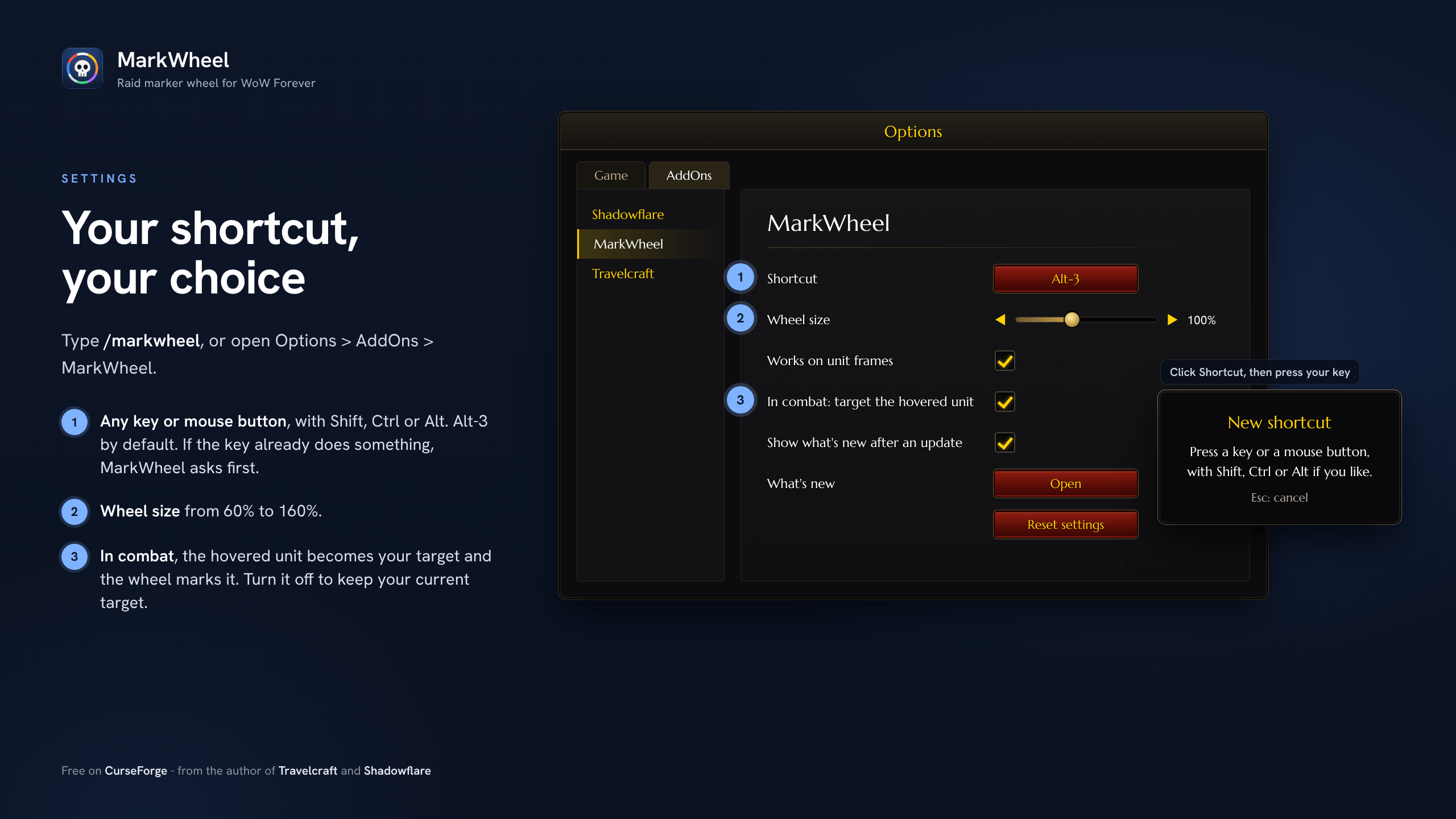
- Your shortcut, your choice: any key or mouse button (middle, button 4, button 5, mouse wheel), with Shift, Ctrl or Alt if you like. Alt-3 by default, if it is free.
- One key, one action: if your shortcut already does something in your key bindings, MarkWheel asks before taking it and removes it from that action. If another action takes MarkWheel's key later, MarkWheel asks which one keeps it.
- A wheel like the ping wheel: 8 large slices around your cursor, with the skull on top. The slice under your cursor lights up in its marker's color and shows its name. Click anywhere in a slice to mark, click it again to remove it, and use the center to clear.
- Lightweight: no libraries, no background work. It only does something when you press your shortcut.
Settings
Open Options > AddOns > MarkWheel, or type /markwheel:
- Shortcut: click the button, then press the key or mouse button you want.
- Wheel size: from 60% to 160%.
- Works on unit frames: turn it off if you only want the wheel on units in the world.
- In combat, target the hovered unit: see below.
A note on combat
In combat, the game doesn't let addons know which unit is under your cursor in the world. By default, MarkWheel makes the hovered unit your target, then the wheel marks it. If you'd rather keep your current target, turn the option off and the wheel will mark your current target instead. Unit frames always work as usual, in or out of combat.
Good to know
- In a raid, you need to be the leader or an assistant to set markers (game rule).
- Close the wheel with a click outside it, a right-click or Esc. A keyboard shortcut pressed again closes it too.
/markwheel notesshows what's new.
Languages
English and French.
Support
MarkWheel is free. If you enjoy it, you can buy me a coffee on Ko-fi. Thank you!
MarkWheel Team

Owner