Send to Bank Forever
- By
Save items once, then send them to your bank character at any mailbox with one click. Built for WoW Forever.
Description
Save it once. Send it with one click.
Every time you reach a mailbox it is the same: attach the herbs, the cloth, the ore, type your bank character's name, send, repeat. Send to Bank remembers which items go to your bank and sends them for you at any mailbox. Built for WoW Forever.
How it works
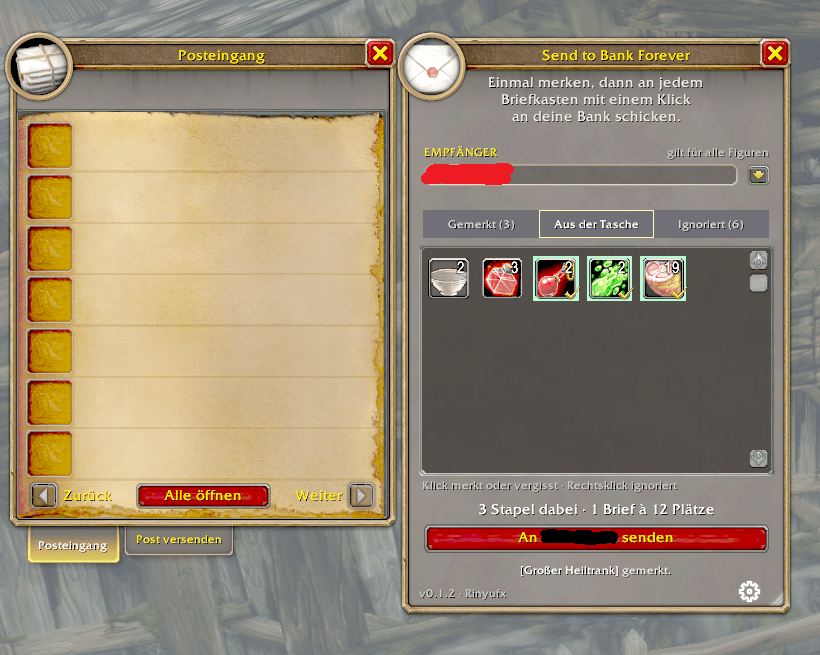
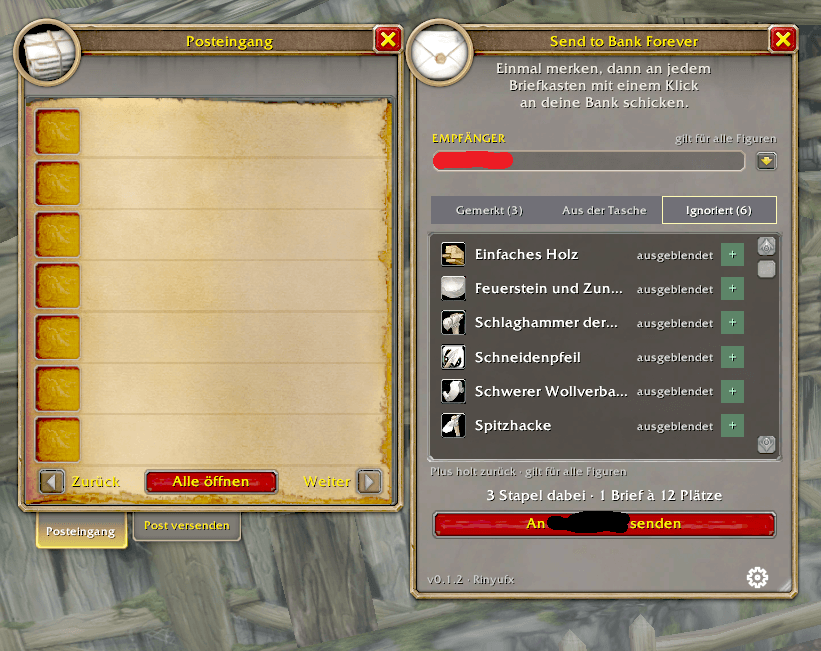
- Open the From bags tab and click the items that should go to the bank. They are saved for all your characters. Right-click hides an item for good.
- Enter your bank character once. The address book lists your own characters (realm and faction) and the last recipient. The recipient applies to all your characters.
- At a mailbox the window opens by itself, docked on the right. One click: Send to (name). It packs as many stacks as one letter takes; with more, the button reads Send letter 1 of 3 and the next letter is ready once the game confirmed the previous one.
Safe by design
- Sends only on your click, one letter per click. No cash on delivery.
- Soulbound items and locked slots are skipped.
- If the send tab already has attachments, something is on your cursor or the postage is short, it tells you and sends nothing.
- If the game refuses a letter, the attachments stay in the send tab.
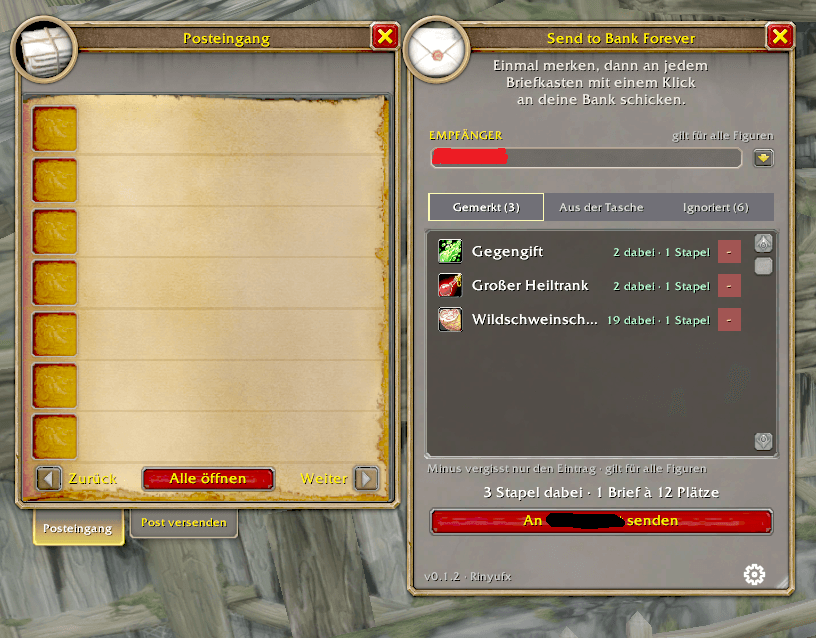
- Removing a saved entry only forgets it - it never deletes an item.
Also in the box
- Tabs Saved, From bags and Ignored, with how many of each item you carry.
- Choose the amount. Click a saved item to set how much goes out each time you open the mailbox - in pieces or full stacks. The rest stays in your bags.
- Bank character checkbox in the settings: mark the character that holds your bank. All your other characters then send to it automatically; on the bank character itself nothing is saved - you pick fresh from your bags and send to your alts.
- Minimap button (left-click window, right-click settings) and entry in the AddOn compartment.
- Resizable window: drag the corner, double-click for 100 %.
- Short tour the first time you open the window - again any time via the (i) next to the gear.
- Full German and English localisation. Needs the Rinyufx Hub - CurseForge installs it alongside. Nothing phoned home.
Slash commands
/stb - open / close the window (/sendtobank does the same)
/stb options - settings
/stb reset - reset the window position
/stb tour - start the tour
Send to Bank Forever Team