SellHawker
- By
Save your sell messages, post them with one click on spam-safe timers, handle whispers with canned replies, and keep a log of the trades you choose to track.
SellHawker-preview-1-messages.png
SellHawker-preview-2-sales.png
SellHawker-preview-3-whispers.png
SellHawker-preview-4-conversation.png
Description
SellHawker
A selling helper I made for my family to use while we play WoW Forever. Write your ads once, post them with a click, answer buyers quickly, and keep a record of what you sold.
Sell messages
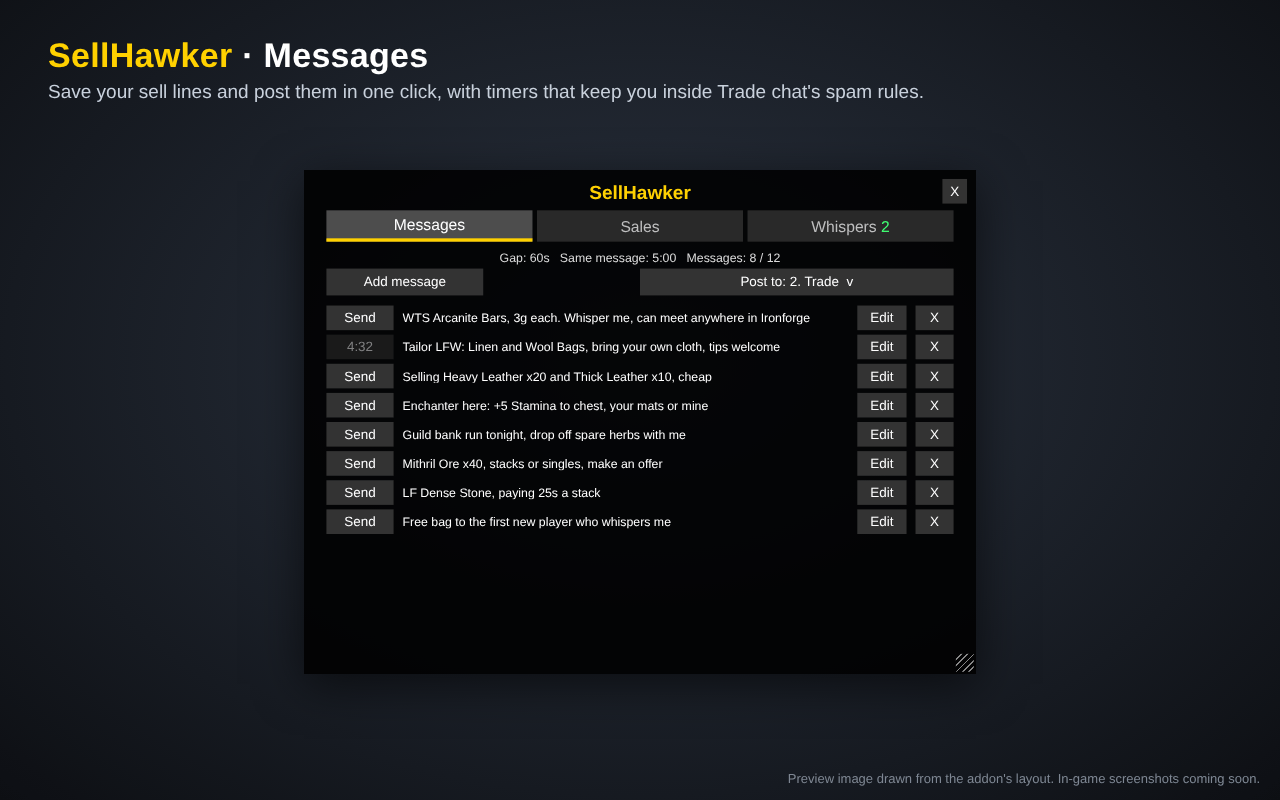
- Store up to 12 sell messages. Add, edit and delete them in game.
- The message window wraps your words onto several lines and stops at the 255-letter chat limit, with a live letter counter.
- Shift-click an item from your bags to put its link in a message.
- A Symbols picker adds special characters like ™ and • without you needing to know how to type them, plus raid marks.
- A drop-down picks where your messages go: any chat channel you’re in, or Say, Yell, Guild or Party.
- Raid marks are stripped automatically in public channels like Trade, which can’t show them.
Spam-safe timers
- Every post is a click you make. Nothing posts on its own.
- In public channels you wait 60 seconds between posts, and the same message can’t go out again for 5 minutes.
- In Guild and Party the wait is 20 seconds.
- Each Send button shows its own countdown.
Tells inbox
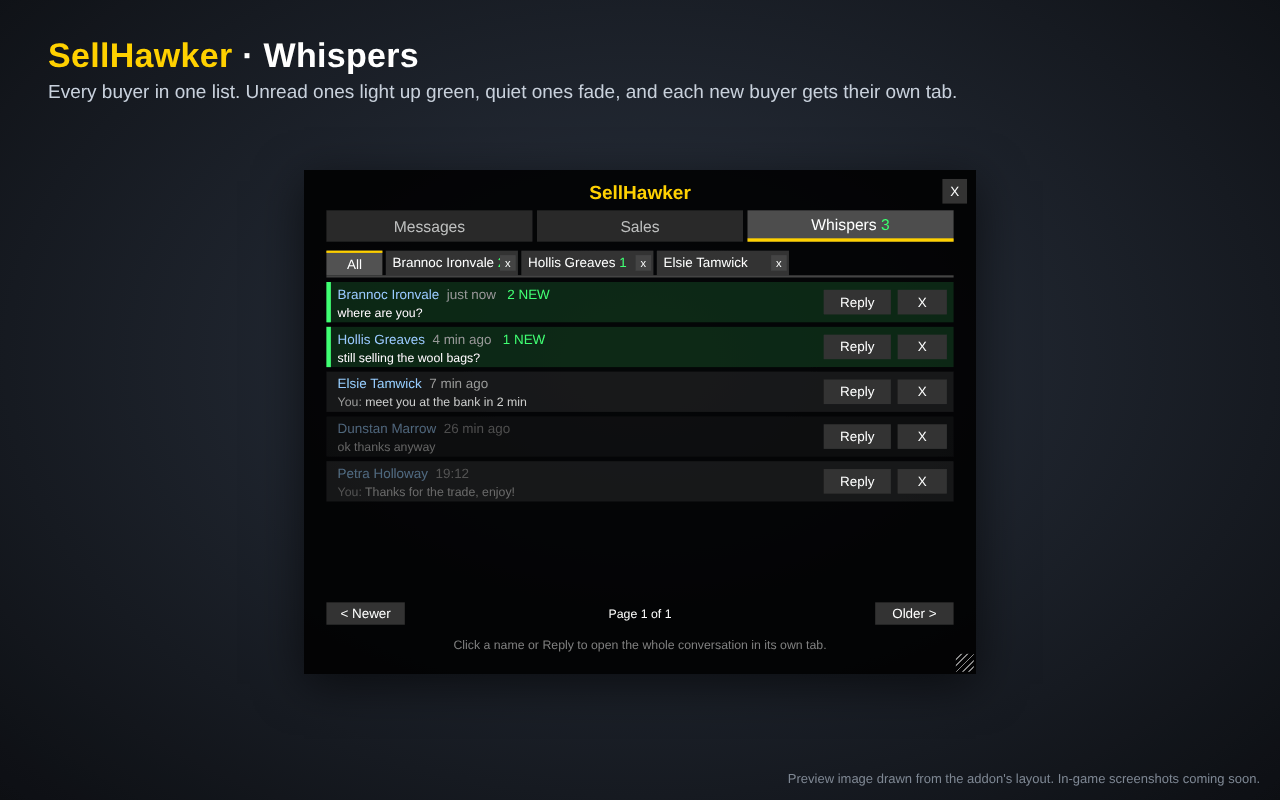
- Keeps every whisper, one row per person, newest at the top. You’re not stuck replying only to the last person who whispered.
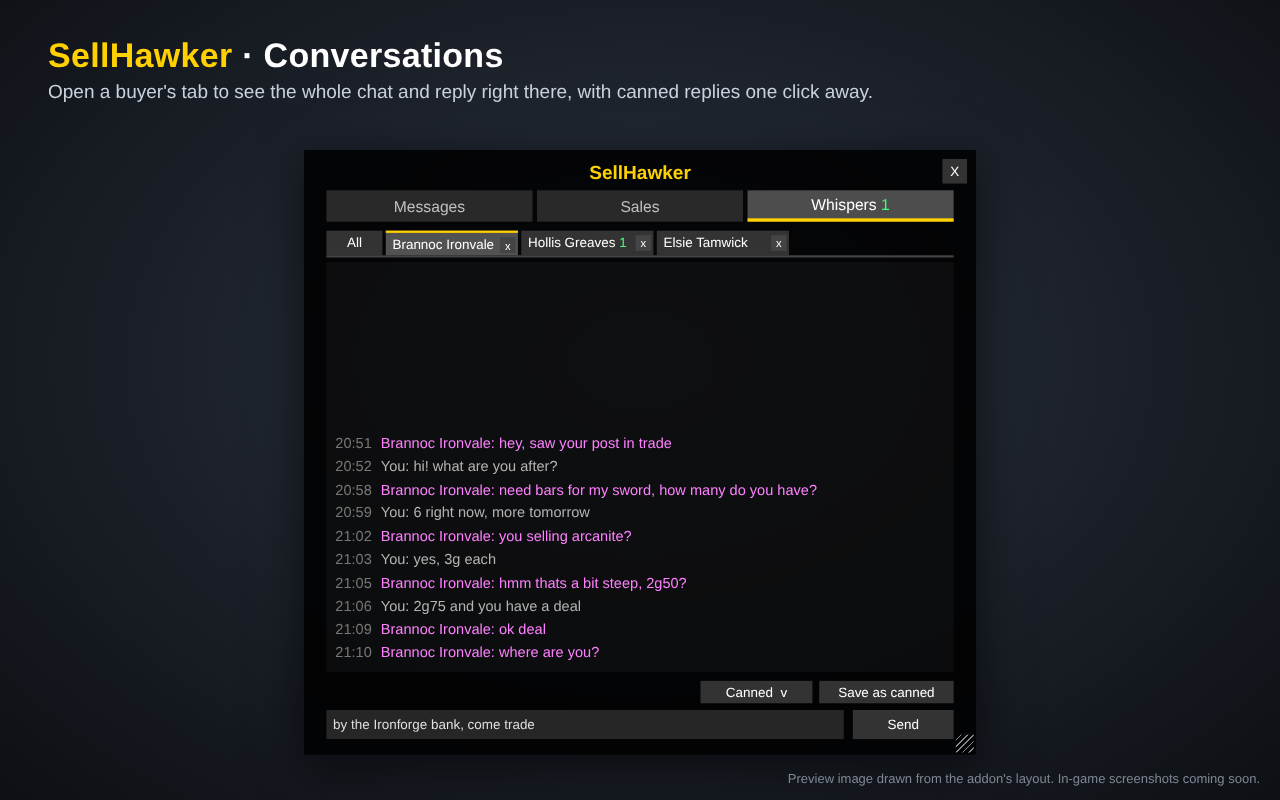
- Hover over a row to see the whole conversation.
- Click Reply on anyone and your message goes to them.
- Save replies you use a lot as canned replies, then pick one from a drop-down to send.
Sales log
- A Track button sits on the trade window. Click it for the trades you want to keep.
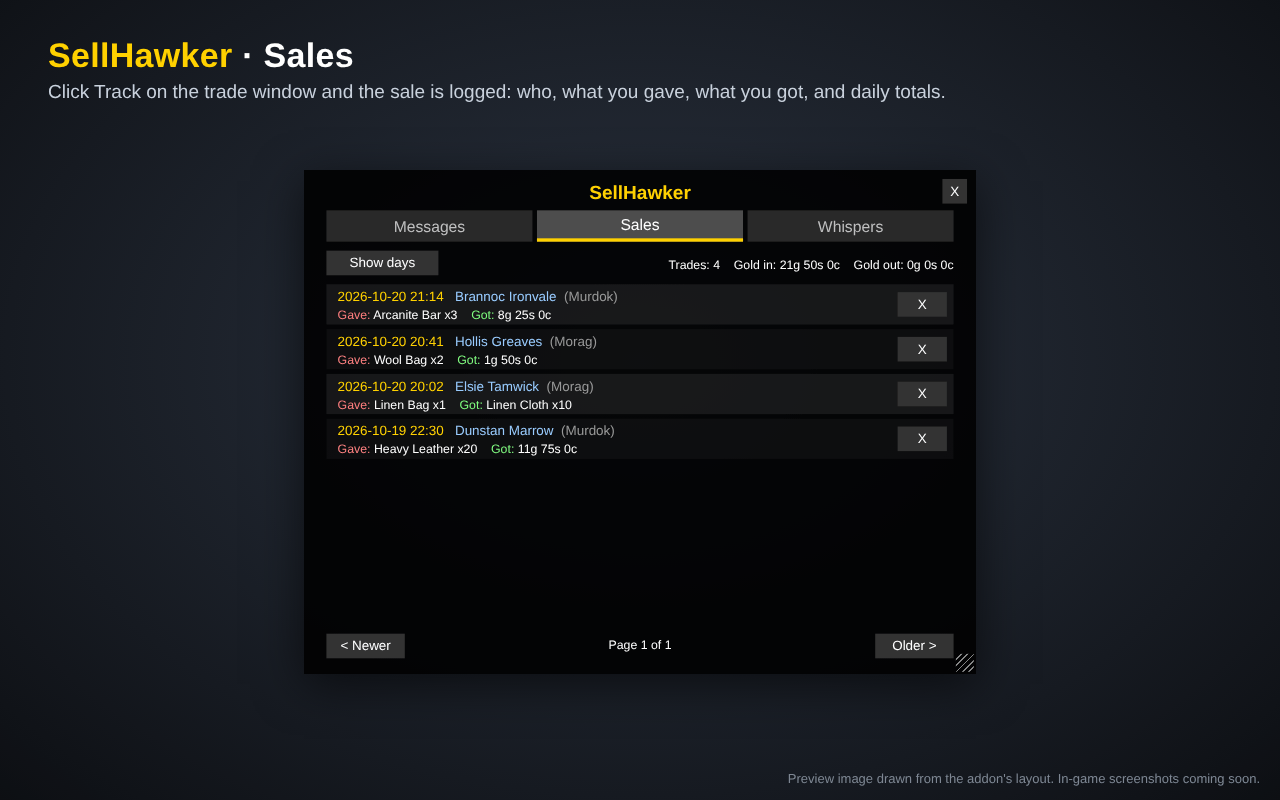
- The Sales window shows who you traded with, what you gave and what you got, items and gold both, so mats-for-goods trades count too.
- Switch to the day view for each day’s number of sales and gold in and out.
- Click a buyer’s name to whisper them.
How to open it
- Click the gold coin on the minimap. Right-click it for a new message, shift-click it for the sales log, and ctrl-click it for tells.
- Or type /sell. /sell sales and /sell tells open those windows directly.
Chat commands
- /sell cd 120 sets the wait between public posts, in seconds.
- /sell repeat 300 sets how long before the same message can go out again.
Notes
- Built for WoW Forever.
- Timers reset when you reload or log out.
- Delete the old TradeLog addon if you used it. SellHawker’s sales log replaces it.
SellHawker Team