Salvage Station
- By
One-click disenchanting for WoW Forever: see what every item gives, whether it's worth more sold, and clear your bags with one button.
Salvage Station
One-click disenchanting built for WoW Forever. See what an item will give you before you break it, find out whether it's worth more sold, and clear your bags with one button.
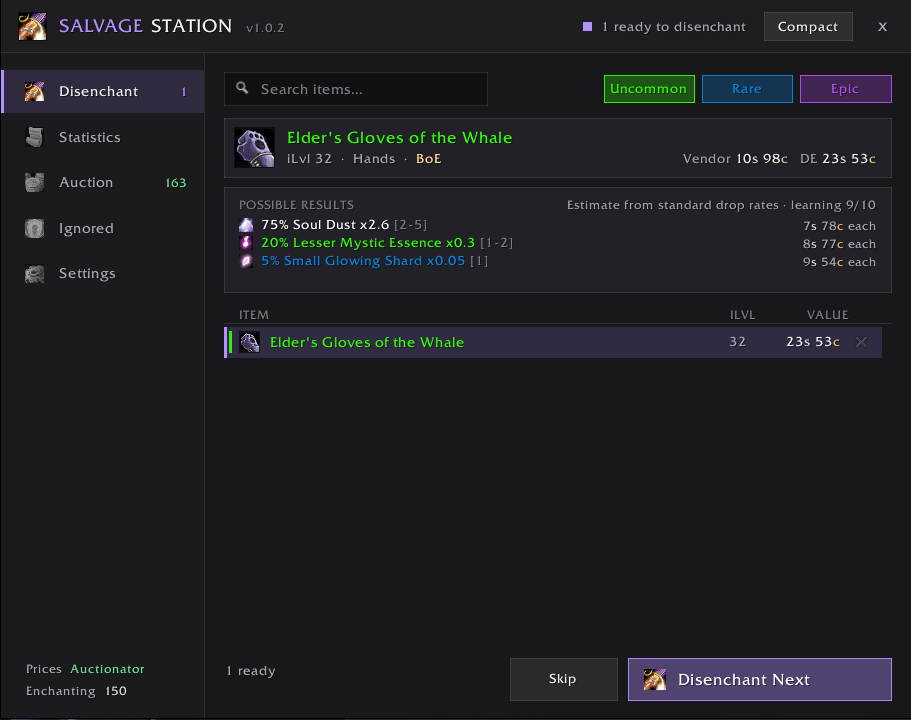
Disenchant window
- Every item you can disenchant in one list, with its possible results: chance, average amount and range.
- Disenchant Next breaks the selected item and waits for the loot before moving on.
- Blue AH and gold Vendor tags on items worth more sold than disenchanted.
- Hide an item for the session or forever, or skip it for now.
- Prefer something smaller? Switch to the compact bar.
Tooltip panel
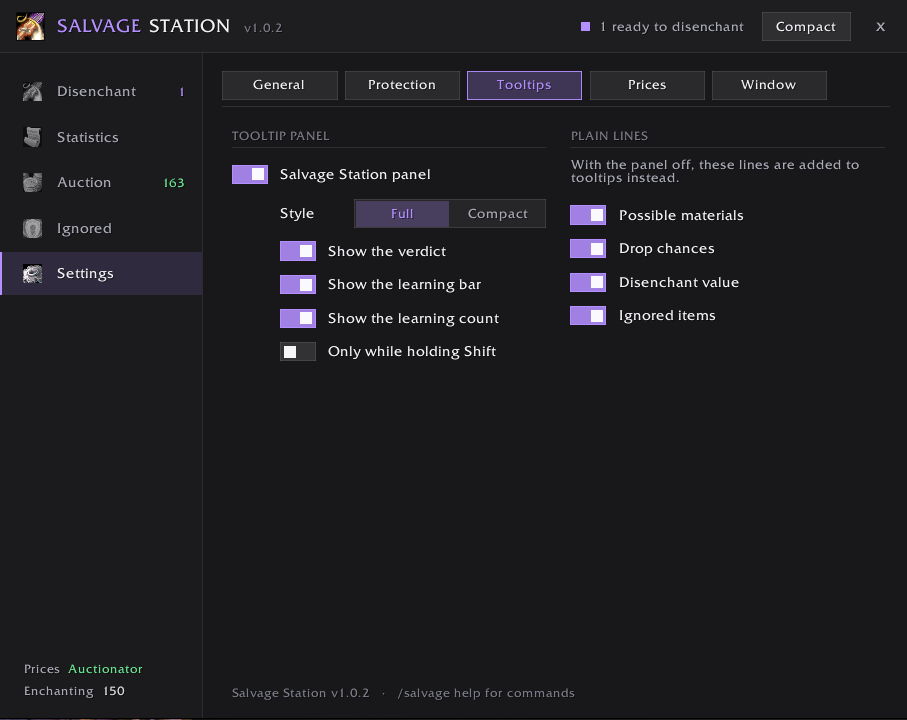
- A panel under item tooltips showing each possible material with a chance bar.
- Disenchant, Vendor and Auction values side by side, with the best one marked and a clear verdict: Disenchant, Vendor it or Auction it.
- Auction prices have the 5% cut taken off, and soulbound items skip the auction house.
It learns from you
- Salvage Station starts with WoW Forever disenchant data, including Forever-only changes.
- Every disenchant teaches it more. After 10 of the same kind it switches to your own results, shown by a learning bar in the tooltip.
- The Knowledge view in Statistics shows how far along each kind of item is.
Protection and safety
- Upgrade guard protects gear that would be an upgrade for you.
- Protect by item level, by value, or anything in a gear set.
- Alt+Right-click any item in your bags to ignore it.
- Confirm before breaking Epics, Rare BoE items or valuable items, with an optional Don't ask again this session.
Statistics
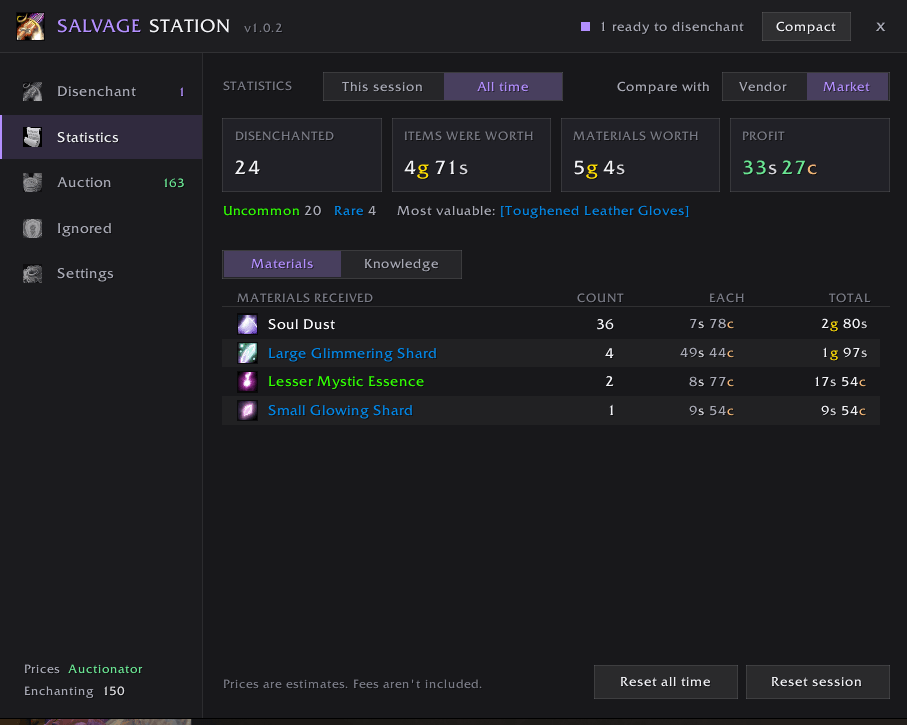
- Session and all-time totals, materials received and their value.
- Profit or loss compared with selling the items instead.
Auction house scanner
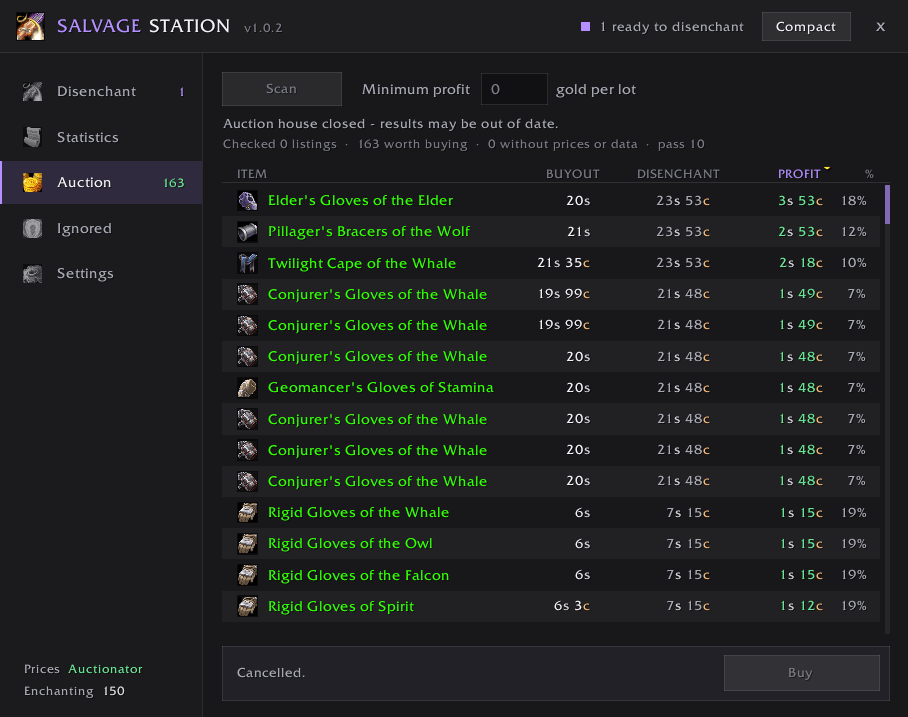
- Finds gear on the auction house worth more disenchanted than its buyout.
- Live results you can sort like the auction house, with NEW tags on fresh finds.
- Click a lot, then click Buy: nothing is ever bought without your click. The next deal is selected for you after each purchase.
Everything else
- Prices from TSM or Auctionator (optional).
- A hotkey to disenchant the next item.
- Opens when you have something to disenchant and closes when you're done (optional).
- Six accent colors, a minimap button, and data bar support (EllesmereUI, Titan Panel and more).
- Every option has its own on/off switch.
Commands
/salvageor/sst– open the window/salvage compact– compact bar/salvage stats– statistics/salvage settings– settings/salvage auction– auction scanner/salvage check– self-check/salvage debug– bug report
Feedback
Bugs, ideas and test builds: The Forge Discord. Run /salvage debug and paste the report when you report a bug.
Also by Scryptik: Artisan Network and Lifeline.
Salvage Station Team