RuneTorch - Font Manager
- By
Elegant global font override and management system for WoW Retail and Classic.
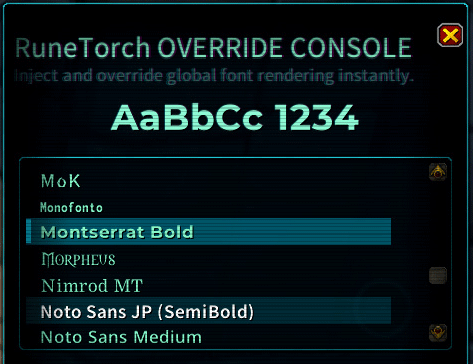
RuneTorch Menu01
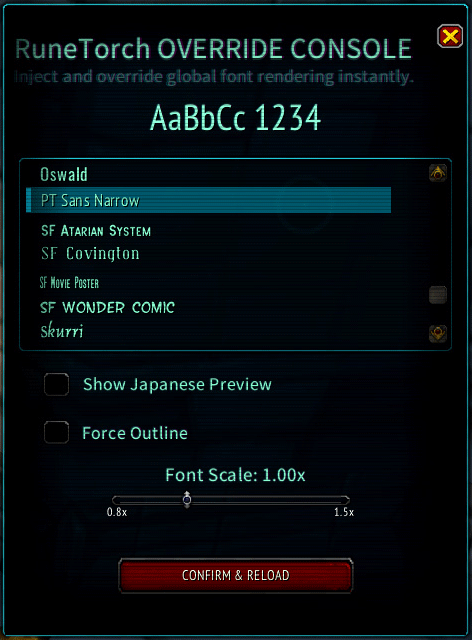
RuneTorch Menu02
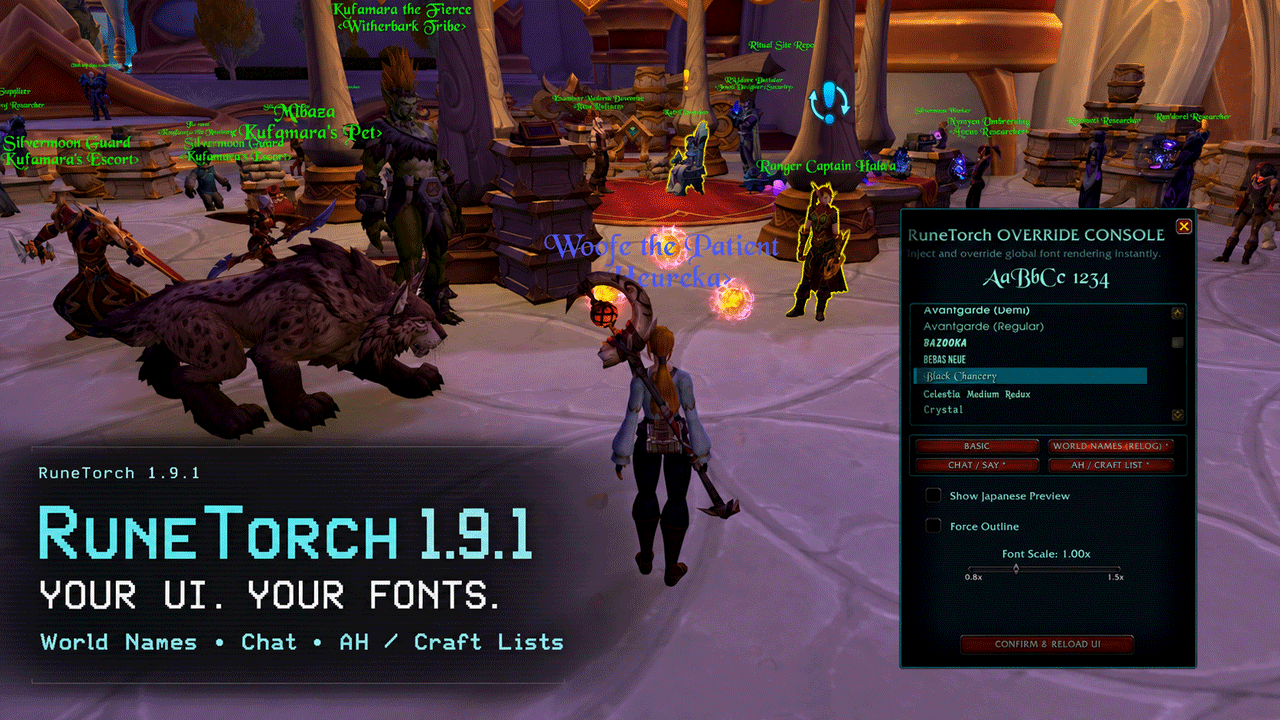
New 19.1!
Description
RuneTorch - Font Manager
RuneTorch is a global font manager for World of Warcraft. It lets you change many of WoW's standard UI fonts from one place, including chat, tooltips, quest text, menus, nameplates, and other common interface text.
RuneTorch started as a Japanese readability addon. It now works as a broader font tool for players who want a cleaner, more readable, or more personal UI style.
What It Does
- Changes many standard WoW UI fonts with one selected font.
- Includes Japanese-capable fonts for hiragana, katakana, and kanji.
- Selects a Japanese-capable font by default on first launch.
- Includes Western font options for players who want a different visual style.
- Provides font scale and outline options.
- Lets BASIC set the default while WORLD NAMES, CHAT / SAY, and AH / CRAFT LIST use their own stronger font selections.
- Registers bundled fonts through LibSharedMedia / SharedMedia for compatible addons.
- Supports custom font additions.
Included Font Direction
RuneTorch includes fonts for two main use cases:
- Japanese readability: fonts that can display Japanese text reliably.
- UI styling: Western display fonts for players who want a different look.
Japanese-capable fonts are important because many Western fonts do not include Japanese characters. Without a suitable fallback, Japanese text can appear as missing glyph boxes.
SharedMedia Support
RuneTorch registers its bundled fonts with LibSharedMedia-3.0. Compatible addons can then show RuneTorch fonts in their own font selection lists.
This is useful for addons such as nameplate, combat text, meter, and UI customization addons that support SharedMedia. RuneTorch does not force every addon to use its font; it makes the fonts available so you can choose them where supported.
Scoped Font Controls
Choose a scope button, then select its font from the list:
All RuneTorch settings and scoped selections are account-wide. A scope changes one part of the UI for every character on the same WoW account; it is not a character-specific profile.
BASICis the default for the standard UI.WORLD NAMES (RELOG)changes names displayed above characters and NPCs. Log out to the character screen and log back in to apply it; Reload UI is not enough.CHAT / SAYcovers chat windows, Communities chat, input fields, and Say bubbles.AH / CRAFT LISTcovers Auction House and Crafting Order lists.
Scoped selections override BASIC. Right-click a scoped button to clear its selection and make it follow BASIC again. Resetting WORLD NAMES also requires a character relog.
On a fresh install, the scoped selections start empty and follow BASIC. An empty scope does not highlight a font in the list; selecting one creates the override and adds * to that scope button.
RuneTorch applies BASIC first, then applies each scoped selection to its target. This makes the scoped font take priority over BASIC only in that part of the UI. Font scale and outline remain shared settings for every scope.
RuneTorch also validates:
- unavailable or invalid saved font entries
- font scale validation
- outline setting validation
- fallback behavior when a font cannot be applied
Custom Fonts
To add your own font:
- Copy a
.ttfor.otffile into theRuneTorch\Font\folder. - Open
CustomFonts.lua. - Add a line like this:
{ name = "Display Name", file = "filename.ttf" },- Type
/reloadin-game.
The font should then appear in RuneTorch's list.
Combat Number Limitation
WoW renders floating combat numbers in a separate world-space layer. This layer cannot be fully controlled by normal Lua addon font replacement.
If you need combat numbers to match your selected font, use one of these methods:
- Place a renamed copy of the font as
DAMAGE.ttfin aFontsfolder at your WoW client root. - If you use MSBT, Plater, or a similar addon, select the font directly inside that addon's settings when available.
Slash Command
Use either command to open RuneTorch:
/rt
/runetorch
Compatibility
- Retail / The War Within / Midnight
- Mists of Pandaria Classic
- Burning Crusade Anniversary
- Classic Era / Season of Discovery
Notes for Japanese Users / 日本語でのご利用について
RuneTorch は、もともと日本語環境での文字化けや読みにくさを改善するために作成したアドオンです。
初回起動時には日本語を表示できるフォントが自動で選ばれるため、追加のフォント導入なしで日本語テキストを読みやすくできます。
v1.9.2 では BASIC を全体の基本フォントとして、頭上名、チャット、オークションハウス/クラフトオーダーのリストへ別のフォントを指定できます。表示箇所別の指定は BASIC より優先され、右クリックで解除すると BASIC を再び引き継ぎます。これらの設定は WoW アカウント内の全キャラクターで共有されます。頭上名の変更だけは、キャラクター選択画面までログアウトして再ログインする必要があります。
詳しい日本語説明は RuneTorch_Japanese_User_Guide.txt を参照してください。
The RuneTorch - Font Manager Team