Roll the Bones Slots
- By
A pirate slot machine for Outlaw Rogues that displays Roll the Bones results and buff timers, with animated reels and Jackpot celebrations.
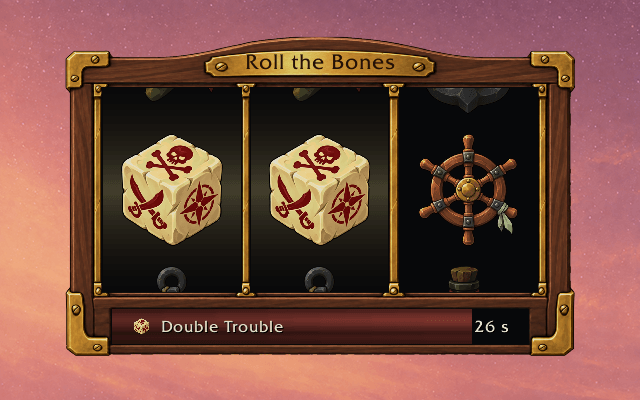
full-captains-walnut-double-trouble.png
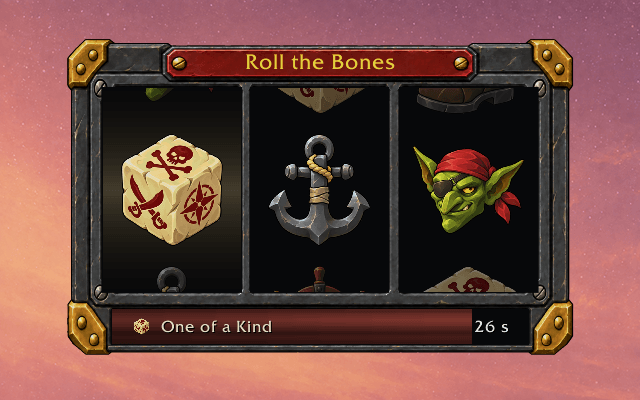
full-ironbound-case-one-of-a-kind.png
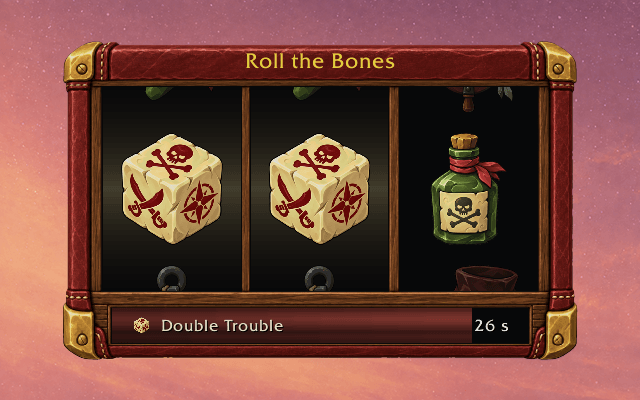
full-oxblood-travel-case-double-trouble.png
full-sailors-case-one-of-a-kind.png
full-tavern-oak-triple-threat.png
Description
Roll the Bones Slots
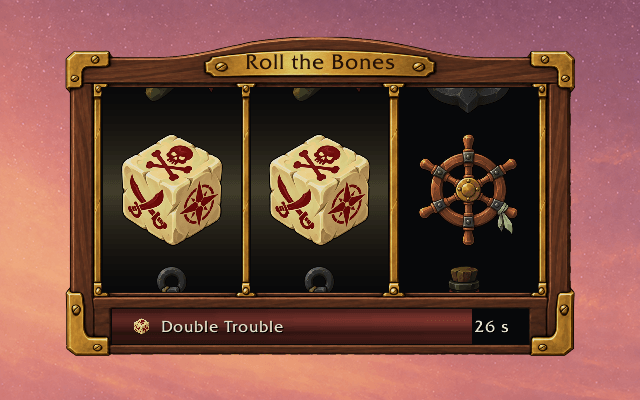
Bring a little pirate luck to your Outlaw Rogue. Roll the Bones Slots turns your current Roll the Bones result into a treasure-chest slot machine, with three reels, winning lights, and a special celebration for Jackpot. Your buff's icon, name, and remaining time sit together beneath the reels, ready for a quick glance between casts.
Features
Read your roll at a glance
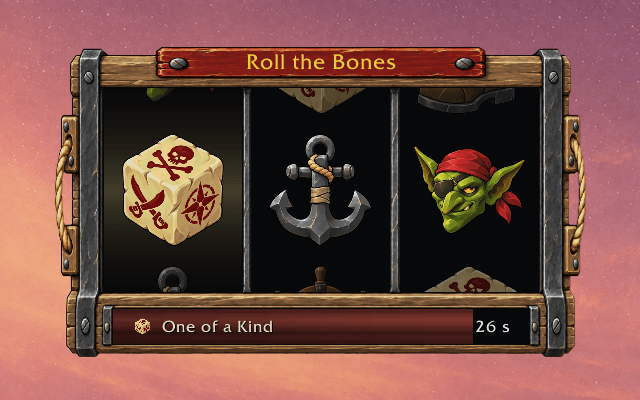
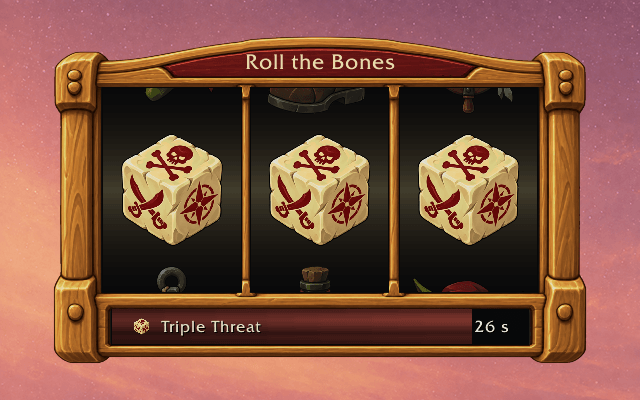
- Recognizable results: Ivory dice show One of a Kind, Double Trouble, and Triple Threat. Three crimson dragon-bone dice mark Jackpot.
- Buff details together: See your current buff's icon, name, and countdown below the reels. Hover that row outside combat to read its tooltip.
- Optional duration bar: An oxblood bar drains as your buff runs out. Keep the name and timer visible even with the bar turned off.
Give each cast some character
- Spinning reels: Cast Roll the Bones from your usual action bar and enjoy a short cosmetic spin when the game allows it.
- Winning lights: Winning columns light up and keep a soft gold glow while the buff is active, even with animations off. Jackpot celebrates with a burst of goblin coins across the top of the cabinet.
- Outlaw details: Anchors, ship's wheels, rum, boots, and a goblin bandit mix up the other symbols, with varied colors and a smooth painted finish. Crimson dragon-bone dice are reserved for Jackpot.
- A quieter option: Turn off reel and win animations while keeping your buff display and timer.
Make room for your luck
- Drag into place: Position the chest through Blizzard's Edit Mode, with grid and nearby element snapping.
- Choose your size: Scale the display from 10% to 180% using a slider or by typing a percentage. Choose Full or Compact in Edit Mode. Compact removes the title and uses smaller symbols and a thinner row for your buff details.
- Choose when it appears: Keep it visible, show it only while a buff is active, or show it only in combat.
- Try the look: Test spin previews all four results and the empty display while you adjust your setup.
- Keep your preferences: Position, scale, visibility, and animation choices are shared across characters. Reset to Defaults gives you a fresh start.
If you cannot find the chest, type /rtbs reset to restore its default position and settings.
Know your symbols
| Roll the Bones result | What you see |
|---|---|
| One of a Kind | One die and two different pirate symbols |
| Double Trouble | Two dice and one pirate symbol |
| Triple Threat | Three dice |
| Jackpot | Three crimson dragon-bone dice |
Between buffs, the empty chest invites you back with Try yer luck, matey! Choose When buff is active to hide it between rolls.
Roll the Bones Slots Team