Ironfur Tracker
- By
A customizable Ironfur bar for Druids, with stack tracking, individual timers, and colors that follow stacks or time remaining
dark.png

custom.png
states.png
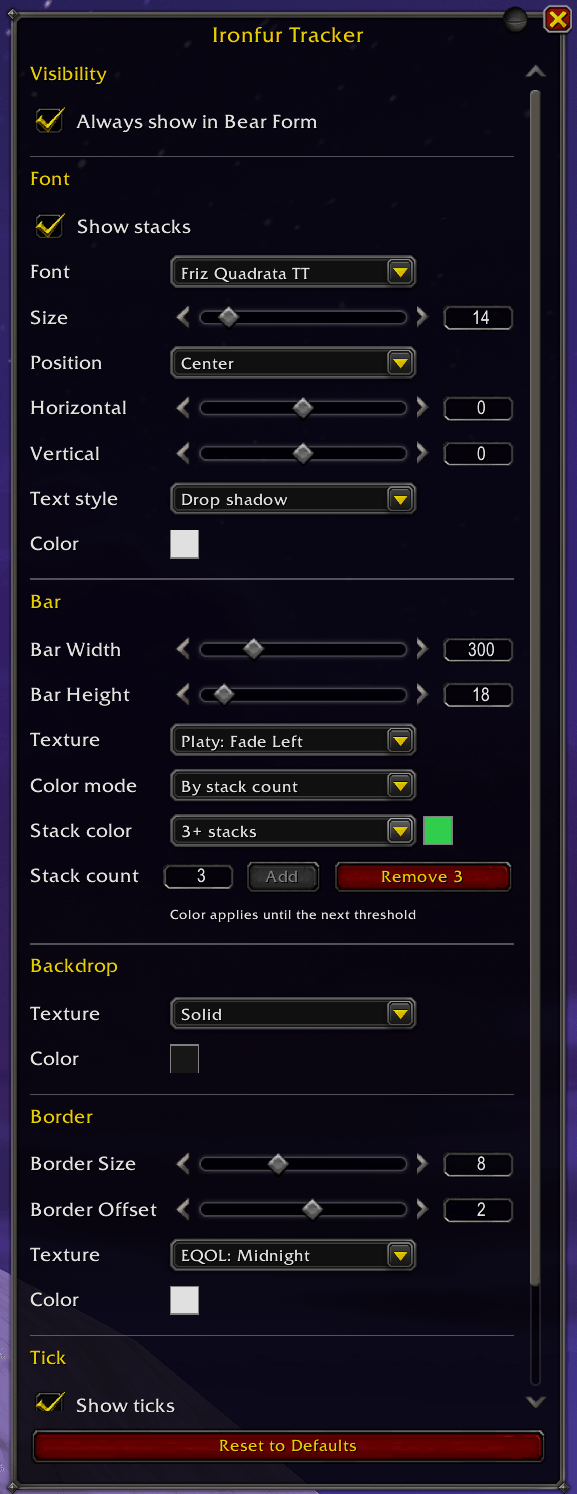
settings.png
Description
Ironfur Tracker
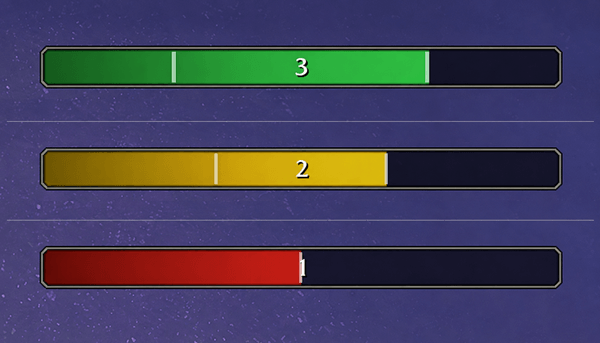
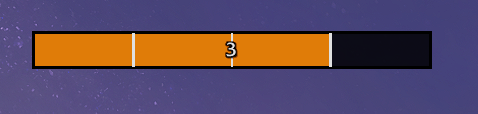
Keep an eye on your Ironfur stacks without losing sight of the fight. Ironfur Tracker brings your stacks and remaining time together in one customizable bar, with a moving marker for each cast so you can see when applications are about to expire. Make it your own through Blizzard's Edit Mode.
Features
Ironfur at a glance
- Individual timers: Each Ironfur cast adds its own moving tick marker.
- Stack count: See how many tracked applications remain, with optional stack text.
- Bear Form visibility: Works for every Druid specialization. Keep the empty bar visible, or hide it between Ironfur casts.
- Talent support: Accounts for Ursoc's Endurance and Guardian of Elune when timing new casts.
- Wildshape Mastery: Keeps existing timers running while the bar is hidden in Cat Form, then shows them when you return to Bear Form.
Colors that tell the story
Choose the color mode that helps you read your Ironfur:
- Class color: Blizzard's Druid orange, enabled by default.
- Solid: Pick one color and opacity for the fill.
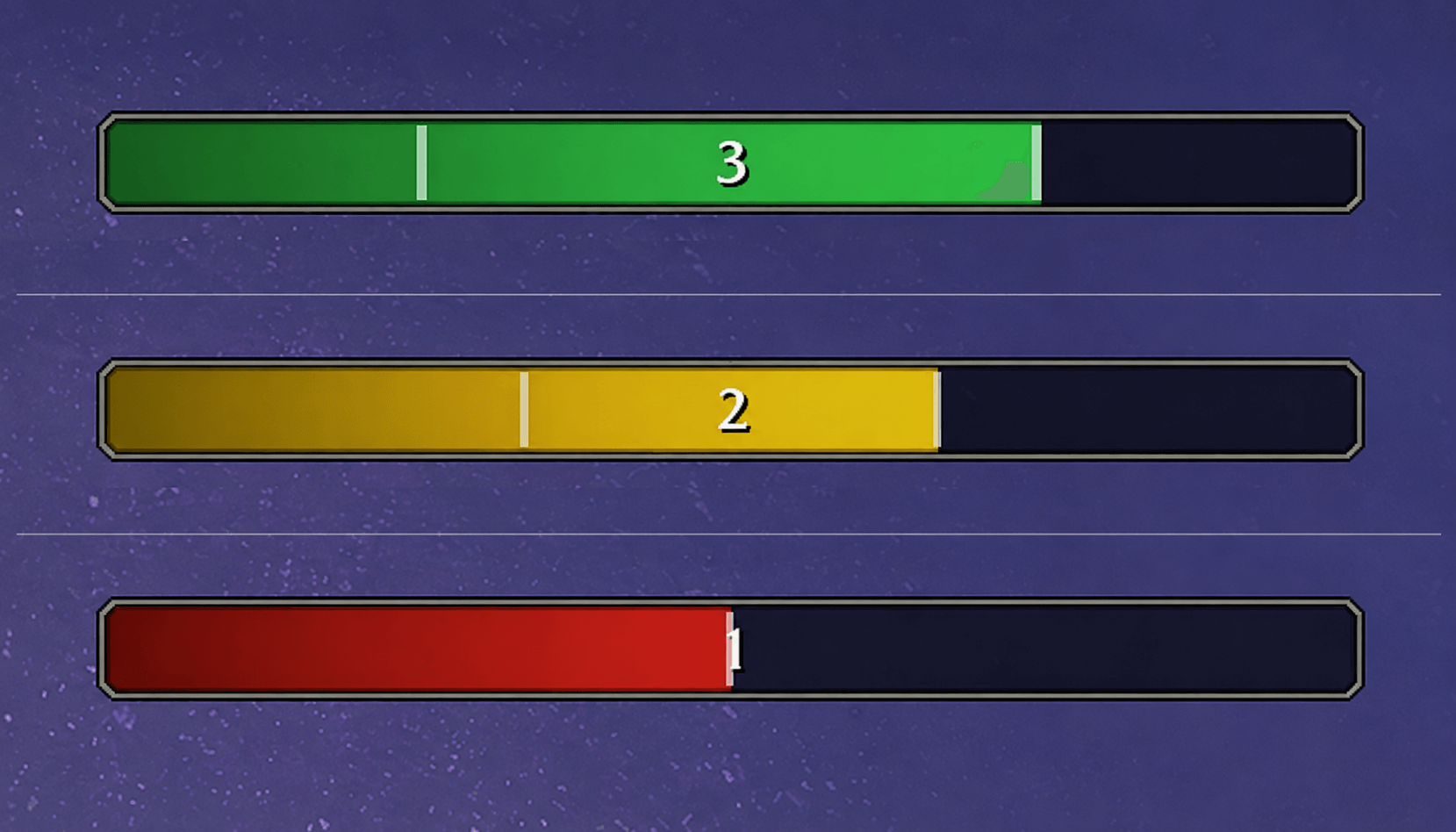
- By stack count: Choose colors for your own stack ranges. For example, set colors at 1 and 3 stacks to use the first color for both 1 and 2 stacks.
- By time remaining: Follow the bar fill with three configurable colors and fixed thresholds: green above 50%, yellow from above 25% through 50%, and red at 25% or less by default.
Your bar, your style
- Size and placement: Adjust width and height, then drag the bar into place with Edit Mode's grid and snapping controls.
- Textures: Preview available bar, backdrop, and border textures before choosing. Fonts and textures shared by other installed addons are available too.
- Backdrop and border: Customize the empty part of the bar, border color, thickness, and offset, including opacity.
- Stack text: Choose a font, size, color, shadow or outline, alignment, and horizontal and vertical offsets.
- Tick markers: Show or hide ticks, and choose their width and color.
- Live preview: See appearance changes in Edit Mode, even outside Bear Form.
- Saved settings: Your position and appearance are shared across characters. Reset to Defaults gives you a fresh starting point whenever you want one.
Ironfur Tracker Team