Requiem - Hardcore Deaths
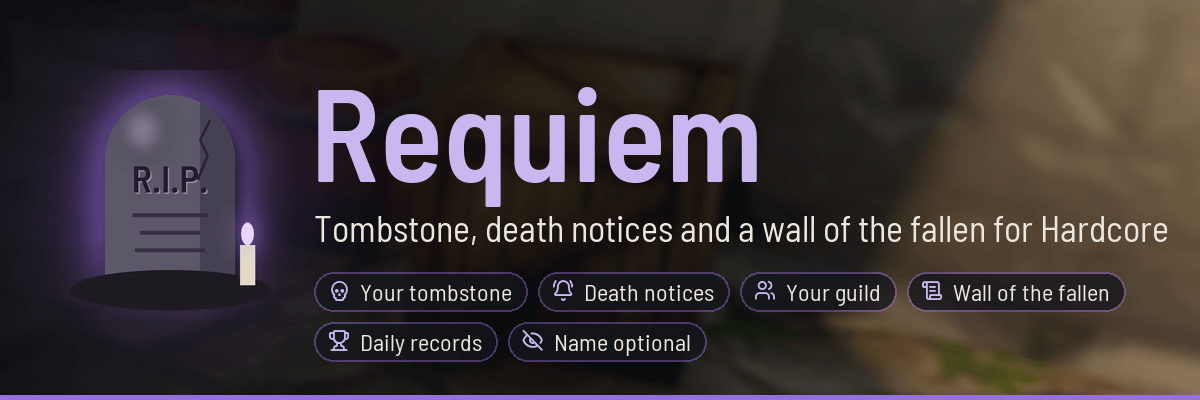
Hardcore deaths: a tombstone card when you die, death notices from other players and your guild, and a wall of the fallen. Your name only if you allow it.
banner-en.png
banner.png
muestra-1-lapida-en.png
muestra-1-lapida.png
muestra-2-muro-en.png
muestra-2-muro.png
Description
Follow me live and support the project:




Requiem is a small addon for what happens when your only life ends in Hardcore mode. When you die it gives you a tombstone to screenshot, tells other Requiem users and your guild, brings you everyone else's death notices and keeps a wall of the fallen for the last 7 days. It works on its own: it does not need Sherpa or Deathward.

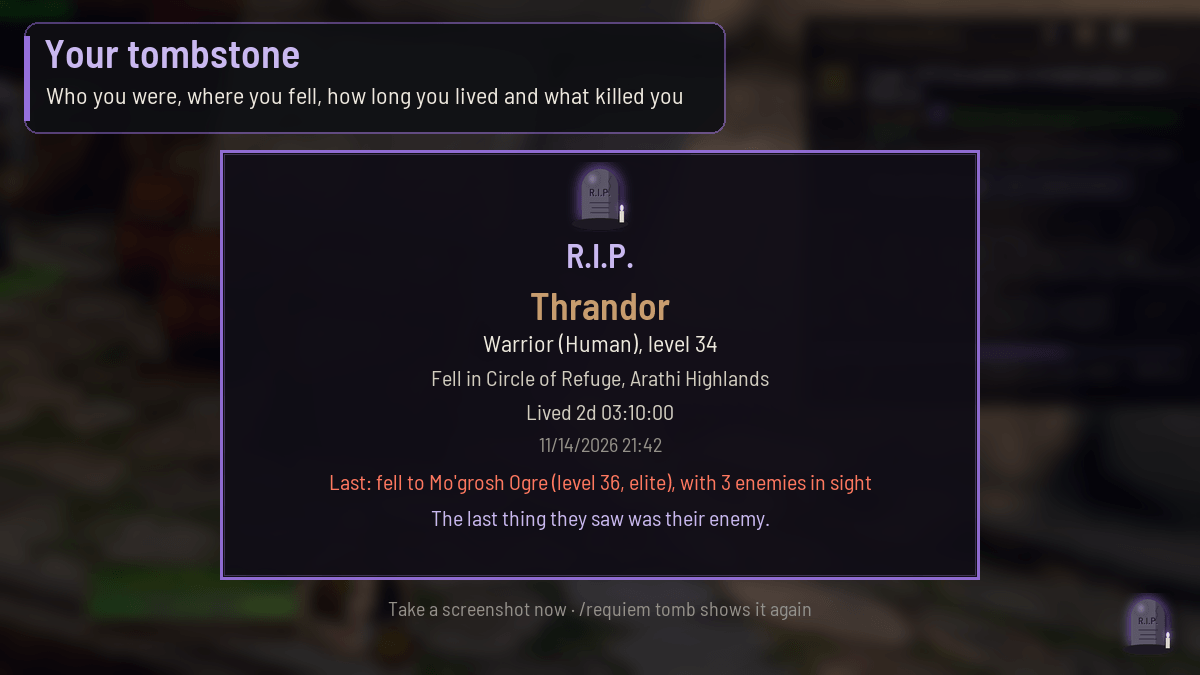
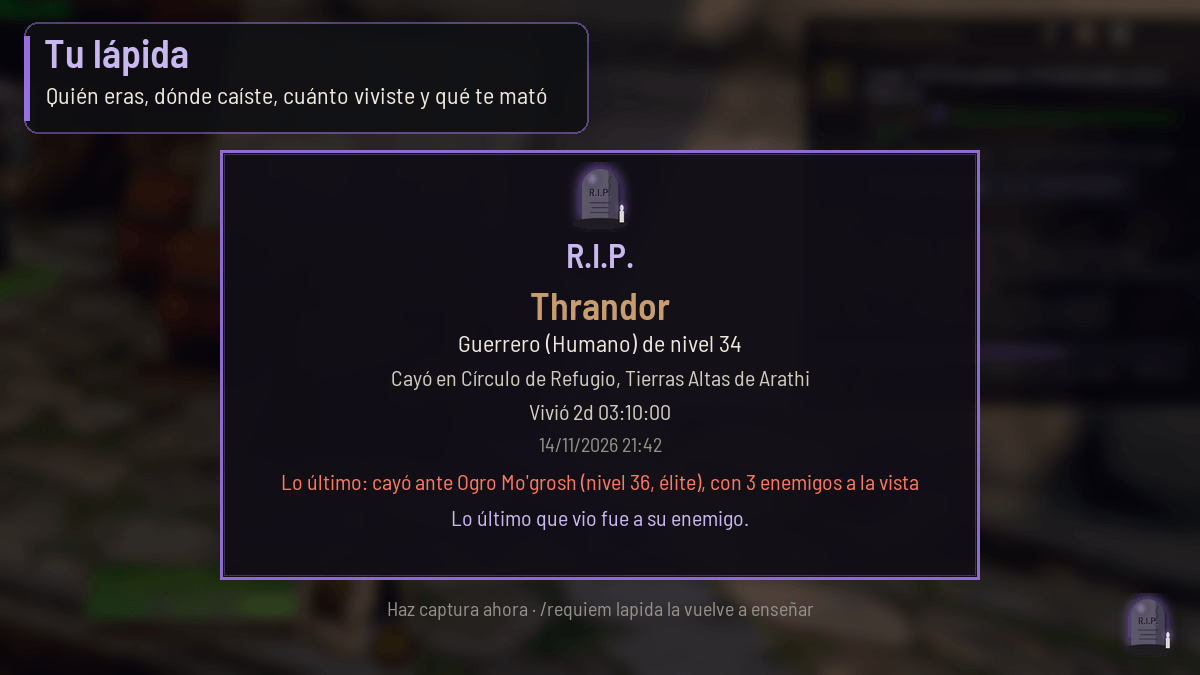
- When a Hardcore character dies, a card shows your name, class, race, level, where you fell, how long you lived, the date and what killed you, with an epitaph.
- The cause can be drowning, fatigue, a fall, an enemy player or the enemy in front of you (with its level and whether it was elite, rare or a boss).
- It is saved on your account:
/requiem tombshows it again whenever you want./requiem simulateshows what it would look like now, without saving or telling anyone.

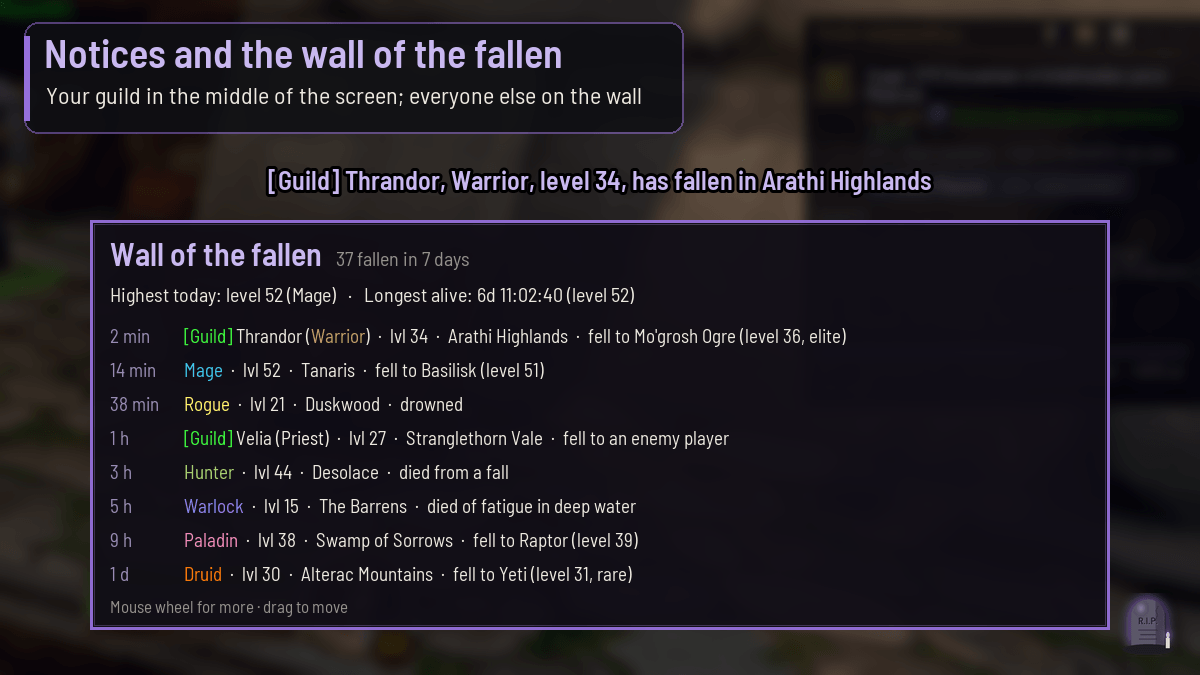
- When someone on your faction with Requiem dies in Hardcore, you get a notice in chat: who they were, level, zone, what killed them and how long they lived.
- By default you see your guild (also in the middle of the screen, with sound), your zone and your level (±5). You can ask to see all of them.
- Notices arrive on any character, including non-Hardcore ones.

/requiem wall: the deaths you heard about in the last 7 days (up to 200), yours included.- On top, the records: the highest level fallen today and who lived the longest.
- Guild members are marked in green. Mouse wheel for more; drag to move.

- Your name is only sent if you tick "With my name". Otherwise the notice says class, level and zone.
- You can choose not to tell anyone about your death, or turn the network off and keep just your tombstone.
- Note: the game still tells addons who sent each message. Requiem does not store or show it.

- The game does not let addons read the combat log, so the cause is worked out from the last thing seen: your target, enemies with nameplates, your breath, fatigue and whether you were falling.
- Notices travel through a hidden channel of its own and your guild, as addon messages: they do not show in chat.
- The game does not allow sending in combat or inside dungeons: the notice waits and goes out as soon as it can.
- To try it on a normal character:
/requiem test. Test notices are only seen by others who are testing too.

/requiemor/rq: options (also in Options > AddOns)./requiem wall: the wall of the fallen./requiem tomb: your last tombstone./requiem simulate: what your tombstone would look like now./requiem test: your death counts even if you are not Hardcore./requiem net: network status (onoroffto switch it)./requiem diag: addon status.

- Install it with the CurseForge app or unzip it into
World of Warcraft\_forever_\Interface\AddOns</code> (you get theRequiemfolder). - It is a new addon: close the game completely before logging in (/reload is not enough).
- In game:
/requiem. - The more players use it, the more notices you get: tell your guild.
Free, in English and Spanish. MIT License. Not affiliated with Blizzard Entertainment.
Español
Requiem es un addon pequeño para lo que pasa cuando se acaba la única vida del modo Hardcore. Al morir te deja una lápida para hacer captura, avisa a los demás jugadores con Requiem y a tu hermandad, te trae los avisos de muerte de los demás y guarda un muro de caídos de los últimos 7 días. Va solo: no necesita Sherpa ni Deathward.

- Al morir en un personaje Hardcore sale una tarjeta con tu nombre, clase, raza, nivel, dónde caíste, cuánto viviste, la fecha y qué te mató, con un epitafio.
- La causa puede ser ahogo, fatiga, caída, un jugador enemigo o el enemigo que tenías delante (con su nivel y si era élite, raro o jefe).
- Se guarda en la cuenta:
/requiem lapidala vuelve a enseñar cuando quieras./requiem simularte enseña cómo sería ahora, sin guardar ni avisar a nadie.

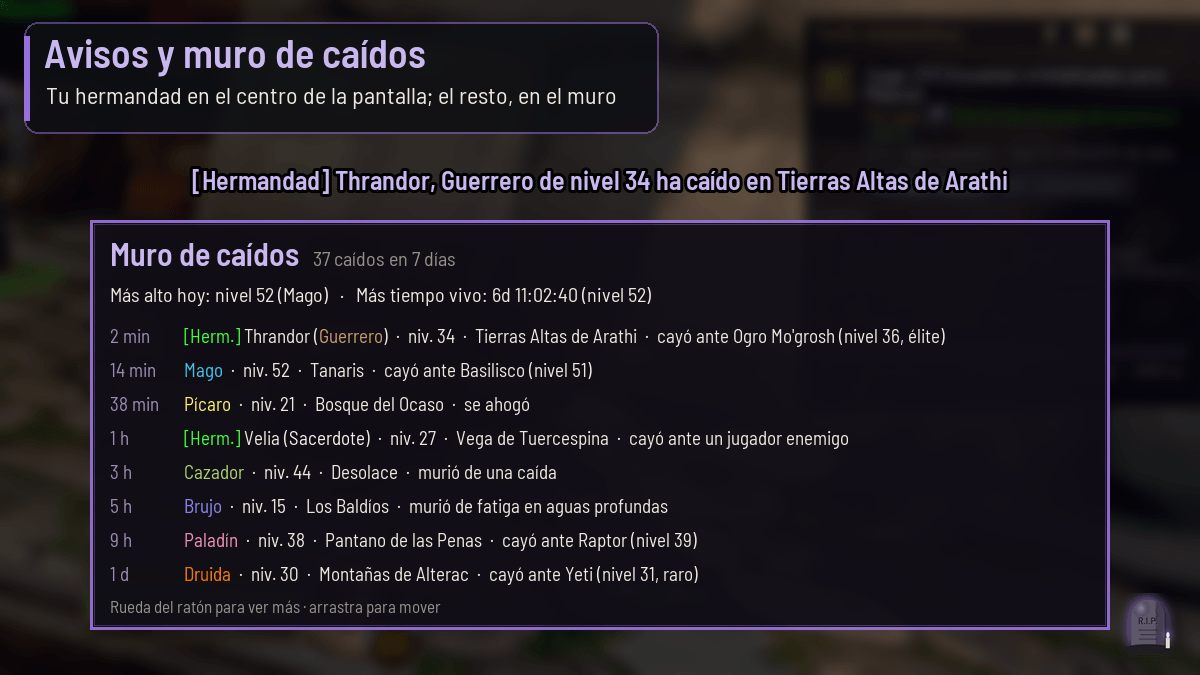
- Cuando alguien con Requiem de tu facción muere en Hardcore, te llega un aviso en el chat: quién era, nivel, zona, qué lo mató y cuánto vivió.
- Por defecto ves los de tu hermandad (también en el centro de la pantalla, con sonido), los de tu zona y los de tu nivel (±5). Puedes pedir que salgan todos.
- Los avisos llegan en cualquier personaje, también en los que no son Hardcore.

/requiem muro: las muertes que te han llegado en los últimos 7 días (hasta 200), las tuyas incluidas.- Arriba, los récords: el nivel más alto caído hoy y quien más tiempo vivió.
- Los de tu hermandad van marcados en verde. Rueda del ratón para ver más; arrastra para mover.

- Tu nombre solo viaja si marcas «Con mi nombre». Si no, el aviso dice clase, nivel y zona.
- Puedes no avisar a nadie de tu muerte, o apagar la red del todo y quedarte solo con tu lápida.
- Ojo: el juego sigue diciendo a los addons quién envía cada mensaje. Requiem no lo guarda ni lo enseña.

- El juego no deja a los addons leer el registro de combate, así que la causa se deduce de lo último que se vio: el enemigo marcado, los enemigos con placa de nombre, la respiración, la fatiga y si estabas cayendo.
- Los avisos van por un canal oculto propio y por la hermandad, con mensajes de addon: no se ven en el chat.
- El juego no deja enviar en combate ni dentro de mazmorras: el aviso espera y sale en cuanto se puede.
- Para probar en un personaje normal:
/requiem prueba. Los avisos de prueba solo los ven quienes también están probando.

/requiemo/rq: opciones (también en Opciones > AddOns)./requiem muro: el muro de caídos./requiem lapida: tu última lápida./requiem simular: cómo sería tu lápida ahora./requiem prueba: tu muerte cuenta aunque no seas Hardcore./requiem red: estado de la red (onuoffpara encenderla o apagarla)./requiem diag: estado del addon.

- Instálalo con la app de CurseForge o descomprime el zip en
World of Warcraft\_forever_\Interface\AddOns</code> (queda la carpetaRequiem). - Es un addon nuevo: cierra el juego del todo antes de entrar (no basta /reload).
- En el juego:
/requiem. - Cuantos más jugadores lo lleven, más avisos llegan: díselo a tu hermandad.
Gratis, en español e inglés. Licencia MIT. No está afiliado a Blizzard Entertainment.
Requiem - Hardcore Deaths Team