NeedOrGreed - Loot Roll Advisor
Loot roll advisor: Need, Greed or Disenchant? Advice based on your class, role and real upgrades, plus what everyone in your group rolled.
muestra-1-tirada.png
muestra-2-descripcion.png
muestra-3-grupo.png
banner.png
banner-en.png
muestra-1-tirada-en.png
muestra-2-descripcion-en.png
muestra-3-grupo-en.png
Description
Follow me live and support the project:




NeedOrGreed tells you on every loot roll whether to roll Need, Greed or Disenchant, and why. It thinks about your class and your role, not just the numbers: other addons check whether an item "raises your score"; this one first checks whether the item is meant for you.

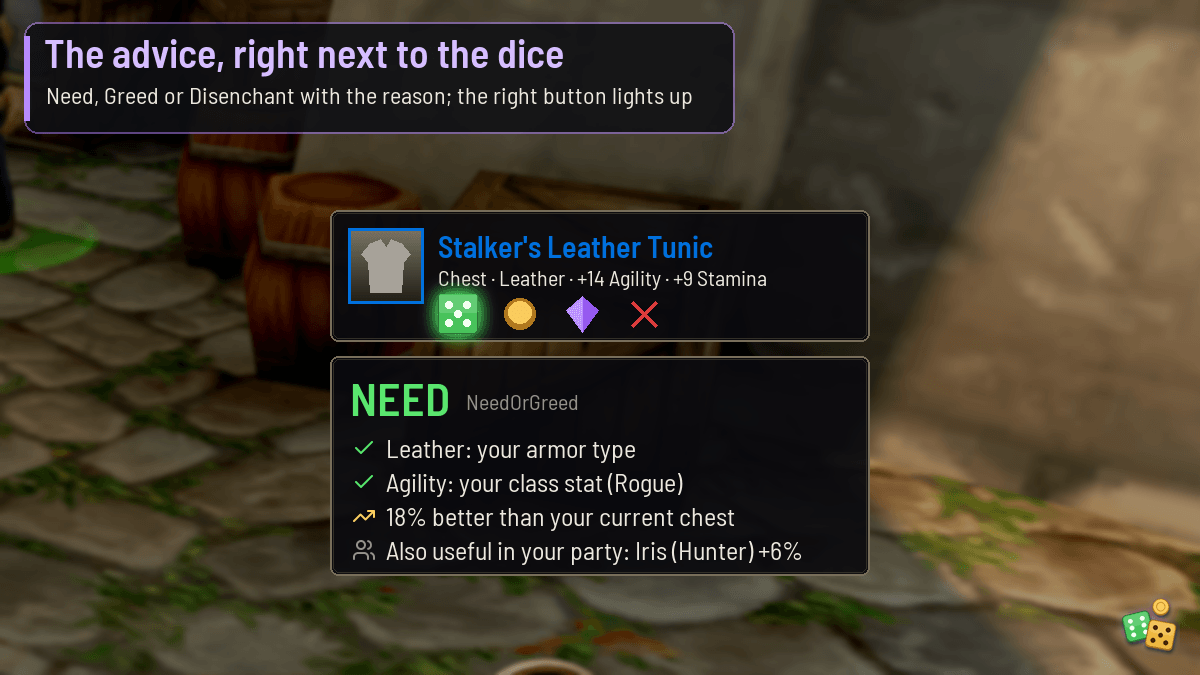
- Next to the roll window: the advice in colour with the reason, and the recommended button lights up.
- If it can't find the game's window, it opens its own panel with the four buttons.
- Real upgrade: if it isn't an upgrade, or you already have a better one in your bags, it says Greed.

- Armor type: a warrior shouldn't roll Need on cloth.
- Your class stats: a rogue doesn't want Intellect.
- The weapons you use, shields, relics and the role of hybrid classes (tank, healer or damage).

- If it only half suits you and someone else in the party benefits more, it tells you their name and class.
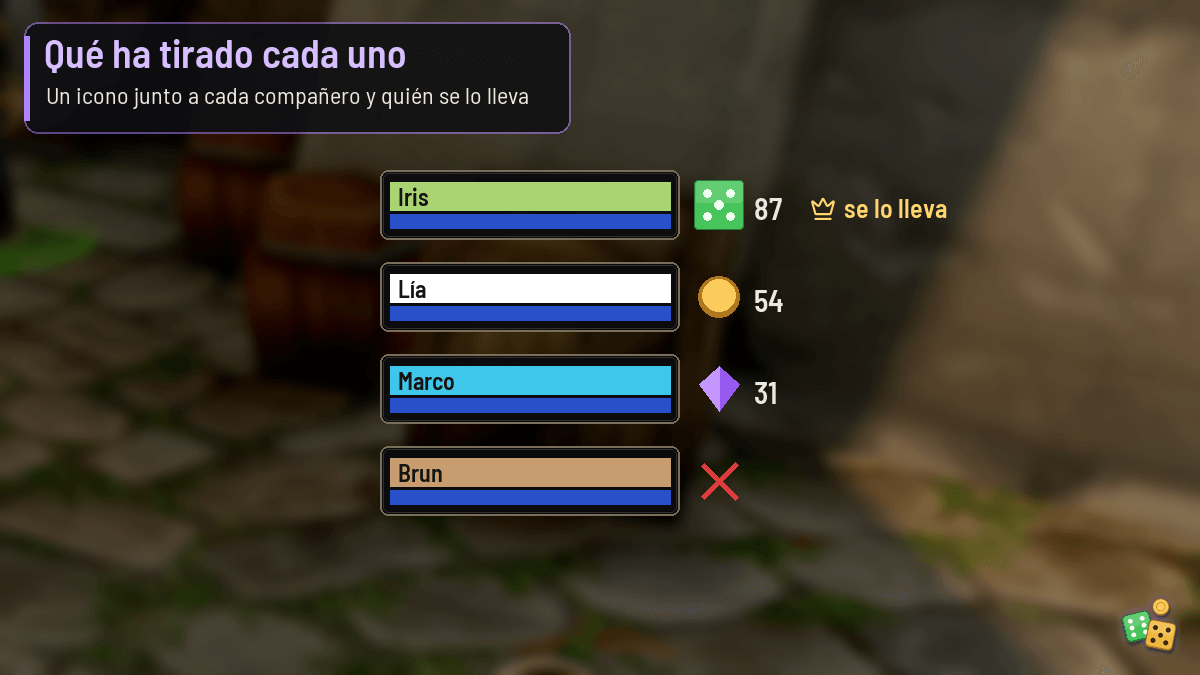
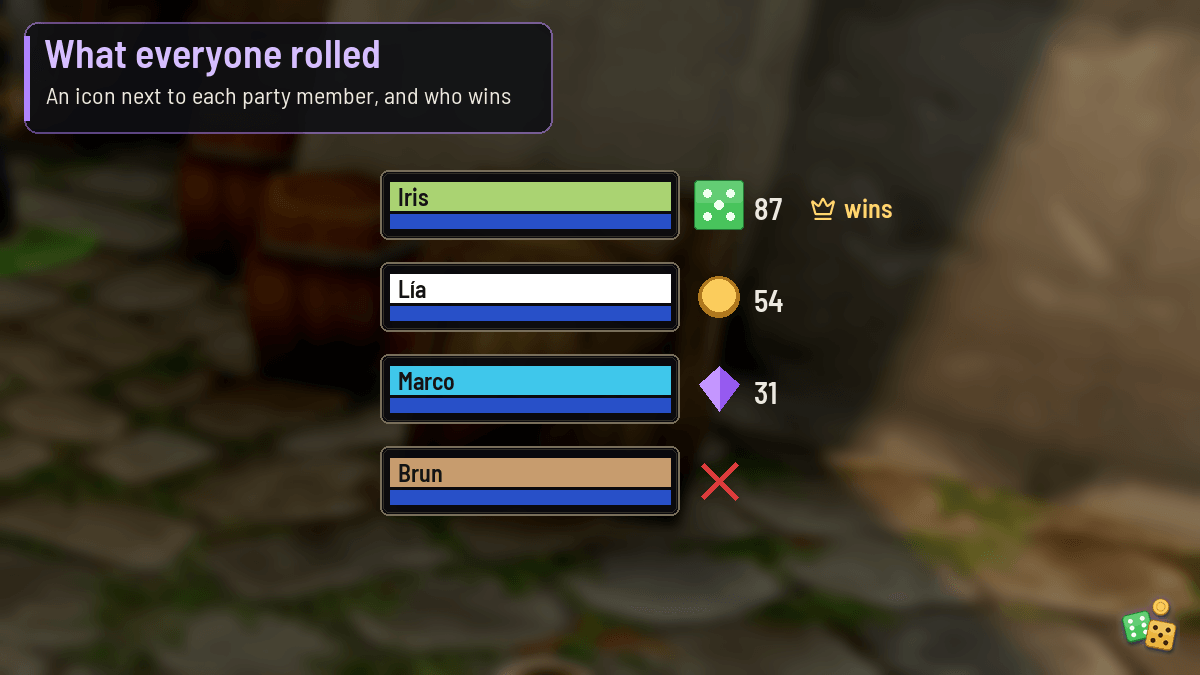
- Next to the party frames: an icon with what each member chose (Need, Greed, Disenchant or Pass) and who wins.
- Questionable Need: if someone wins with Need an item that isn't for their class, it lets only you know.

- Disenchant: if nobody in the party uses it and it can be disenchanted, it suggests that.
- Gold value: vendor and auction price (if you have Auctionator or TSM).
- Bind on Equip: reminds you that many groups roll Greed on those.
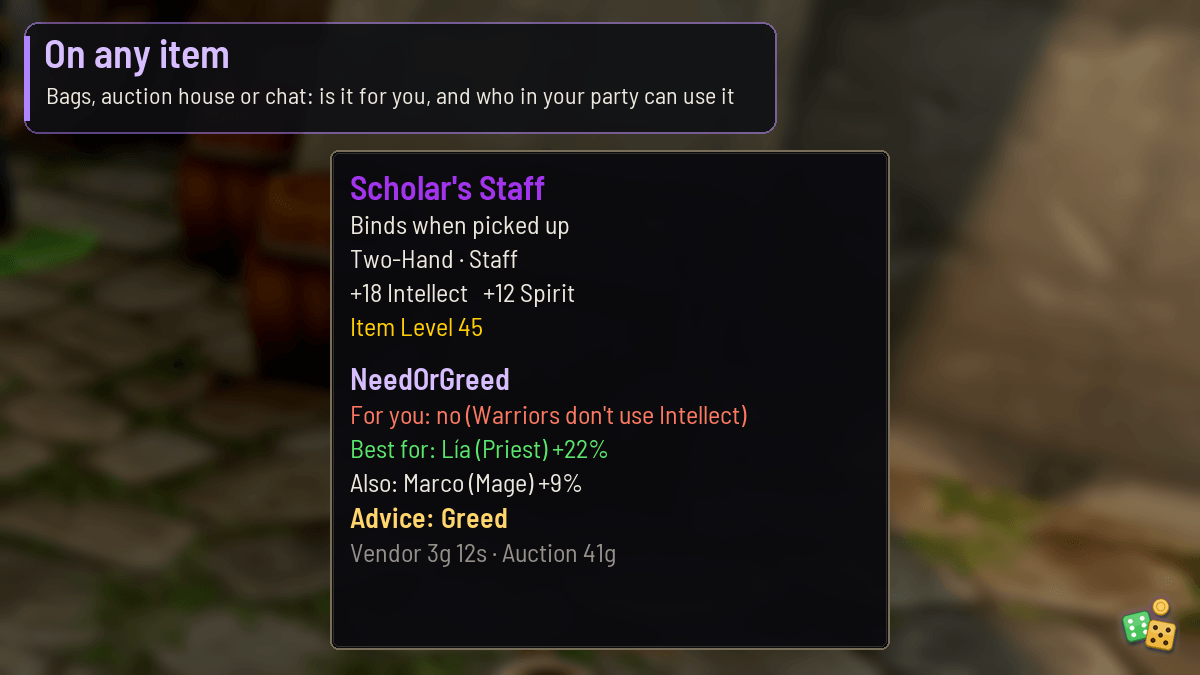
- Tooltips: on any item (bags, auction house, chat) it says whether it is for you and who in your party can use it.
- History of your last rolls, with the advice and what you chose.
- Auto-greed (off by default): Greed only, only on greens and greys nobody in the party uses. It never rolls Need for you.

/nog: options./nog history: last rolls./nog role tank|heal|melee|caster|ranged|auto: your loot role./nog auto: auto-greed./nog test [item]: advice for a linked item.

- Install it with the CurseForge app or unzip it into
World of Warcraft\_forever_\Interface\AddOns\(you get theNeedOrGreedfolder). - In game:
/nog. - If you use Sherpa, NeedOrGreed is already built in: with both installed only one of them runs (nothing is shown twice).
Free, in English, Spanish, German, French, Russian, Brazilian Portuguese, Italian, Korean and Chinese (the non-English/Spanish texts are machine translations: tell us if something reads wrong and we'll fix it). MIT licence. Not affiliated with Blizzard Entertainment.
Español
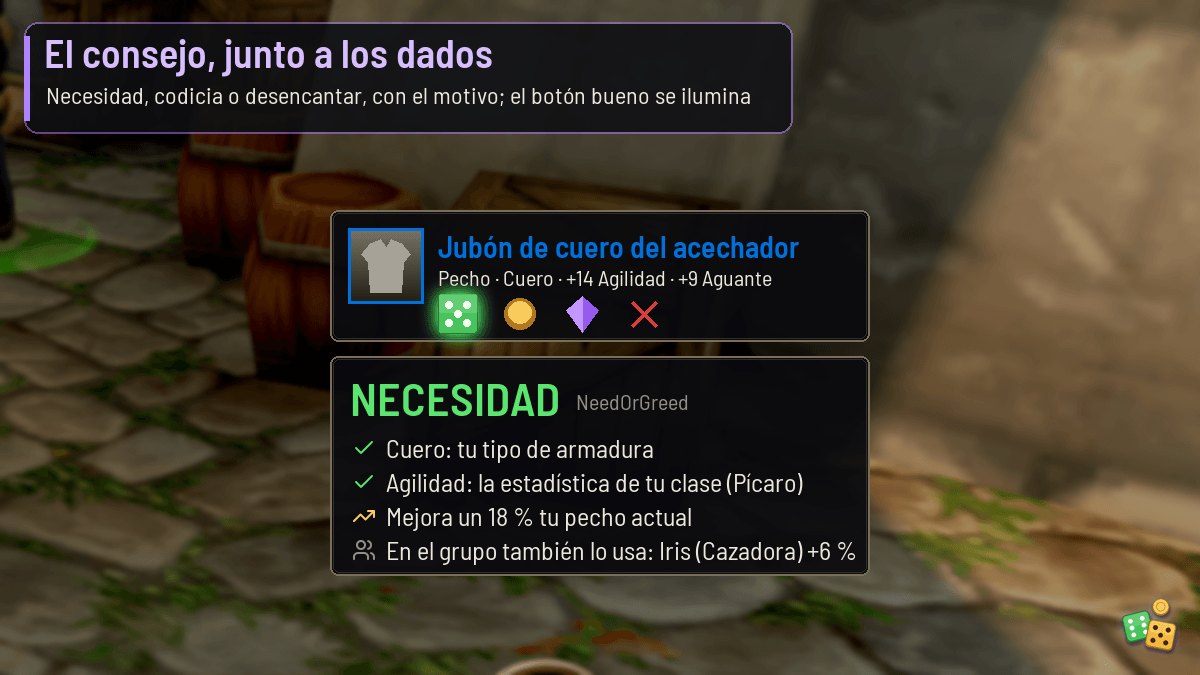
NeedOrGreed te dice en cada tirada de botín si tirar necesidad, codicia o desencantar, y por qué. Piensa en tu clase y en tu rol, no solo en los números: otros addons miran si un objeto «sube la puntuación»; este mira primero si el objeto es para ti.

- Junto a la ventana de dados: el consejo en color y el motivo, y el botón recomendado se ilumina.
- Si no encuentra la ventana del juego, abre su propio panel con los cuatro botones.
- Mejora real: si no te mejora, o ya tienes uno mejor en la bolsa, te dice codicia.

- Tipo de armadura: un guerrero no debe tirar necesidad por tela.
- Estadísticas de tu clase: un pícaro no quiere intelecto.
- Arma que usas, escudos, reliquias y el rol de los híbridos (tanque, sanador o daño).

- Si te sirve a medias y a otro del grupo le va mejor, te lo dice con su nombre y su clase.
- Junto a los marcos de grupo: un icono con lo que ha elegido cada uno (necesidad, codicia, desencantar o pasar) y quién gana.
- Necesidad dudosa: si alguien gana con necesidad algo que no es para su clase, te avisa solo a ti.

- Desencantar: si nadie del grupo lo usa y se puede desencantar, lo propone.
- Valor en oro: precio de tienda y de subasta (si tienes Auctionator o TSM).
- Ligado al equipar: avisa de que en muchos grupos se tira codicia todos.
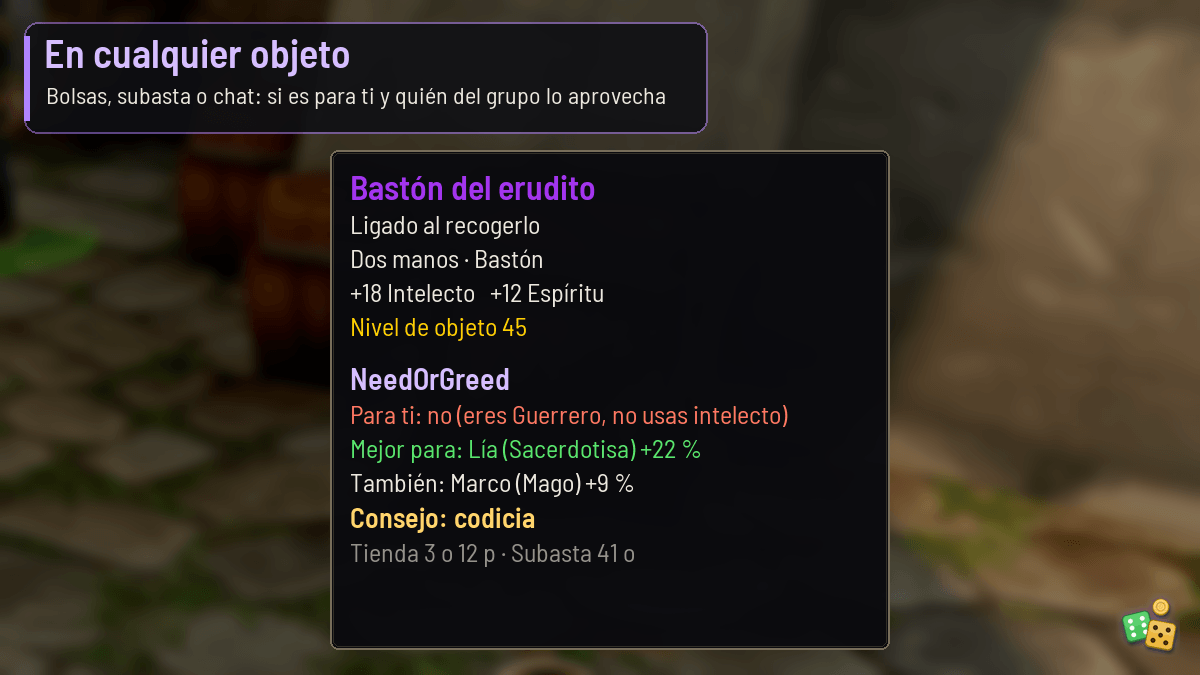
- Descripciones: en cualquier objeto (bolsas, subasta, chat) dice si es para ti y quién del grupo lo aprovecha.
- Historial de tus últimas tiradas, con el consejo y lo que elegiste.
- Codicia automática (apagada de serie): solo codicia, solo en verdes y grises que nadie del grupo usa. Nunca tira necesidad por ti.

/nog: opciones./nog historial: últimas tiradas./nog rol tanque|sanador|melee|caster|distancia|auto: tu rol para el botín./nog auto: codicia automática./nog prueba [objeto]: consejo para un objeto enlazado.

- Instálalo con la app de CurseForge o descomprime el zip en
World of Warcraft\_forever_\Interface\AddOns\(queda la carpetaNeedOrGreed). - En el juego:
/nog. - Si usas Sherpa, ya lleva NeedOrGreed dentro: con los dos instalados solo funciona uno (no se repite nada).
Gratis, en español, inglés, alemán, francés, ruso, portugués de Brasil, italiano, coreano y chino (los textos que no son español ni inglés son traducciones automáticas: si algo suena raro, dínoslo y lo corregimos). Licencia MIT. No está afiliado a Blizzard Entertainment.
NeedOrGreed - Loot Roll Advisor Team