RepMatic
- By
Cross-character reputation tracker with floating gain/loss alerts, sortable browser, and tooltip overlay showing every alt's standing.
Screenshot 2026-05-16 at 9.19.30â¯AM.png
Screenshot 2026-05-16 at 9.21.38â¯AM.png
Screenshot 2026-05-16 at 10.25.10â¯AM.png
Screenshot 2026-05-16 at 10.22.57â¯AM.png
Screenshot 2026-05-16 at 10.23.14â¯AM.png
Description
RepMatic



Every faction. Every character. Every realm. One shared view.
RepMatic is a full-featured reputation tracker. It logs every standing change on every character you log into, shows you a floating alert the instant rep moves, drops every alt's standing into the Blizzard reputation tooltip, and gives you a sortable browser to compare your whole roster at a glance. Almost every visual is exposed in the options panel, so you can match it to your UI instead of fighting it.
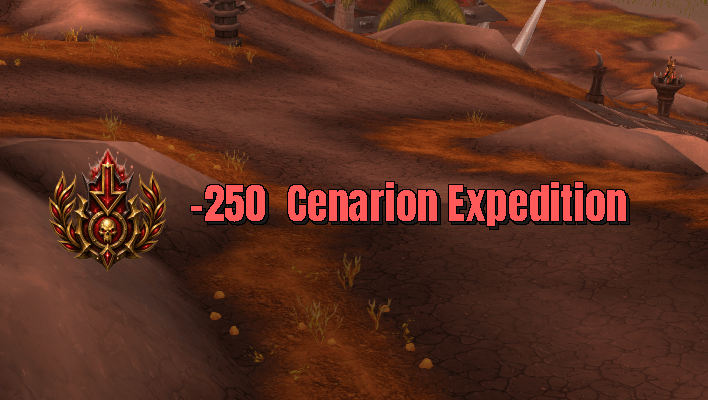
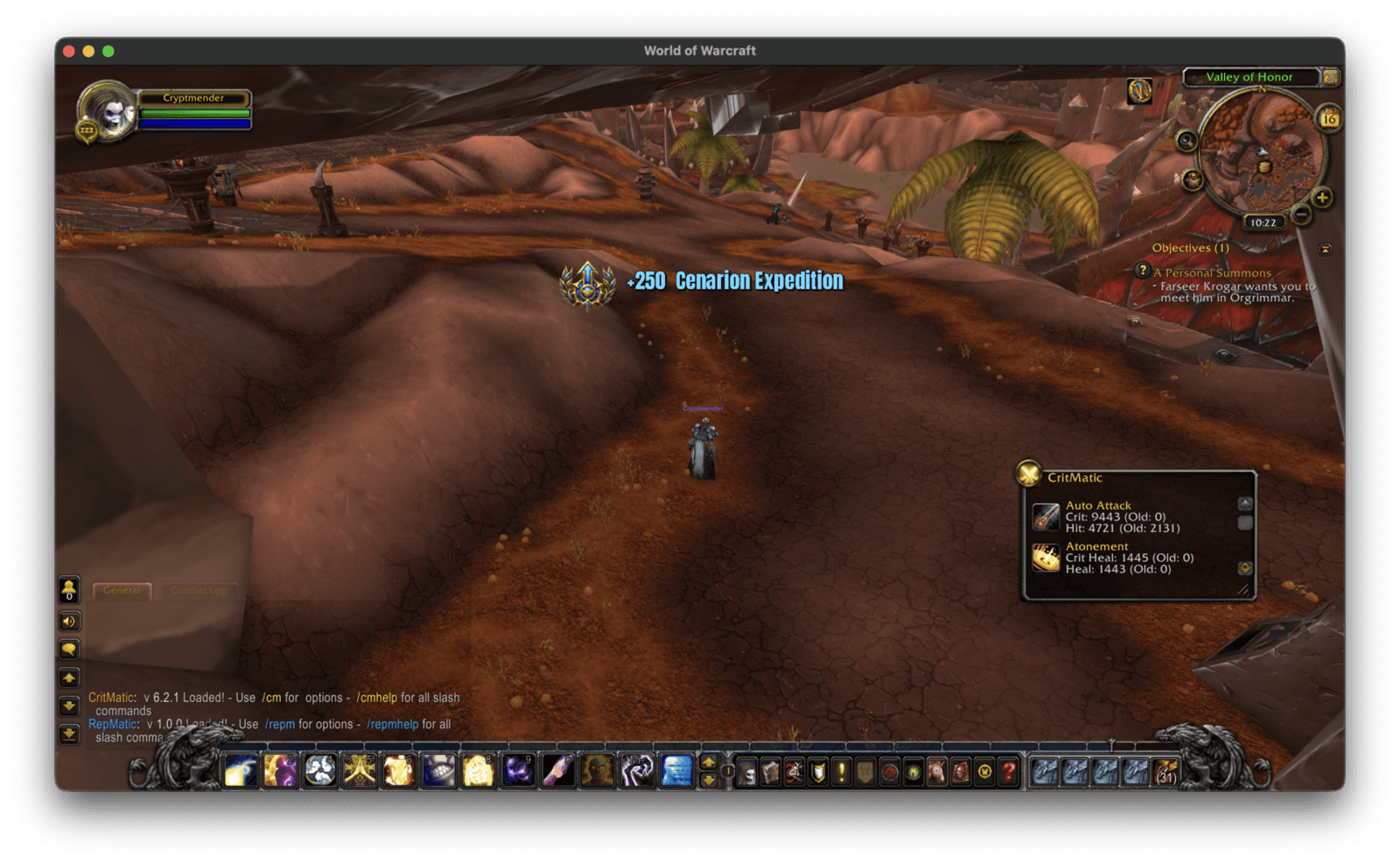
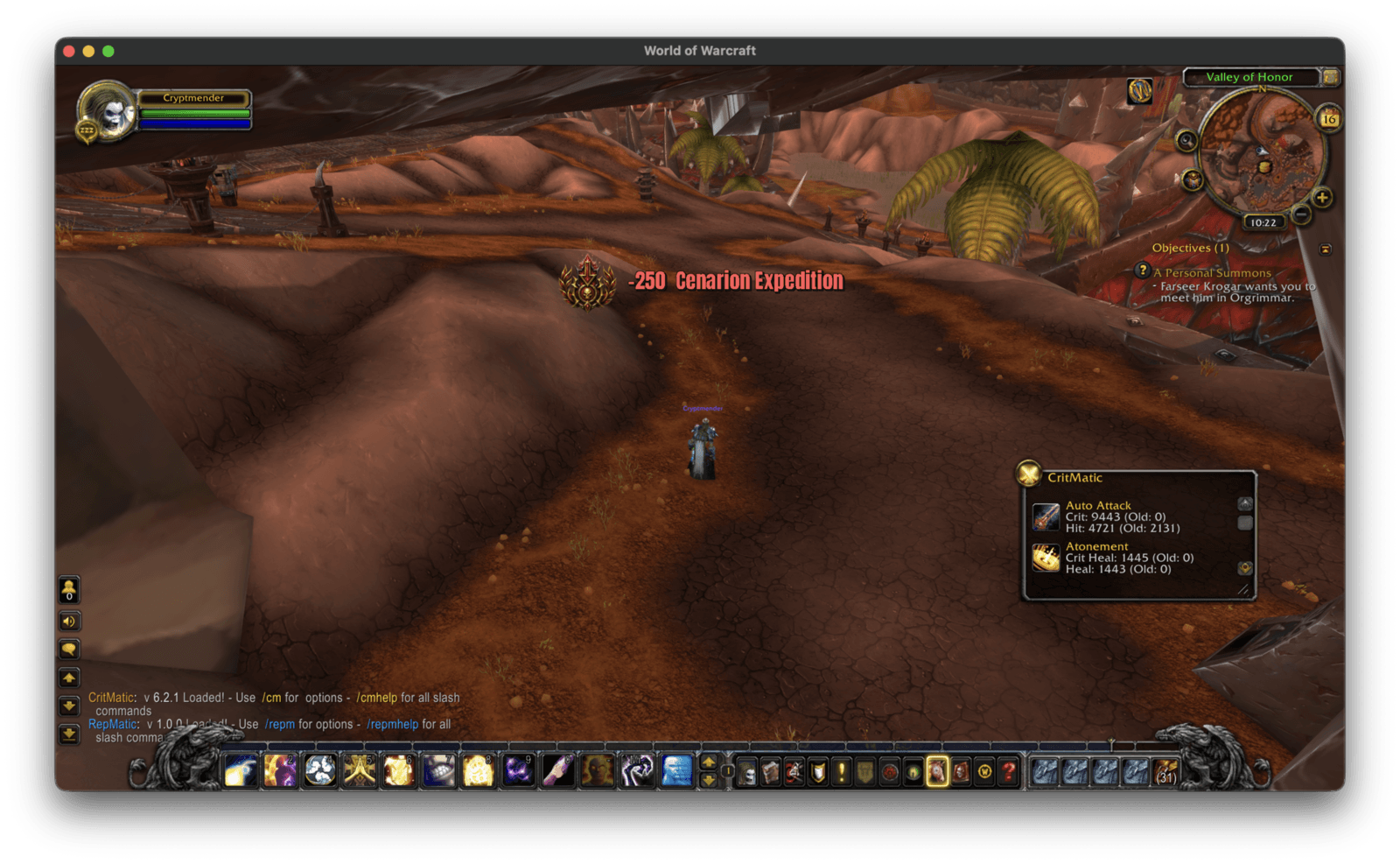
Floating rep alert
A bounce-in / fade-out alert fires the moment a faction value changes.
- Separate gain vs loss styling. Pick a different color for
+repand-repso wins and losses read instantly. - Custom icons. Gain alerts use a green
GainRepicon, loss alerts use a redLoseRepicon, both bumped to 72px so they read at the alert's font size. - Font. Default Anton, but any SharedMedia font on your client works (DejaVu, Friz, ExpressWay, your own LSM additions).
- Font size, outline (NONE / OUTLINE / THICKOUTLINE / MONOCHROME), shadow X, shadow Y, shadow color.
- UPPERCASE toggle for the alert text.
- Custom format strings for gain and loss messages (use
%sfor faction name,%dfor amount), with one-click Preview Rep Gained / Preview Rep Lost buttons. - Screen position. X / Y sliders with a Test Position button so you can drag-tune without faking a real rep change.
- Max simultaneous messages, start delay, fade time - each with its own Reset button.
- Per-side reset buttons for position, font, and notification format so you can roll back individual sections without nuking your whole config.
Sounds
- Separate sound picker for rep gained (default Level Up) and rep lost (default Solid Alert).
- Any SharedMedia sound works.
- Mute All toggle. Reset Sounds button.
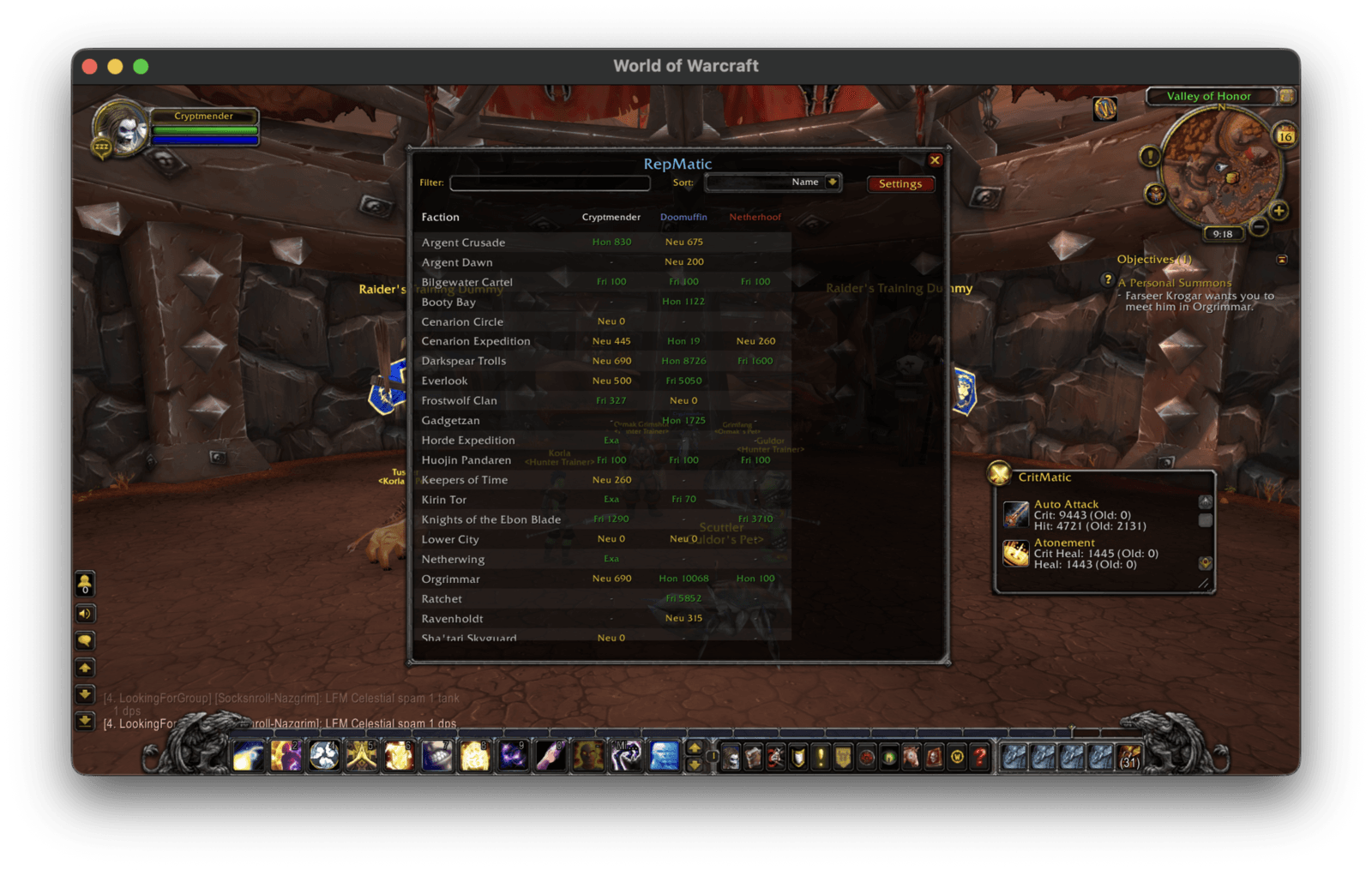
/repm browser
- Rows = factions. Columns = your characters. One screen, whole roster.
- Sort by faction name, highest standing across alts, or closest to next level.
- Color-coded standings from Hated through Exalted using the standard Blizzard reputation palette.
- Drag-resizable from the bottom-right corner (600x250 min, 2400x900 max). Size persists across sessions.
- Horizontal scrollbar auto-appears when character columns overflow. Shift+mousewheel for horizontal scroll. Header row scrolls in sync with the data so columns stay aligned.
- Vertical scrollbar always visible so the layout doesn't jump.
- Settings cogwheel built into the filter row, directly under the close X.
- 40% more opaque background than the default frame style so the data reads cleanly over busy game scenes.
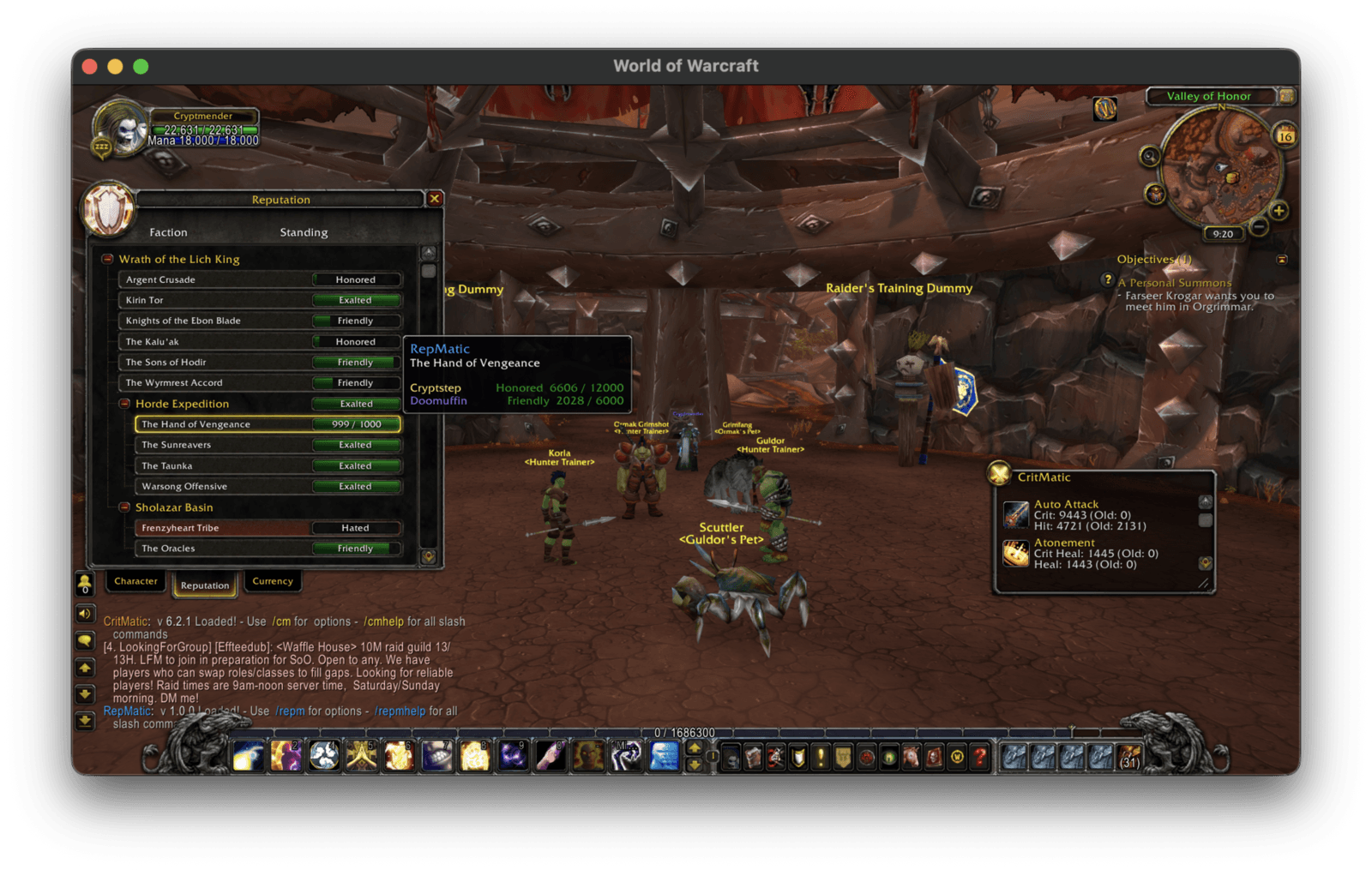
Reputation pane tooltip
Hover any faction row in Blizzard's default Reputation UI and RepMatic appends every other character's standing and progress to the next tier. No need to log alts to check who's closest to Exalted.
Versioned changelog popup
First login after an update pops a styled changelog window so you actually know what changed. Fully themable:
- Font, font size, font color, font outline.
- Border style, border size, background texture (all SharedMedia).
- Section reset buttons for font and border/background independently.
- Toggle the popup off entirely if you don't want it.
Minimap button
Toggleable minimap icon. Click to open the browser, right-click for the options panel.
Slash commands
/repmor/repmatic- open the browser/repm settings- open the options panel/repm scan- force a rescan of the current character/repm wipe- clear all stored character data/repm changelog- reopen the changelog popup/repm test- fire a sample rep-gain alert/repm test2- fire a sample rep-loss alert
Localization
Ships with 11 locales: enUS, deDE, esES, esMX, frFR, itIT, koKR, ptBR, ruRU, zhCN, zhTW.
Supported clients
- Classic Era 1.15.x
- TBC Anniversary 2.5.x
- Wrath / Titan Reforged 3.8.x
- Cataclysm Classic 4.4.x
- Mists of Pandaria Classic 5.5.x
- Retail / The War Within 11.2.x
Companion addons
RepMatic is part of the Matic family from Infinite Loop Alchemist, alongside CritMatic and GearMatic.
License
All Rights Reserved.
RepMatic Team


Owner