RaidToolKit_SUI
A modular raid UI enhancement addon for WoW TBC Classic 2.5.5, featuring HoT Tracker, Missing HP overlay, Incoming Heal monitor, custom Nameplates, Sound Alerts, Dispell Tracker, and Diminishing Returns tracking.
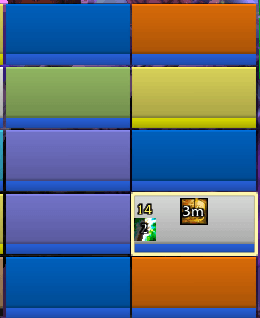
RTK.png
Description
RaidToolkit
RaidToolkit is a modular raid UI enhancement addon for WoW TBC Classic (2.5.5 Anniversary). Originally part of the ScalopeUI project, it has been extracted into a standalone addon so that anyone can use its features independently.
Each module can be enabled or disabled individually via /rtk.
Modules
🟦 Raid Frames
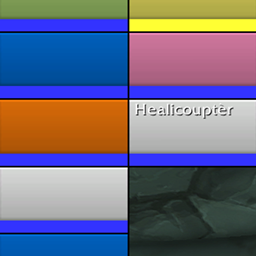
Reskins Blizzard's compact raid/party frames with custom bar textures, a thin black border, and finer control over what is displayed on each frame.
- Choose from several bar textures (Clean, Minimalist, Smooth, Skyline, Flat, or either Blizzard default)
- Show/hide the role icon, player name, and group title
- Scale Blizzard's built-in buff/debuff icons
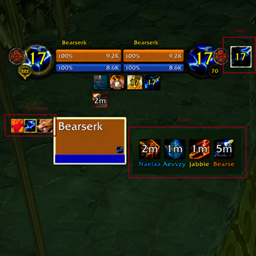
- Track defensive cooldowns (Divine Shield, Ice Block, etc.) with configurable position and scale, separately for party and raid
- Track up to 3 priority debuffs per frame (configurable size, offset, and max count)
- Track up to 3 player-specific buffs/debuffs per frame in three independent slots (primary buff, secondary buff, debuff), each with its own icon count and position
🟩 HoT Tracker
Displays small colored squares (or spell icons) below each raid/party frame for every active HoT, buff, or debuff you want to track. Fully configurable per spell.
- Works in party, raid, and on friendly/enemy nameplates
- Per-spell settings: color, icon mode, cooldown swipe animation, tick-based swipe, reverse swipe, total duration swipe, "only mine" toggle
- Per-spell destination toggles: Raid Frames / Friendly Nameplates / Enemy Nameplates
- Drag-and-drop reorder of tracked spells in the options panel
- Add any spell by ID directly from the options UI
- Default spells included: Renew (rank 7), Power Word: Shield, Weakened Soul
🟥 Missing HP
Overlays a text element on each raid frame showing how many hit points the unit is missing (or their current HP).
- Display mode: missing HP or current HP
- Color modes: threshold-based (changes color at different HP %) or fixed
- Full control over font size, anchor point, and offset
- Enable/disable per raid group independently
- Option to hide the text when the unit is at full health
🟨 Incoming Heal
Two complementary tools for monitoring incoming heals on your raid.
Incoming Heal Checker (IHC): Overlays a number on each raid frame when a heal is already incoming, to prevent redundant casting.
- Configurable minimum threshold and tolerated overheal percentage
- Strict mode: color-codes the number green/yellow/red based on how much heal is already incoming relative to missing HP
- Fully repositionable per-frame text
Heal Watch Bar: A floating bar list showing who is being healed, by whom, and for how much in real time.
- Configurable width, bar height, font size, and background opacity
- Optional spell icon on left or right side of bars
- Watch Target mode: shows heals from allies targeting your current target
- Show/hide your own self-heal bar
- Grows upward or downward
- Draggable; position saved per profile
🔔 Sound Alerts
Plays a custom .ogg sound when specific spells are cast or applied, with full control over whether to trigger on cast, aura application, or aura refresh.
- Configures via a Lua table in
modules/sound_alerts.lua— no UI overhead - Supports reaction filter: HOSTILE or FRIENDLY source
- Matches all spell ranks via name normalization (no need to list every rank)
- Built-in anti-double-trigger throttle (0.3 s per source:spell pair)
- Included sounds: Divine Shield, Ice Block
🟪 Dispell Tracker
Displays an icon and spell name whenever you dispel a debuff from a friendly unit or a buff from an enemy.
- Separate color for friendly and hostile dispels
- Configurable display duration, maximum number of lines, icon size, and font size
- Show/hide icon and/or text independently
- Grows upward or downward
- Fully repositionable anchor
- Only activates for classes that can dispel (Priest, Paladin, Shaman, Druid, Mage, Warlock)
🟧 DR Tracker
Tracks Diminishing Returns on crowd-control effects, displaying colored icons on the target, focus, nameplates, or player frame.
Requires the DRList-1.0 library (copy into libs/DRList-1.0/).
- Four anchors: Target, Focus, Nameplates, Player — each independently toggleable with X/Y offset and icon size
- Icon border color indicates DR stage: green (full), yellow (½), orange (¼), red (immune)
- OmniCC-style countdown timer on each icon
- Configurable grow direction (left or right)
- "Only players" option filters out NPC CC
- Option to include the aura duration itself in the DR reset timer
- Per-class, per-category checkboxes (coming in a future update)
- Built-in test mode
🗺️ Unit Nameplates
Replaces Blizzard's default nameplates with a cleaner, more customizable version.
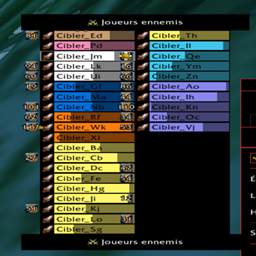
- Custom bar texture for health bar and cast bar, independently
- Separate width/height for enemy and friendly nameplates and their cast bars
- Class-colored health bars for players
- Color highlight on your current target
- Neutral color for non-PvP enemies (configurable)
- Blizzard default color option for friendly nameplates
- Special totem colors
- Configurable name alignment (left / center / right)
- Health text overlay on enemy nameplates
- Priority debuffs displayed on enemy nameplates (configurable scale)
- Player-cast debuffs displayed separately with configurable offset and optional centering
- Enemy Warrior stance icon
- HoT Tracker integration: show tracked auras on friendly and/or enemy nameplates (see HoT Tracker module)
- DR Tracker integration: show DR icons on nameplates
Requirements
Required (Ace3 libraries — copy from any Ace3 addon):
- LibStub, CallbackHandler-1.0
- AceAddon-3.0, AceEvent-3.0, AceDB-3.0, AceConsole-3.0
- AceGUI-3.0, AceConfig-3.0, AceLocale-3.0, AceDBOptions-3.0
Optional:
- LibDataBroker-1.1 + LibDBIcon-1.0 (minimap button)
- DRList-1.0 (DR Tracker module)
Installation
- Copy the
RaidToolkit/folder intoInterface/AddOns/ - Reload your UI:
/reload
Slash Commands
| Command | Action |
|---|---|
/rtk |
Open the options panel |
/raidtoolkit |
Alias for /rtk |
/mhp |
Missing HP sub-commands (run without argument to see usage) |
Media
Place bar textures in media/textures/ (.tga or .blp): Clean, Minimalist, Smooth, Details, Skyline, Flat, Gradient
Place sounds in media/sounds/ (.ogg format).
Known Limitations
- DR Tracker requires DRList-1.0 to function; the module silently stays inactive without it
- Sound Alerts and HoT Tracker spell lists must currently be edited in Lua (options panel support planned)
Localization
Fully localized for frFR and enUS/enGB. Additional locales welcome — open a ticket or PR on the project repository.
The RaidToolKit_SUI Team