Raid Group Wrap (RaidGroupWrap)
- By
Wrap Blizzard's raid groups onto extra rows or columns. Pick how many groups share a line in Edit Mode.
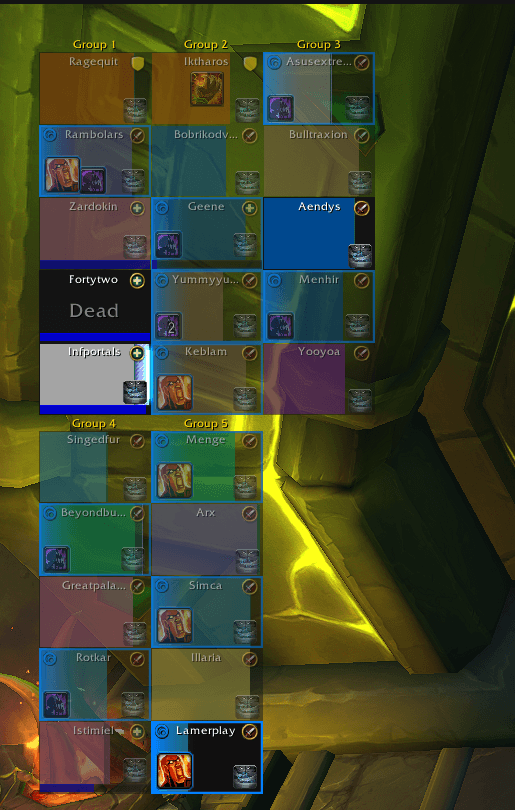
raid-three-per-row.png
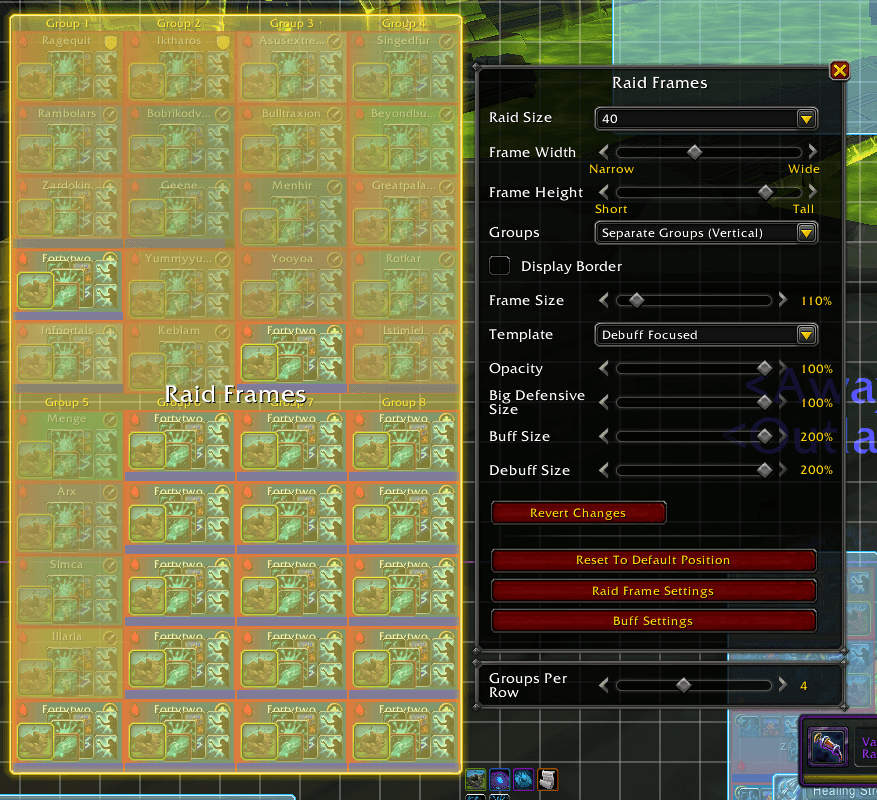
edit-mode-slider.png
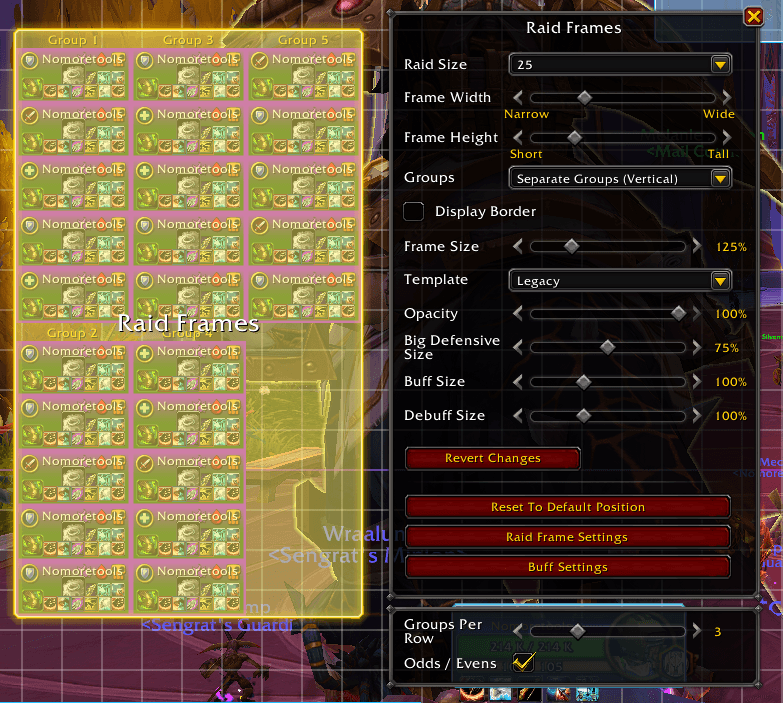
edit-ods-even.png
Description
Blizzard's raid frames, without eight groups stretched across your whole screen.
With Separate Groups on, Blizzard puts every raid group on one line. Raid Group Wrap lets you choose how many groups share a line. The rest wrap onto the next one.
Features
- Pick how many groups sit on one line. 4 groups per row turns one long strip into a 4×2 block.
- Still Blizzard's raid frames. Same frames, order and spacing. Only the line breaks change.
- Works both ways. Groups side by side wrap into new rows. Stacked groups wrap into new columns.
- Set it in Edit Mode. The slider sits right under the Raid Frames settings.
- Saved account-wide. One setting for all your characters.
How to use
- Open Edit Mode and click the Raid Frames.
- Pick one of the Separate Groups layouts.
- Move the Groups Per Row (or Groups Per Column) slider under the settings window.
8 is Blizzard's normal layout. Combine Groups layouts already have Blizzard's own Row Size option, so the slider only shows for Separate Groups.
In combat
WoW doesn't let addons move raid frames during combat. If the raid changes mid-fight, or you open Edit Mode in combat, Blizzard's layout shows until combat ends, then your layout comes back on its own. The slider is greyed out while you're in combat.
Lightweight
- No per-frame updates, no timers, no libraries.
- Only runs when the game itself rearranges the raid frames.
- At 8 groups per line it does nothing at all.
Game versions
Retail and WoW: Forever.
Feedback
Found a bug or have an idea? Open an issue on GitHub.
The Raid Group Wrap (RaidGroupWrap) Team