RadarFis
- By
Hunt radar for fishing pools, plus a catch tape, farm journal, and cast/reel button. Midnight-safe.
Captura de tela 2026-09-06 212000.png
Captura de tela 2026-09-06 212007.png
Captura de tela 2026-09-05 020355.png
Captura de tela 2026-09-06 212018.png
Captura de tela 2026-09-07 003329.png
Description
RadarFis is a fishing and gathering companion for World of Warcraft. It turns your minimap into a large, low-opacity hunt radar so you can walk a zone, spot fishing pools at a glance, save the path of what you actually harvested, and keep a live count of what landed in your bags.
Hunt radar
Toggle hunt mode to expand the minimap into a large, low-opacity overlay. Nearby fishing pools show as pins with name and yardage. The overlay hides automatically while you are fishing so it never covers your cast.
Minimap-edge arrows still point at pools outside the current view when hunt mode is off.
Farm routes
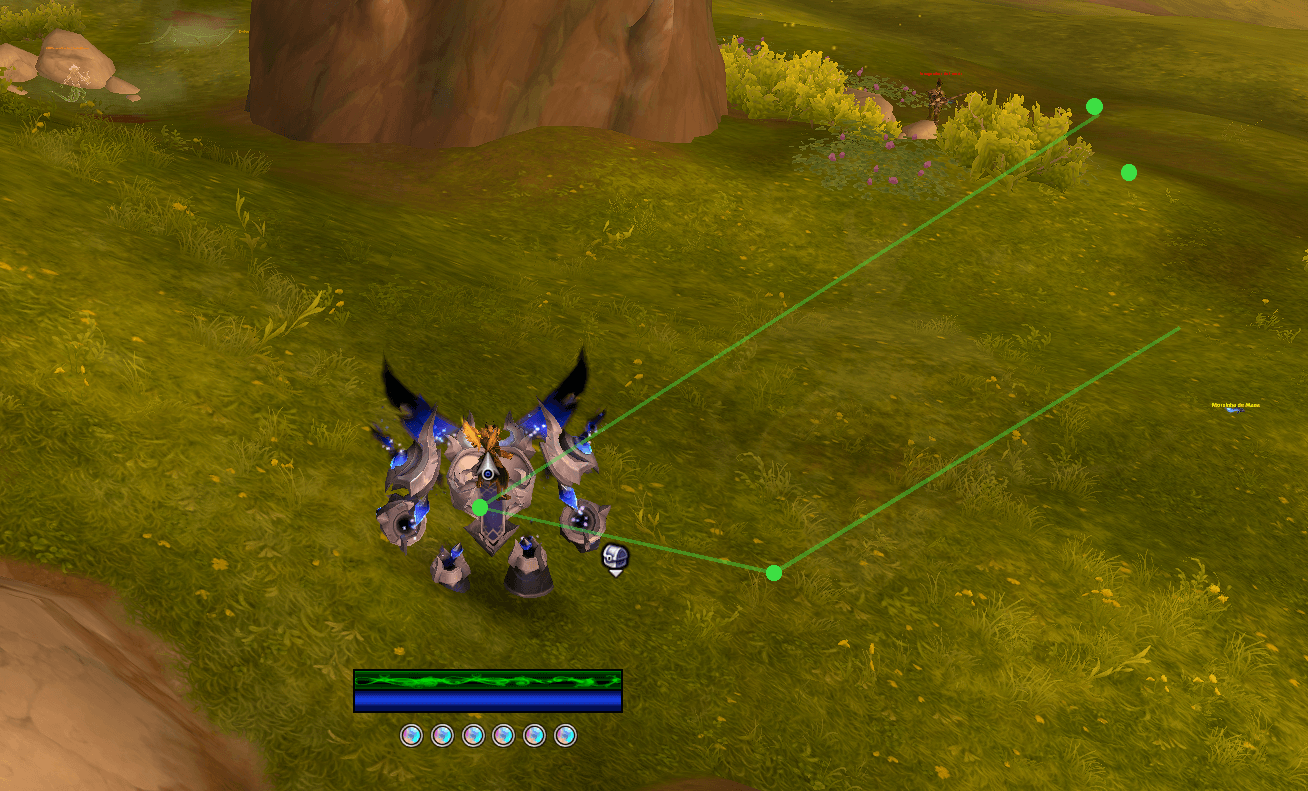
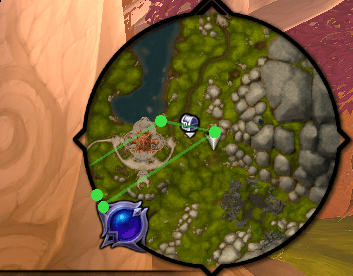
Each herb, ore, fish, or leather node you harvest is saved as a point in that zone. Thin lines connect those points on the hunt overlay and on the world map (M).
Colors: herbs green, ore gold, fish blue, leather brown.
Walking is not recorded. Harvests from creatures (herb mobs) are ignored. If a new pick is within 20 yards of another point of the same profession, no extra dot is created — the last harvest stays. Fish points are only saved when you actually catch a fish.
You can also add, undo, or clear the zone route by hand.
Radar pings
RadarFis watches vignettes, nameplates, and mouseover for known fishing nodes and Blood Hunter sit spots, then flashes a short on-screen ping with distance.
Known Midnight-era pools include Oceanic Vortex, Viscous Void, Bloom Swarm, School of Gems, Starseeker Swarm, Corrupt Sludge, Pustulent Patch, Bloodfin Shoal, Shimmering Pool, Quiet Ripples, and Trickgear Runoff. Generic fishing-pool names are also picked up.
Catch tape and farm journal
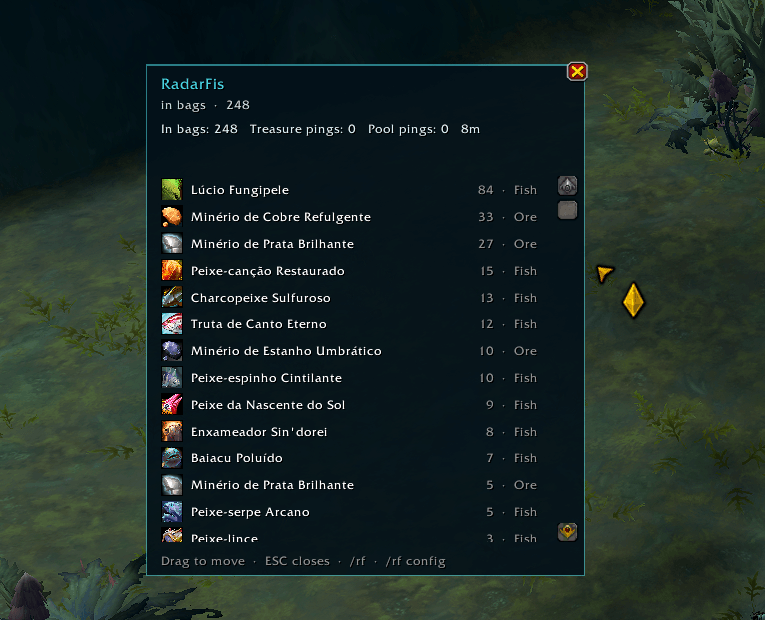
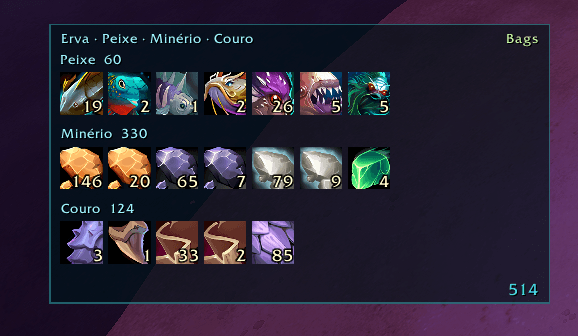
A compact HUD lists herbs, fish, ore, and leather currently in your bags, with stack counts. The Fish row shows caught fish only — cooking reagents, meat, and other junk stay out.
The farm journal adds session totals: items in bags, pool pings, and time spent. Counts can reset each day.
Fish button
An optional cast button throws your rod and reels the bobber. It shakes and switches to Reel when a bite is ready. Right-drag to move it.
Audio focus
While you are fishing, music and ambience drop so splash and bite sounds stay clear. Volumes restore when you stop.
Midnight-safe
No combat-log scanning. Built to stay compatible with Midnight API restrictions.
Commands
/rf or /radarfis — open the farm journal
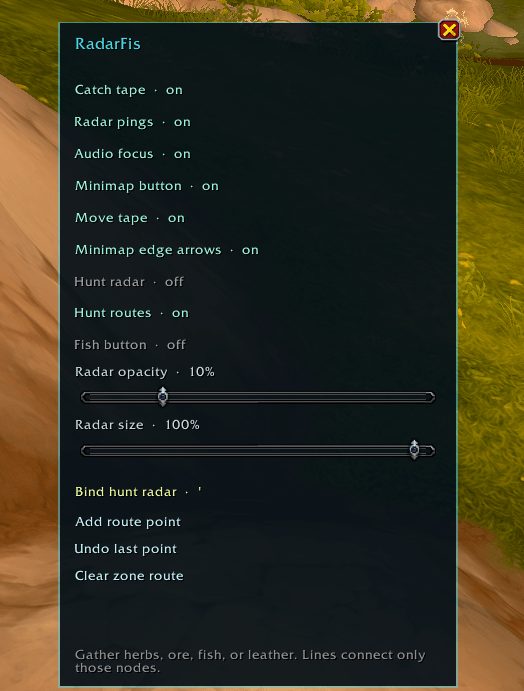
/rf config — settings
/rf farm — toggle hunt radar
/rf hud — toggle catch tape
/rf point — add a route point
/rf unpoint — undo the last point
/rf clearroute — clear the zone route
/rf reset — clear journal counts
/rf test — spawn a test ping
Left-click the minimap button to show or hide the tape and fish button. Right-click for the journal and settings. You can also bind a key for hunt radar from the settings panel.
Options
Catch tape, radar pings, edge arrows, hunt radar, farm routes, fish button, audio focus, minimap button, radar opacity/size, and daily reset — all toggleable in /rf config.
Short store / TOC line:
Hunt radar, catch tape, farm journal, and saved gather routes. Midnight-safe.
RadarFis Team