QuestSift
- By
Smarter quest list: nearest quests first, smart focus, quest arrow and quest mob marks.
Screenshot 2026-11-12 171637.png
001.png
002.png
003.png
Description
QuestSift
A smarter quest list. QuestSift replaces the default quest tracker with its own list that shows the quests that matter right now, nearest first. It also adds an on-screen arrow to your quest, marks on quest mobs and a quest details window.
Made for WoW Forever. Also works on retail.
Quest list
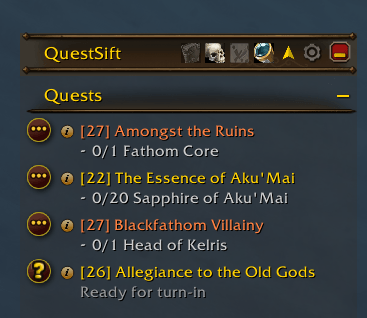
- Replaces the game's quest tracker with a clean list in the same style.
- Filters: only the quests of your zone, or only the quests near you (100–3000 yards, your choice).
- Nearest quest first. Quests ready to turn in move to the bottom.
- Difficulty colours on quest titles (game rules, or your own level limits). Very low quests are marked (Low level).
- Class quests are tracked automatically, stay on top of the list and are marked (Class quest) in your class colour.
- Inside dungeons, raids and battlegrounds the list shows only the quests of that place.
- Quest item button next to each quest that has one.
- Quick buttons on the list title: arrow, quests near me, quests of this zone, hide dungeon quests.
- Stays quiet while flying, in major cities and while you are dead: the list folds up and opens again by itself afterwards.
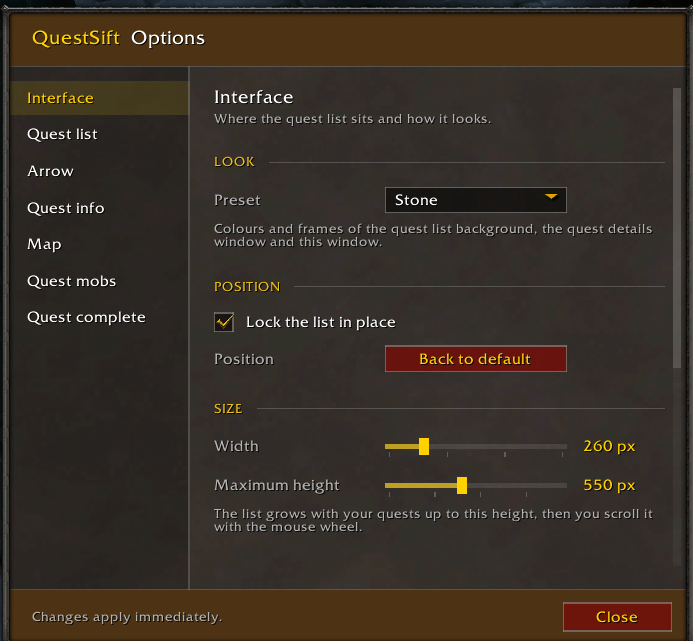
- Move it, lock it, change width, height, scale, text size and background.
Automatic focus and arrow
- Focuses the nearest quest by itself, easier quests first (grey, green, yellow, orange, then red).
- A quest you focus yourself always wins, and is kept after death and after /reload.
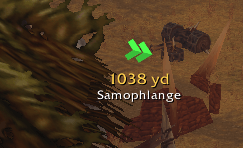
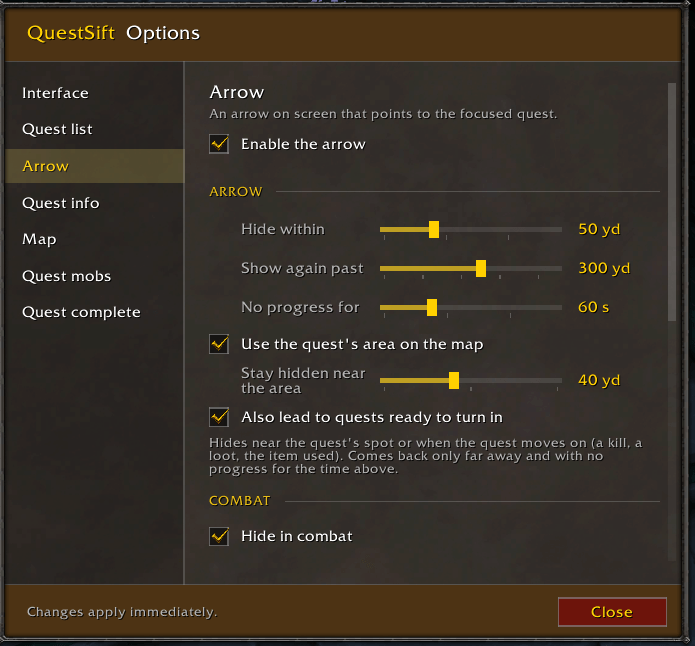
- On-screen arrow to the focused quest, with distance and quest name.
- The arrow hides when you arrive, in combat (with an optional wait after it) and inside dungeons.
- When you die, the arrow leads you to your corpse.
- 7 arrow styles, 9 colours, adjustable size.
Quest mobs
- Marks the mobs you still need on their nameplates, coloured by difficulty, with your progress (e.g. 3/10).
- Optional sound when a quest mob is found. Mobs tapped by others can be ignored.
- Progress next to your cursor on quest objects in the world (e.g. 7/8).
Quest details
- Hover a quest for a short summary of what to do.
- The "i" button opens a details window: objectives, the full quest text and the rewards (items, money, experience).
Map
- Colours the focused quest's area on the world map (8 colours, opacity, outline only) and on the minimap.
Sounds and looks
- Sound when a quest is completed, with a choice of sounds and volume.
- 5 look presets: QuestSift, GearQuest, Midnight, Forest, Stone.
Options
Type /questsift or /qs, or click the gear on the list title. Every feature can be turned on or off.
QuestSift Team