Quest Share Forever
- By
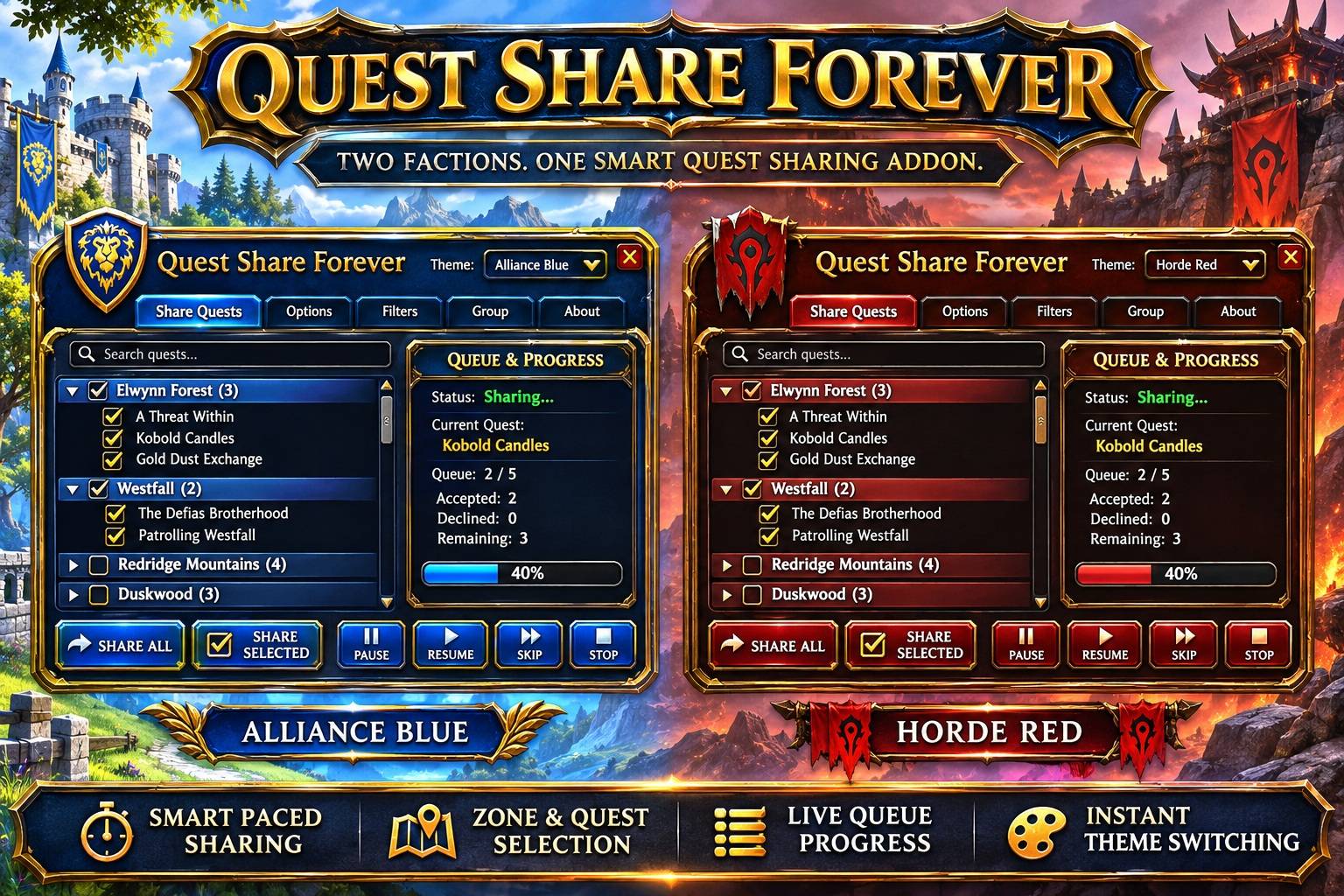
Quest Share Forever makes group quest sharing effortless with smart, paced quest sharing, a live progress tracker, and customizable Alliance Blue and Horde Red interfaces.
Description
Quest Share Forever
The smarter way to share quests with your group in WoW Forever!
Tired of manually sharing every quest in your quest log? Quest Share Forever makes group quest sharing easier with a smart queue, a beautiful fantasy-themed interface, and convenient controls.
Whether you're leveling with friends, exploring new zones, or helping your guildmates, Quest Share Forever helps everyone get on the same page.
Key Features
Smart Quest Sharing
- Share all eligible quests with one click.
- Share quests individually or by zone.
- Automatically queue quests with a configurable delay.
- Track quest-share responses when reported by the game.
- Pause, resume, skip, or stop sharing at any time.
Intelligent Queue System
- Default 3-second delay between quest-sharing attempts.
- Adjustable delay from 1.5 to 15 seconds.
- Waits for reported group responses before continuing.
- Timeout protection helps prevent repeated busy errors.
- Tracks pending offers, acceptances, declines, and sharing progress.
Beautiful Dual-Faction Interface
Choose between two fantasy-inspired themes:
- Alliance Blue: Royal blue panels, gold accents, and a polished fantasy appearance.
- Horde Red: Dark crimson panels, bronze-gold accents, and a bold Horde-inspired design.
Switch themes instantly using the built-in dropdown. Your preference is saved automatically.
Quest Management
- Search your quest log.
- Filter completed and non-shareable quests.
- Select individual quests using checkboxes.
- Share an entire zone with one click.
- View your current queue and progress in real time.
Additional Features
- Movable addon window.
- Convenient minimap launcher.
- Saved settings and window positions.
- Optional incoming batch-accept system for players who also use the addon.
- Party and raid support.
- No external addon libraries required.
How to Use
- Install Quest Share Forever in your WoW Forever AddOns folder.
- Join a party or raid.
- Type /qsf or click the minimap button.
- Select Share All, Share Selected, or Share Zone.
- Let the smart queue manage your quest-sharing attempts.
Slash Commands
/qsf— Open or close the addon./qsf all— Share all eligible quests./qsf selected— Share selected quests./qsf pause— Pause sharing./qsf resume— Resume sharing./qsf skip— Skip the current quest./qsf stop— Stop sharing./qsf delay 3— Set the sharing delay./qsf theme blue— Activate Alliance Blue./qsf theme red— Activate Horde Red./qsf minimap— Toggle the minimap button.
Compatibility
Designed for World of Warcraft Forever, targeting Interface 16001.
Quest availability and recipient eligibility are controlled by the game. Some quests cannot be shared because of level requirements, prerequisites, completion status, or other restrictions.
The optional incoming batch-accept feature requires the receiving player to install the addon and explicitly opt in.
Created by RipGut
Quest Share Forever — Share smarter. Quest together.
Quest Share Forever Team