ForeverBoost
- By
Intelligent performance monitoring, addon diagnostics, adaptive memory maintenance, and a customizable incognito performance bar for WoW Forever. (without sacrificing graphics quality.)
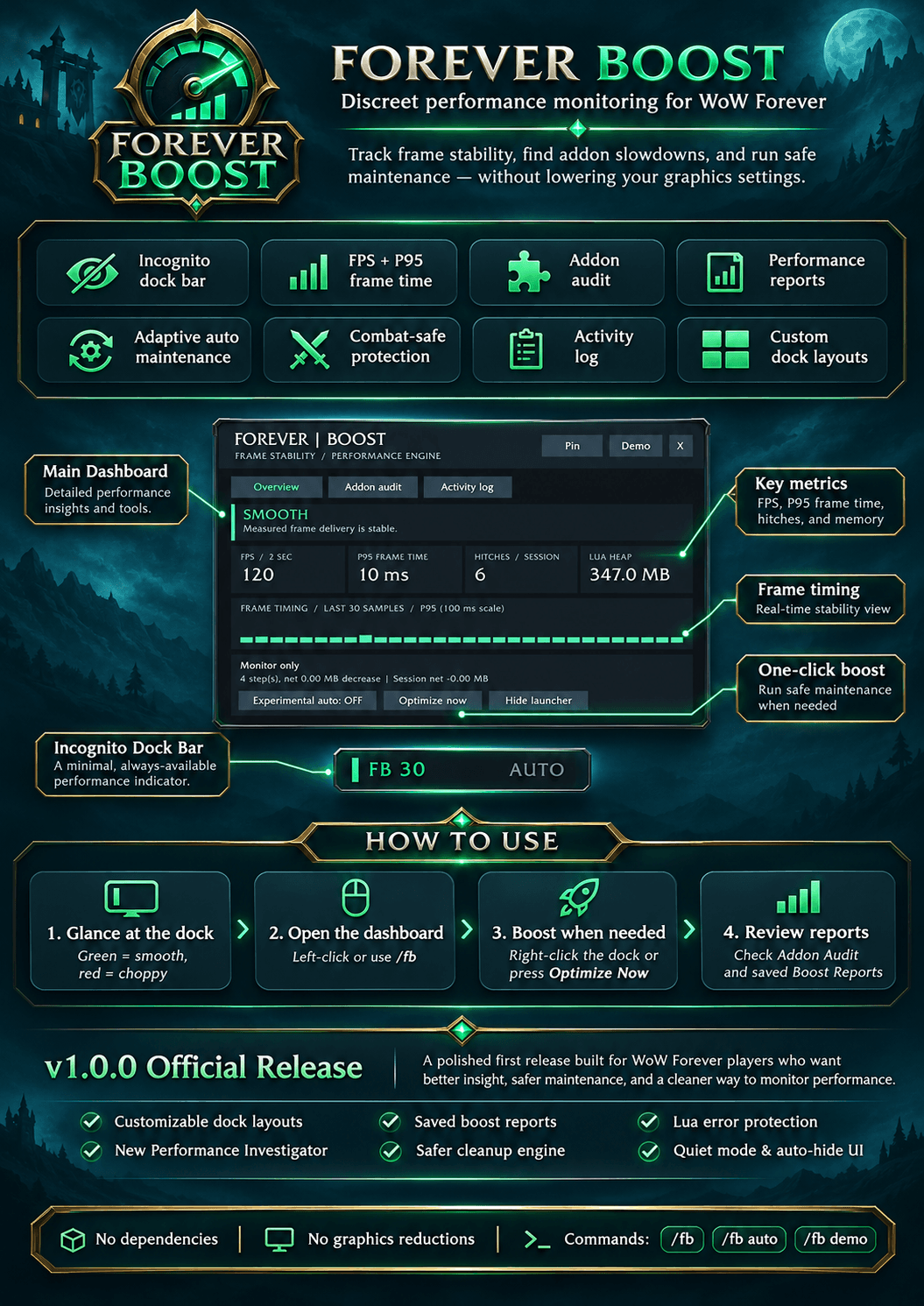
Full feature breakdown
Description
Forever Boost
Monitor smarter. Play smoother.
Forever Boost is an all-in-one performance monitoring, diagnostic, and intelligent memory maintenance addon built specifically for World of Warcraft Forever.
Tired of unexplained FPS drops, random stuttering, and resource-hungry addons? Forever Boost gives you the tools to understand what's happening behind the scenes while keeping your gameplay uninterrupted and your graphical quality untouched.
Features
Incognito Performance Bar
- Discreet, movable performance bar.
- Real-time green, amber, and red performance indicators.
- Minimal, Performance, Full Monitor, and Custom layouts.
- Choose exactly which performance metrics to display.
- Quiet mode automatically fades the bar when idle.
** Real-Time Performance Monitoring**
- Live FPS monitoring.
- P95 frame-time measurements.
- Stutter and hitch detection.
- Lua memory monitoring.
- Real-time frame stability graph.
** Advanced Addon Audit**
- Individual addon CPU and memory usage.
- Memory usage percentages.
- Sortable resource rankings.
- Optional automatic resource refresh.
- Identify potentially resource-hungry addons.
** Performance Investigator**
- Investigate unexplained performance drops.
- Compare addon CPU activity against overall frame timing.
- Record 15-second performance investigations.
- Save and review previous performance reports.
** Intelligent Memory Maintenance**
- Incremental Lua garbage collection.
- Optional automatic background maintenance.
- Adaptive maintenance cooldowns.
- Combat and loading-screen protection.
- Automatic safety shutdown if cleanup becomes too expensive.
- Before-and-after maintenance reports.
** Built With Stability in Mind**
- Lua error circuit breakers.
- Conservative background operation.
- No global interception of other addons' functions.
- No external software or dependencies.
- No changes to your graphics settings.
** Designed Around Your Gameplay**
- Premium dark interface.
- Customizable docked performance bar.
- Auto-hiding dashboard.
- Saved positions and preferences.
- Built-in interactive demo mode.
- Clearable activity history.
Getting Started
Forever Boost monitors your performance automatically after installation.
- Left-click the dock: Open the dashboard.
- Right-click the dock: Request memory maintenance.
- Hover over the dock: View detailed performance information.
- Shift + Drag: Reposition the dock.
- Dock Layout tab: Customize your displayed metrics.
Performance Indicators
🟢 Green: Stable frame delivery.
🟡 Amber: Recovering or fluctuating performance.
🔴 Red: Detected frame instability.
⌨️ Slash Commands
| Command | Description |
|---|---|
/fb |
Toggle the main dashboard |
/fb auto |
Toggle automatic maintenance |
/fb demo |
Preview the addon in demo mode |
/fb hide |
Hide the minimap launcher |
/fb show |
Restore the minimap launcher |
/fb error |
Display addon error diagnostics |
💡 A Different Approach to Performance
Forever Boost isn't another addon that boosts FPS by lowering your graphics settings. It's designed to help you identify performance bottlenecks, manage unused Lua memory responsibly, and understand how your addons affect your gameplay.
Automatic maintenance is optional and disabled by default. Performance improvements will vary depending on your system, installed addons, and the source of your performance issues.
Keep your graphics. Your addons. Your performance. Your control.
Built for Forever. Designed for players.
ForeverBoost Team