Portal Roulette
- By
A polished Mage teleport and portal wheel that lets you quickly cast destination teleports, portals, and special travel options from a stylish roulette-style UI.
Portal Roulette
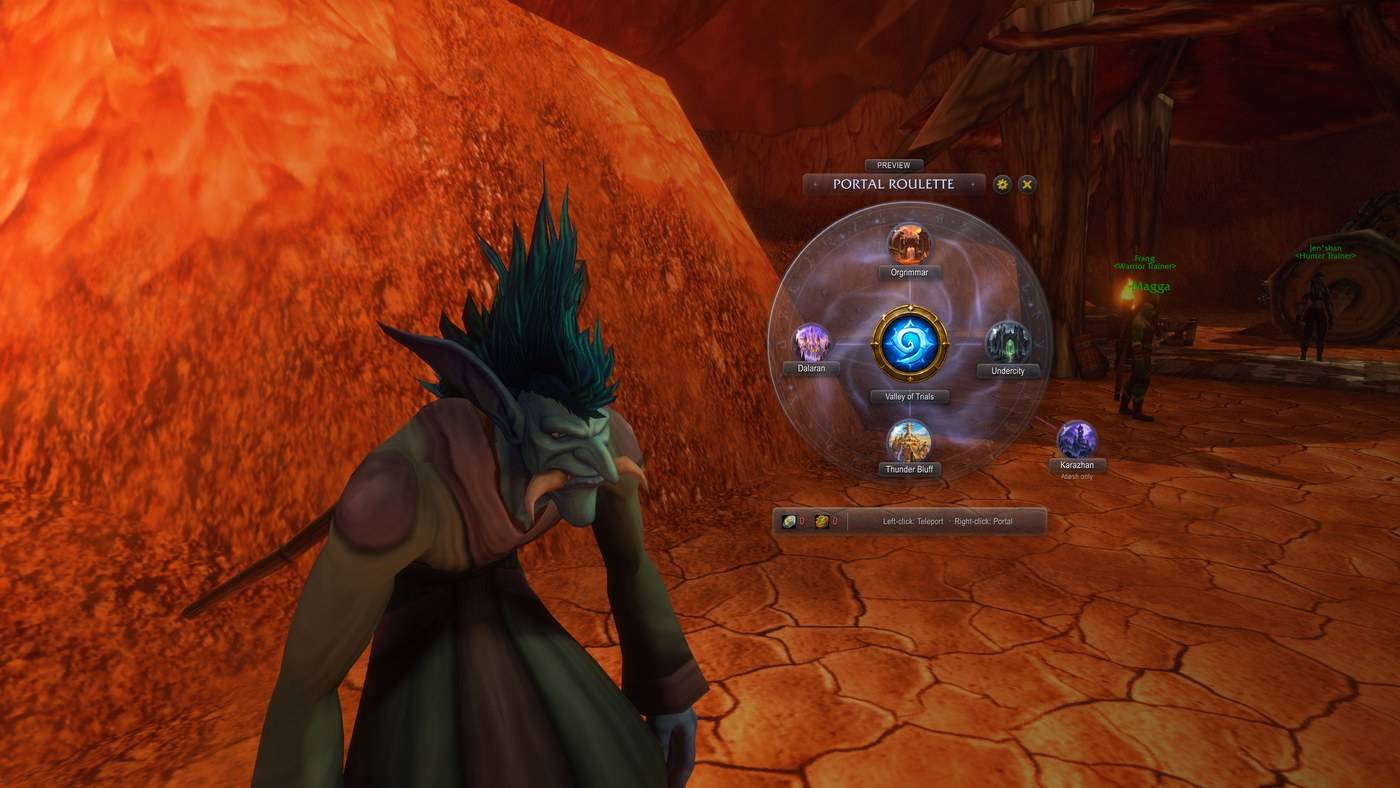
Portal Roulette puts every mage teleport and portal on one frosted-glass wheel, for World of Warcraft: Forever.
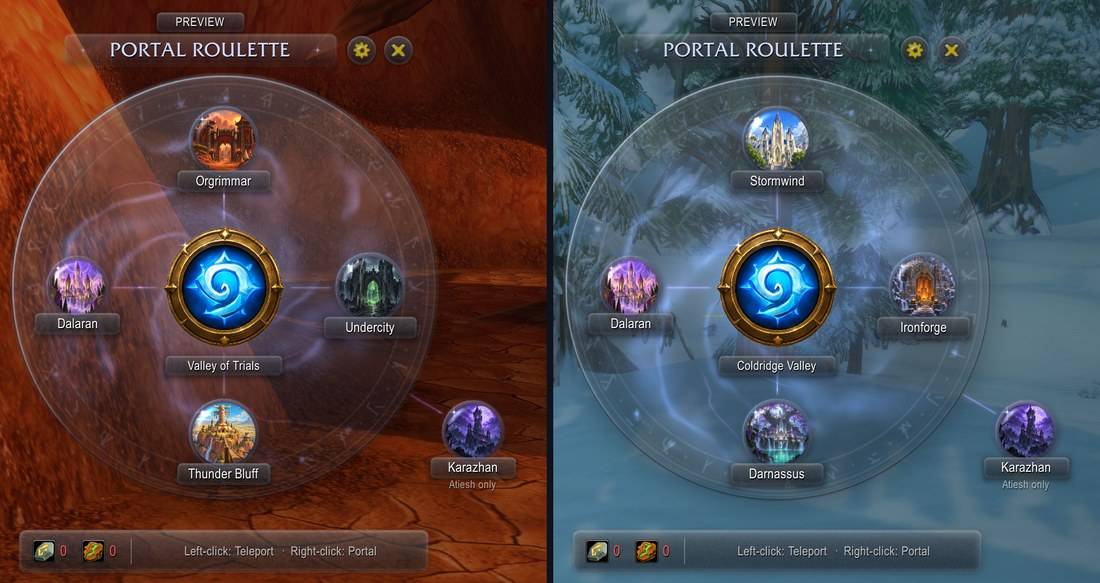
Open the wheel, then left-click a destination to teleport or right-click it to open a portal. Your hearthstone sits in the middle.
Features
- One wheel per faction.
- Alliance: Stormwind, Ironforge, Darnassus.
- Horde: Orgrimmar, Undercity, Thunder Bluff.
- Every faction: Dalaran (Forever's new Teleport: Dalaran) inside the wheel, and Karazhan as a satellite linked to the wheel for Atiesh owners.
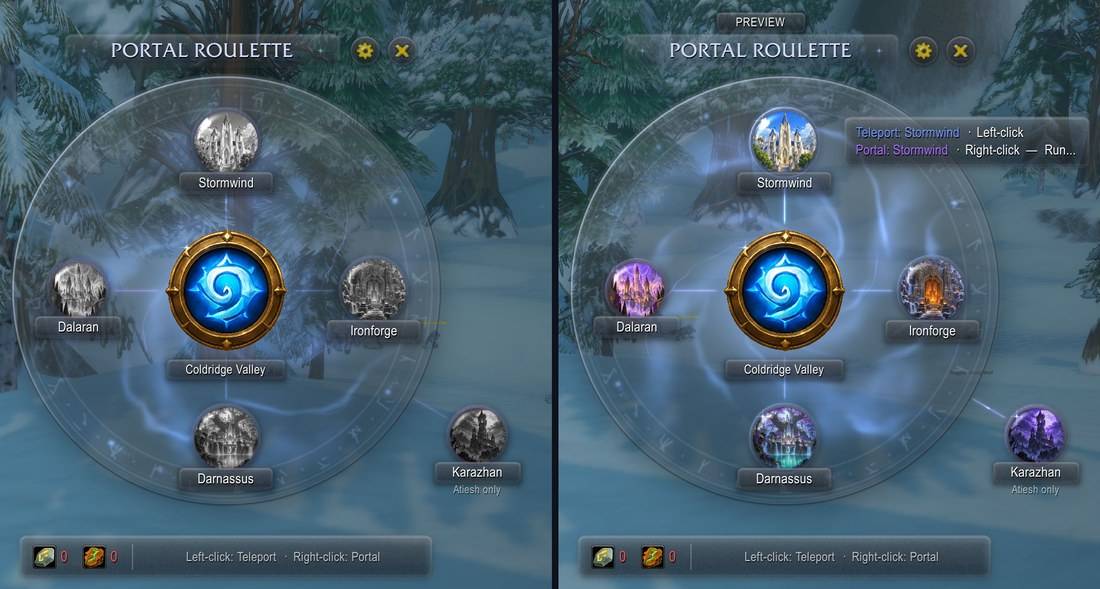
- Left-click teleports, right-click opens a portal, from secure, combat-safe buttons. Destinations you haven't learned yet stay on the wheel, dimmed, and their tooltip shows the level you learn them at.
- Your hearthstone in the centre, with its cooldown and your bind location. A Crumbling Hearthstone is used only when you have no Hearthstone.
- Reagent counts for Rune of Teleportation and Rune of Portals (reagent bag included), with a warning on a destination you can't afford. They hide themselves once you have the Reagent Economy perk.
- Arcane glass look. Slowly circulating energy, small lights orbiting the rim, glowing links with pulses of light running out to each destination, and an occasional shimmer across the glass.
- Cinematic presentation (on by default). The game UI steps aside and your character turns to face the camera. Everything is restored when you close the wheel, enter combat or log out, and even after a crash.
- Never in your way.
- A ready check, group or guild invite, dungeon proposal or loot roll brings the game UI back, with the wheel still open. The UI hides again once you've answered.
- Pressing Enter to chat brings the game UI back too.
- Combat closes the wheel instantly.
- Group friendly. It can announce your portals, and asks before you teleport away from your group.
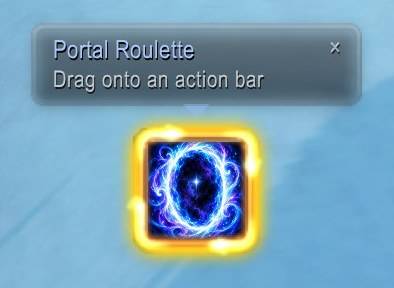
- Launcher button you can drag onto an action bar. It glows until you place it, and hides itself once it's on a bar. Also: a minimap button, an Addon Compartment entry and a key binding.
Screenshots
One wheel per faction, Horde and Alliance:
Before and after learning: unlearned destinations are greyed out. Hovering a destination shows both spells and what they need:
The launcher glows until you drag it onto an action bar:
Launcher
| Action | What it does |
|---|---|
| Click | Open or close the wheel |
| Drag | Place the Portal Roulette macro on an action bar |
| Shift-drag | Move the launcher (unless locked in the options) |
| Shift-right-click | Open the options |
Options
Options → AddOns → Portal Roulette:
- Wheel: reagent counts (auto, always, hidden), Karazhan without Atiesh, grouped-teleport confirmation, wheel scale.
- Animation: all animations, idle motion, hover effects.
- Sound: sounds, hover sounds, sound set (Portal Roulette or game UI sounds), volume channel.
- Presentation: hide the game UI, cinematic camera, camera orbit, cast framing.
- Launcher: lock, minimap button, glow (blue pulse, spell alert or off), scale.
- Group broadcast: announce portals or teleports.
Commands
| Command | What it does |
|---|---|
/pr |
Open or close the wheel |
/pr options |
Open the options |
/pr preview |
Show every destination without casting (handy on a low-level mage) |
/pr reset |
Reset the wheel and launcher positions |
/pr debug |
Print the wheel's state (for bug reports) |
/pr debug trace on|off |
Record why the wheel closes, to SavedVariables (for bug reports) |
Requirements
- WoW: Forever (Interface 16001). The TBC Anniversary version is frozen at tag
v0.1.1-tbc. - Mage characters only. Other classes get no UI at all.
Embedded libraries (installed automatically with the release): LibGlass-1.0, LibShowcase-1.0, LibStub, CallbackHandler-1.0, LibDataBroker-1.1, LibDBIcon-1.0.
Portal Roulette Team