AltStable -- Forever Edition
- By
Track gear, gold, professions, recipes, and reputations across your characters in one clear roster dashboard.
AltStable — Forever Edition
All your characters in one window, for World of Warcraft: Forever. You can see their gear, professions and recipes, reputations, gold, rested XP, raid lockouts, and what's in their bags and banks. You can also stand them together as a roster.
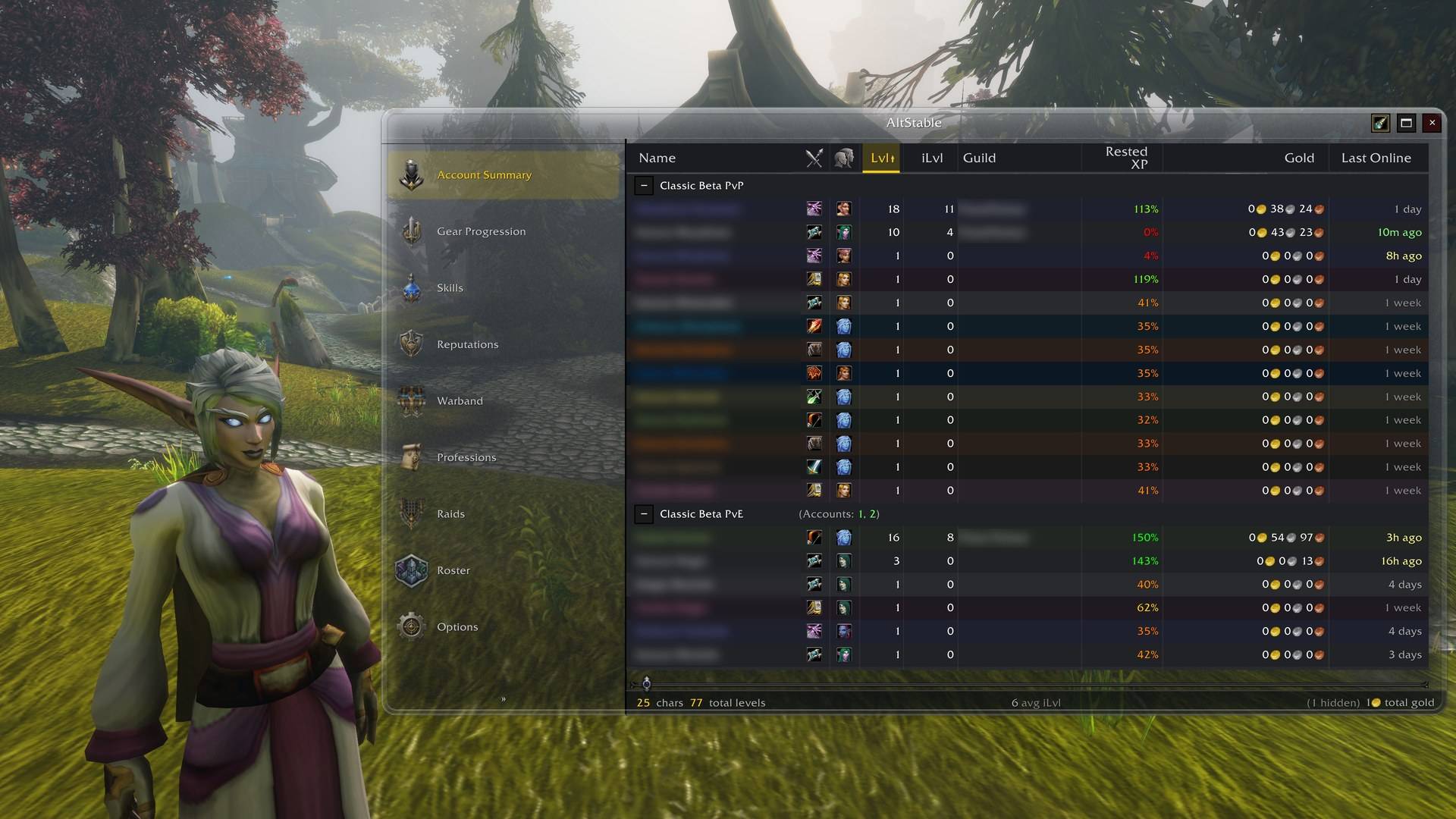
Three pieces, and only the first is required
| Piece | What it is | Do you need it? |
|---|---|---|
| AltStable (this addon) | Tracks and compares your characters in the game | Yes. It is complete on its own |
| AltStable Companion | A free Windows app that turns your portrait captures into the Roster's character portraits | Only for portraits in the Roster |
| Enhanced portraits | A setting in the Companion that asks the Codex CLI on your PC for a nicer picture of each portrait | No. It's off by default and uses your ChatGPT account's usage |
Install
Install AltStable from CurseForge, either with the CurseForge app or by unzipping it
into the Interface\AddOns folder inside your Forever game folder. The download contains
five folders (AltStable and its four tabs); keep all of them. Then start the game, or
restart it if it was running.
Type /alts or click the minimap button to open the window.
How characters get tracked
AltStable can only read the character you are playing, so:
- Log in on each character once. It is recorded at login and kept up to date while you play. A character you have not logged into since installing is simply not there yet.
- Open your bank once on each character for the Warband tab. The game only lets an addon read a bank while it is open. Bags are read without asking.
- Open each profession window once for the Professions tab to know its recipes. Until then, the profession shows as "not scanned".
- Raid lockouts come from the game's saved-instance list, which is read at login.
Where something is missing, the tab says what to open. Data from another of your WoW accounts arrives through sync (below).
The tabs
- The sheet has one row per character: level, gear and item level, professions, reputations (Vanilla's and Forever's own factions), gold, rested XP. Sort by any column. Right-click a character to hide it, mark it a favourite, or forget it.
- Warband shows every item across all your characters' bags and banks, laid out like a warband bank, with your own tabs. Hovering an item shows who holds how many, and item tooltips in the game can show the counts too.
- Raids shows who is saved to which raid and when each resets.
- Professions shows which character knows which recipe. Recipe items in the game (at a vendor, in the auction house) can show who already knows them.
- Roster shows your characters as character cards, or standing together around a campfire in camps of four, each camp with its own backdrop. Click a character for its paper doll and stats.
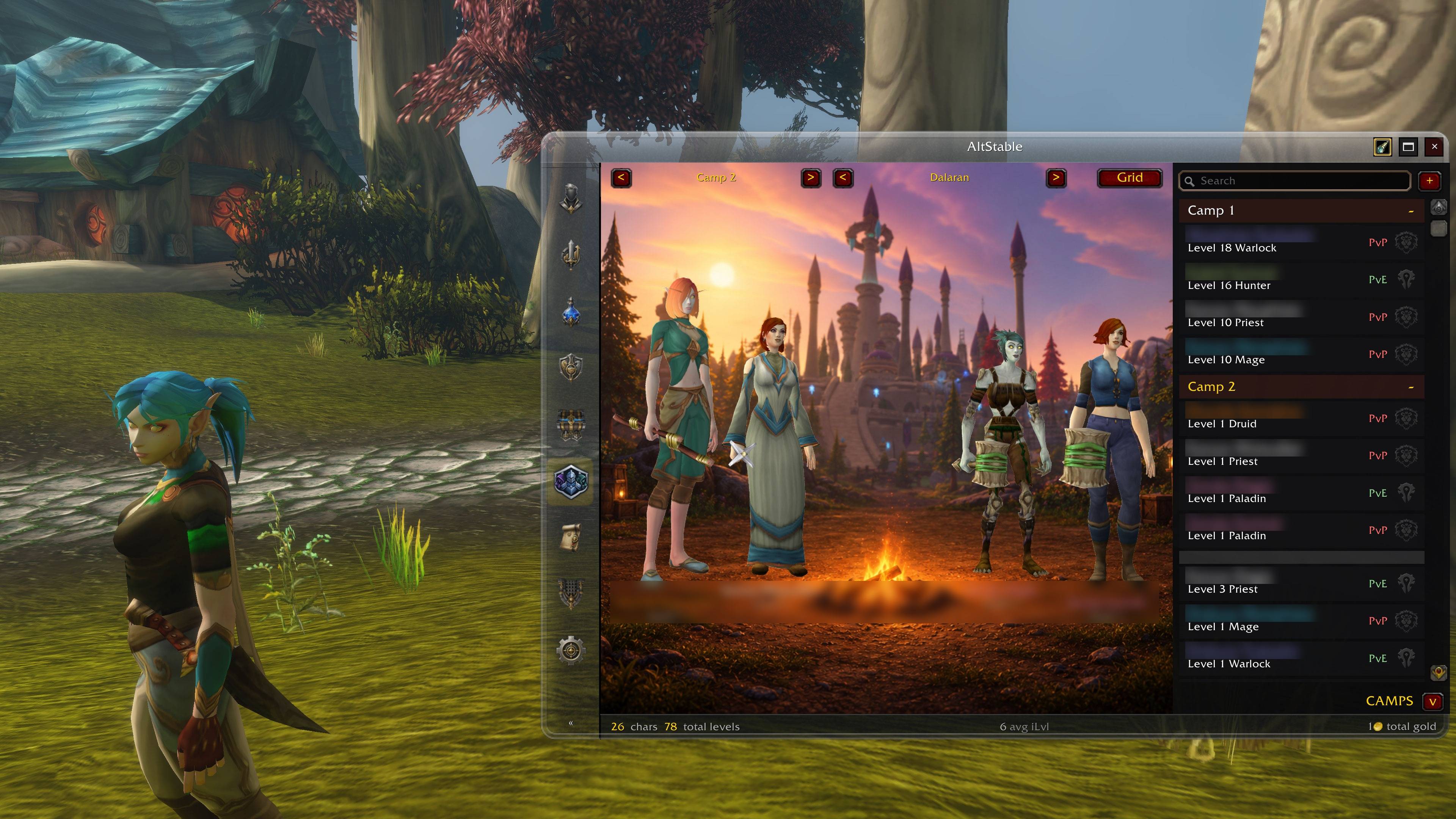
Roster portraits from your own captures, made by the free AltStable Companion.
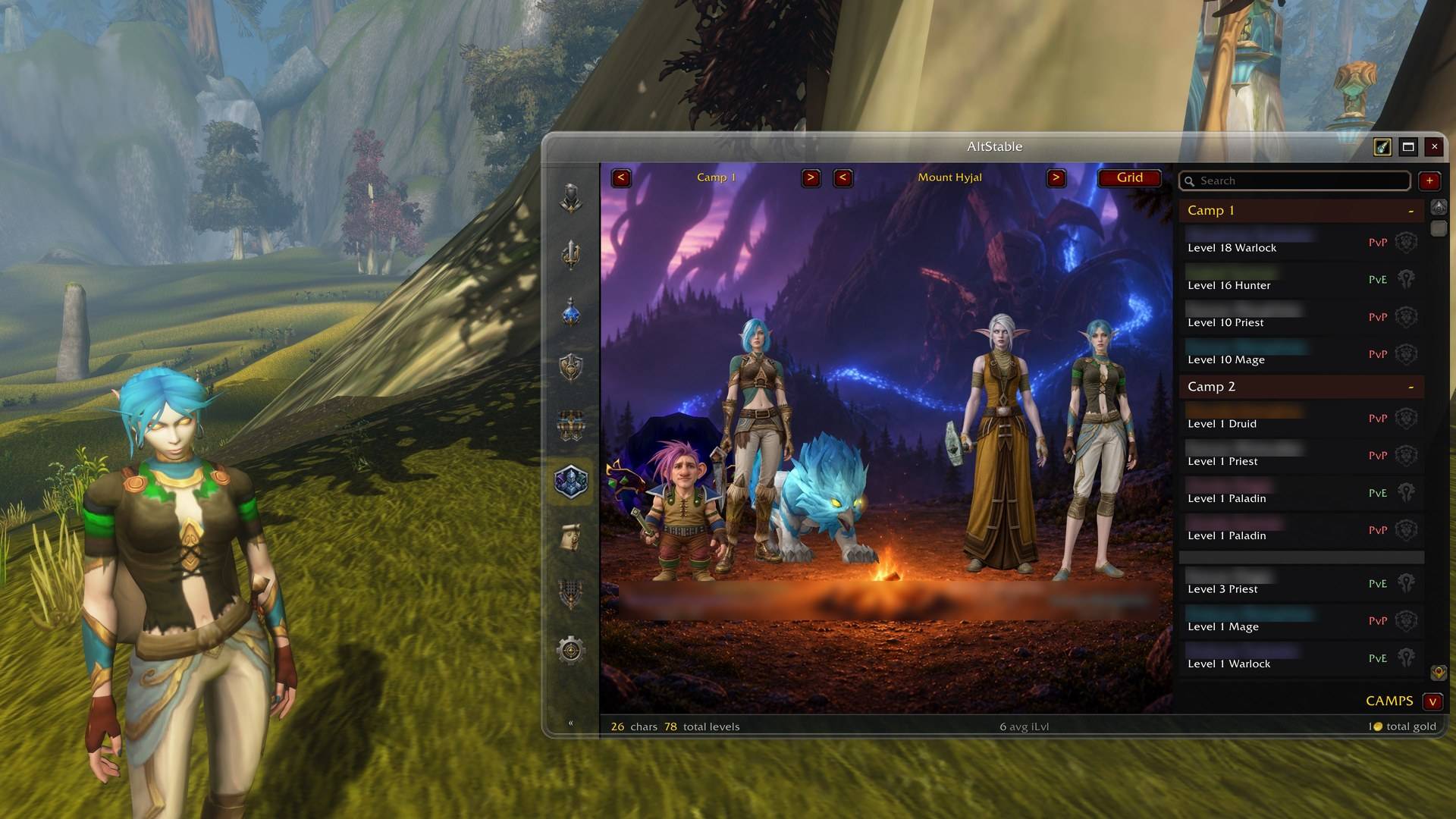
Another camp, with the optional enhanced portraits (Codex CLI, uses your ChatGPT account's usage).
Your first portrait (optional)
The Roster draws your characters from portraits you capture yourself. You need AltStable Companion for this. Clicking the Roster's hint in the game shows its link.
- Install and start AltStable Companion on your PC, and press Start watching.
- In the game, on the character you want, type
/alts portrait(or press the spyglass button on AltStable's title bar). The interface hides for about three seconds while two screenshots are taken. - Accept the reload that AltStable offers. The capture only reaches the Companion on a reload or a logout.
- The Companion makes the portrait within seconds.
- The very first time only: quit the game completely and start it again. The
Companion creates a new addon folder, and WoW only finds new addon folders when it
starts. After that, a
/reloadis enough.
The spyglass button glows when the character you are on has no portrait yet, or its gear has changed since the last one.
A portrait is the character exactly as the game draws it when you capture. With the client's
SD (classic) character models switched on, your portraits will most likely come out in SD too.
Switch HD models back on before /alts portrait if you want HD portraits.
Your other accounts (sync)
- Your other WoW accounts on the same Battle.net account find each other and sync automatically, across factions and rulesets. Options has an off switch.
- Another account or player can be added with
/alts whitelistand the name. - Nobody gets your characters without asking. Someone you have not allowed gets a prompt on your side (Allow, Not now, Never), and Options lists every answer so you can change it.
Updating
Update through CurseForge as usual. Your characters, camps and portraits are kept: they
live in the game's saved data and in the Companion's AltStableCutouts folder, neither of
which an update touches.
Updating while the game is running? Type /reload (or restart) afterwards: until then a
window can show bright green where the glass should be.
The Companion has its own Check for updates under Help → About.
Commands
| Command | What it does |
|---|---|
/alts |
Open the window |
/alts help |
List the commands |
/alts status |
Versions and counts, as one line to copy into a bug report |
/alts portrait |
Capture this character for the Roster |
/alts sync [name] |
Sync now, with everyone or one character |
/alts whitelist [remove] [name] |
Who you sync with |
/alts favourite / unfavourite [name] |
Pin a character to the top |
/alts forget / unforget [name] |
Remove a character that no longer exists (or bring it back) |
/alts export |
Every character as a spreadsheet |
/alts config |
Options |
Reporting a problem
Open an issue on GitHub and include:
- the line from
/alts status, which opens ready to copy and has no character names in it; - what you did, what you expected, and what happened instead;
- for a portrait problem, the Companion's diagnostics too: Help → Save diagnostics… in the Companion writes one text file to your Desktop to attach. It holds no account folder names and nothing is sent anywhere. Companion 0.1.0-beta.2 and earlier don't have it yet; attach the log from Help → Open log instead.
Lua errors are hidden by default on this client. If something seems broken, type
/console scriptErrors 1 and do it again; the error text is the most useful thing you
can send.
Licence
AltStable's own code is MIT — see LICENSE, which also ships inside the addon.
The bundled libraries are not covered by it. Each is redistributed under its own terms and stays the work of its authors: LibStub (public domain), LibDeflate (zlib), LibGlass-1.0 (MIT), and ChatThrottleLib (no stated licence — embedded by convention).
Source and issues: github.com/Spotnick2/AltStable.
AltStable -- Forever Edition Team