
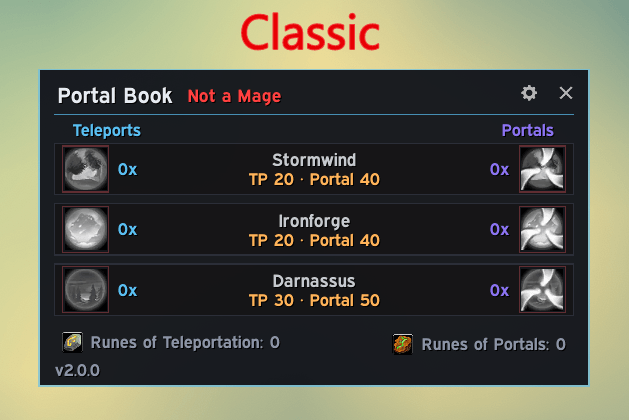
Classic Interface
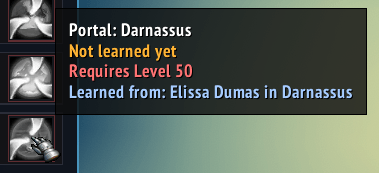
Tooltip (Every Version)
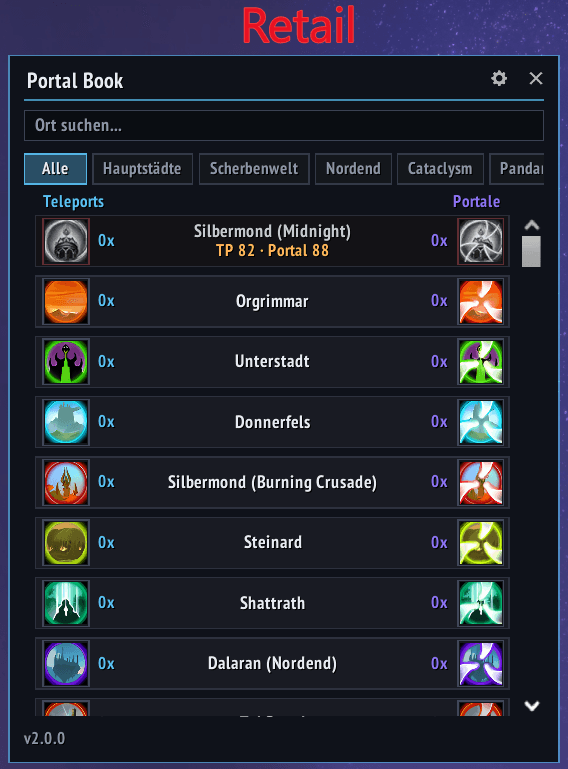
Retail Interface (Screenshot in German)
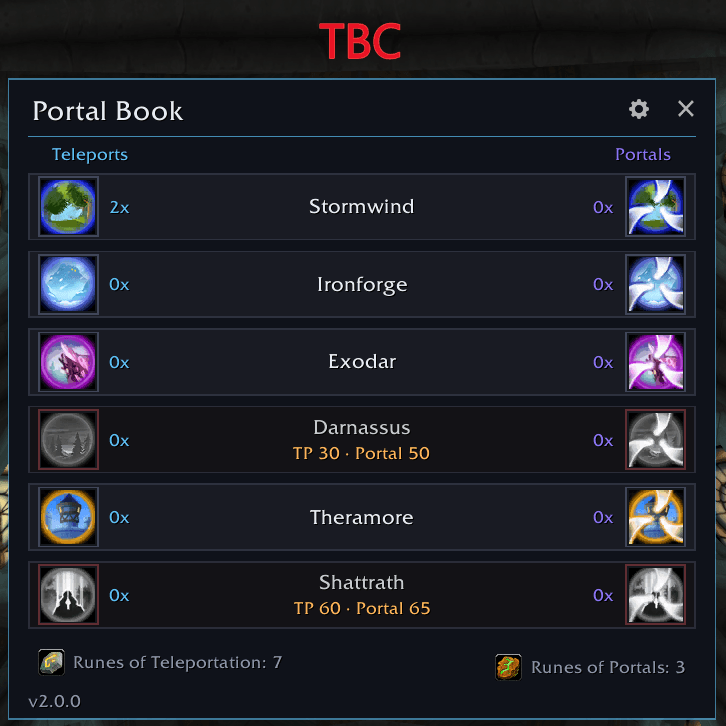
TBC Interface
Description




PortalBook is a lightweight addon for Mages that provides a clean, modern interface to access all Teleport and Portal spells in one convenient window.
Supports Retail (Midnight), Burning Crusade Classic, and Classic Era.
Features
- Modern UI: Dark panel with teleports on the left, portals on the right, and destination names in the center – always faction-aware (Alliance/Horde)
- Smart spell detection: Learned spells are ready to cast. Unlearned spells show as desaturated/red with level requirement and where to learn them. Newly learned spells appear instantly, without reopening the window
- Clickable spell buttons: Cast teleports and portals directly from the interface
- Minimap button: Left-click to open/close, right-click + drag to move it around the ring; can be hidden in the settings
- Movable & resizable window: Drag to reposition, position, size and all settings are saved automatically. Press
Escto close - Class check: Non-mages see a red “Not a Mage” warning in the title bar
- Cast counter: Counts every teleport and portal you cast – including casts straight from the spellbook, regardless of the active tab
- Party/raid announce: Optional “Open a Portal to X” message when you open a portal (portals only, never plain teleports), always posted in English so the whole group reads the same message
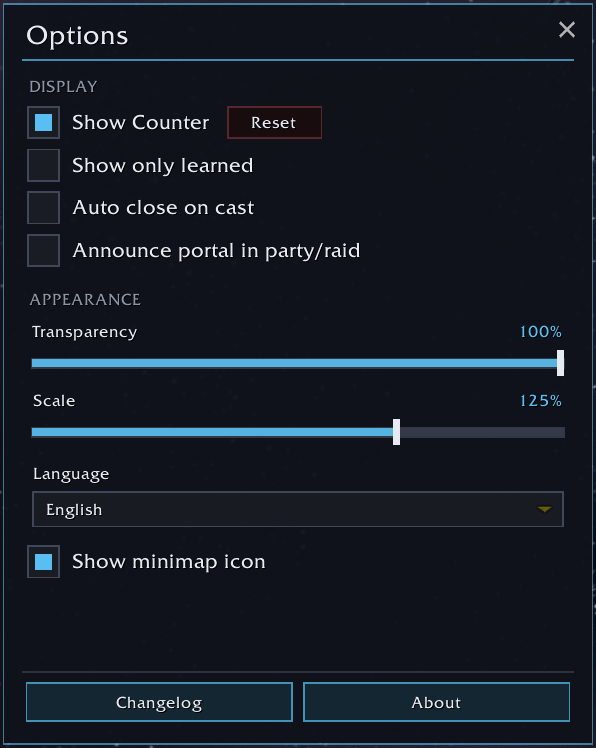
Settings
Open with the gear icon in the title bar. All controls are custom-themed to match the interface (checkboxes, sliders, dropdown).
- Show counter with a reset button (on by default)
- Show only learned spells (off by default)
- Auto-close the window on cast (off by default)
- Announce portal in party/raid (off by default)
- Transparency slider for the whole interface
- Scale slider – resizes the main window and every popup (70–150 %)
- Language selector – force any bundled language in-game, no
/reloadneeded. “Automatic” follows the game client - Minimap icon toggle
- Changelog and About buttons at the bottom open their own popups (the changelog never pops up on its own)
Client differences
Retail
- Expansion filter tabs (including “All”)
- Search bar and scrollable destination list
- Destinations from capitals through current expansions
Classic / TBC
- Same look as Retail, without tabs, search, or scrollbar
- Flat destination list with compact window height
- Rune of Teleportation / Rune of Portals counts in the footer
- Learn tooltips with the correct portal trainer per city
Supported Spells
Retail
Capitals and hubs across expansions (Alliance/Horde/neutral as appropriate), including Outland, Northrend, Cataclysm, Pandaria, Warlords, Legion, Battle for Azeroth, Shadowlands, Dragonflight, The War Within, and Midnight.
Burning Crusade Classic
Alliance: Stormwind, Ironforge, Darnassus, Exodar, Theramore, Shattrath
Horde: Orgrimmar, Undercity, Thunder Bluff, Silvermoon, Stonard, Shattrath
Classic Era
Alliance: Stormwind, Ironforge, Darnassus
Horde: Orgrimmar, Undercity, Thunder Bluff
Languages
- English (enUS)
- German (deDE)
- French (frFR)
- Spanish (esES)
- Spanish (esMX)
- Italian (itIT)
- Russian (ruRU)
Usage
- Type
/portalbor/pb, or click the minimap button, to toggle the window - Drag the window to reposition it, use the Scale slider in Options to resize it (position and size are saved automatically)
- Press
Escto close the window - Optional: create a macro with
/portalbto open the UI from an action bar button
Portal Book Team


![Titan Panel [Weapon Skills] project image](https://media.forgecdn.net/avatars/thumbnails/1645/676/256/256/639051049491826967.png)