Nucleus (A Cell inspired Frame Addon)
- By
A raid frame addon inspired by Cell. The Idea grew out of maintaining my own fork of Cell.
Description
Nucleus
Modern, highly customizable party and raid frames for World of Warcraft.
Feedback wanted. Nucleus is still young, so you may run into bugs or rough edges. If you find one, miss an option or just have an impression, please tell me on Discord, through GitHub issues (links at the bottom) or in a comment here. Every bit helps.
Why Nucleus
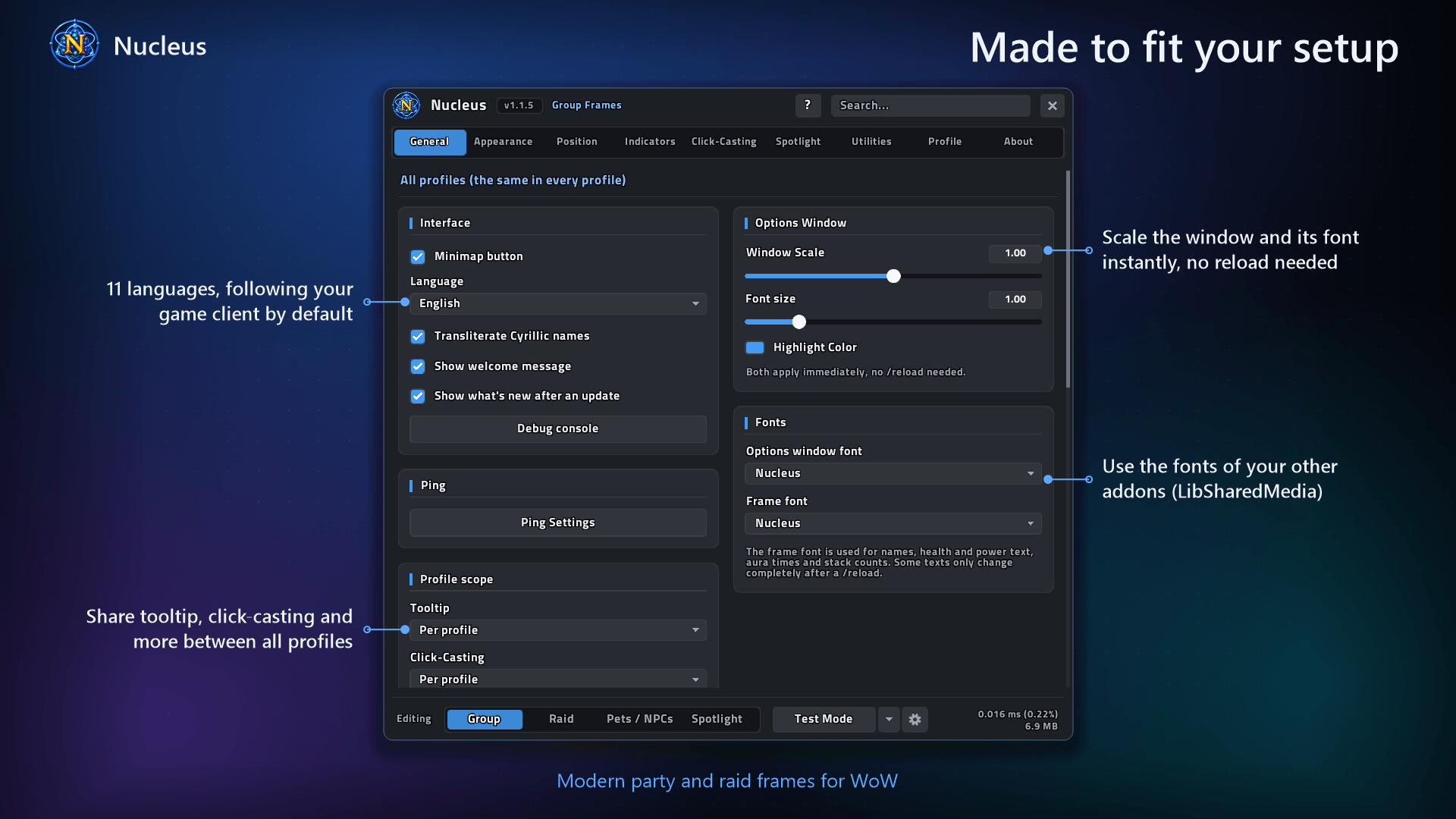
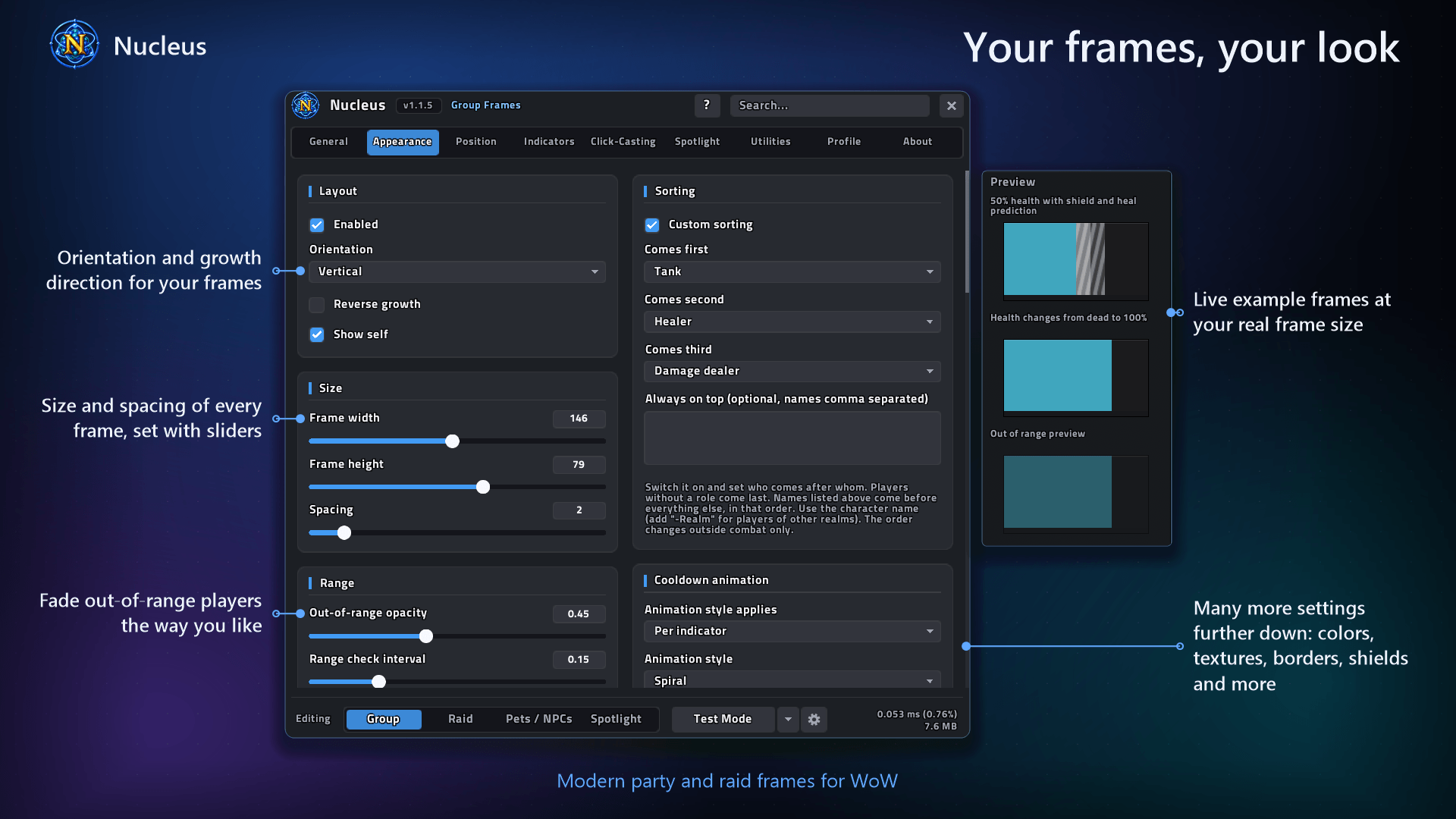
Quick to set up, deep when you want it. Every settings page has a live preview, and almost everything about how your frames look and behave can be changed from one options window, with a search to find any setting.
A word from the author
I used to maintain a fork of Cell. Nucleus is a separate addon, written from scratch without any of Cell's code. Cell fork: https://github.com/NeeRgY/Cell
Getting started
- Open the options with /nuc (or /nucleus) or with a click on the minimap button.
- Use the mode bar at the bottom of the options window to switch between Party, Raid, Pets, Spotlight and more.
- On the Appearance tab, example frames next to the window show every change at the real size of your frames.
- Click the ? button in the title bar of the options for a short Help / FAQ, with buttons that take you straight to the setting.
- After an update, a short "What's new" window shows the changes once. It can be switched off under General > Interface.
Features
Frames
- Party and raid frames, plus frames for your pet, group pets and NPC companions
- Party target frames: the target of each party member, optionally only for tanks, healers or damage dealers
- Spotlight: pin tanks, healers, players by name, your target, focus or target's target
- Raid groups on a grid: choose how many groups per row and which direction they flow
- Spotlight, pet and target frames can hang on the party or raid frames and follow them as the group grows
- Sorting by role, class or group, with your own order and pinned names
- Test mode and live previews for every setting
Health bars and colors
- Health bars that fill left to right, bottom to top or top to bottom, with bar and background opacity
- Class colors you can change for each class, plus a slider to darken all of them
- A gray "Dead" text and a dead color for fallen players
- Target and mouseover borders you can hide or make see-through
- Heal prediction, absorb shields and heal absorbs, and an overheal display (WoW Forever)
- Shield and heal absorb numbers next to the health text, each with its own format, color and prefix
Indicators
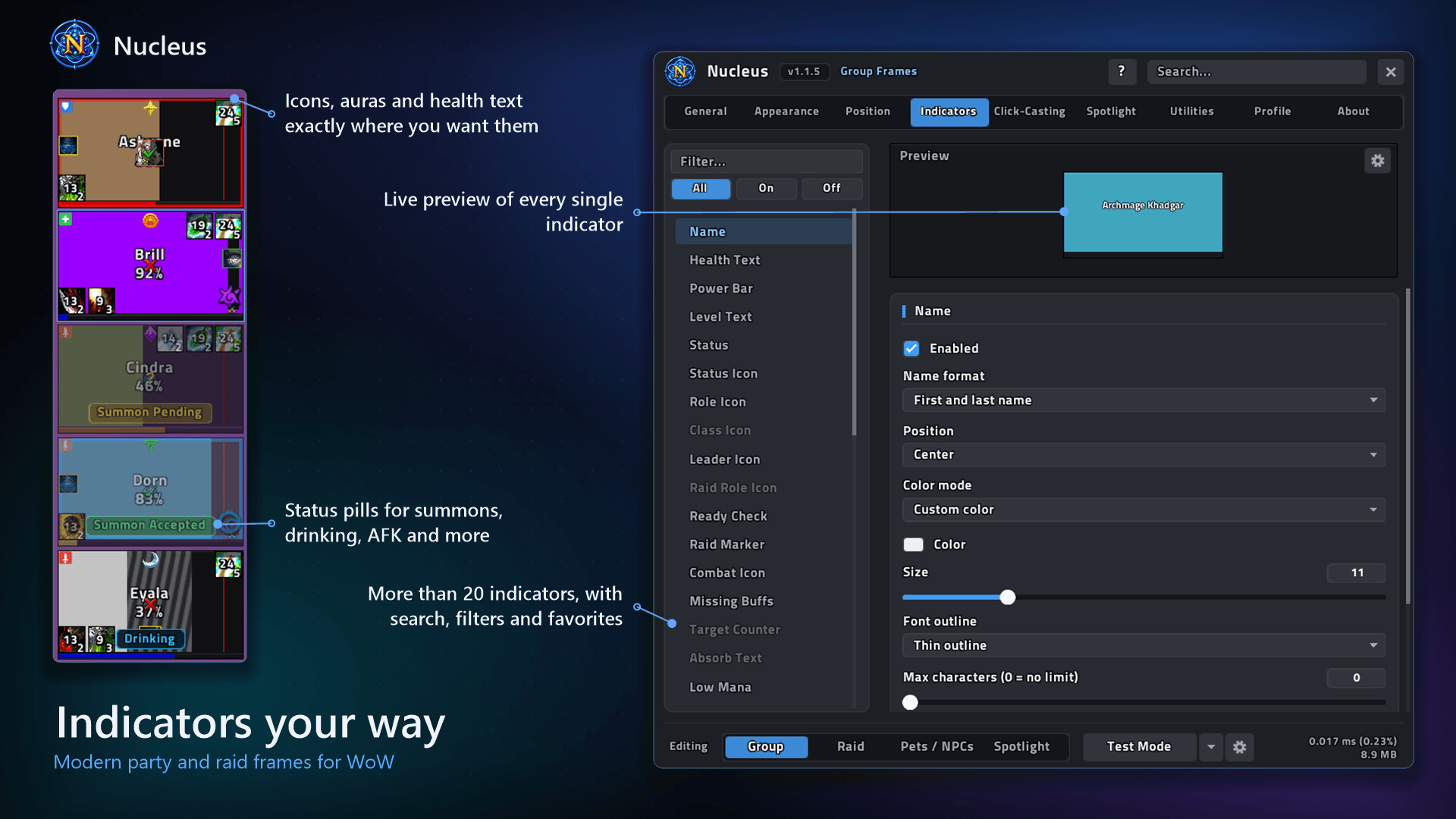
- Name, health text, power bar, role, leader, ready check, raid marker, combat icon, absorbs, health thresholds, aggro border, private auras, cast bar and more
- Status text (AFK, offline, dead, ghost, summons, drinking) with a timer and nine placement spots
- Low Mana tag with your own threshold, text, color and blink, for healers or for everyone
- Missing raid buffs with a colored border or a glow you can tune (thickness, speed and more), shown on all frames, only on yours or only on the others
- Power bar colors by resource or by role, with a custom color per bar
Auras
- Aura rows for buffs, up to four debuff rows, dispellable debuffs, defensive, external and offensive cooldowns (also combined in one row) and crowd control, each with an optional glow
- Your own indicators: icons, text, bars, borders, overlays and glows for the auras you pick
- Aura sounds that the game plays itself, so they also work in combat
- Built on the game's own aura engine, so auras keep showing in combat on the current Retail client
Click-casting
- Per class and per specialization, with saveable presets and resurrection spells
- Smart resurrection: uses the normal or the combat resurrection depending on the situation
- Your bindings can be listed in the frame tooltip
Profiles
- Automatic switching by situation, specialization or role
- A master profile that other profiles can follow, for the parts you choose
- Export, import, backups and an importer for Cell profiles
Utilities
- Ready and pull timer, battle resurrection tracker, marker bar, death report
- Buff Tracker: shows who is missing which raid buff, right click to tell the group (optionally for the buffs of every class in the group)
- Every tool has its own block that you can fold shut
- Targeted spell bars, ping mirror, and short animations when a group member uses a potion or Healthstone
Options
- A clean options window with live previews and a search (Ctrl+F)
- The Indicators list has a search, an All / On / Off filter and stars to pin your favorites
- Test Mode has its own settings to choose which indicators and aura rows the test frames show
- Fonts and bar textures from LibSharedMedia-3.0, font outline styles including Shadow, 11 languages, names in Chinese, Japanese and Korean
Some of the newer features are only in the Retail and WoW Forever versions, not in the Classic and TBC versions.
Clients
- Retail (Midnight, 12.1, 12.1.5 and 12.1.7)
- WoW Forever 1.60.1
- Classic 1.15.8 and 1.15.9
- TBC 2.5.6
Commands
| Command | What it does |
|---|---|
/nuc or /nucleus |
Opens or closes the options |
/nuctest |
Toggles the test mode |
/nucanchor |
Toggles the anchors for moving the frames |
/nucnews |
Opens the "What's new" window again |
Support and feedback
- Discord: https://discord.gg/HTgSf7Bjy8
- GitHub: https://github.com/NeeRgY/Nucleus
If you report a bug, I may ask you to run one of these commands and send me the result. Some of them exist only in certain game versions.
| Command | What it does |
|---|---|
/nucdebug |
Click-casting bindings and frame state |
/nucauras [unit] |
The auras of a unit as the game reports them |
/nucorder |
How the custom order sorted the raid |
/nucsize |
Configured and real size of the frames |
/nucnpc |
What the game reports about NPC companions and followers |
/nucblizz |
Blizzard frames that are still visible |
/nuctaint and /nuctaintlog [on\\|off] |
Info about blocked actions (taint) |
/nucconsole |
Opens the debug console |
License
All rights reserved. You may modify the addon for private use only and may not redistribute it.
Nucleus (A Cell inspired Frame Addon) Team