PlateSCT - Scrolling Combat Text
- By
Scrolling combat text for WoW Midnight, Forever, and Classic. Choose Modern, Classic, or Impact styles, with damage filters and optional crit sounds.
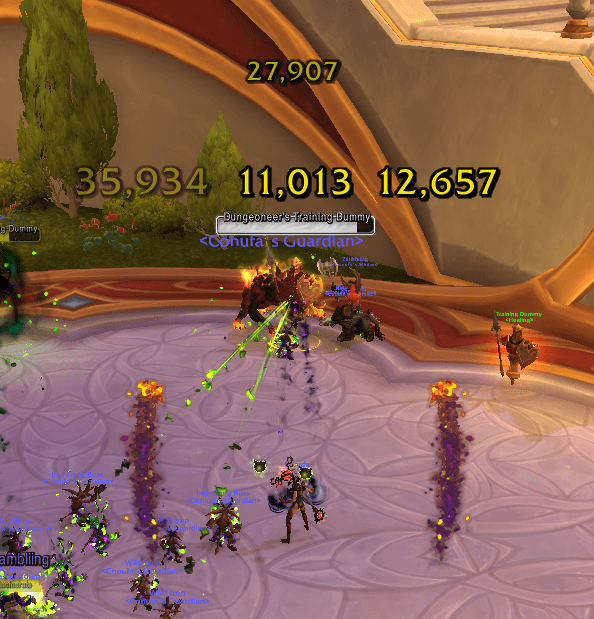
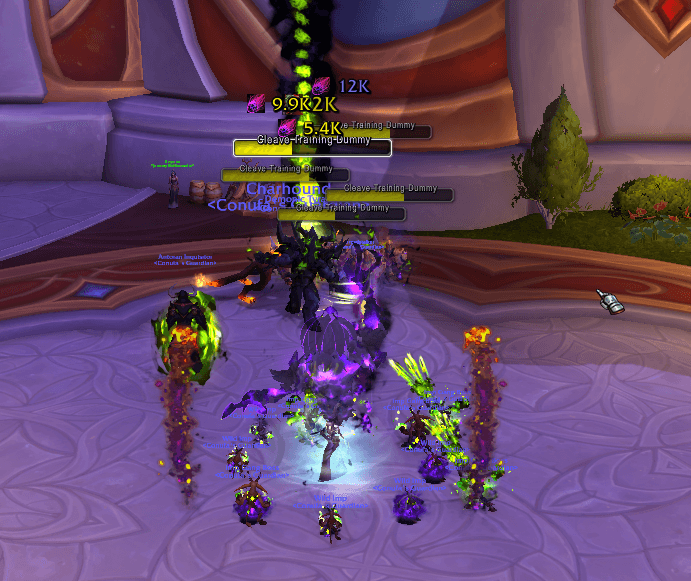
Including option for icons
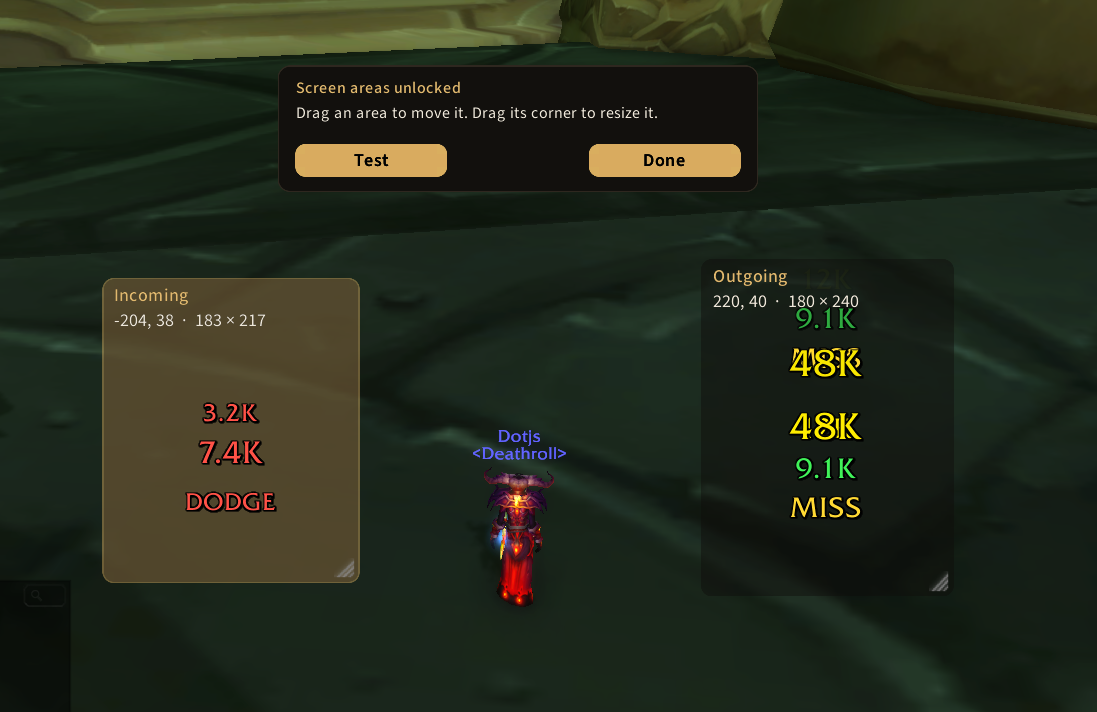
PlateSCT: Areas
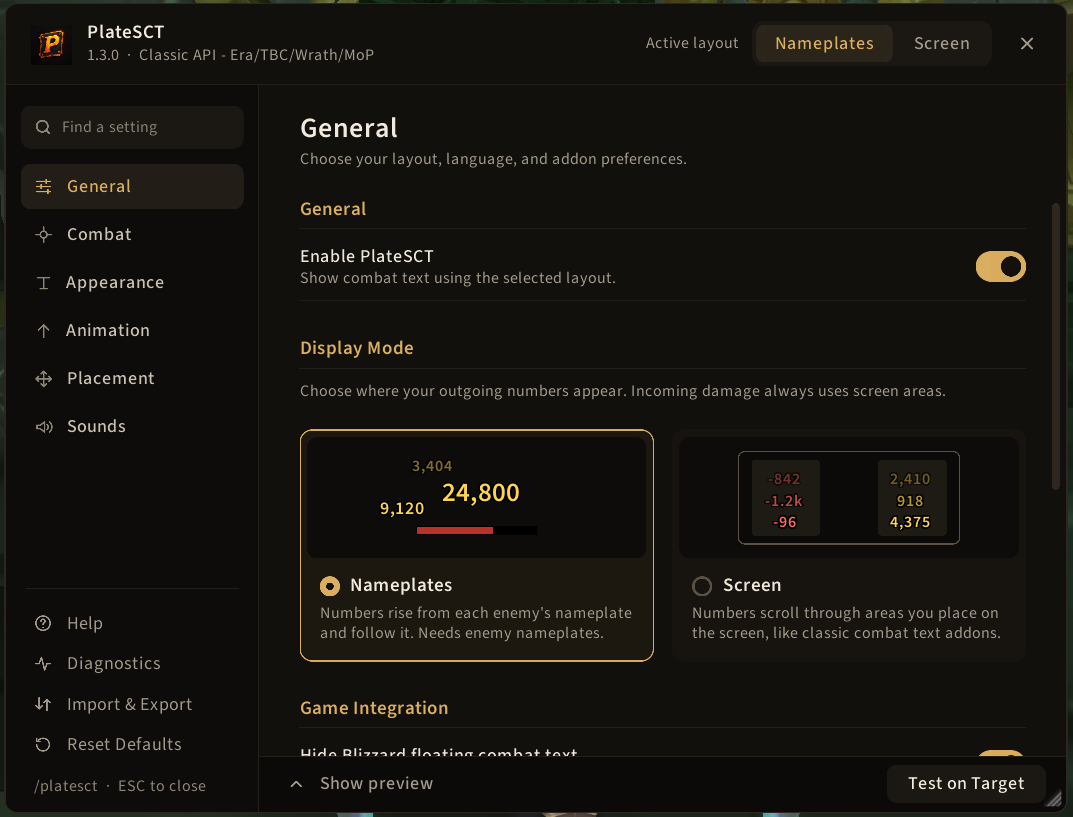
PlateSCT: General configuration
Description
PlateSCT - Scrolling Combat Text
PlateSCT puts damage numbers on enemy nameplates or in screen areas you position yourself. Inspired from MikScrollingBattleText (MSBT) and ClassicNumbers, it's built from the ground up for the Midnight/Forever API.
FAQ PLEASE READ:
Q) What is this "Modern API"
A) Blizzard created strict API rules for Forever & Midnight, meaning we now do not know who did the damage and what spell did it. We only see everyone's damage and what school of magic did it during combat. After combat a log is output for damage meters (that's why damage meters show "secret value" during combat of other players)
Q) I see others damage and I don't want that
A) Modern API restrictions, I cannot fully hide it and its all experimental; Please use Personal mode (Modern API tab -> Damage mode) with Attribution & Schools, it filters as much as it can
Q) Can you make normal swings white:
A) I can but it's guess-work, it won't be 100% accurate
Q) I cannot see all nameplates damage
A) Use Modern API -> Damage mode -> Engaged nameplats. Due the Modern API changes, icons cannot show
-----------
Additionally, I have created a secondary addon that allows you to modify Blizzard's native FCT. It can only modify what blizzard allows (meaning no icons & custom text) but it's 100% working with the Modern API:
https://www.curseforge.com/wow/addons/forever-combat-style
-----------
Add outgoing healing, incoming hits, spell icons, and optional crit sounds, then adjust the display to fit your UI.
Keep it compact and quiet, recreate the familiar Classic number animation, or give critical hits a nice slap.
Choose where your combat text appears
Nameplates: Keep outgoing numbers close to the enemies you are fighting. Adjust their position relative to each nameplate, with separate offsets saved for each number style.
Screen areas: Send combat text through movable, resizable areas anywhere on your screen. Create additional areas and route outgoing damage, healing, and incoming hits to different destinations.
Each screen area has its own animation, direction, alignment, spacing, and duration controls. Use Show scroll area to move and resize areas while sample numbers play.
Incoming hits always use screen areas, so you can track damage taken while keeping outgoing numbers on nameplates.
Three nameplate number styles
- Modern: Scrolling numbers with a small pop on critical hits. Choose separate motions for normal hits, crits, and misses.
- Classic: The familiar grow-and-settle animation, with numbers packed close to the nameplate.
- Impact: Damage numbers slam into place beside or above the nameplate, then float upward. Critical hits receive extra emphasis.
All three nameplate styles work on every supported client. The Classic number style is available in Midnight, and the Modern number style is available on Classic clients.
Screen areas have their own animation and timing settings.
Reduce clutter without losing the big hits
- Minimum damage threshold: Hide smaller hits. Enter values such as
20kor2m. - Combine rapid hits: Merge hits against the same enemy within an adjustable time window. Keep spells separate or combine across spells, with optional hit counts and a pop on each merge. Normal hits, crits, and heals combine separately.
- Critical damage only: Hide non-critical damage while leaving healing and miss text unaffected.
- Misses and avoidance: Choose whether to display misses, dodges, parries, and similar outcomes.
Make the numbers yours
- Choose fonts and text sizes, with separate font settings for incoming hits.
- Use full numbers, thousands separators, or compact abbreviations.
- Customize damage-school colors.
- Display spell icons beside, above, or below numbers.
- Adjust nameplate scroll distance, speed, and display duration.
- Include pet damage and outgoing healing.
- Enable crit sounds with separate thresholds and sound channels for regular and huge critical hits.
- Hide Blizzard’s default damage numbers through the addon’s settings.
SharedMedia fonts are available when another addon loads the SharedMedia library.
Set up, preview, and share
The welcome screen helps you choose a layout and get started. Open the searchable settings window anytime with /psct or /platesct, or use the minimap button.
Live previews show how your settings look. Use Test on Target for nameplate samples or Test selected area for screen-area samples.
Import and export your configuration to back it up or share it with other players. Shared settings include screen areas, their animation settings, and routing.
Reopen the welcome screen with /psct welcome.
Supported clients
- WoW Retail — Midnight
- WoW Forever
- WoW Classic Era
- Burning Crusade Classic
- Mists of Pandaria Classic
Midnight and Forever: damage ownership limits
These clients restrict the combat information addons can read. PlateSCT offers three damage modes:
- Personal — experimental: Estimates which hits are yours by matching recent casts and attacks. Some of your hits may be missed, and other players’ hits may appear.
- Current target: Displays damage from all sources on your current target.
- Engaged nameplates: Displays damage from all sources on engaged enemies with nameplates.
Personal mode includes adjustable matching strictness, with optional automatic profiles for open-world play, dungeons, raids, battlegrounds, and arenas. These settings tune the estimate; they cannot guarantee damage ownership.
Pet matching and spell icons require Personal mode and are also estimates. Outgoing healing has the same ownership limits. Personal mode hides outgoing miss and avoidance text because the game does not identify whose attack missed.
When combat values are restricted, some features have limits: unreadable amounts cannot be combined or trigger threshold-based crit sounds. Damage-school filtering cannot exclude unreadable schools or distinguish players dealing the same school of damage.
Keep enemy nameplates enabled on Midnight and Forever, including in Screen mode. Outgoing events come from enemies with nameplates, plus your current target.
Classic clients read ownership and spell information directly from the combat log. Their Screen mode can work with nameplates disabled.
Getting started
- Install PlateSCT and reload your UI.
- Follow the welcome screen to choose your layout.
- Enable enemy nameplates (
Vby default) when using the nameplate layout, or either layout on Midnight and Forever. - Type
/psctto customize your display and try sample numbers.
For outgoing healing, enable Show healing. Healing on yourself is excluded, and healing detected through nameplate events requires friendly nameplates.
Help and feedback
If numbers are missing, check that PlateSCT is enabled, then check your nameplates, minimum damage threshold, and damage mode.
Report bugs or suggest improvements in the CurseForge comments or on GitHub Issues. Include your WoW client, PlateSCT version, relevant settings, and any error message. Screenshots or short videos are helpful for placement and animation problems.
PlateSCT - Scrolling Combat Text Team