Forever Combat Style
- By
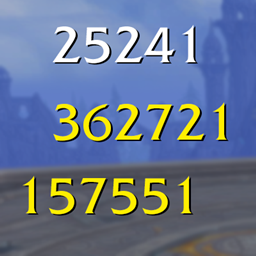
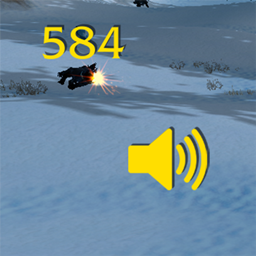
Tune WoW Forever's floating damage numbers with a live preview: Retail or Classic style, size, gravity, spread, direction, start height and your own scrolling text. Works with Blizzard's built-in combat text
Forever Combat Style
Tune how WoW Forever draws floating damage numbers, with a live preview that shows the result as you change each setting.
Forever Combat Style edits Blizzard's own floating combat text settings (CVars) from one window. It works with the game's default text rather than replacing it.
Features
- Live preview. A drawer at the bottom replays sample Hit, Crit and Taken numbers using your current values, and restarts as you drag a slider.
- Retail or Classic style for floating damage numbers.
- Size, Gravity and Spread to control how numbers rise, fall and scatter.
- Directional movement and offset to push numbers sideways, away from you.
- Hit height and Crit height to choose where numbers start.
- Float mode (Up, Down or Arc) for the combat text on your own character.
- Changes apply as you drag. Click any value to type an exact number.
- Re-apply at login puts your settings back if the client resets them.
- Reset Defaults restores the WoW Forever defaults in one click.
- Resizable window. Drag the bottom-right corner, double-click it to restore the default size. Size and position are remembered, and the window scales down on small screens.
- Descriptions under every setting, and the CVar name in a tooltip.
- Settings the client does not know are greyed out instead of causing errors.
Settings
| Page | Setting | CVar |
|---|---|---|
| General | Style (Retail / Classic) | classicStyleWorldText |
| General | Size | WorldTextScale_v2 |
| General | Float mode (Up / Down / Arc) | floatingCombatTextFloatMode_v2 |
| Appearance | Gravity | WorldTextGravity_v2 |
| Appearance | Spread | WorldTextStartPosRandomness_v2 |
| Appearance | Directional movement | floatingCombatTextCombatDamageDirectionalScale_v2 |
| Appearance | Directional offset | floatingCombatTextCombatDamageDirectionalOffset_v2 |
| Appearance | Hit height | WorldTextScreenY_v2 |
| Appearance | Crit height | WorldTextCritScreenY_v2 |
Defaults come from the Warcraft wiki Classic CVar list.
Using it
- Type
/fcsor/combatstyle, or use the addon compartment button. /fcs resetrestores the defaults.- If a change does not show up in game, use Reload UI in the sidebar.
Good to know
- The preview is an approximation. Blizzard does not document how these CVars animate the text, so the preview models it from the setting names. Confirm the final look on a real target.
- Blizzard's text only. This adjusts Blizzard's own floating combat text, so it works 100% with the default game. Blizzard does not expose fonts, colors or icons for it, so no further customisation can be added.
- The Up / Down / Arc labels follow Blizzard's combat text scroll options.
Installation
Extract the ForeverCombatStyle folder into _forever_/Interface/AddOns, so the path ends in ForeverCombatStyle/ForeverCombatStyle.toc, then type /reload.
Credits
The settings window is styled after PlateSCT. Bundled fonts: Source Sans 3 (SIL Open Font License).
Forever Combat Style Team