Plainstride - Plainsrunning Tracker for Tauren
- By
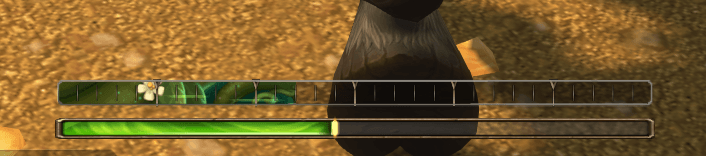
Tracks the tauren Plainsrunning racial: stacks, the countdown to your next stack and your next loss, animated gains, losses and hits, on a bar built from Blizzard's own profession and cast bar art.






Description
Plainstride
Tauren Plainsrunning for WoW Forever, drawn with Blizzard's own interface art.
Plainsrunning gives +1% movement speed for every 5 seconds you keep moving, up to 30 stacks. Standing still or taking a hit takes stacks away. Plainstride shows all of it at a glance.
What you see
- Stack bar. A profession skill bar with an animated fill, one mark per stack and a pip on every fifth. Pick any of 13 profession fills (Herbalism, Skinning, Leatherworking, Mining, Blacksmithing and more).
- The countdown. While you run, the game's own cast bar fills toward your next stack. When you stop, it drains toward the next stack you lose. Prefer a single bar? With One bar the countdown runs inside the stack bar: the next segment fills while you run and your top segment drains red when you stop.
- Animated changes. Gains ease in with the profession bar's flare. A hit that knocks off several stacks leaves a red chunk that lingers and drains away, shakes the bar, flashes the cast bar's interrupt glow and floats the number lost. Reaching 30 plays a starburst and sheen.
- Wind streaks race through the filled part of the bar while you run: more of them, and faster, the more stacks you have.
- Hit mark. A red mark at half your stacks shows where one hit would leave you.
- Tooltip on hover with your stacks, speed bonus, the countdown and the rules.
Combat
The game hides buffs from addons during a fight, so the bar hides when combat starts and comes back with your real stack count when it ends. Stacks still build in combat as long as nothing hits you. You can keep the bar on screen in combat instead (frozen at your last count).
Options
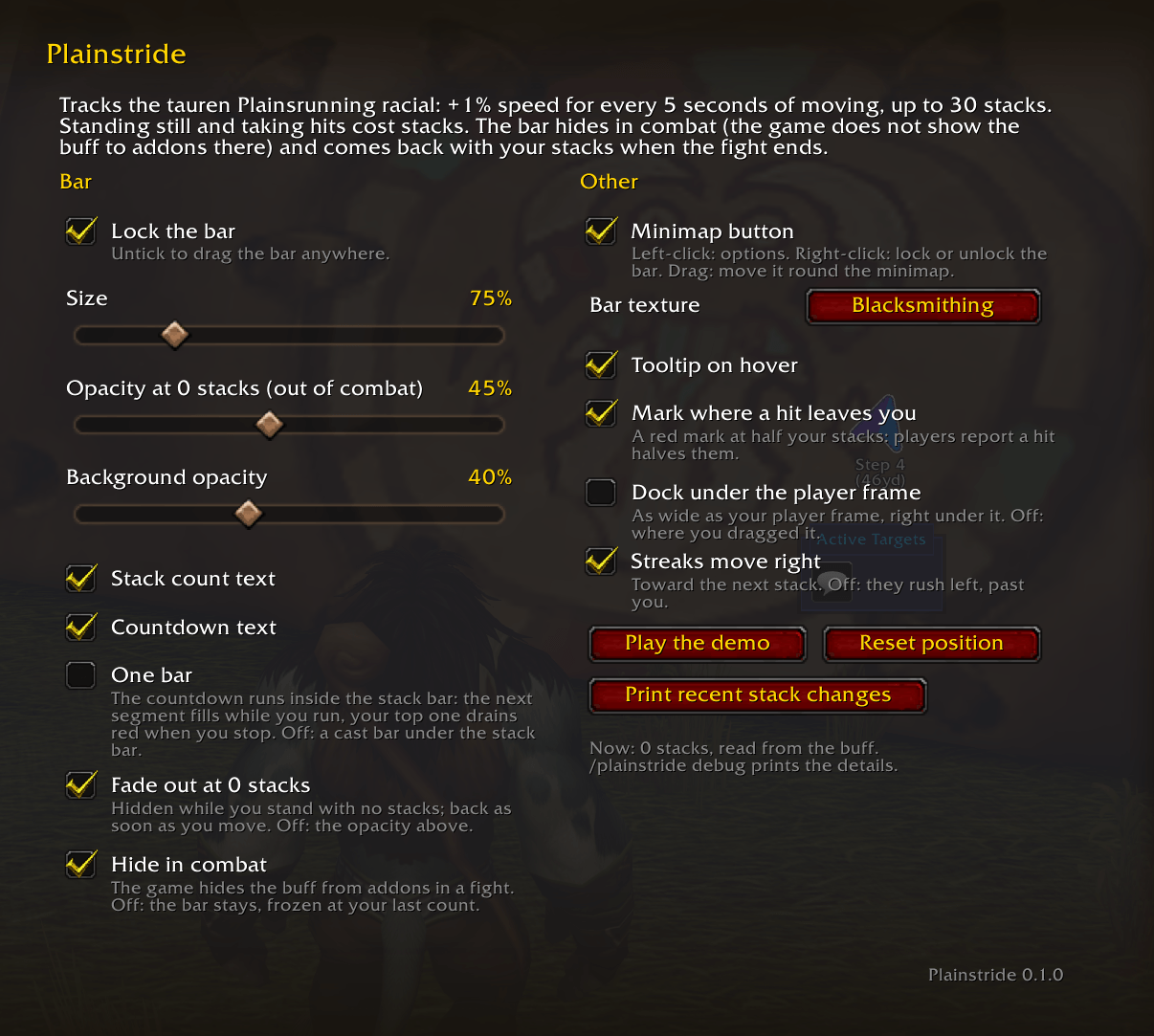
Esc > Options > AddOns > Plainstride, the minimap button, or /plainstride:
- Lock and move the bar, or dock it under your player frame
- Size, opacity at 0 stacks or fade out completely, background opacity
- Stack count and countdown text
- One bar or two
- Bar texture, wind streaks on or off and their direction
- Hit mark, tooltip, hide in combat
- A 40 second demo you can play on any character
/plainstride logprints recent stack changes, each hit compared with half your stacks
Notes
Plainstride only shows itself on tauren characters (the demo works on anyone).
Discord
Join my Discord for Feedback, Development Updates, Addon Ideas, Feature Requests, and Bug Reports.
Plainstride - Plainsrunning Tracker for Tauren Team