Pawprint UI
- By
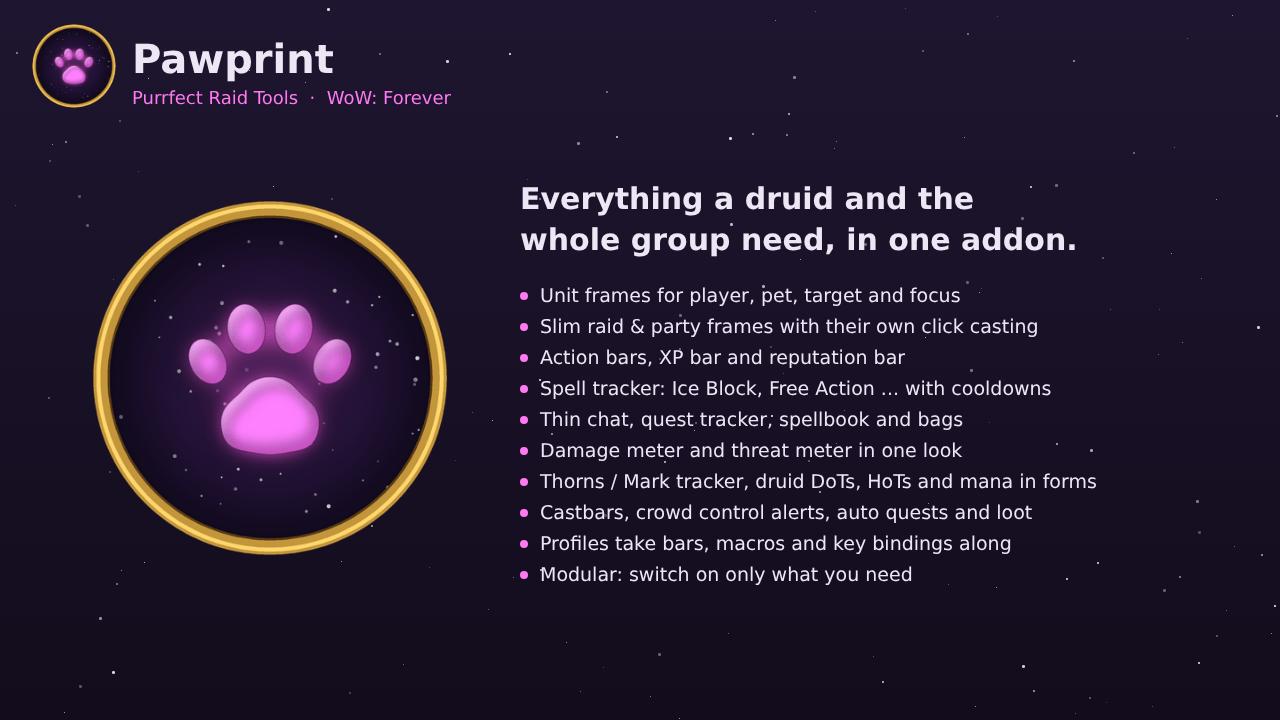
Slim raid frames, Thorns & Mark tracker, druid DoT/HoT displays, threat meter, castbars, CC alerts, voice callouts, auto quests, fast loot, lockout timer and more. Modular: turn on only what you need.
01-Pawprint.png
02-Raid-Frames.png
03-Buff-Tracker.png
04-Threat-Meter.png
05-Options.png
Description
Pawprint - Purrfect Raid Tools
Your whole interface in one addon, built for WoW Forever.
Group and raid frames, unit frames in the Blizzard style, nameplates, action bars with an XP bar, a spell tracker for enemy cooldowns, a thin chat, bags with all your characters, a styled quest tracker, spellbook and damage meter, a threat meter, buff tracking and displays for druids, combat alerts and everyday helpers.
Modular: every part is a module - turn on only what you need. A module that is off does not load at all.
Frames
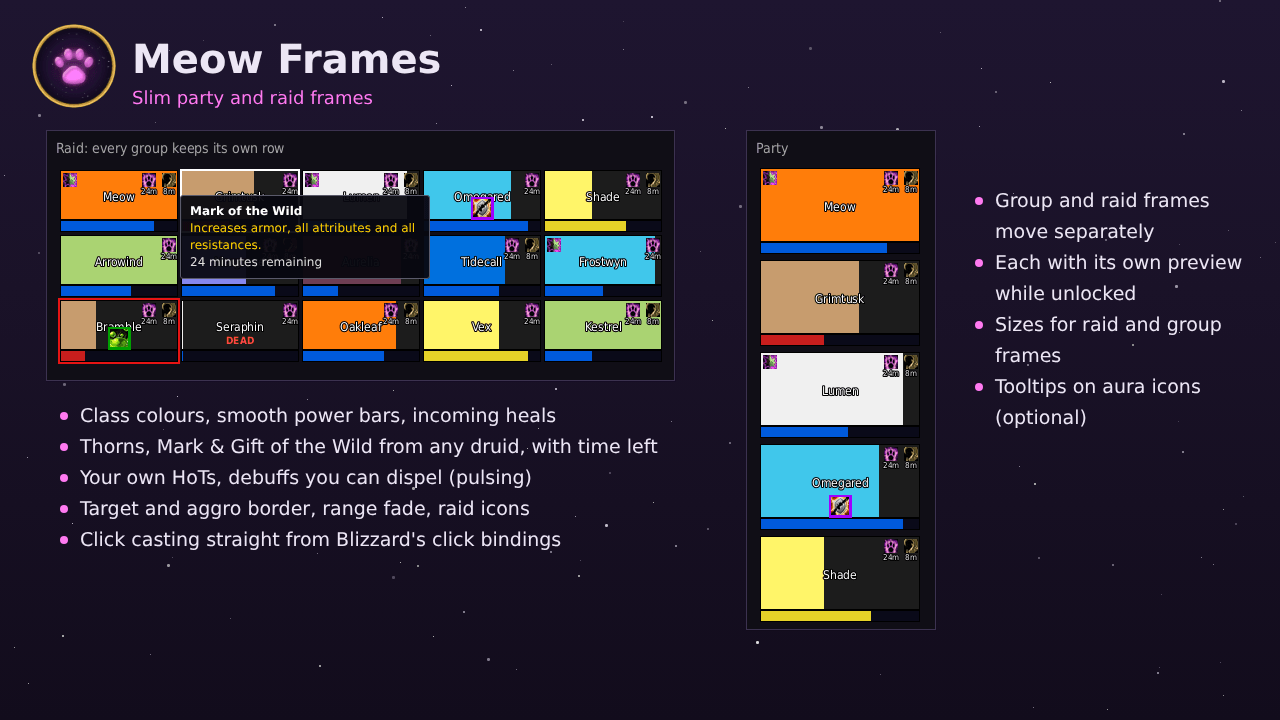
Raid and group frames (Meow Frames)
- Slim party and raid frames - group and raid frames move separately; in a raid every group keeps its own row (or is its own frame in groups mode)
- Class colours, power bar, target and aggro borders, incoming heals and range fade
- Thorns / Mark of the Wild from any caster, your own HoTs with time left
- Dispellable debuffs that grow and shrink to catch your eye, coloured by type
- Health text under the name: missing health (-2400), percent, current or current / max
- PvP flag, raid marker and leader / assistant icon, each on its own switch
- Everything adjustable: frame sizes, name size, icon sizes, the PvP flag size and how faded players out of range are
- No reload needed for almost every setting, and the preview in unlock mode always shows exactly what your settings look like
- Thorns and Mark of the Wild also on Blizzard's raid frames while Meow Frames are off
Click casting
- A field for every mouse button with no modifier, Shift, Ctrl and Alt
- Drag a spell from the spellbook onto a field, or pick Target, Menu or a spell by name
- Your bindings from Blizzard's Click Casting are taken over the first time - switch back to Blizzard's any time
- Works on the raid, group and unit frames
Unit frames
- Player, pet, target, focus, target of target and target of focus in the Blizzard style
- Round portrait, the name on the class colour (players) or the reaction colour (NPCs), level coloured by difficulty, a glowing gold ring for elites
- Every frame with its own width, health bar height and scale; health bar green or in class colour
- Health and power text: current / max, current, percent or both
- Buffs above and debuffs below the frame, or the other way round - wrapping at the frame's edge, with tooltips
- Combo points around the target portrait
- Docked castbars under player, target and focus - as wide as the frame or your own width, cast time counting down or up
- PvP timer after /pvp off, the 5 second rule on your mana bar, incoming heals, raid icons, PvP flag, combat and resting icon
- Blizzard's own frames are hidden while Pawprint's are on (switch per frame)
Crowd control on the portrait
- While your target or focus is stunned, feared, polymorphed or silenced, a small round badge on the portrait edge shows the spell and the seconds left (red ring)
- Without crowd control the same badge shows your own debuff that ends first, like a DoT (gold ring)
- Works in combat - also after a reload in combat
Pet frame
- The hunter's pet or the warlock's demon in a small frame with portrait, health and mana or focus
- Click targets it, right click opens Blizzard's pet menu
- Hunters see the pet's experience under it
Nameplates (test module, off by default)
- Pawprint bars on Blizzard's nameplates - clicking and range stay Blizzard's
- Size: width, height, scale, a larger target, the same size at any distance
- Colours: target colour and glow, class colours, hostile / neutral / friendly / tapped - every colour picked freely
- Threat colours for tanks or for damage dealers and healers
- Text and bars: name, health text, every font the game has, power bar, level, raid marks, combo points
- Castbar with cast time, crowd control and your debuffs on the plate
Buff tracker (druids)
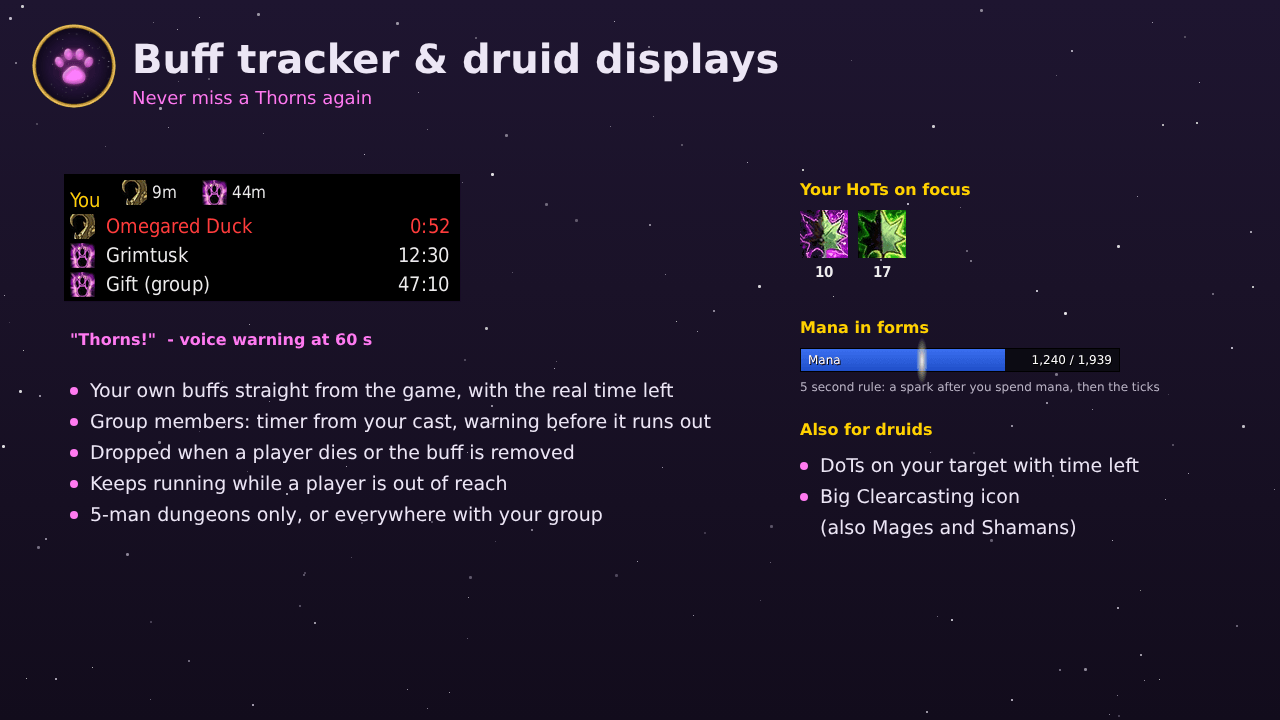
- Thorns and Mark of the Wild on you and your group, Gift of the Wild for the group - with timers
- Voice warning when one runs low (can be turned off - the line still turns red)
- Your own buffs in a "You" row with the real time left, straight from the game
- Group members tracked in 5-man dungeons only, or anywhere in a party and in a raid group outside of instances
- Timers keep running while a player is out of reach, and are dropped when the player dies or the buff is removed
Druid
- DoTs on target: Rake, Rip, Pounce, Moonfire, Insect Swarm, Faerie Fire, Roots, Hibernate and Demoralizing Roar with remaining time
- Your HoTs on the focus (for example the tank): Rejuvenation, Regrowth and Abolish Poison with remaining time
- Clearcasting as a big icon (also for Mages and Shamans)
- Mana in forms: your mana as a bar in bear or cat form (optionally in other forms or always) - right under the Pawprint player frame, or on its own with its own size and scale
Combat
- Crowd control on you: big icon with remaining time, and a voice announcement for the spell (Hammer of Justice, Fear, Polymorph, ...)
- Castbars for target and focus: icon, spell name and progress, grey when the cast cannot be interrupted, time left or time cast if you like. Width and height for each; Blizzard's own castbars can be hidden
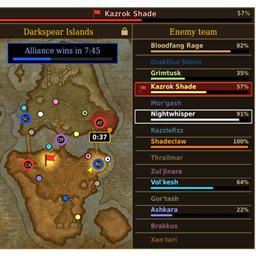
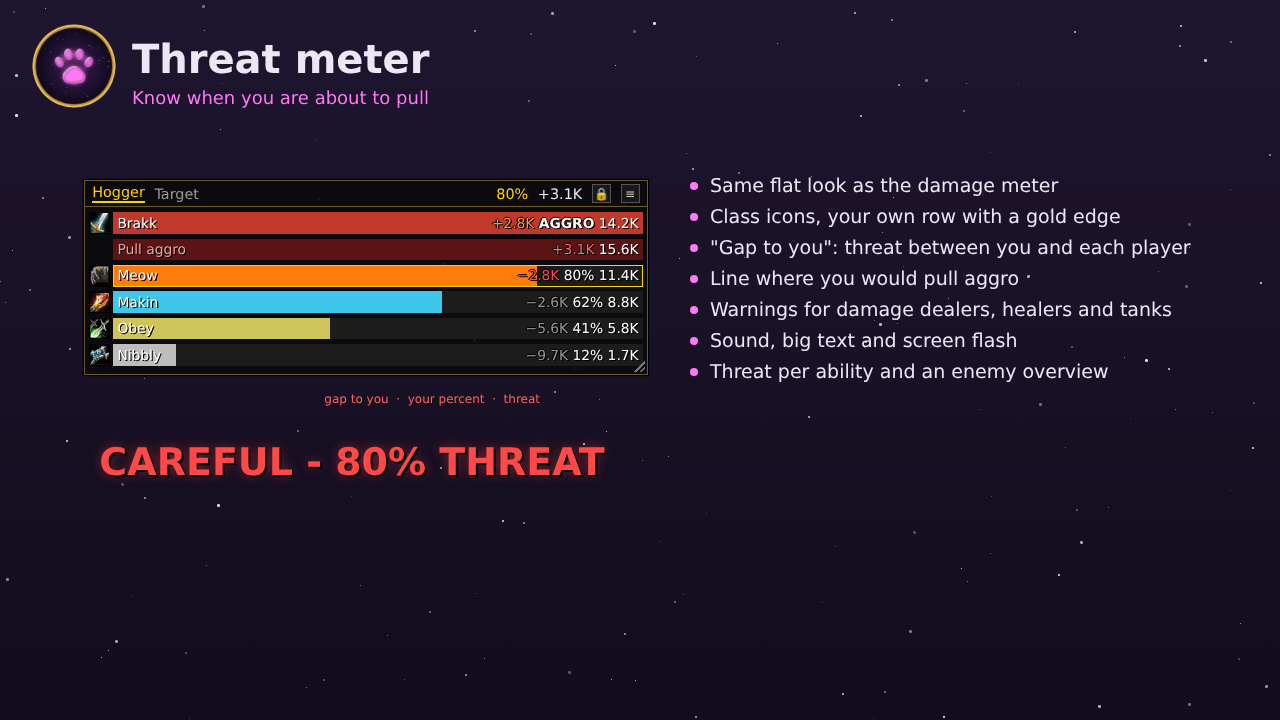
- Threat meter: group threat bars with class icons in a flat, thin look, the threat between you and each player, the line at which you would pull aggro, warnings for damage dealers, healers and tanks, threat per ability and an enemy overview
- Buff bar: your buffs and debuffs in a movable bar - crowd control first, then debuffs you can dispel (pulsing). Icons start left or right, debuffs below or above the buffs
- Spell tracker: when crowd control or an interrupt such as Hammer of Justice, Psychic Scream or Kidney Shot lands on you, its caster gets a red cooldown timer on your target and focus - also in combat, remembered per player. A voice tells you when your target or focus gets Free Action, Divine Shield, Ice Block, Power Word: Shield and more, and when they end
- Voice announcements: your CC and debuffs on the target, procs and cooldown buffs (up and down), long buffs running out, full combo points. The Voice page lists every announcement for your class and race - listen to each one and turn single ones off
Interface
Action bars and XP bar
- Bars 1 to 8 plus stance, pet, possess, bag, menu and leave vehicle buttons - each movable with its own size, rows and spacing
- Cooldowns, charges and tooltips also in combat, self / focus / mouseover cast modifiers, a gold glow on procs (for example Overpower), an extra page for druids while prowling
- What lies on your bars is saved with the profile and can be put back with one click
- XP bar: 20 segments like Blizzard's, the rested bonus in blue, numbers on mouse-over, plus a reputation bar - movable, with its own width and height
Chat
- Blizzard's chat in a thin style with flat tabs, a corner to resize, the edit box above or below
- Copy button for the chat history, clickable web links, class colours on names
- Group channels short ([G], [P], [R], [BG]) or in full
- Numbered channels with their name but without the zone ([2. Trade]) or in full
- Time stamps as 20:20 or [20:20] - on every line, also on messages the game sends without one (come online, gone offline, duels)
- The last messages of every chat window come back after a reload or the next login
Bags
- One window for all bags and one for the bank - as a grid, by category or per bag
- Search, sorting, quality borders and a glow on new items
- The keyring in its own panel, special bags coloured (reagent, profession, quivers, soul bags)
- Bags and bank of all your characters on the realm from any character - item tooltips show who has the item
- Gold this session: hover the gold to see the gold at login, what you received and spent, and the change
Damage meter, quest tracker, spellbook
- Damage meter: Blizzard's own damage meter in the Pawprint style with slim bars, spec icons and your own row marked
- Quest tracker: thin frame, flat gold headers, your quest count (for example 4 / 20), background opacity down to text only, font size
- Spellbook: Dark skin (the whole book dark with light spell names) or Classic skin (the parchment page in the flat frame); the small book is movable
Utility
- Sells grey items and repairs automatically at merchants
- Durability warning below a limit (default 25%) and when something breaks - message on screen, sound and chat line, each on or off
- Auto decline duels (off by default)
- Instance lockout timer: one circle per allowed new instance in the last hour
- Fast loot: takes all loot the moment it is ready (follows your auto loot setting)
- Quests: talking to an NPC accepts new quests and turns in finished ones - hold Shift to open the NPC as usual; rewards you choose yourself
- Error messages: Blizzard's red messages ("Ability is not ready yet", ...) get their own movable place
Moving frames
- Unlock all frames with one click - options window, minimap button or Blizzard's Edit Mode
- While unlocked, a grid shows with the screen centre in red. Frames snap to the grid, the centre and the other Pawprint frames - hold Shift to place freely
- Right click any frame to type its exact position. X / Y are measured from the screen centre, so two frames with opposite X sit exactly mirrored
- Changing a frame's size or scale keeps its top-left corner in place
- Also movable: Blizzard's buffs and debuffs (or hidden), the battleground / zone info and the capture bars (for example the towers in the Plaguelands)
- Chat, bags, damage meter, quest tracker and spellbook have a padlock right in their window
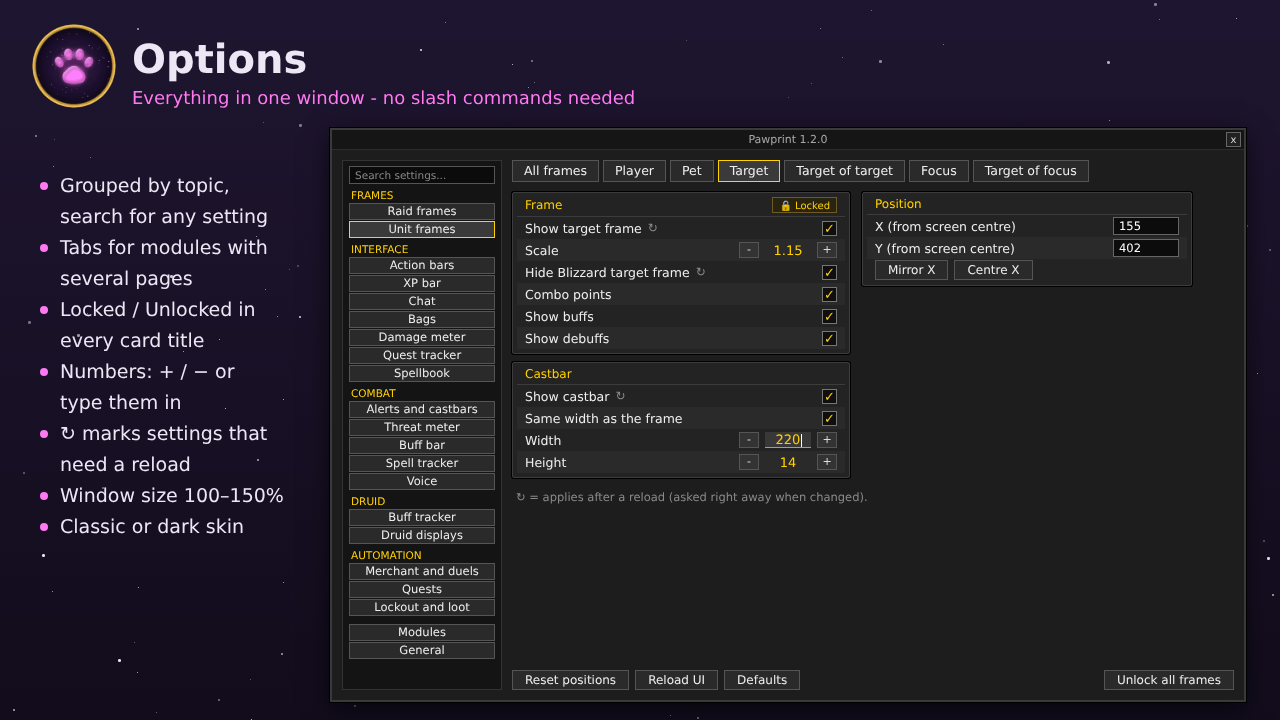
Options
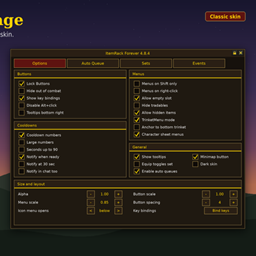
- Modules page: switch every part on or off; a module that is off stays in the navigation in grey with a button to turn it on again
- Classic and Dark skin, navigation grouped into Frames, Interface, Combat, Druid, Automation and Extras, tabs for modules with several pages
- Settings in cards, one row per setting - numbers with + / − or typed in, colours with Blizzard's colour picker
- Most settings apply at once; the few that need a reload say so and ask right away
- Locked / Unlocked in the title of every card, so every part can be moved on its own; the window can be made bigger (100 to 150%)
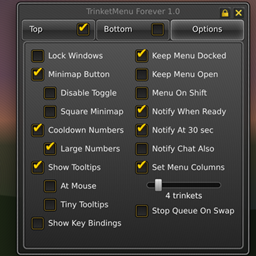
- Minimap button: left-click opens the options, right-click locks or unlocks everything, drag it anywhere, Shift+drag along the minimap
Profiles
- One profile per character - shared, copied or overwritten
- Export as text, import anywhere - on another character or after a new client
- Everything comes back exactly: every setting, position and size (also of frames you never moved), the action bars (every page, also cat, bear and prowl), every macro, your key bindings, chat window sizes and time stamps - and if you like the UI scale and Blizzard's click bindings
- Spells you have not learned yet are skipped and can be placed again later
Commands
- /pawprint - open the options
- /pawframes, /pawuf, /pawthorns, /pawbar, /pawsound, /pawlock, /pawmana, /pawthreat - open that part of the options directly
What's new in 1.3.0
- Raid frames: health text, PvP flag, name and icon sizes, raid marker and leader on their own switches, out of range fade, a preview that follows every setting
- Unit frames: width and health bar height per frame, health bar green or in class colour
- Buff bar: icons from the left or the right, debuffs below or above the buffs
- Castbars: time left or time cast for target and focus
- Chat: group channels short or in full, numbered channels without the zone, time stamps 20:20 or [20:20] on every line
- Switches: buff tracker voice and the parts of the durability warning on their own
- Far fewer reloads
- Profiles: every position and size comes back exactly, also of frames you never moved
What's new in 1.2.9
- Crowd control and your own debuffs as a badge on the target and focus portrait
- Nameplates as a test module
- Colour picker in the options
- Aura timers round the seconds up like Blizzard's
What's new in 1.2.8
- Icons and timers that other addons put on Blizzard's portraits show on Pawprint's portraits
- Copy chat works again with Battle.net names in the chat
Found a bug or have an idea? Leave a comment!
Pawprint UI Team