LFG Party Finder
- By
Dungeon LFG for WoW Forever. Find nearby players, filter groups and list your party in the built-in Group Finder.
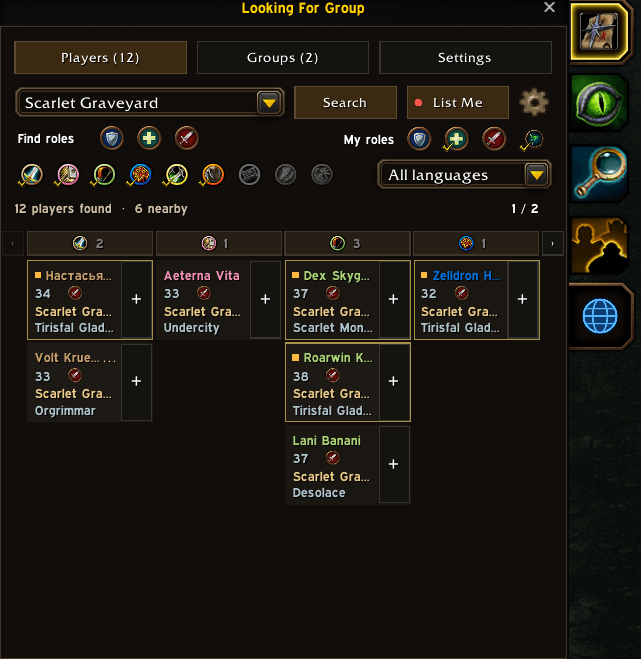
Nearby players appear first in each class column.
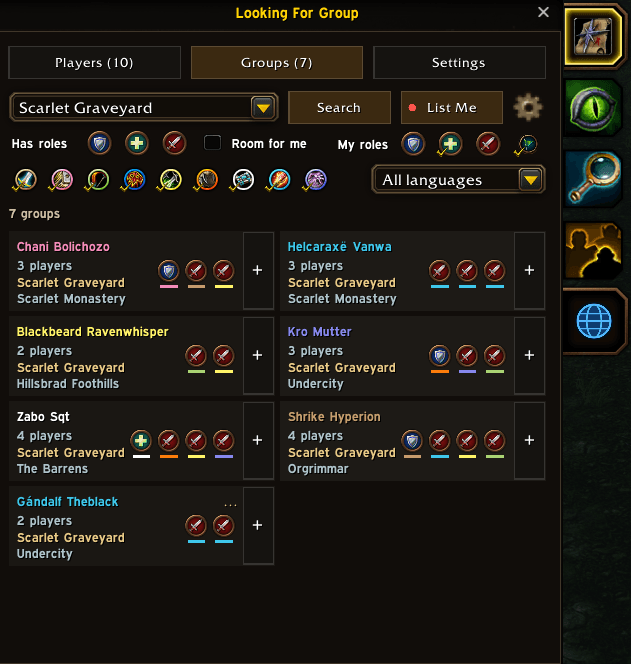
See the roles and classes already in each group.
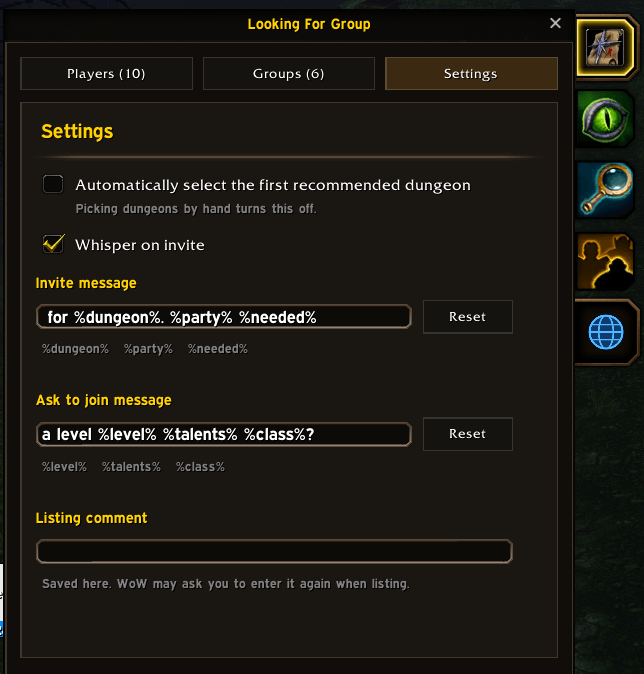
Set dungeon selection and customize whispers and listing comments.
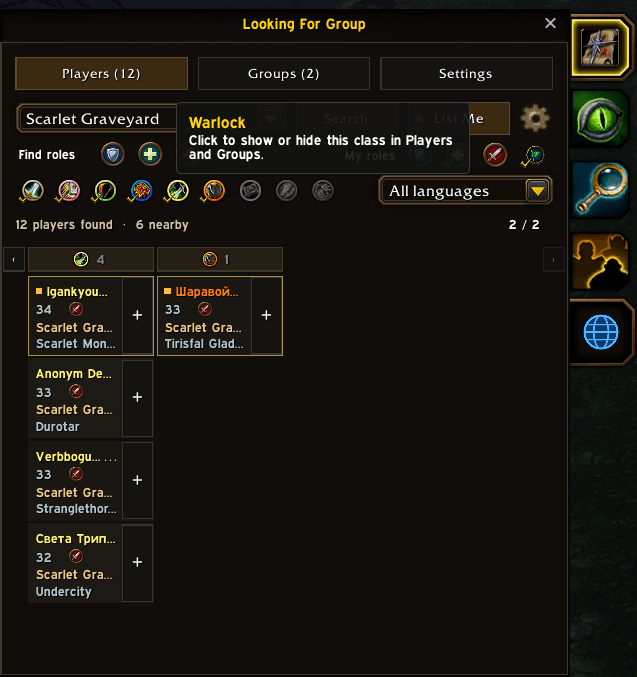
Choose which classes appear in Players and Groups.
Description
LFG Party Finder
LFG Party Finder helps you find dungeon players and groups inside the WoW Forever Group Finder. See who is near the dungeons you picked, check a group's composition, and list yourself or your party from the same panel.
What you can check
- Players — class columns, role filters, nearby markers, and details about location and specialization when the game supplies them.
- Groups — role icons, class colors, roster details and listing comments. Filter for groups with a tank, healer or damage dealer, or use Room for me.
- Shared filters — include or exclude classes with one click. Choose which languages to search for, or leave all languages enabled.
- Your listing — select your roles, playstyle and voice chat, mark the listing as New Player Friendly, and list or unlist from the same panel.
Getting started
- Press I, the default Group Finder binding, or type
/pff. The map tab beside Group Finder also opens the panel. - Choose your dungeons and click Search. Players in or near those dungeons appear first in each class column.
- Use + to invite a player or contact a group leader. Right-click a card to open more actions.
- Type
/pff settingsto customize whisper templates, set a listing comment, or turn off automatic dungeon selection.
Built for World of Warcraft: Forever. No companion app or addon dependencies.
More by antrakt92
- Loot Rolls Plus — see Need, Greed and Pass as they happen and review loot history in WoW Forever.
- StatsPro — character stats and gear on screen.
- ApplicantScout — Warcraft Logs and RaiderIO for applicants and your group. Requires the Windows Companion.
- Do You Need It? — compare group loot and ask for items.
- Antrakt Fonts — a shared font pack for compatible addons.
- Dungeon Pro — dungeon quests, prerequisites and quest-giver directions for WoW Forever.
More projects: Nexus Mods · GitHub · Ko-fi.
LFG Party Finder Team