Loot Rolls Plus
- By
See live loot rolls, equipped gear and dungeon or raid history in WoW Forever.
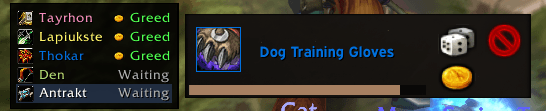
Party choices appear to the left of the in-game loot prompt.
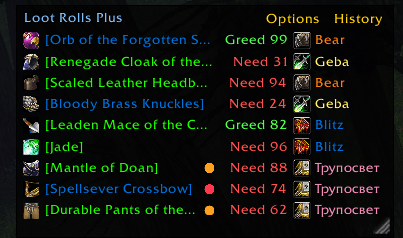
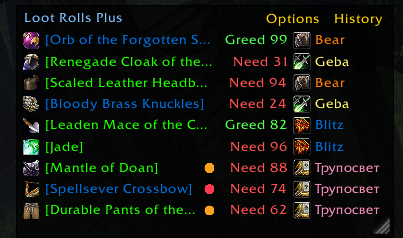
See winning choices, player classes and Need warnings at a glance.
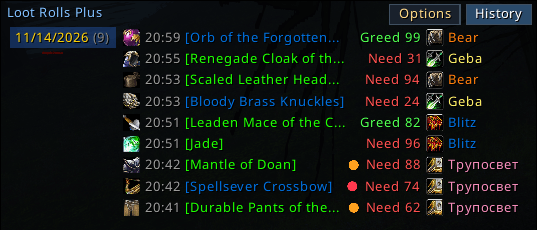
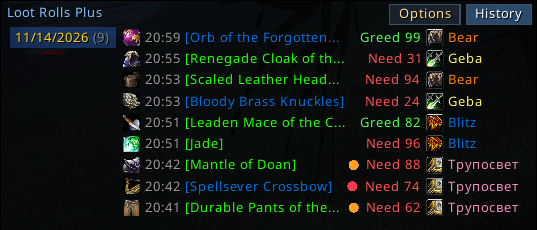
Browse past drops by date and see the winning roll and player class.
Description
Loot Rolls Plus
See who picked Need, Greed or Pass in WoW Forever. Loot Rolls Plus adds a compact panel beside the loot prompt and keeps a per-character history of group drops.
For WoW Forever 1.60.1.
Live rolls
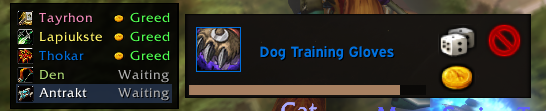
- Party: see each player's choice, class and roll number as the game reports them.
- Raid: see totals and leading Need rolls. Click the summary for the player list.
- Equipment: click a player on an equippable drop to see the item in their matching slot. Click the equipped item tooltip to switch slots when both are known.
- Need warnings: red marks equipment the class cannot use. Orange marks armor below its usual tier.
History
Switch dates and browse rolls by dungeon or raid visit. Hover a roll for participants or click for side-by-side item tooltips. When an inspection succeeds during a roll, the saved equipment can still be shown after the player leaves. Auctionator and Mastercraft can add prices to the dropped item's tooltip.
Getting started
- Install the Forever file and enable Loot Rolls Plus. To import earlier rolls, load it once alongside Loot Rolls Inspector on the same character.
- Open Options or History from the roll window. Restore a hidden window from Settings → AddOns → Loot Rolls Plus or with
/lrplus show. - Try
/lrplus demo partyor/lrplus demo raid. Use/lrplus demo offto close the preview.
Help
GitHub and full guide · Report a problem
Code & credits
Based on Loot Rolls Inspector by Carlos (mr_mirror). MIT license.
More by antrakt92
- LFG Party Finder — browse players and groups, filter by dungeon and role, and manage your listing in WoW Forever.
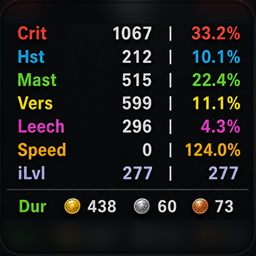
- StatsPro — character stats and gear information on screen.
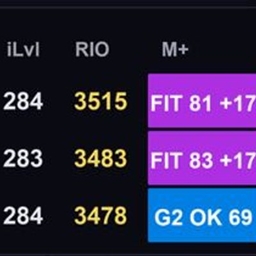
- ApplicantScout — Warcraft Logs and RaiderIO for applicants and your group. Requires the Windows Companion.
- Do You Need It? — compare group loot and ask for items.
- Antrakt Fonts — a shared font pack for compatible addons.
- Dungeon Pro — dungeon quests, prerequisites and quest-giver directions for WoW Forever.
More projects: Nexus Mods · GitHub · Ko-fi.
Loot Rolls Plus Team