StatsPro
- By
A WoW Retail HUD for character stats, item level, durability and repair cost, with per-spec profiles and bundled Archon references.
СкÑинÑоÑ-20260515-150519.jpg
localization.png
09-flat-in-game.jpg
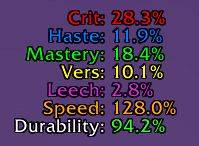
02-flat-default.jpg
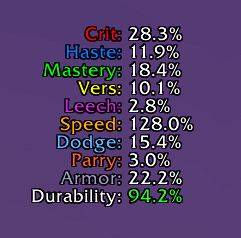
03-flat-with-defensives.jpg
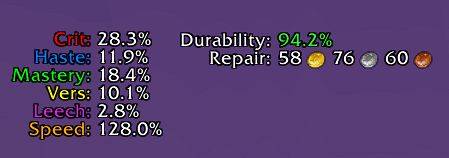
04-repair-cost-vendor.jpg
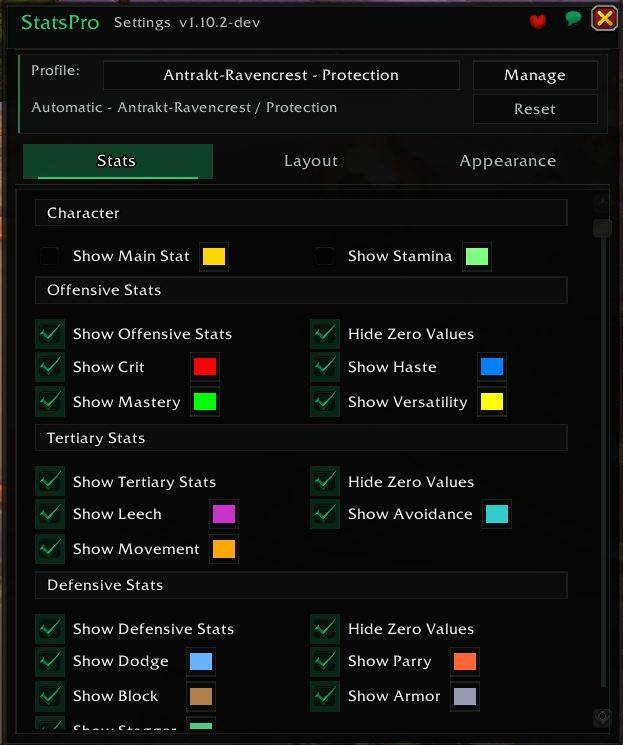
v1.10.2-settings-overview-2026-07-12.jpg
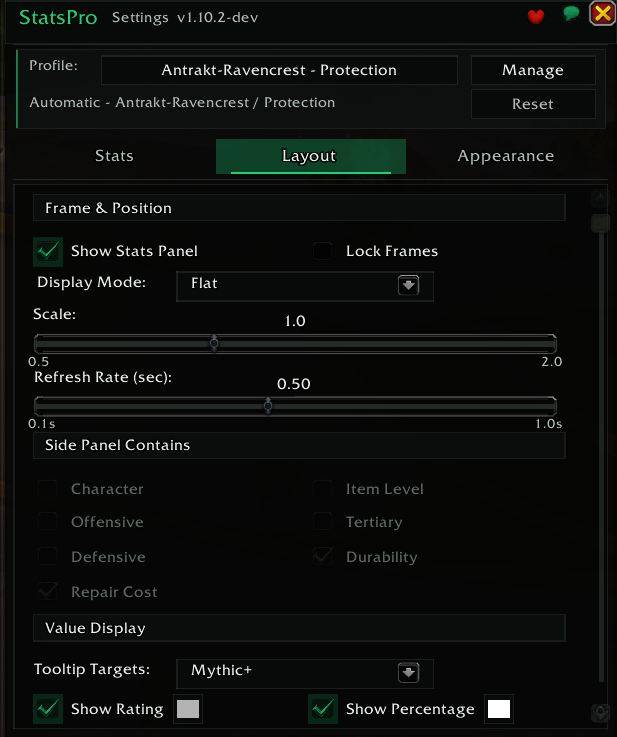
v1.10.2-layout-2026-07-12.jpg
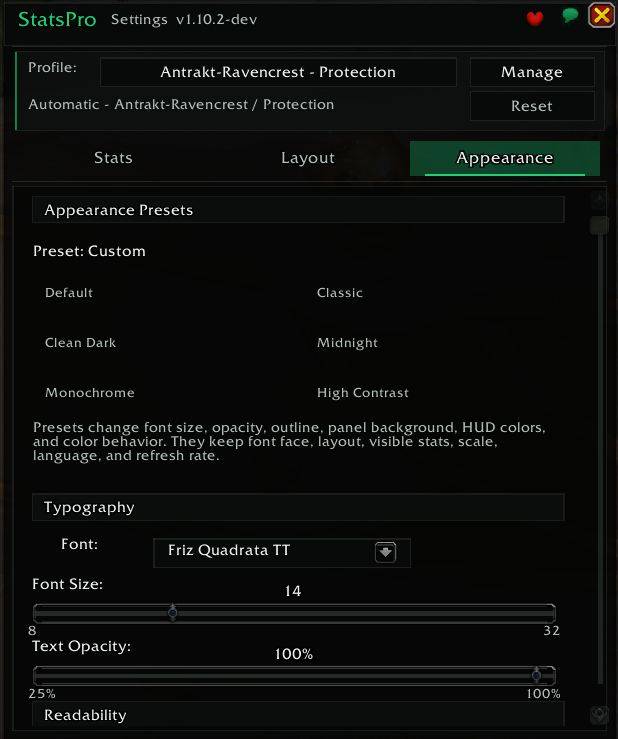
v1.10.2-appearance-presets-2026-07-12.jpg
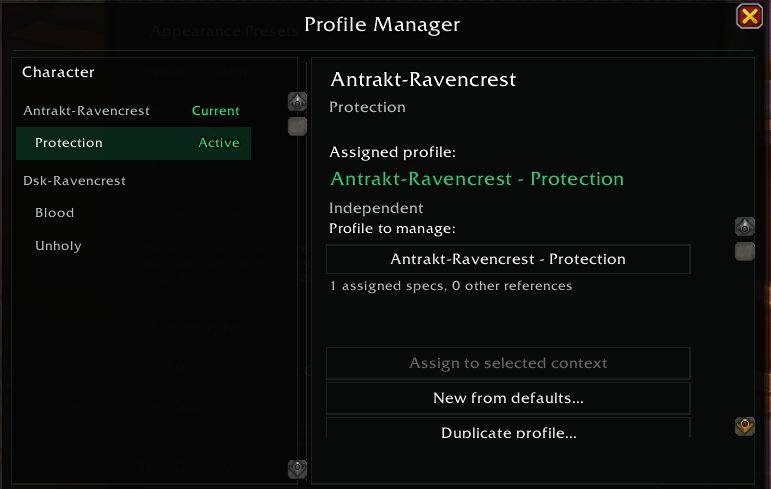
v1.10.2-profile-manager-2026-07-12.jpg
Description
StatsPro
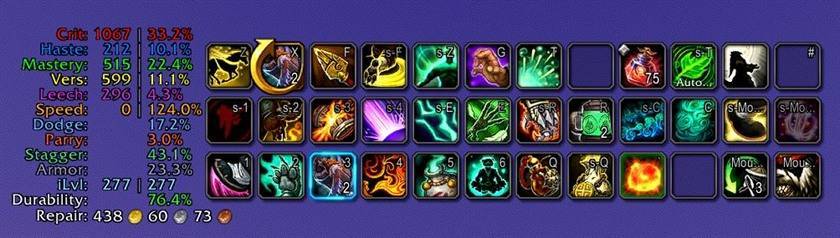
Keep your character stats on screen without opening the Character panel.
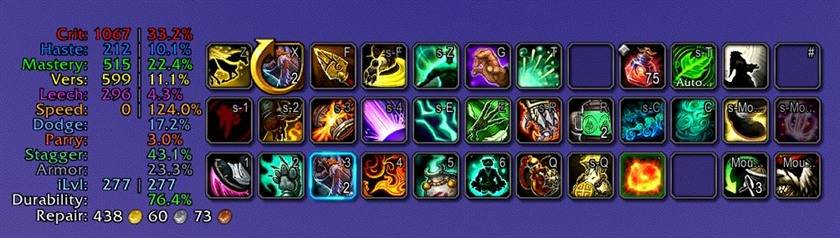
StatsPro is a customizable stats and gear HUD for World of Warcraft Retail: Midnight. Show Crit, Haste, Mastery and Versatility beside your action bars, add defensive stats, or keep item level, durability and repair cost in a separate panel.
Get started
- Install and enable StatsPro.
- Choose Compact, DPS or Tank in Quick Setup. Preview the HUD, then click Use this setup.
- Drag the unlocked panels into place, then lock them.
Compact shows the four secondary stats. DPS adds tertiary stats, item level, durability and repair cost. Tank adds defensive stats to the DPS setup.
Type /ss or /statspro to open Settings. You can revisit Quick Setup at the top of the Stats tab or adjust individual rows yourself. Outside combat, right-clicking the HUD also opens Settings.
Show the numbers you need
| Area | Available rows |
|---|---|
| Secondary stats | Crit, Haste, Mastery, Versatility |
| Character | Main stat, selected automatically for your specialization; Stamina |
| Tertiary and movement | Leech, Avoidance, ground movement speed |
| Defensive | Dodge, Parry, Block, Brewmaster Stagger, Armor damage reduction |
| Gear | Equipped and overall item level, durability, lowest-durability slot, repair cost |
Every row is optional. Rated stats can display rating, percentage or both. Defensive rows depend on your class and specialization.
Choose Flat for a simple list, Sectioned for category headings, or Split for two independently movable panels. Adjust fonts, colors, scale and background to fit your UI.
Six appearance themes are included: Default, Classic, Clean Dark, Midnight, Monochrome and High Contrast. Preview a theme before applying it; your chosen stats and panel positions stay the same.
One setup for all your characters
StatsPro remembers settings for each character and specialization automatically.
Want the same HUD on every alt? Open the profile tools in Settings and choose Use these settings everywhere…. Your setup will apply to all existing and future characters and specializations. You can return to your previous specialization settings later.
You can also:
- Copy settings between specializations or have them share one setup.
- Export a profile string to share with another player.
- Import only Stats, Layout, Appearance, or all three.
- Recover saved setups replaced by an import through the advanced profile tools.
Archon stat references
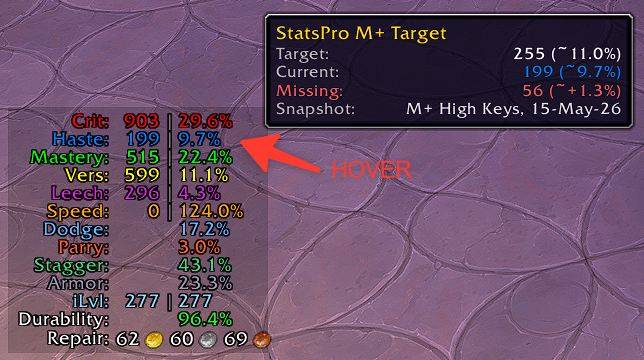
Hover Crit, Haste, Mastery or Versatility to see an Archon reference rating for your specialization, together with the snapshot date and a comparison with your current rating when available.
Choose from the available datasets:
- Mythic+: the current key bracket or High Keys.
- Raid: Normal, Heroic or Mythic.
The tooltip shows whether your rating is below, above or matched to the reference. If WoW restricts the comparison during combat, cached values are marked Last known; otherwise, the reference remains visible on its own.
These are reference values, not stat caps or personalized gearing recommendations. Use simulations to evaluate upgrades for your own character.
Archon data is bundled with the addon rather than fetched live. No companion app is required.
Language support
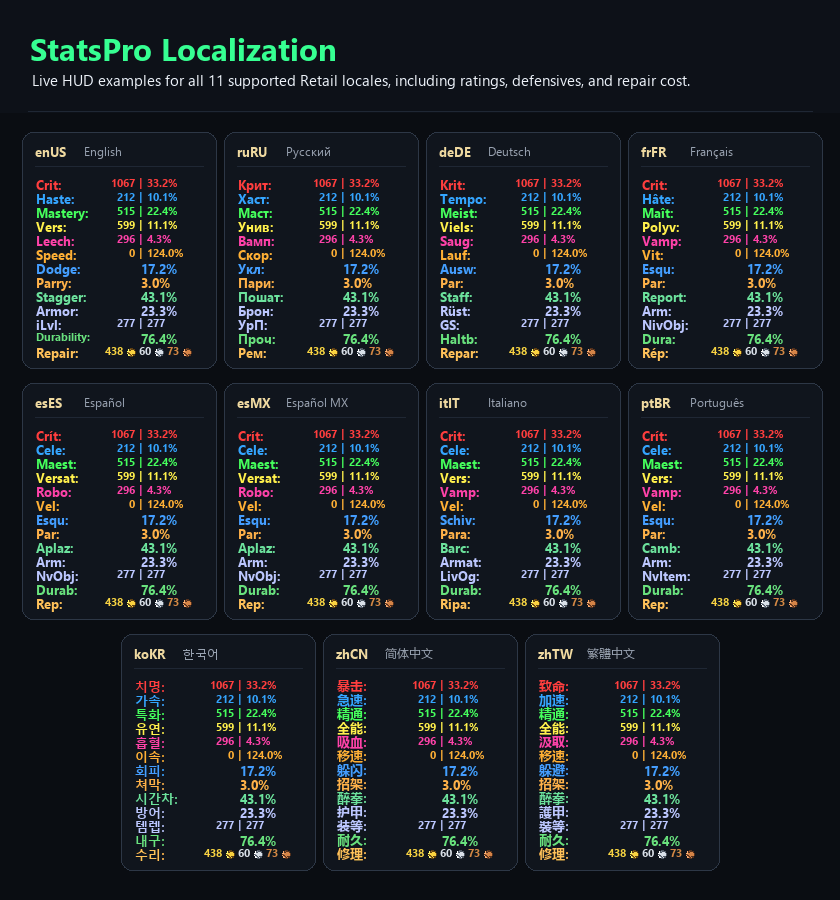
StatsPro supports all current Retail client languages across the HUD, Settings and profile tools. Leave the language on Auto to follow your WoW client, or select another language in Settings.
Useful commands
| Command | Action |
|---|---|
/ss or /statspro |
Open Settings |
/ss show |
Show the HUD |
/ss hide |
Hide the HUD |
/ss toggle |
Toggle HUD visibility |
/ss help |
List available commands |
To control visibility with a keybind, put /ss toggle in a macro and bind it to a key. All commands also work with /statspro.
Moving from SwiftStats
StatsPro can carry over compatible SwiftStats settings when both addons are loaded on your first StatsPro login.
Already using StatsPro? Enable both addons, run /reload, then use /statspro import and confirm. The import creates a new profile and preserves the original SwiftStats settings. Check the imported setup before disabling SwiftStats.
Compatibility and support
For WoW Retail: Midnight. Classic clients are not supported.
Found a bug or have a suggestion? Include your WoW and StatsPro versions, class/spec and steps to reproduce the problem. A screenshot helps with visual issues.
- Bug reports, translation corrections and feature requests
- Source and releases
- Changelog
- Support development on Ko-fi
StatsPro is free and MIT-licensed. Originally inspired by SwiftStats by TaylorSay. Bundled libraries retain their upstream licenses; see Third-party notices.
The StatsPro Team