Overlay Map: Zone Borders
- By
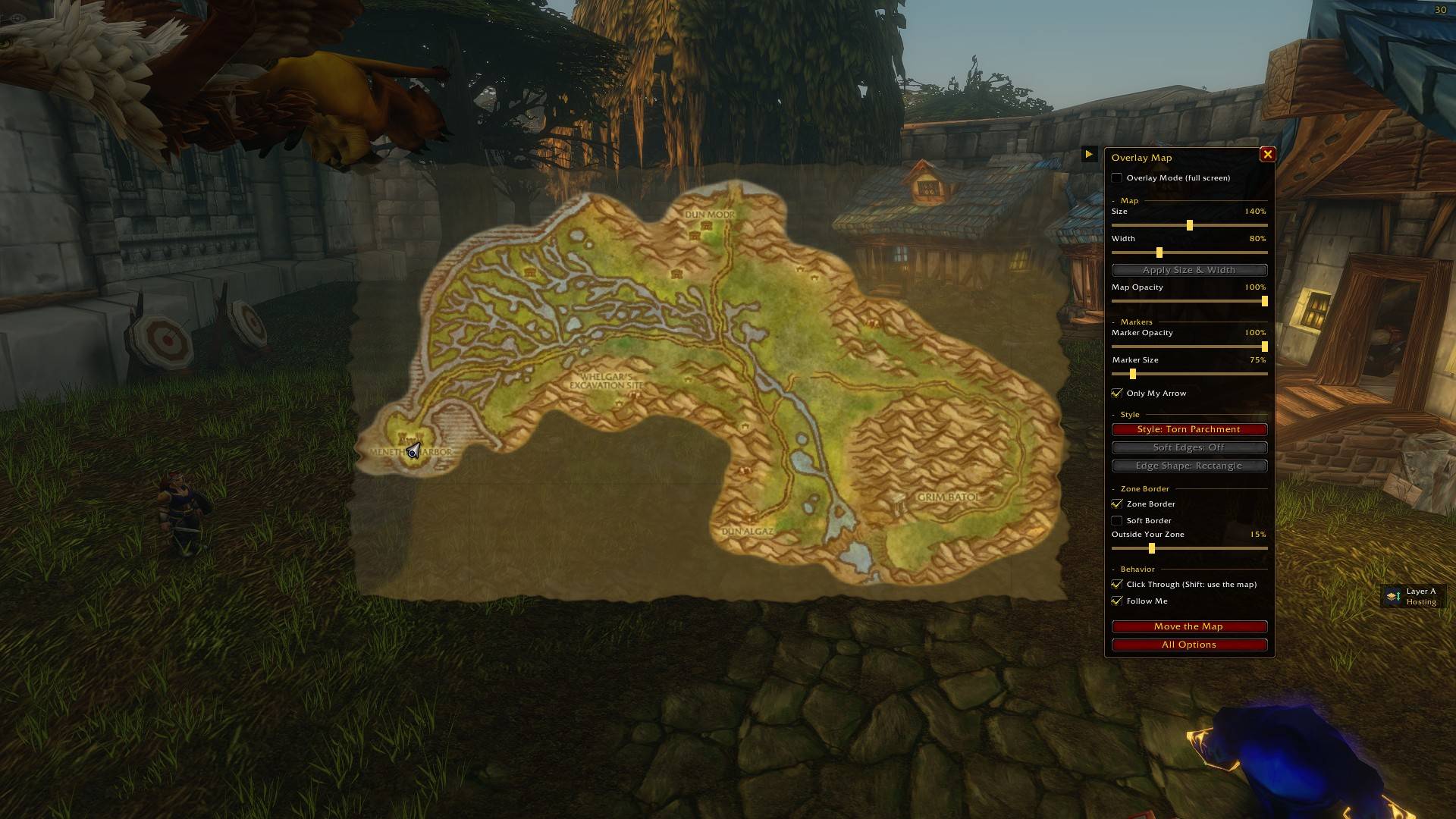
The zone outlines for Overlay Map's Zone Border option: your zone stands out on the map, the rest faded behind it. A separate download because the pictures are large. Requires Overlay Map 1.2.0+.
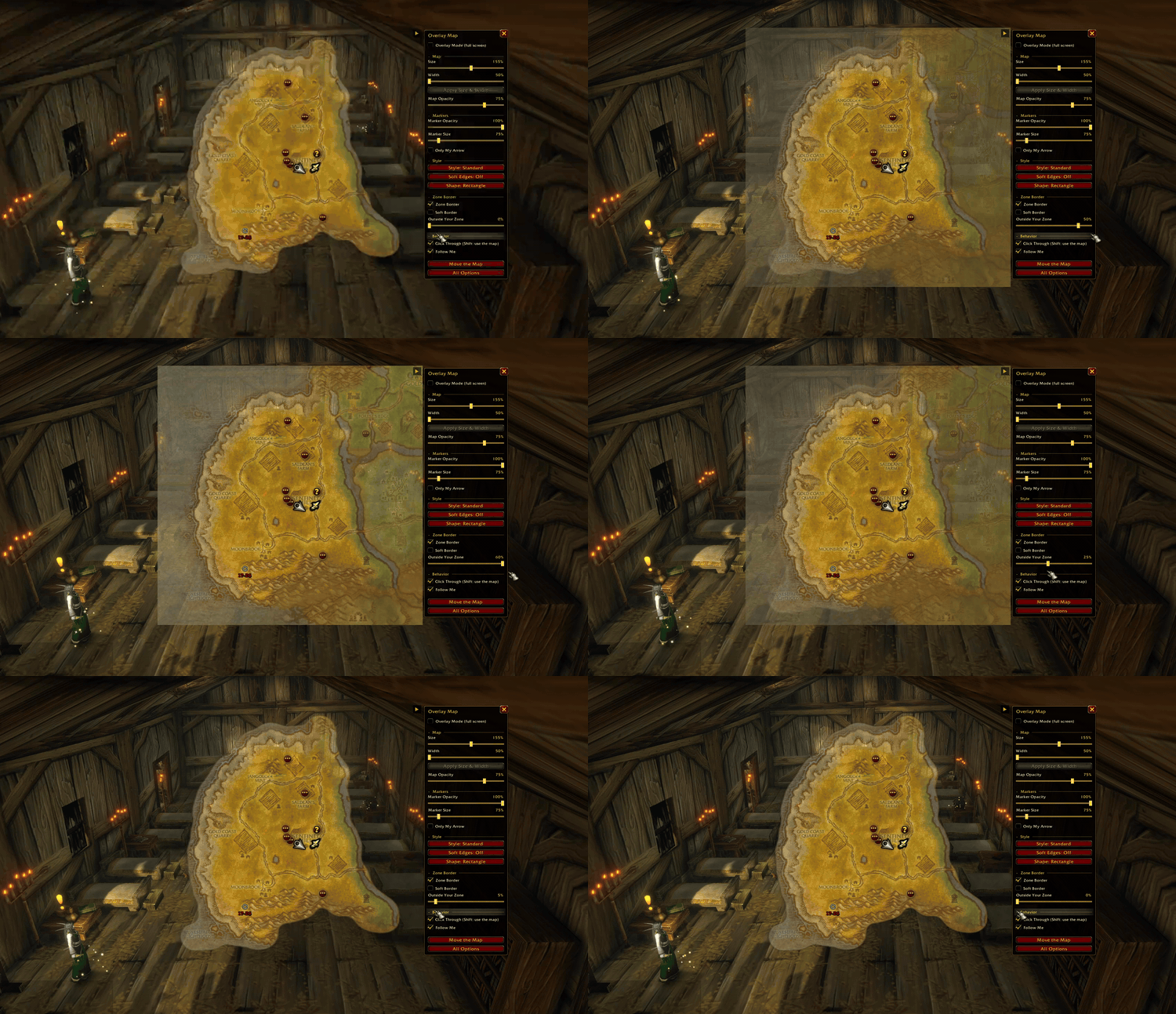
zone-showcase-short.gif
Description
Overlay Map: Zone Borders
The zone outlines for Overlay Map's Zone Border option, in WoW: Forever. Install it next to Overlay Map to cut the map to your zone's shape, with the rest of the map faded behind it.
Zone Border: your zone stands out, the rest of the map faded behind it.
This addon has no options and does nothing on its own: it only holds the outline pictures, which are much bigger than Overlay Map itself, so only players who use Zone Border need to download them. Overlay Map loads it when Zone Border is on.
What you get in Overlay Map
- Zone Border: the map cut to the outline of your zone or capital city, on top of Overlay Map's shape, soft edges and style (Torn Parchment too).
- Outside Your Zone: how much of the rest of the map shows behind your zone, from hidden to 60%.
- Soft Border: the zone fades in from its border, or is cut sharp.
- Fit Each New Zone: the map zooms to fit each zone or city you enter.
- With OpenMap: the outline follows you across the world map, the whole map comes back when you zoom out, and Follow Me keeps the view inside your zone.
Installing
- Install Overlay Map (1.2.0 or later) and this addon. Works with Overlay Map 1.2.0, released together with this addon.
- Turn on Zone Border in Overlay Map's options or its small panel.
If this addon is turned off in your AddOns list, Overlay Map asks whether to turn it on and reload when you choose Zone Border.
Covered
Every zone and capital city of Kalimdor and the Eastern Kingdoms.
Credits
- Each zone's outline was made from the game's own map pictures, so it matches what the map paints.
- Ironforge and Undercity: from their indoor minimap, placed with the TerrainWorldMap addon's data (MIT licence).
- Stormwind and Orgrimmar: from the Waymark addon (MIT licence).
Bugs and suggestions are welcome in Overlay Map's comments or on GitHub.
Overlay Map: Zone Borders Team