Overlay Map
- By
See-through overlay map with a hold or toggle key: soft or torn parchment edges, click-through, follows you, and works with Questie and OpenMap.
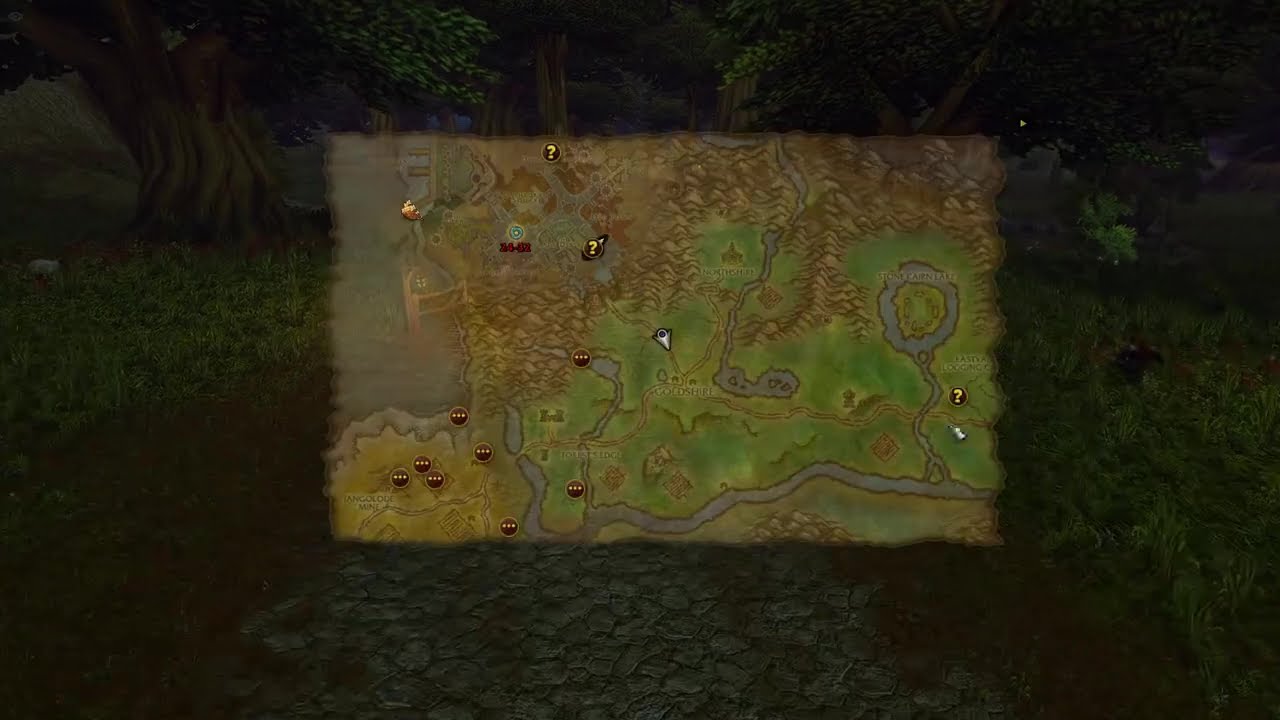
quick-showcase1.gif
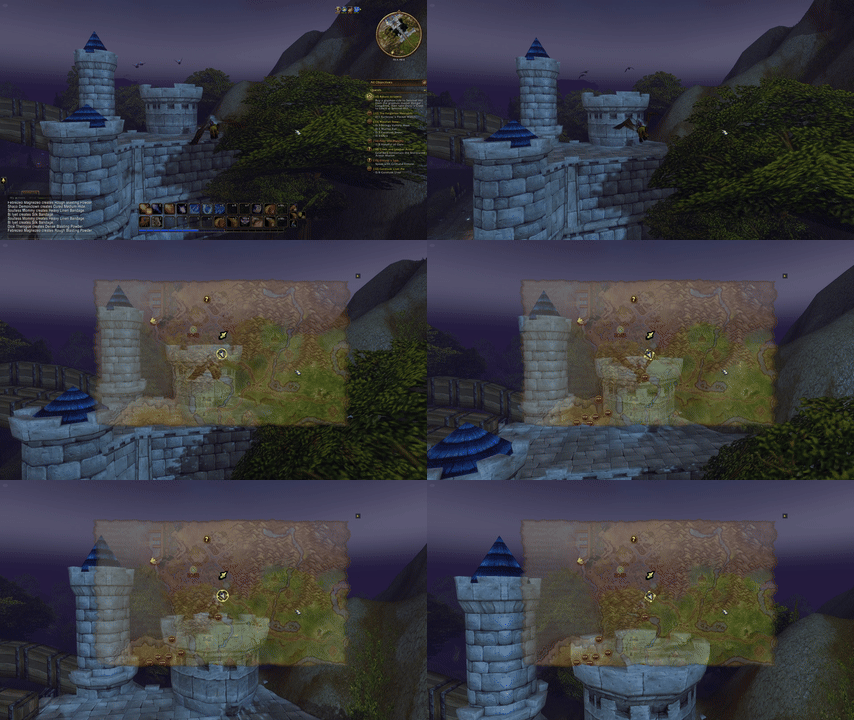
zone-showcase-short.gif
outlines-principal.jpg
Description
Overlay Map
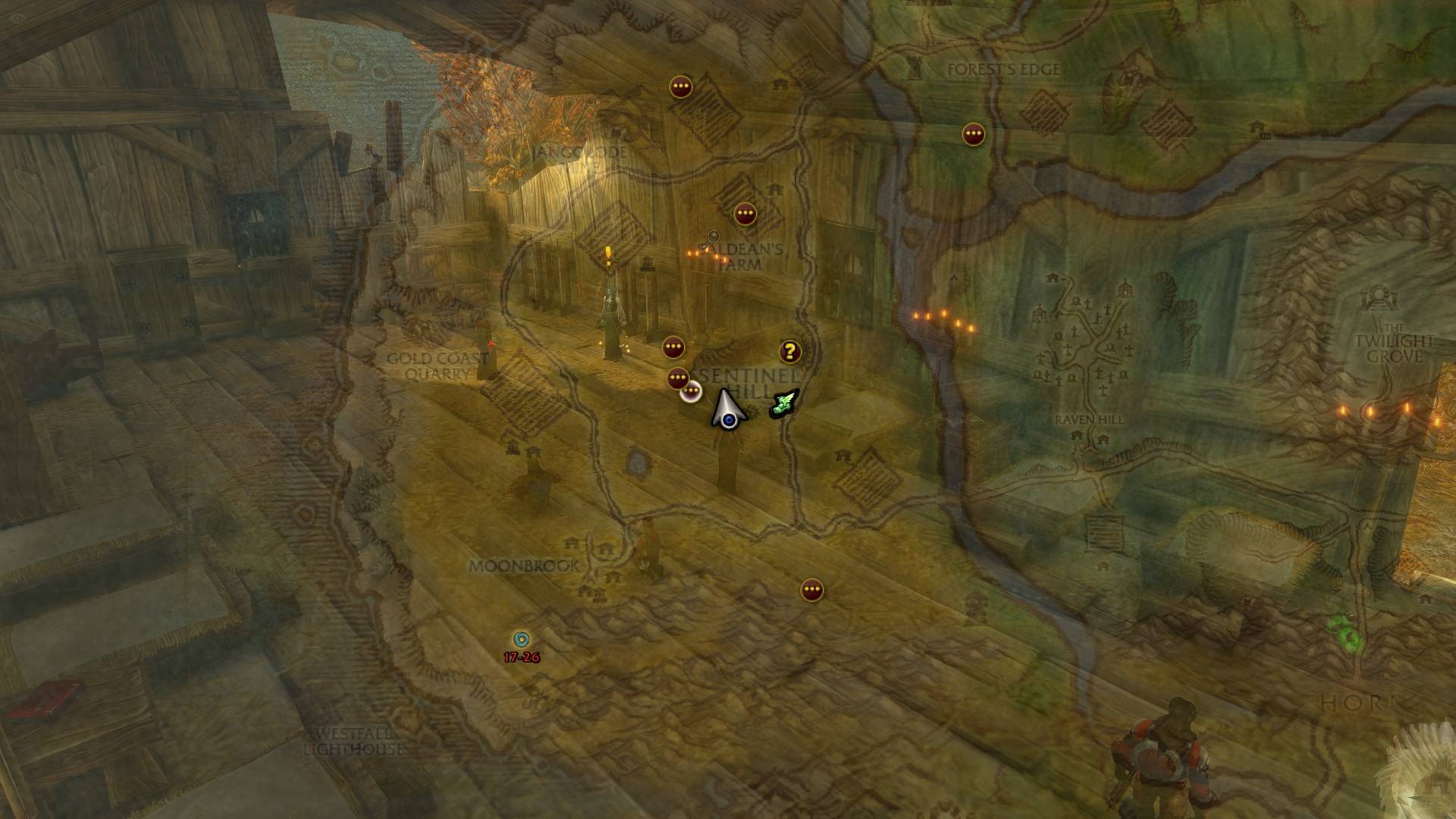
Your zone's map on a key, in WoW: Forever. No borders, no buttons, no quest log: just the map, see-through if you want, over the world. Hold the key for a quick look, or press it to leave the map open.

Hold the key for a quick look.
Overlay Mode: the whole screen, see-through, with solid markers.
It's the game's own map, so everything on it shows too: quests, vendors, flight points, your arrow, and other addons' markers like Questie's. When it closes, everything goes back exactly as it was, and your normal map (M) doesn't change.
Features
The map
- Hold or press the key: shown while held, or one press opens and the next closes.
- Size, width and place: bigger or smaller, more square or wider, anywhere on screen.
- Follow me: stays centred on you, like the minimap.
- Remember zoom: opens at the zoom it had last time.
Overlay Mode
- One switch for a full-screen, see-through map with solid markers and soft edges, like other games' overlay maps.
- Its own settings: opacities, marker size, style and edges are kept apart from the normal map's, so you can switch between both.
- Click through: keep clicking and turning your character through the map. Hold Shift to drag and zoom it.
Zone Border (new)
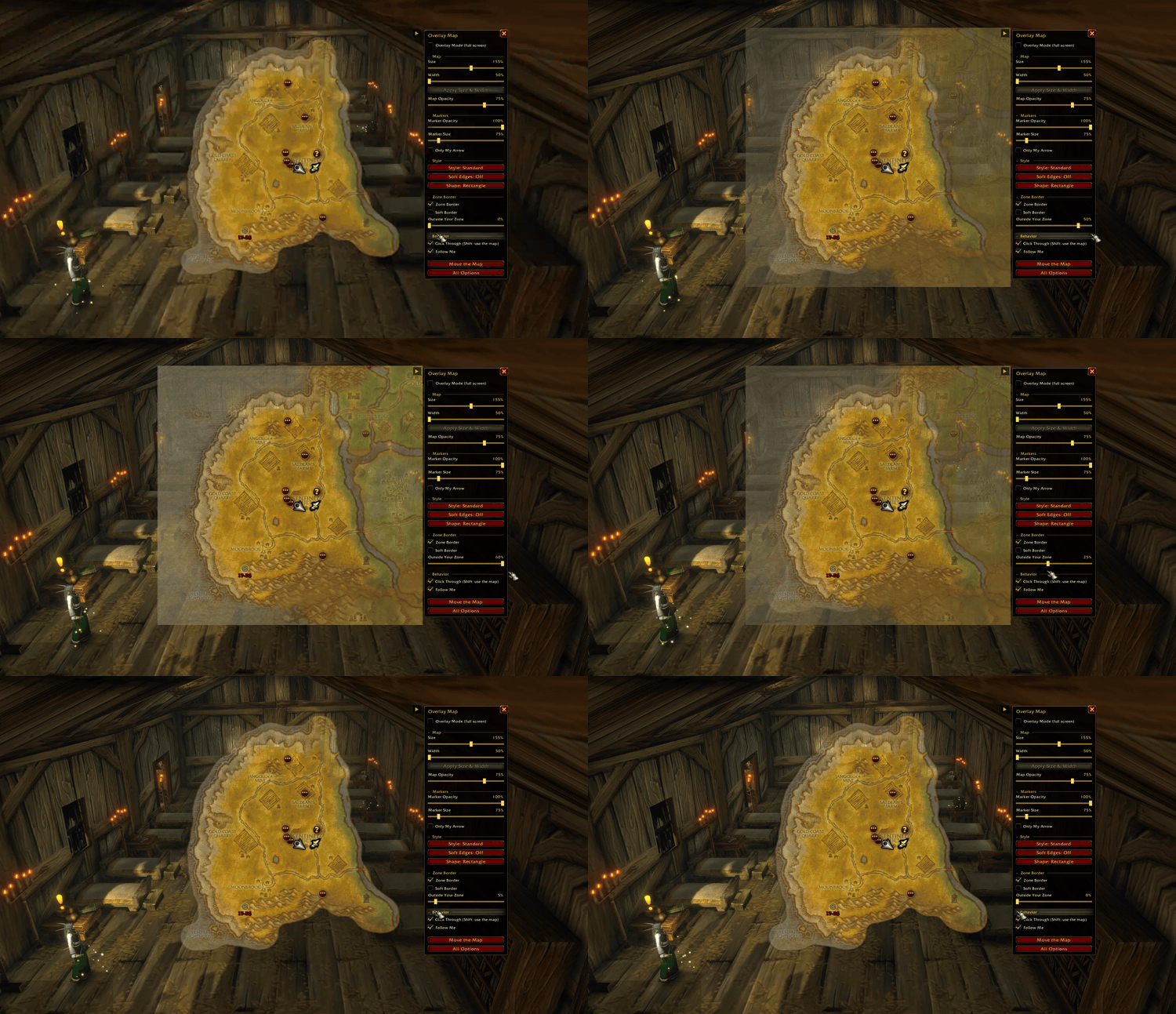
- The map cut to your zone's outline, for every zone and capital city of Kalimdor and the Eastern Kingdoms. Works with any style, Torn Parchment included.
- Outside Your Zone: how much of the rest of the map shows behind it, from hidden to 60%.
- Soft Border: the zone fades in from its edge, or is cut sharp.
- Fit Zone: the map zooms to fit your zone when you enter it, or also every time it opens.
- With OpenMap: the outline moves and zooms with the map, and the whole map comes back when you zoom out far enough. Follow me stays inside your zone.
- Needs the Overlay Map: Zone Borders download (see below).
Markers
- Separate opacities for the map and its markers: the map fades into the background, quests and vendors stay clear. Down to 0% for markers only, floating over the world.
- Marker size, Questie's and OpenMap's icons included.
- Your arrow at its own size and opacity, or only your arrow with every other marker hidden.
Look
- Soft edges: the map fades out towards its edges, as a rectangle, a diamond or an oval.
- Torn Parchment: torn, burnt paper edges, like an old map.
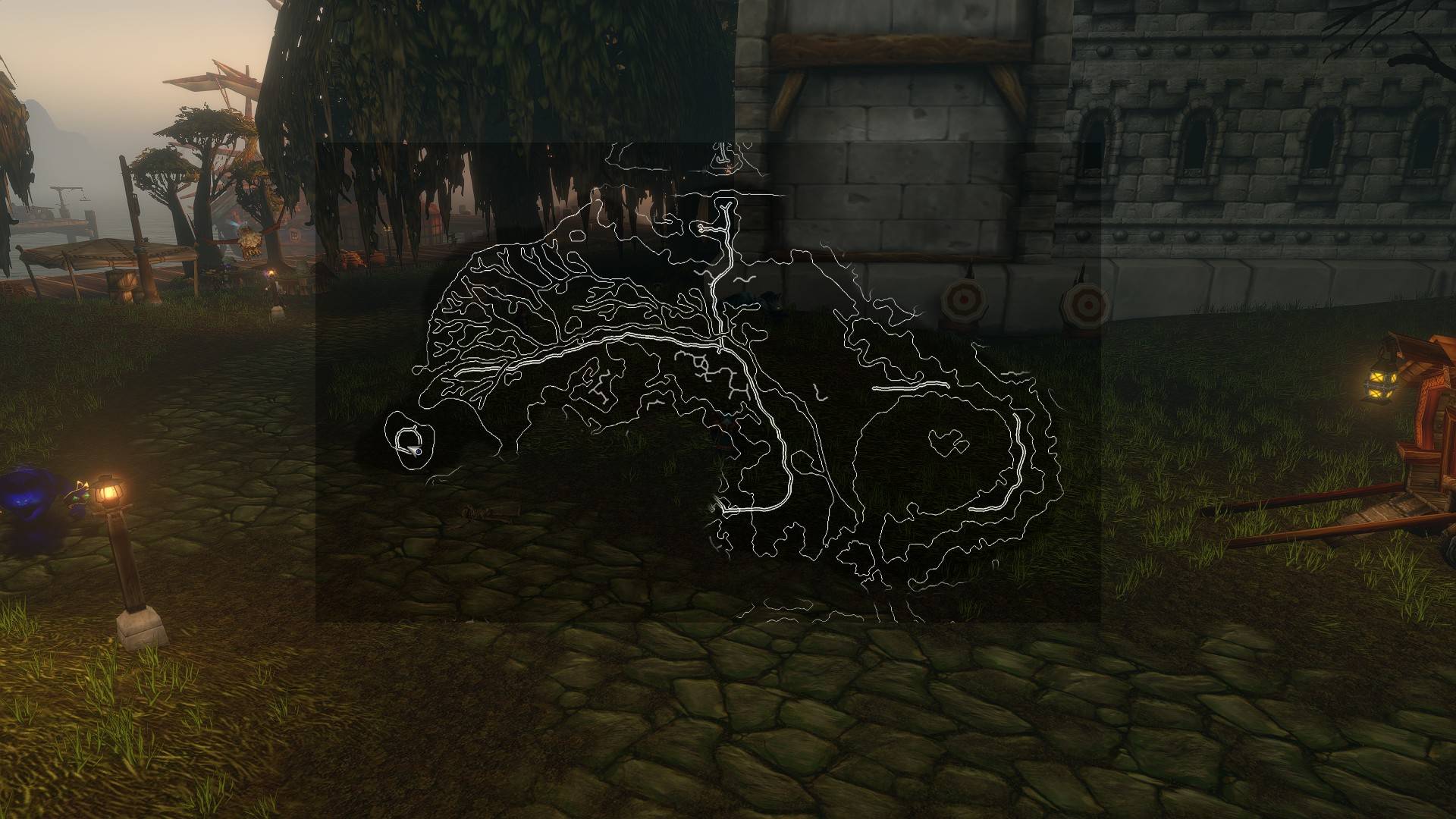
- Outlines (beta): only white lines for mountains, cliffs, water and roads over a dark background, with their own opacity sliders. Needs the Overlay Map: Outlines download.
- Keep opacity while moving: no fading while you walk, unless you want it.
Clean screen while it's open
- Hide the minimap (SexyMap's too).
- Also hide action bars, player and target frames, chat, quest tracker, buffs, menu and bags, the experience bar or the names above characters' heads. Each is its own option.
Options at hand
- Options button in the corner of the map you choose, opening a small panel with folding sections. Always visible, only on mouse hover, or hidden.
Optional downloads
Two separate addons, kept apart because their pictures are much bigger than Overlay Map itself. Install them next to Overlay Map only if you want their feature:
- Overlay Map: Zone Borders: the outlines for Zone Border.
- Overlay Map: Outlines (beta): the pictures for the Outlines style.
Getting started
- Install the addon.
- Choose a key in Options > Keybindings > Overlay Map > Show the map.
- Adjust it in Options > AddOns > Overlay Map, or with the button on the map.
Commands
/omap: open the options/omap move: move the map (drag the box, right-click it when done)/omap reset: map back to the middle of the screen/omap names: bring back the names above heads, if they stayed hidden/omap debug: details to include when reporting a problem
Works with
- OpenMap: supported, including Zone Border. Leave OpenMap's own "fade while moving" at 0 and use Overlay Map's.
- Questie: its markers show and take the markers' opacity.
- SexyMap: its minimap is hidden with the rest.
Good to know
- Like the game's map, opening it plays the map-reading animation and closes a window like the character panel.
- Inside dungeons and raids the game hides your position, so Follow me doesn't move the map there.
- In combat, action bars and unit frames are made invisible instead of hidden (the game doesn't let addons hide them then).
Bugs and suggestions are welcome in the comments or on GitHub.
Overlay Map Team